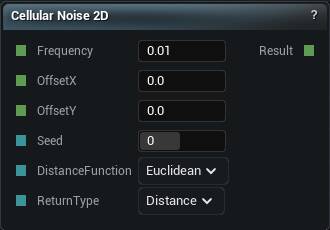
The Cellular Noise 2D node
When to use it
2D cellular noise. Voronoi cells in the XY plane, the standard way to lay out biome regions or a cracked-ground pattern on terrain.
As with the 3D one, Return Type changes what the output means. Distance gives you something smooth to shape with. Cell Value gives you a flat label per cell. Pick it on purpose.
Pins
| Pin | Type | Description |
|---|---|---|
Frequency |
Number | How tight the pattern is. Higher numbers give you finer, busier detail. |
OffsetX |
Number | Slide the pattern along X. |
OffsetY |
Number | Slide the pattern along Y. |
Seed |
Whole Number | Change this for a different pattern at the same settings. The same seed always gives you the same noise. |
DistanceFunction |
Choice | How cell edges are measured. Changes whether the cells look rounded or angular. |
ReturnType |
Choice | What the node hands back: distance to the nearest cell centre, the gap between the two nearest, and so on. |
| Pin | Type | Description |
|---|---|---|
Result |
Number | The noise here. Roughly -1 to 1, and the same at every height. |
Available in Mesh Morpher Graph and Mesh Morpher Studio.