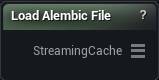
The Load Alembic File node
When to use it
The way an animated cache from Maya, Houdini or 3ds Max gets into a graph. It streams: frames come off disk as something downstream asks for them, so a thousand-frame cache costs about what one frame costs.
There is no Load button. Pick a file and it reads, and it reads again the moment you change any setting below, so getting the orientation right is a matter of nudging Preset or Rotation and looking at the result.
The conversion settings stay on show whether or not a file is picked, so you can set the package preset up front and then browse.
Pins
| Pin | Type | Description |
|---|---|---|
StreamingCache |
Streaming Geometry Cache | The animated cache read from the .abc file, one frame at a time. |
Settings
| Setting | Type | Description |
|---|---|---|
Source File |
File path | The .abc file to read. Pick one and the load runs straight away, and it runs again every time you change a setting below. |
Preset |
Choice | Which package wrote the cache. Maya and 3ds Max fill in the Scale and Rotation those apps need. Touch either of those by hand and this flips to Custom. |
Scale |
Vector | Scale applied to every vertex as the cache is read. The default (1, -1, 1) only flips handedness, it does not resize anything. |
Rotation |
Vector | Rotation in degrees applied to every vertex as the cache is read. The 90 on X is what stands a Y-up Maya cache upright. Get it wrong and the character arrives lying on its face. |
Flip U |
True/False | Mirrors the U coordinate. Turn it on if textures arrive reversed left to right. |
Flip V |
True/False | Mirrors the V coordinate. On by default, which is what Maya and most Alembic caches expect. Switch it off and textures land upside down. |
Available in Mesh Morpher Graph and Mesh Morpher Studio.