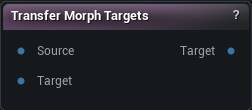
Morph Target(s) |
Text |
Which shapes to copy, one name per row. Shift + Enter adds a row. Leave it empty and everything the source carries comes across. |
Automatically Overwrite |
True/False |
Replace a shape the target already has. Turn it off and the existing one is kept, and the node names what it skipped. |
Auto Scale |
True/False |
Scale the copied movement by the size difference between the two meshes. Turn it on when the target is the same character built at another scale. Leave it off when the two already share units. |
Delta Method |
Choice |
Whether each target vertex is moved onto the sculpted source surface, or just pushed by the same amount the source moved. |
Vertex Threshold |
Number |
How far apart two vertices can sit and still count as the same spot. This is the setting that decides quality. Too low and patches of the target never move at all. Too high and a shape jumps a gap onto the wrong side of a fold, so lips pull into teeth and eyelids stick shut. |
Normal Incompatibility Threshold |
Number |
Throws away a match when the two surfaces face too differently. This is what keeps triangles from flipping inside out during the projection. |
Match Material IDs |
True/False |
Only let a vertex take its shape from source geometry with the same material. Useful where eyes, teeth and skin nearly touch and keep stealing each other's movement. |
Subdivision |
Whole number |
Split the source triangles this many times before sampling, so a dense target has more points to land on. Raise it when a fine target picks up a blocky, low-resolution version of the shape. Costs memory and time. |
Match By UV |
True/False |
Match the two meshes through their UVs instead of by distance, so vertex count and order stop mattering. Far more reliable around lips, eyelids and anywhere two surfaces nearly touch, as long as both share a UV layout. Do not use it on welded meshes - welding wrecks their UVs. |
Smooth Type |
Choice |
How the copied shape gets smoothed after projection. |
Smooth Strength |
Number |
How hard each smoothing pass pulls. Does nothing while Smooth Iterations is 0. |
Smooth Iterations |
Whole number |
How many smoothing passes to run. 0 leaves the shape exactly as projected. Raise it when the result comes out speckled or lumpy. |
Apply To LODs |
True/False |
Push the shapes down onto the lower LODs too, so they do not pop away as the character gets further from camera. |
LOD Vertex Threshold |
Number |
Same distance rule as above, but for landing the shape on the lower LODs. |
LOD Smooth Type |
Choice |
How the shape gets smoothed on the lower LODs. |
LOD Smooth Strength |
Number |
How hard each LOD smoothing pass pulls. Does nothing while LOD Smooth Iterations is 0. |
LOD Smooth Iterations |
Whole number |
How many smoothing passes to run on the lower LODs. Coarse LODs usually need a pass or two where LOD0 needs none. |