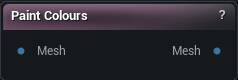
The Paint Colours node
When to use it
Brush colour straight onto the mesh in the viewport. Select the node and the Paint tool takes over; deselect it and the tool goes away.
Painting is for variation you cannot describe as a rule. Anything rule-based is better built from a mask and a maths node, because that follows the mesh when it changes and a stroke does not.
How to use it
- 1
Connect a mesh
- 2
Paint colours in the viewport
- 3
Accept, and the painted mesh leaves the output pin
Pins
| Pin | Type | Description |
|---|---|---|
Mesh |
Mesh | The mesh you want to paint. |
| Pin | Type | Description |
|---|---|---|
Mesh |
Mesh | Your painted mesh. Vertex colours are baked in, and anything you painted in texture mode rides along as the base colour map. |
Available in Mesh Morpher Graph and Mesh Morpher Studio.