Editor-only node. Runs only in Mesh Morpher Graph inside the Unreal Editor, because it reads or writes Unreal Engine assets. Not available in the standalone Mesh Morpher Studio app.
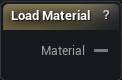
The Load Material node
When to use it
Exposes a project material asset to the graph, on the same wire type Create Material from Textures produces, so Set Materials consumes either one the same way.
It is editor only because picking an asset out of the content browser is an authoring operation. When there is no project material to point at - because the textures were made inside the graph - use Create Material from Textures instead.
How to use it
- 1
Pick a material or material instance asset
- 2
Wire the Material output into a Set Materials slot pin
Pins
| Pin | Type | Description |
|---|---|---|
Material |
Asset | The material you picked. Wire it into a Set Materials slot. |
Settings
| Setting | Type | Description |
|---|---|---|
Material |
Asset | The material you want to use. |
Available in Mesh Morpher Graph only. Compare the products.