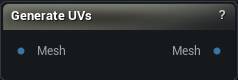
The Generate UVs node
When to use it
Builds a UV atlas for the mesh from scratch and packs it into the channel you pick. Two unwrappers are on offer: Patch Builder suits sculpted organic shapes, XAtlas copes better with scans and generated meshes that turn up with no UVs at all.
Whatever was in the chosen channel is replaced, seams and all. To change only the layout while keeping the unwrap, use Pack UVs instead.
How to use it
- 1
Connect a mesh
- 2
Pick an algorithm and its parameters
- 3
Click Generate UVs
Pins
| Pin | Type | Description |
|---|---|---|
Mesh |
Mesh | The mesh to unwrap. |
| Pin | Type | Description |
|---|---|---|
Mesh |
Mesh | The same mesh with a fresh UV layout in the chosen channel. |
Settings
| Setting | Type | Description |
|---|---|---|
Method |
Choice | Which unwrapper does the work. |
UV Channel |
Whole number | Which UV channel the new layout goes into. Whatever was in that channel is replaced, so point this at a spare channel if you want to keep the old one. |
| Setting | Type | Description |
|---|---|---|
Initial Patch Count |
Whole number | How many patches the surface is broken into before any merging happens. More patches means more, smaller islands in the finished layout. |
Min Patch Size |
Whole number | The fewest triangles a patch is allowed to hold. Raise it to stop odd triangles ending up as islands of their own. |
Curvature Alignment |
Number | How closely a growing patch sticks to surface that faces the same way. Higher pushes the cuts towards the places the shape already turns a corner. |
Merging Threshold |
Number | How much stretch you will accept in exchange for merging two patches into one island. Raise it for fewer, bigger islands and more distortion in them. |
Max Angle Deviation |
Number | How far apart two neighbouring patches may face and still be merged, in degrees. Drop it towards 30 to keep seams on the hard corners. |
Smoothing Steps |
Whole number | Smooths the surface direction before solving, which settles the island shapes down at the cost of a little more distortion. |
Smoothing Alpha |
Number | How much each of those smoothing steps moves things. |
Pack Islands |
True/False | Lays the finished islands out inside the 0-1 square. Switch it off and they stay where the solve put them, which usually means overlapping. XAtlas always packs, whatever this says. |
| Setting | Type | Description |
|---|---|---|
Max Iterations |
Whole number | How many passes XAtlas spends refining where the cuts go. Higher is tidier and slower. |
| Setting | Type | Description |
|---|---|---|
Packing Resolution |
Whole number | The texture size the layout is packed for. It turns the padding below from a pixel count into a real UV distance, so set it to whatever you will bake at. |
Island Padding |
Whole number | Blank space left between islands, in pixels of the resolution above. Too little and a bake bleeds across an island edge, or the low mips smear the shoulder into the ear. Patch Builder always leaves at least one pixel even at 0; XAtlas will pack flush. |
Rotate Islands To Pack |
True/False | Lets islands turn so they nest tighter. Switch it off to keep every island upright, which keeps checker squares square and the layout readable. You give up some coverage for that. Patch Builder only reads it while Pack Islands is on. |
Available in Mesh Morpher Graph and Mesh Morpher Studio.