Editor-only node. Runs only in Mesh Morpher Graph inside the Unreal Editor, because it reads or writes Unreal Engine assets. Not available in the standalone Mesh Morpher Studio app.
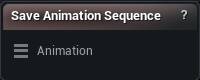
The Save Animation Sequence node
When to use it
Writes the bone keys on an Animation pin into a live Animation Sequence asset. Editor only. This is the materialize step for Pose Animation Sequence, whose Accept only ever caches the edit on the wire.
How to use it
- 1
Wire the Animation pin
- 2
Leave Target Sequence empty to write back into the sequence the animation came from (or create one), or pick a specific asset
- 3
Click Save Animation Sequence
Pins
| Pin | Type | Description |
|---|---|---|
Animation |
Animation | The animation to write. Its bone keys are what gets saved - float curves are not part of this pin, so a brand-new asset never gets any. |
Settings
| Setting | Type | Description |
|---|---|---|
Target Sequence |
Asset | The Animation Sequence asset to write into. Leave empty to write back into the sequence the animation came from, or into a new asset when there is none. |
Skeleton For New Asset |
Asset | Skeleton asset a new sequence is created against. Only needed when the animation did not come from a project asset (an FBX import, say) - otherwise the source sequence's own skeleton is used. |
Available in Mesh Morpher Graph only. Compare the products.