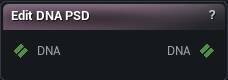
The Edit DNA PSD node
When to use it
Adds, replaces or removes PSD correctives on a DNA, as an ordered list of operations applied atomically - a PSD is a control computed as the weighted product of its own factor controls, the missing authoring counterpart to every PSD a Get/Create DNA node can only read.
How to use it
- 1
Wire a DNA in
- 2
Build an ordered list of operations in the Operations panel below the properties
Each entry picks Add / Replace Factors / Remove, a Factors table (control + weight rows, Add / Replace) and, for Replace / Remove, a PSD target and a Force Cascade tick. Untick an entry to keep it staged without running it.
- 3
Press Apply PSD
Every enabled entry runs in order against the result of every earlier one. The whole batch is atomic: the first refusal publishes nothing at all, not even the operations before it.
Pins
| Pin | Type | Description |
|---|---|---|
DNA |
DNA | The DNA to edit PSDs on. |
| Pin | Type | Description |
|---|---|---|
DNA |
DNA | The DNA with every operation applied. Empty until Apply PSD succeeds - never a partial file. |
Settings
| Setting | Type | Description |
|---|---|---|
Operations |
List of MMDNAPSD Operation | The ordered batch Apply PSD runs, one entry at a time, top to bottom. Edited in its own panel on the node, not in the plain properties list. |
Learn more
| Modify MetaHuman RBF poses | Read the walkthrough on meshmorpher.com | https://meshmorpher.com/blog/modify-metahuman-rbf-poses |
| Modify DNA bone expressions | Read the walkthrough on meshmorpher.com | https://meshmorpher.com/blog/modify-meta-human-dna-bone-expressions-with-mesh-morpher |
| Custom DNA topology | Read the walkthrough on meshmorpher.com | https://meshmorpher.com/blog/custom-dna-topology-with-mesh-morpher-graph |
Available in Mesh Morpher Graph and Mesh Morpher Studio.