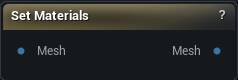
The Set Materials node
When to use it
Overrides which material sits in each of a mesh's material slots, and renames the sections.
The renaming is the part worth knowing. Section names flow onward to the sections list, to nodes that address a slot by name such as Replace Geometry, and to Convert To Static Mesh's slot names. Naming a section here is how a part of the mesh becomes addressable later.
Feed the material inputs from Load Material or Create Material from Textures. Both emit the same wire type, so they are interchangeable here.
Setting a slot the mesh does not have does nothing. When an override looks ignored, check the mesh's real section count.
How to use it
- 1
Connect the mesh
- 2
Configure the material slot overrides
- 3
The output mesh carries the updated materials
Pins
| Pin | Type | Description |
|---|---|---|
Mesh |
Mesh | The mesh whose material slots you want to change. |
| Pin | Type | Description |
|---|---|---|
Mesh |
Mesh | The same mesh with your material choices applied. |
Available in Mesh Morpher Graph and Mesh Morpher Studio.