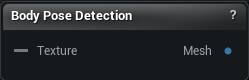
The Body Pose Detection node
When to use it
Runs Meta's SAM 3D Body model over a photograph and hands back a complete character on one wire: vertices, triangles, UVs, a bone hierarchy, a bind pose and skin weights. It arrives posed the way the person in the photo is standing.
That makes one image enough to get a body you can actually retarget onto. Turn Shape Strength down to get the neutral template build instead of the person's own, which is the easier one to fit clothing to.
Bodies only. Turning a photograph of an object into a mesh is a different pipeline with its own node.
Pins
| Pin | Type | Description |
|---|---|---|
Texture |
Asset | The photo of the person to read. |
| Pin | Type | Description |
|---|---|---|
Mesh |
Mesh | The body it built: mesh, skeleton, skin weights and UVs, ready to pose. |
Settings
| Setting | Type | Description |
|---|---|---|
Backend |
Choice | Where the model runs. DirectML uses your GPU and needs DX12. On the CPU a single image takes 30 to 60 seconds. Falls back to the CPU on its own when DirectML is not available. |
Shape Strength |
Number | How much of the person's actual build to keep. 1 gives you their body shape as read from the photo. 0 gives you the neutral template body, which is the easier one to retarget onto. |
Hand Pose Strength |
Number | How much of the predicted finger pose to keep. 0 leaves the hands relaxed in the template's default pose. |
Apply Per Limb Scale |
True/False | Use the predicted limb proportions instead of the template's. Off by default, which is what the model's own reference pipeline does. |
Recompute Normals |
True/False | Rebuild smooth normals on the finished body so it shades cleanly. Turn it off when a remesh or normal-edit node further down the graph is going to redo them anyway. |
Attach UVs |
True/False | Give the body its stock UV layout. Turn it off if you intend to unwrap it yourself later. |
Ground To Floor |
True/False | Drop the body onto the ground so it does not float. One photo cannot tell how high off the floor someone is, so the predicted height is guesswork; this slides mesh and skeleton down together until the lowest vertex rests at zero. Turn it off to keep the raw placement the model produced. |
Available in Mesh Morpher Graph and Mesh Morpher Studio.