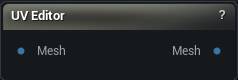
The UV Editor node
When to use it
The interactive 2D UV view. See one channel's islands in the tile grid, select them by click or marquee, and move, rotate and scale them by hand.
Pins
| Pin | Type | Description |
|---|---|---|
Mesh |
Mesh | The mesh to edit. It needs UVs in the chosen channel already - this node will not make them. |
| Pin | Type | Description |
|---|---|---|
Mesh |
Mesh | The mesh with your edits to the chosen channel. The other channels come out untouched. |
Settings
| Setting | Type | Description |
|---|---|---|
UV Channel |
Whole number | Which UV channel is shown and edited. The others come out untouched. A channel that is missing or empty is refused rather than created - run Generate UVs first. |
Available in Mesh Morpher Graph and Mesh Morpher Studio.