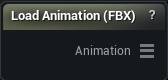
The Load Animation (FBX) node
Imports an FBX animation take via the runtime-safe FBX wrapper.
Additionally, in the editor, the node builds a transient Animation Sequence (+ its skeleton asset) from the keyframes and carries its path inside the same "Animation" struct for Delta Mush Animation Corrective.
How to use it
- 1
Set the FBX file path + axis/coordinate options on the details panel
- 2
The node imports + bakes the animation into the output pin
- 3
Wire "Animation" into an "Apply Animation Frame" node or a Delta Mush Animation Corrective node
Pins
| Pin | Type | Description |
|---|---|---|
Animation |
Animation | The imported animation, ready for Apply Animation Frame or Delta Mush Animation Corrective. |
Settings
| Setting | Type | Description |
|---|---|---|
File |
File path | Path to the FBX File. |
Use T0 Pose |
True/False | T0 Pose |
Coordinate System |
Choice | |
Front Axis |
Choice | |
Up Axis |
Choice |
Learn more
| Delta Mush in Mesh Morpher Graph | Read the walkthrough on meshmorpher.com | https://meshmorpher.com/blog/delta-mush-in-mesh-morpher-graph |
| ML Deformer and MetaHuman facial expressions | Read the walkthrough on meshmorpher.com | https://meshmorpher.com/blog/ml-deformer-and-meta-human-facial-expressions |
Available in Mesh Morpher Graph and Mesh Morpher Studio.