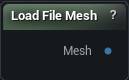
The Load File Mesh node
How to use it
- 1
Set the file path and import settings on the node's details panel
- 2
Downstream consumers (sculpt / repair / exporter) read that struct
Pins
| Pin | Type | Description |
|---|---|---|
Mesh |
Mesh | The mesh read out of the file, triangulated, with its material slots and textures attached. |
Settings
| Setting | Type | Description |
|---|---|---|
File |
File path | Path to the FBX File. |
Use T0 Pose |
True/False | T0 Pose |
Coordinate System |
Choice | |
Front Axis |
Choice | |
Up Axis |
Choice | |
OBJ Sections From |
Choice | OBJ only. Which statements split the file into material sections. OBJ marks materials with usemtl, so parts that reuse one material — or name none — would otherwise arrive merged into a single section; the o and g statements are what carry the real structure. Pick Groups for ZBrush polygroups, Material Only for strict OBJ behaviour. |
Available in Mesh Morpher Graph and Mesh Morpher Studio.