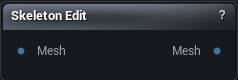
The Skeleton Edit node
When to use it
Authors and edits a mesh's skeleton by hand. Click to select joints, Ctrl-click the surface to add one, drag to move them, and use the panel to rename, reparent, mirror or delete. Skin weights are preserved through every edit.
It works on an unrigged mesh too: build a skeleton from scratch here, then Auto-Skin or Paint Skin Weights downstream.
For one joint sitting in the wrong place this is the right tool. When the whole skeleton has to follow a reshaped body, Fit Skeleton does it in one go.
How to use it
- 1
Connect a mesh, rigged or not
- 2
Edit the skeleton in the viewport
- 3
The output carries the edited skeleton, weights remapped
Pins
| Pin | Type | Description |
|---|---|---|
Mesh |
Mesh | The mesh to work on. It does not need a rig - an unrigged mesh starts you from nothing. |
| Pin | Type | Description |
|---|---|---|
Mesh |
Mesh | The mesh with your edited skeleton, weights remapped to match. |
Learn more
| Morph full body MetaHumans and skeletons | Read the walkthrough on meshmorpher.com | https://meshmorpher.com/blog/morph-full-body-meta-humans-and-skeletons |
Available in Mesh Morpher Graph and Mesh Morpher Studio.