Editor-only node. Runs only in Mesh Morpher Graph inside the Unreal Editor, because it reads or writes Unreal Engine assets. Not available in the standalone Mesh Morpher Studio app.
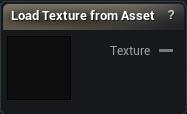
The Load Texture from Asset node
When to use it
Exposes a project texture asset to the graph. For an image sitting on disk rather than in the project, Load Texture is the one, and it works in the standalone app too.
The asset is also published into the session's texture list, so tools like Displace offer it in their texture dropdown exactly like a file-loaded texture.
How to use it
- 1
Pick a texture asset in the details panel
- 2
Wire the Texture output into whatever consumes it
Pins
| Pin | Type | Description |
|---|---|---|
Texture |
Asset | The texture you picked. Feeds Transfer Texture, Displace and the material nodes. |
Settings
| Setting | Type | Description |
|---|---|---|
Texture Asset |
Asset | The texture you want in the graph. |
Learn more
| Texture transfer with Mesh Morpher Graph | Read the walkthrough on meshmorpher.com | https://meshmorpher.com/blog/texture-transfer-with-mesh-morpher-graph |
Available in Mesh Morpher Graph only. Compare the products.