Editor-only node. Runs only in Mesh Morpher Graph inside the Unreal Editor, because it reads or writes Unreal Engine assets. Not available in the standalone Mesh Morpher Studio app.
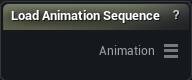
The Load Animation Sequence node
Editor-only authoring node that picks a project Animation Sequence asset.
Additive sequences are not supported.
- 1
Pick an animation sequence asset in the details panel
- 2
Wire the Animation output into Apply Animation Frame or Delta Mush Animation Corrective
Pins
| Pin | Type | Description |
|---|---|---|
Animation |
Animation | The keyframes, plus a reference back to the asset for Delta Mush Animation Corrective. |
Settings
| Setting | Type | Description |
|---|---|---|
Anim Sequence |
Asset | The Animation Sequence to read. Pick an additive one and the node tells you it cannot use it. |
Learn more
| Delta Mush in Mesh Morpher Graph | Read the walkthrough on meshmorpher.com | https://meshmorpher.com/blog/delta-mush-in-mesh-morpher-graph |
| ML Deformer and MetaHuman facial expressions | Read the walkthrough on meshmorpher.com | https://meshmorpher.com/blog/ml-deformer-and-meta-human-facial-expressions |
Available in Mesh Morpher Graph only. Compare the products.