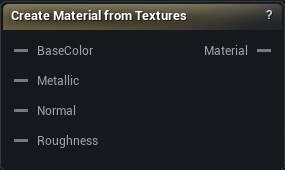
The Create Material from Textures node
When to use it
Builds a live material instance from the texture wires you connect - base colour, metallic, normal and roughness - and publishes it for Set Materials to assign.
When the textures were produced inside the graph by Bake Maps, Project Texture or Transfer Texture, there is no project material to point at and this fills the gap. When there already is one, use Load Material.
The parent material has to expose parameters with the expected names. A slot left unconnected keeps the parent's default, and for a normal map that default is flat, which makes surfaces look suspiciously smooth rather than obviously broken.
Nothing is written to disk, so it works in the packaged app as well as the editor. Press Create Material to build or refresh it.
How to use it
- 1
Set the parent material
It must expose matching texture parameters.
- 2
Connect the texture inputs
Base colour, metallic, normal, roughness - whichever you have.
- 3
Click Apply to create or refresh the material instance
Pins
| Pin | Type | Description |
|---|---|---|
BaseColor |
Asset | The colour map. |
Metallic |
Asset | The metallic mask. |
Normal |
Asset | The normal map. |
Roughness |
Asset | The roughness map. |
| Pin | Type | Description |
|---|---|---|
Material |
Asset | The finished material. Wire it into a Set Materials slot. |
Available in Mesh Morpher Graph and Mesh Morpher Studio.