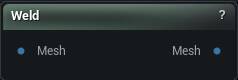
The Weld node
When to use it
Hairline gaps between vertices are what make a mesh non-manifold and break every boolean, remesh and watertight export downstream. This merges anything within a tolerance and closes them.
How to use it
- 1
Connect the mesh with the open edges
- 2
Set the merge tolerance
- 3
The output is the welded mesh
Pins
| Pin | Type | Description |
|---|---|---|
Mesh |
Mesh | The mesh with the splits you want closed. |
| Pin | Type | Description |
|---|---|---|
Mesh |
Mesh | The welded mesh. Normals come back fully smooth, so any hard edges you had will need setting again. |
Settings
| Setting | Type | Description |
|---|---|---|
Weld Per Section |
True/False | Weld inside each material section on its own, so the borders between sections stay split. Off welds straight across the whole mesh. |
Merge Vertex Tolerance |
Number | Two edges only merge when both pairs of end vertices sit closer than this. Push it too high and edges that were never meant to meet get pulled together, so a sleeve fuses to the arm it rests on. |
Merge Search Tolerance |
Number | How far apart two edge midpoints may be before the node stops treating them as a possible pair. Keep it a little above the vertex tolerance. |
Only Unique Pairs |
True/False | Only merge where exactly one candidate matches. Turn it on when three or more surfaces meet along the same line and the weld keeps grabbing the wrong partner. |
Available in Mesh Morpher Graph and Mesh Morpher Studio.