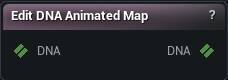
The Edit DNA Animated Map node
When to use it
Adds, renames, sets LOD membership on, appends a driving row to, replaces the rows of, or removes animated maps on a DNA - MetaHuman's eyeBlink / eyeLidTightener-style values, each driven by a raw control through the same [From, To] interval and Slope*x+Cut line a GUI control's own rows use - as an ordered list of operations applied atomically.
How to use it
- 1
Wire a DNA in
- 2
Build an ordered list of operations in the Operations panel below the properties
Each entry picks Add / Rename / Set LODs / Add Row / Set Rows / Remove, a target/new name, and whichever of the LOD checkbox row / raw-control picker + From-To-Slope-Cut fields / rows table its own Op uses. Picking a map shows that map's own current rows (read-only) so Add Row's own "appends after this" is never a guess, and on a Set Rows entry also loads those rows into the rows table to edit (Load Rows From DNA does the same at any time). Untick an entry to keep it staged without running it.
- 3
Press Apply Animated Map
Every enabled entry runs in order against the result of every earlier one - rename a map then Add Row on it in the very next entry and the row lands on the map under its new name. The whole batch is atomic: the first refusal publishes nothing at all, not even the operations before it.
Pins
| Pin | Type | Description |
|---|---|---|
DNA |
DNA | The DNA to edit animated maps on. |
| Pin | Type | Description |
|---|---|---|
DNA |
DNA | The DNA with every operation applied. Empty until Apply Animated Map succeeds - never a partial file. |
Settings
| Setting | Type | Description |
|---|---|---|
Operations |
List of MMDNA Animated Map Operation | The ordered batch Apply Animated Map runs, one entry at a time, top to bottom. Edited in its own panel on the node, not in the plain properties list. |
Learn more
| Modify MetaHuman RBF poses | Read the walkthrough on meshmorpher.com | https://meshmorpher.com/blog/modify-metahuman-rbf-poses |
| Modify DNA bone expressions | Read the walkthrough on meshmorpher.com | https://meshmorpher.com/blog/modify-meta-human-dna-bone-expressions-with-mesh-morpher |
| Custom DNA topology | Read the walkthrough on meshmorpher.com | https://meshmorpher.com/blog/custom-dna-topology-with-mesh-morpher-graph |
Available in Mesh Morpher Graph and Mesh Morpher Studio.