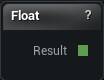
The Float node
When to use it
One floating-point number on a wire, so a single value can drive several nodes at once.
Whenever the same number has to appear in two places and stay in step - a tolerance, a strength, a resolution - this keeps it visible on the canvas. A details-panel value typed twice is not.
Wire it into any node setting that offers an override pin. That node's own property then stops being used, which is why a setting that ignores your edits usually has a wire on it.
Pins
| Pin | Type | Description |
|---|---|---|
Result |
Number | The number. Wire it into any setting that has an override pin. |
Settings
| Setting | Type | Description |
|---|---|---|
Value |
Number | The number this node hands out. |
Available in Mesh Morpher Graph and Mesh Morpher Studio.