Mesh Morpher allows users to create Morph Targets from Poses.
Poses can be an Animation frame, a Bone Snapshot or a combination of an Animation frame and Bones modification.
There are two ways to create Morph Targets from Pose:
- By clicking Create from Pose in Mesh Morpher's toolbar

- Navigating to Tools top dropdown menu and clicking Create from Pose
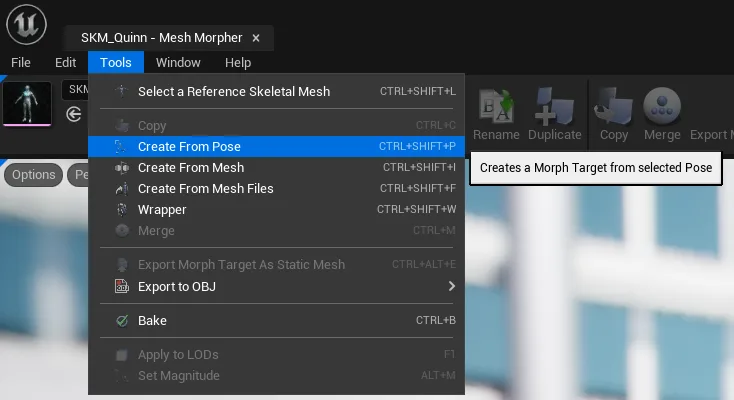
Once the Create from Pose button is pressed, a dialog box will open where users can select several options.
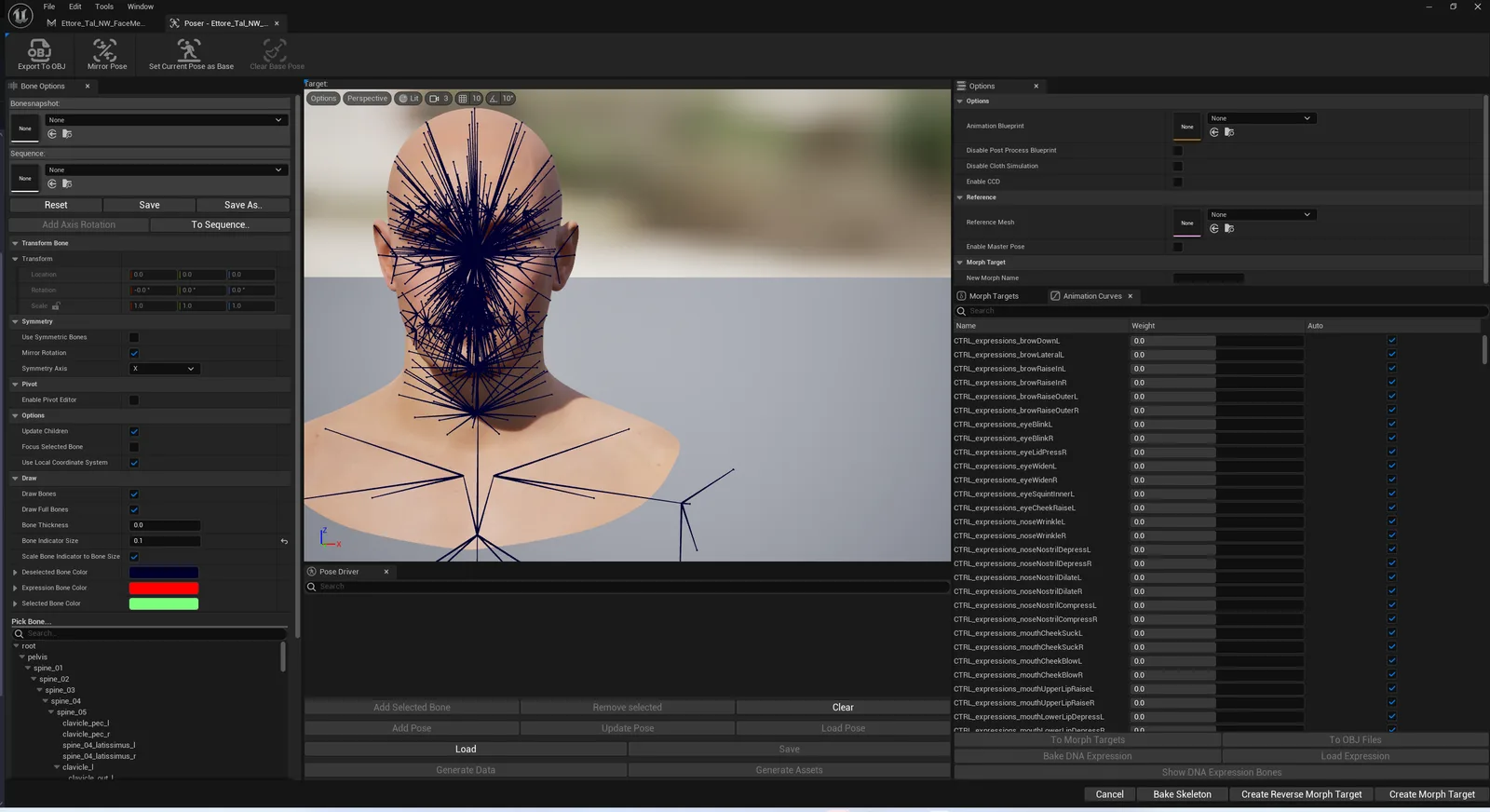
| Options | Description |
|---|---|
| Animation Blueprint | Allows users to select and enable an Animation Blueprint in Poser |
| Disable Post Process Blueprint | Toggles the Post Process blueprint in the selected skeletal mesh in Poser |
| Disable Cloth Simulation | Toggles the cloth simulation for the selected skeletal mesh in Poser |
| Enable CCD | Toggles Continuous Collision Detection in Poser |
| Reference Mesh | Allows users to select a skeletal mesh as a reference |
| Enable Master Pose | Set the Leader/Master Pose Component for the reference mesh to the main skeletal mesh opened in Poser |
| New Morph Name | Users can also pick the Morph Target name that will be created. |