
There are two types of Smoothing. by Preserving UV flow or if disabled then the smoothing is uniform.
Smooth can also be applied to the entire mesh or a mask selection by click on Apply Smoothing.
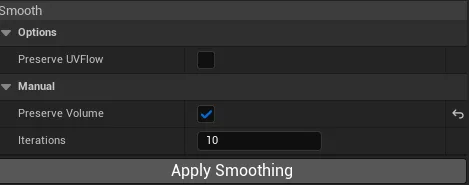
| Options | Description |
|---|---|
| Preserve Volume | Reprojects the smoothed vertices maintaining volume. |
| Iterations | Iterations count performed by Apply Smoothing(not by brush sculpting) |
Users can press Ctrl + Z to Undo and Ctrl + Y to Redo the operation.