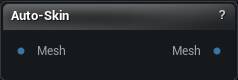
The Auto-Skin node
When to use it
Works out a skin weight for every vertex against the skeleton the mesh is already carrying, and writes them back on, so the mesh deforms when you pose it.
It needs bones to bind to. Anything with a skeleton will do: the output of Auto-Rig, or an imported skeletal mesh whose weights you want redone.
The pair reads Mesh, Auto-Rig, Auto-Skin: the first predicts the skeleton, the second binds the mesh to it, and what comes out the far end is rigged and skinned.
Pins
| Pin | Type | Description |
|---|---|---|
Mesh |
Mesh | The mesh to skin. It needs a skeleton on it already, from Auto-Rig or an imported skeletal mesh. |
| Pin | Type | Description |
|---|---|---|
Mesh |
Mesh | The same mesh and skeleton, now with skin weights on every vertex. |
Settings
| Setting | Type | Description |
|---|---|---|
Backend |
Choice | Where the neural refinement runs. DirectML uses your GPU and is far quicker; it drops back to the CPU on its own when the GPU cannot take it. |
Max Influences |
Whole number | How many bones are allowed to pull on one vertex. Four is the usual budget for a game character. |
Neural Refine |
True/False | Clean up the plain distance-based binding with UniRig's skinning model. It sharpens the border between one bone's territory and the next, so an elbow creases instead of smearing. Needs the UniRig model pack. Asking for it is not the same as getting it. Without the pack the node still finishes, using the plain binding, and its completion line tells you which one you actually got. |
Available in Mesh Morpher Graph and Mesh Morpher Studio.