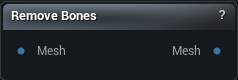
The Remove Bones node
When to use it
Deletes named bones and redistributes their vertex weights onto the bones that remain, so the mesh stays fully skinned. Stripping twist bones, facial joints or an IK chain a target engine will not accept, without hand-editing weights.
Remove Children is the surprise. Off, a removed bone's children get re-parented and survive. On, naming a limb's root makes the whole limb disappear.
Weights go to the parent, so removing a chain piles all of that influence onto one joint and the deformation there stiffens up. Check the result at extreme angles, not at rest.
How to use it
- 1
Connect the rigged mesh
- 2
List the bones to remove, one per line
- 3
The output carries the smaller skeleton
Pins
| Pin | Type | Description |
|---|---|---|
Mesh |
Mesh | The rigged mesh to strip bones from. |
| Pin | Type | Description |
|---|---|---|
Mesh |
Mesh | The mesh with a smaller skeleton. Weights from the deleted joints move up to the nearest surviving parent. |
Settings
| Setting | Type | Description |
|---|---|---|
Bones |
Text | Bones to delete, one per line. Names have to match exactly, so a typo silently leaves that bone in place, and the root is never deleted whatever you type here. Shift+Enter adds a row. |
Remove Children |
True/False | Also delete every joint parented under the ones you named. |
Learn more
| Morph full body MetaHumans and skeletons | Read the walkthrough on meshmorpher.com | https://meshmorpher.com/blog/morph-full-body-meta-humans-and-skeletons |
Available in Mesh Morpher Graph and Mesh Morpher Studio.