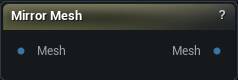
The Mirror Mesh node
When to use it
Reflects every vertex about the same plane Fix Symmetry and the sculpt brushes use, and flips the winding so the result is a valid Non-Rigid Fit Target. That is what it is for: wrap a scan onto its own mirror, blend half way, then last-mile Fix Symmetry.
How to use it
- 1
Wire the scan into Mesh and pick the Axis
X for a head facing +Y.
- 2
The node runs on its own when the mesh arrives
Read the output as the Non-Rigid Fit target, not as the finished asset.
Pins
| Pin | Type | Description |
|---|---|---|
Mesh |
Mesh | The mesh to reflect. Passes straight through until a mesh arrives, then this node runs on its own. |
| Pin | Type | Description |
|---|---|---|
Mesh |
Mesh | The reflected mesh. A wrap target, not a finished symmetrised asset. |
Settings
| Setting | Type | Description |
|---|---|---|
Axis |
Choice | The axis the mirror plane faces along. X mirrors left to right for a head looking down +Y, which is the app's front. None is refused rather than quietly doing nothing. |
Plane Origin |
Choice | Which point the mirror plane passes through. |
Plane Offset |
Vector | Nudges the plane off that point, in cm. Only the component along Axis does anything; the other two just slide the plane around inside itself. |
Reverse Winding |
True/False | Flip triangle winding after the reflection. Leave this on: a wrap target with inverted faces will not fit. |
Recompute Normals |
True/False | Rebuild normals after the reflection. |
Available in Mesh Morpher Graph and Mesh Morpher Studio.