Studio and Graph › Voxel › Noise
Perlin Noise 2D
Perlin sampled in the XY plane only, so the same value comes back at every height.
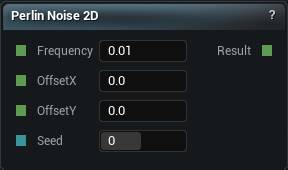
The Perlin Noise 2D node
When to use it
Perlin sampled in the XY plane only, so the same value comes back at every height.
That is exactly what a heightmap wants and exactly wrong for caves or overhangs, which need the value to change as you go up.
Build terrain as height minus Z with the 2D family. Switch to the 3D family the moment you need real volume. The 2D version is cheaper too, which is another reason to choose deliberately.
Pins
| Pin | Type | Description |
|---|---|---|
Frequency |
Number | How tight the pattern is. Higher numbers give you finer, busier detail. |
OffsetX |
Number | Slide the pattern along X. |
OffsetY |
Number | Slide the pattern along Y. |
Seed |
Whole Number | Change this for a different pattern at the same settings. The same seed always gives you the same noise. |
| Pin | Type | Description |
|---|---|---|
Result |
Number | The noise here. Roughly -1 to 1, and the same at every height. |
Available in Mesh Morpher Graph and Mesh Morpher Studio.