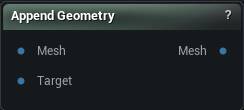
Append Geometry: Merges a second mesh into the first and brings its material slots along, with a choice of how the added geometry picks up skin weights.
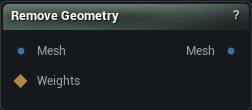
Remove Geometry: Deletes the masked triangles and cleans up after itself, tidying the skin weights.
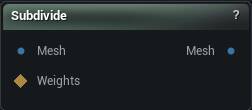
Subdivide: Adds density by splitting triangles, curving the new points to follow the surface. Paint a weight map to only split part of the mesh.
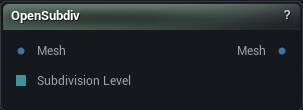
OpenSubdiv: Smooths a mesh by subdividing it, the same way a subdivision surface works in a modelling package.
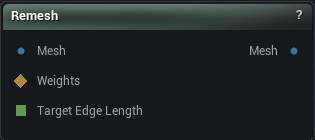
Remesh: Rebuilds the surface out of evenly sized triangles at a length you pick. Reach for it when a sculpt or a scan has left stretched, tangled geometry that fights every deformer you put after it.
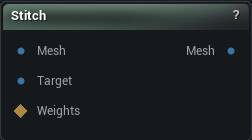
Stitch: Pulls the open border of one mesh onto the open border of another so the two meet with no gap between them. Only the first mesh moves.
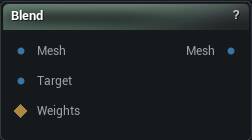
Blend: Slides a mesh part way toward a second shape, with an optional weight map to limit where it happens. Both meshes need the same vertex count.
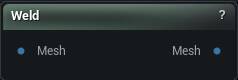
Weld: Stitches open edges back together wherever two vertices sit almost on top of each other, closing splits and seams left by an import or a cut.
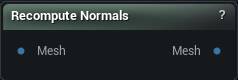
Recompute Normals: Rebuilds the normals from the shape the mesh is in now. Drop it in after anything that moved vertices, when the shading has stopped matching the surface.
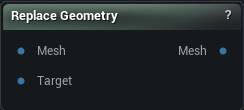
Replace Geometry: Swaps everything on one material slot for a different piece of geometry, then re-weights the new part off the mesh it landed in. Change a head, a hand or a plate of armour without touching the rest.
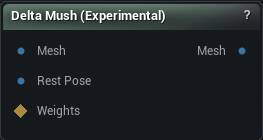
Delta Mush (Experimental): Cleans up the crumpling and volume loss that skinning leaves around joints, then puts the sculpted surface detail back by reading it off the rest pose.
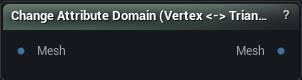
Change Attribute Domain (Vertex ↔ Triangle): Moves a stored value between per-vertex and per-triangle, combining values by average, area-weighted average, minimum or maximum.
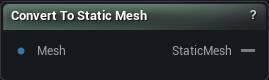
Convert To Static Mesh: Builds a static mesh out of the incoming mesh so nodes that expect one can take it. The result is rebuilt each time the graph loads rather than saved to disk.
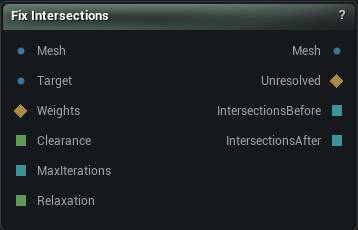
Fix Intersections: Pushes vertices apart until the mesh stops passing through itself, or through a collision surface you wire in.
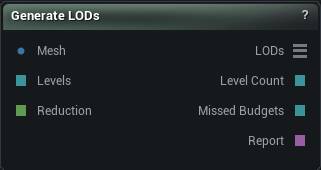
Generate LODs: Builds a whole LOD chain from one mesh in a single step, keeping UV islands, material sections and polygroups intact at every level.
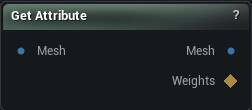
Get Attribute: Pulls a named value stored on the mesh back out as a weight map, so masks, blends and weight-map math can get at it. The dropdown lists whatever the connected mesh is actually carrying.
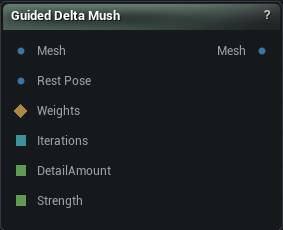
Guided Delta Mush: Relax the noisy parts of a scan and leave everything else bit-for-bit alone.
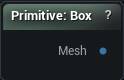
Primitive: Builds a box, sphere, plane, disc, cylinder, cone, capsule or torus from numbers alone, with UVs and normals already set up. Nothing to wire in, and sizes are in world units.
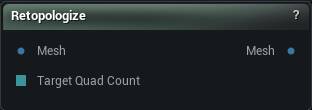
Retopologize: Rebuild a dense scan or sculpt as clean quads. Draw strokes on the surface to say which way the edge loops should run, let the field settle, then press Accept.
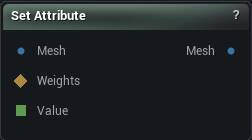
Set Attribute: Stores a named number on every vertex or triangle: one constant, or per-vertex values from the Weights input.
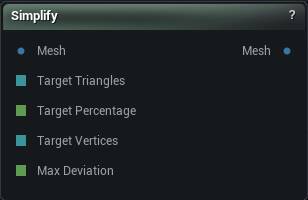
Simplify: Cuts a dense mesh down to a triangle or vertex count you pick, leaving its UV islands, material sections and polygroups where they are. Press Simplify to run it.
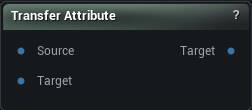
Transfer Attribute: Copies a stored value from the Source mesh onto the Target mesh, matching vertex for vertex when the counts agree and by proximity when they do not. The node tells you which of the two it used.
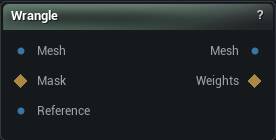
Wrangle: The escape hatch. Write a short program and it runs once per vertex, per triangle, per corner, per texel, or once for the whole mesh. When no node does the thing you want, this does.
MetaHuman DNA: Reading a MetaHuman DNA by pin name from the expression: joints, meshes, blend shapes, controls and skin weights.
Run modes: Texel and Corner: What one run corresponds to in the two per-element modes that are not Vertex or Triangle, and what each one may touch.
Run mode: Detail: The mode that runs once for the whole mesh, and the only one that may add or remove geometry.
Arrays: Growable lists of floats or vectors, local to one run of the expression.
Skin weights and viewport: Reading and writing the mesh's real skin weights, and drawing debug geometry in the viewport.
Python stage: The #@python blocks in the code editor: when they run, what they can reach, and how they hand values to the expression.
Python API: Everything on the mm object, plus the mm.ui buttons and labels a script can declare.
Examples: The ready-made recipes the code editor's own Examples menu inserts, expression and Python side by side.
Studio and Graph › Geometry
Append Geometry
Clothing, a prop, a repaired patch. This merges a second mesh into the first and handles the awkward parts on the way: skin weights, skeleton merging, material slot remapping.
The Append Geometry node
When to use it
Clothing, a prop, a repaired patch. This merges a second mesh into the first and handles the awkward parts on the way: skin weights, skeleton merging, material slot remapping.
How to use it
1
Connect the base mesh and the mesh to append
2
Pick how the added geometry gets its weights
3
The output is the combined mesh
Pins
Pin
Type
Description
Mesh
Mesh
The mesh you are adding to. It keeps its own skeleton and weights.
Target
Mesh
The geometry being added. It gets moved onto the first mesh's skeleton.
Pin
Type
Description
Mesh
Mesh
Both meshes as one, carrying the material slots from each.
Settings
Setting
Type
Description
Append Weights Method
Choice
How the added geometry gets its skin weights: none at all, rigidly bound to one bone, transferred off the base mesh, or by merging the two skeletons together.
Weight Boundary Vertex Threshold
Number
Open-edge vertices on the added geometry that land within this distance of a base-mesh vertex copy that vertex's weights exactly, so the seam does not tear open when the rig moves. Set to 0 to skip the pass.
Parent Bone
Text
Every vertex of the added geometry is bound to this one bone at full weight. Good for props, armour plates, anything that should ride along without deforming.
Use Target Main Skeleton
True/False
Merge into the added mesh's skeleton instead of the base mesh's, so its bone order and hierarchy win.
Transfer By UV Match
True/False
Match vertices by UV rather than by distance. Worth turning on when both meshes share a UV layout - it does not get confused in places where two surfaces almost touch.
Radius Percentage
Number
How far a vertex looks for weights, as a fraction of the added mesh's bounding box diagonal. Anything further away is ignored, and those vertices get filled in by the smoothing pass instead. Set it to -1 to search the whole mesh.
Normal Threshold
Number
Throw away a match when the two normals point more than this many degrees apart. Keeps the inside of a sleeve from grabbing weights off the arm underneath it. Set it to -1 to ignore normals entirely.
Layered Mesh Support
True/False
Retry with the normal flipped when a match fails the angle test above. Turn this on for clothing that hugs a body, where the inner and outer surfaces sit close together and face opposite ways.
Smoothing Iterations
Whole number
Smoothing passes over the vertices that found no match and had their weights filled in. More passes soften the join into the transferred area.
Smoothing Strength
Number
How far each smoothing pass pulls a filled-in weight toward its neighbours.
Max Bone Influences
Whole number
Most bones any single vertex may be weighted to. Drop it to whatever limit your engine or exporter expects.
Deletes the triangles the connected selection marks, rebuilding skin weights and material slots so what is left is still a usable asset. Cropping a scan, dropping an unwanted accessory, cutting a r...
The Remove Geometry node
When to use it
Deletes the triangles the connected selection marks, rebuilding skin weights and material slots so what is left is still a usable asset. Cropping a scan, dropping an unwanted accessory, cutting a region out before a replacement gets appended.
Watch Selection Threshold. The selection arrives as per-vertex weights, and this is where a vertex starts counting as selected. Too low and the cut creeps out into the soft edge of your paint. Too high and nothing goes at all.
Holes where you wanted a clean edge are normal. Follow with Fill Holes or Stitch Mesh.
How to use it
1
Connect the mesh and a triangle selection
2
Click Apply to remove the selected geometry
Pins
Pin
Type
Description
Mesh
Mesh
The mesh to cut geometry out of.
Weights
Weight Map
Marks what to delete. Any triangle touching a vertex above Selection Threshold goes.
Pin
Type
Description
Mesh
Mesh
What is left.
Settings
Setting
Type
Description
Selection Threshold
Number
The weight a vertex has to beat before the triangles around it get deleted. A painted mask fades off gradually, but a triangle either goes or it stays, so this is where that soft edge turns into a hard yes or no. At 0, any vertex with any paint on it counts, which usually takes more of the surrounding surface than you meant.
Splits every triangle to raise resolution, with optional smoothing and reprojection back onto the original surface so the detail does not get rounded off. Good when you need more vertices for a def...
The Subdivide node
When to use it
Splits every triangle to raise resolution, with optional smoothing and reprojection back onto the original surface so the detail does not get rounded off. Good when you need more vertices for a deformation or a bake and want to keep the existing vertex layout, skin weights and morph targets.
For proper Catmull-Clark smoothing of a low-poly cage, that is OpenSubdiv. For even triangle sizes rather than more of the same triangles, Remesh.
Levels multiply. Each one quadruples the triangle count, so level 3 on a 500k mesh is 32 million triangles and no amount of patience will save you.
Press Subdivide Mesh. Nothing subdivides on a wire change.
How to use it
1
Connect the source mesh
2
Set the subdivision level and the smoothing options
3
Click Subdivide Mesh
Pins
Pin
Type
Description
Mesh
Mesh
The mesh to add density to.
Weights
Weight Map
Paint here to split only part of the mesh. Leave it empty and the whole thing gets split.
Pin
Type
Description
Mesh
Mesh
The mesh with the extra triangles in it.
Settings
Setting
Type
Description
Selection Threshold
Number
The weight a vertex has to beat before the triangles around it get split. A painted mask fades off gradually, but a triangle is either split or it is not, so this is where that soft edge turns into a hard yes or no. At 0, any vertex with any paint on it counts.
Normal Threshold
Number
How far a triangle's facing may differ from the vertex being snapped back onto the original before it is ruled out as a landing spot. 0.5 works out to 90 degrees, 0 turns the check off. Keeps the inside of a sleeve from landing on the arm underneath it.
Skip Material Matching
True/False
Let a vertex snap back onto any triangle, whatever material it belongs to. Leave it off and each part stays on its own material, which is what you want where two materials meet along a seam.
Ignore Boundary Vertices
True/False
Hold open borders still while smoothing, so the outline of the mesh does not creep inward.
Smoothing Type
Choice
How the new vertices are relaxed once the splitting is done.
Smooth Speed
Number
How far each vertex slides toward its neighbours after the split. Set it to 0 to skip smoothing entirely.
Enable Reproject
True/False
Pull the new vertices back onto the shape of the original mesh after smoothing. Turn it off and the surface deflates a little, since smoothing shaves off the form.
Projection Quality
Whole number
How many times the reference copy of the original is split before the new vertices are snapped onto it. 0 snaps onto the mesh exactly as it came in. 2 or 3 is plenty; past that you are paying memory and time for nothing.
Subdivision Level
Whole number
How far to split. Level 1 gives you four triangles for every one you had, and each step after that multiplies again, so 3 on an already dense mesh will bring things to a crawl.
Flat
True/False
Split the triangles flat, leaving the surface exactly where it was. Off, the new points bulge out to follow the curve of the surface, which is what you usually want.
Junction Threshold
Number
Only matters when you subdivide part of a mesh. Along the border of the painted area, a new vertex this close to one that is already there is left alone instead of splitting the neighbouring edge.
Merge Vertex Tolerance
Number
How close two vertices have to be for the seam between the subdivided patch and the rest of the mesh to weld shut. Too small and you are left with a crack running around the edge of the painted area.
Subdivides mesh geometry with Pixar's OpenSubdiv, producing a smoother surface at a higher polygon count. This is the node for proper Catmull-Clark smoothing of a low-poly cage.
The OpenSubdiv node
When to use it
Subdivides mesh geometry with Pixar's OpenSubdiv, producing a smoother surface at a higher polygon count. This is the node for proper Catmull-Clark smoothing of a low-poly cage.
For more triangles without the smoothing, use Subdivide. For even triangle sizes rather than more of the same triangles, use Remesh.
Each level multiplies the triangle count around fourfold, so 5 or 6 on an already dense mesh will bring things to a crawl.
How to use it
1
Connect the input mesh
2
Set the subdivision level
Higher means more polygons.
3
Click Apply to subdivide
Pins
Pin
Type
Description
Mesh
Mesh
The mesh to subdivide.
Subdivision Level
Whole Number
Drives the subdivision level from the graph. Leave it empty to use the value in the panel. Held to 1-6 either way.
Pin
Type
Description
Mesh
Mesh
The denser, smoother mesh.
Settings
Setting
Type
Description
Subdivision Level
Whole number
How many times to subdivide. Each level multiplies the triangle count around fourfold, so 5 or 6 on an already dense mesh will bring things to a crawl.
Scheme
Choice
Which subdivision rule to use. Catmull-Clark for the usual smooth result, Loop when the mesh is all triangles.
Rebuilds the surface with evenly sized triangles at a target edge length. When a mesh has to deform well under a sculpt, a wrap or delta mush, and its triangles are wildly uneven, this is the fix.
The Remesh node
When to use it
Rebuilds the surface with evenly sized triangles at a target edge length. When a mesh has to deform well under a sculpt, a wrap or delta mush, and its triangles are wildly uneven, this is the fix.
Pins
Pin
Type
Description
Mesh
Mesh
The mesh to rebuild.
Weights
Weight Map
Optional mask limiting where the rebuild happens. Leave it empty and the whole mesh is rebuilt.
Target Edge Length
Number
Drives the target edge length from the graph. Leave it empty to use the value in the panel.
Pin
Type
Description
Mesh
Mesh
The rebuilt mesh, with triangles close to your target edge length.
Settings
Setting
Type
Description
Selection Threshold
Number
The weight a vertex has to beat to count as part of the region being rebuilt. A painted mask fades off gradually, but a triangle is either rebuilt or it is not, so this is where that soft edge turns into a hard yes or no. At 0, any vertex with any paint on it counts.
Smoothing Type
Choice
How the new vertices are relaxed as the mesh rebuilds.
Smooth Speed
Number
How hard each pass relaxes the new vertices. Set it to 0 to skip smoothing entirely.
Enable Reproject
True/False
Pull the rebuilt surface back onto the original shape as it goes. Turn this off and the mesh slowly deflates, because every pass of smoothing shaves a little more off the form.
Projection Quality
Whole number
How many times the reference copy of the original is split before the rebuilt mesh is snapped back onto it. 0 snaps onto the mesh exactly as it came in. 2 or 3 is plenty; past that you are paying memory and time for nothing.
Inline Project
True/False
Snap vertices back to the original the moment they move, rather than once per pass at the end. Slower, since it cannot run across threads, but it stops the surface wandering on shapes with tight folds.
Remesh Iterations
Whole number
How many passes to run. More passes even the triangles out further, and each one costs time.
Target Edge Length
Number
The edge length to aim for, in world units. A sensible starting value is measured off the mesh when you connect it. Halving this roughly quadruples the triangle count.
Constrain To Selection Interior
True/False
Keep the rebuild strictly inside the masked region and leave its border alone. Turn it off to let the work spill outward and blend into the triangles around it.
Remeshing Exterior Region Width
Whole number
How many rings of triangles beyond the mask get pulled in when the rebuild is allowed to spill over. Only does anything with the setting above turned off.
Allow Flips
True/False
Let the remesher swap the shared edge of two triangles. It evens the mesh out, but crisp edge lines get chewed away in the process.
Allow Splits
True/False
Let the remesher split edges that are longer than the target.
Allow Collapses
True/False
Let the remesher collapse edges that are shorter than the target.
Preserve Sharp Edges
True/False
Hold the mesh's seams instead of collapsing or smoothing across them, so hard edges and UV island borders survive the rebuild.
Prevent Normal Flips
True/False
Refuse any edit that would turn a triangle inside out. Off, you get black patches where a few faces ended up facing backwards.
Prevent Tiny Triangles
True/False
Refuse edits that would leave needle-thin slivers behind. Those read as speckled shading and give trouble to everything downstream.
Reproject Constraints
True/False
Snap vertices on locked borders back onto the original border curve, so a boundary keeps its exact shape instead of gradually cutting the corners off.
Boundary Corner Angle Threshold
Number
How sharp a turn in a border has to be before it counts as a corner. Corners get pinned once Reproject Constraints is on, so lower this when corners are still being rounded away.
Mesh Boundary
Choice
What may happen to open edges: Fixed leaves them exactly as they are, Refine only splits them, Free lets them move.
Group Boundary
Choice
What may happen to the edges between polygroups. Ignore drops the border entirely and lets triangles cross it.
Material Boundary
Choice
What may happen to the edges between material sections. Anything other than Fixed lets a section border drift, which shows up as one material creeping onto the wrong part of the model.
Joins two open boundaries into one continuous surface by matching border vertices, either by weights or by proximity. The step after Append Geometry or Replace Geometry when the pieces have to beco...
The Stitch node
When to use it
Joins two open boundaries into one continuous surface by matching border vertices, either by weights or by proximity. The step after Append Geometry or Replace Geometry when the pieces have to become one skin for sculpting, wrapping or a watertight export.
How to use it
1
Connect two meshes with matching boundaries
2
Pick the stitching method, weights or proximity
3
The output is the stitched mesh
Pins
Pin
Type
Description
Mesh
Mesh
The mesh whose open border moves.
Target
Mesh
The mesh that stays put. The first mesh's border lands on this one's.
Weights
Weight Map
Paint here to stitch only part of the border. Leave it empty and the whole border is fair game.
Pin
Type
Description
Mesh
Mesh
The first mesh with its border sitting on the target's. Nothing is added or deleted, the border vertices just move.
Settings
Setting
Type
Description
Selection Threshold
Number
The weight a vertex has to beat before its part of the border gets stitched. A painted mask fades off gradually, but a triangle is either in or out, so this is where that soft edge turns into a hard yes or no. At 0, any vertex with any paint on it counts.
Stitching Type
Choice
How a border vertex finds its partner on the other mesh: by skin weights, or by distance.
Use Edge Closest Point
True/False
Land each vertex on the nearest point along the other border's edges instead of right on top of the vertex it matched. Keeps the seam smooth when the two borders have different vertex counts.
Weight Threshold
Number
How far apart two sets of skin weights may be and still count as a match. Too low and nothing pairs up, so the border sits exactly where it was.
Vertex Threshold
Number
How far a border vertex may reach to find its partner. Too far and it grabs the border on the other side of the opening, folding the edge back over itself.
The cheapest way to dial a shape halfway. It interpolates vertex positions between two meshes that share vertex count and order. Push Alpha past 1, or below 0, and you exaggerate or reverse the cha...
The Blend node
When to use it
The cheapest way to dial a shape halfway. It interpolates vertex positions between two meshes that share vertex count and order. Push Alpha past 1, or below 0, and you exaggerate or reverse the change instead.
Connect a WeightMap to make the blend local. Each vertex's effective alpha becomes Alpha * WeightMap[vertex], which is how you take a nose from one head and nothing else.
A vertex count mismatch blends unrelated vertices into a scrambled mesh rather than erroring somewhere you would see it.
If nothing seems to happen, check that the weight map is not all zero. A disconnected or wrongly sized map is the usual cause, not the alpha.
How to use it
1
Connect two meshes with matching topology
2
Adjust Alpha to control the blend amount
3
Optionally connect a WeightMap for per-vertex masking
4
The output is the interpolated mesh
Pins
Pin
Type
Description
Mesh
Mesh
The shape you start from. Alpha 0 leaves it untouched.
Target
Mesh
The shape to move toward. Same vertex count and order as Mesh, or the node stops.
WeightMap
Weight Map
Optional mask. Nothing moves where the weight is 0, full blend where it is 1.
Pin
Type
Description
Mesh
Mesh
The blended shape.
Settings
Setting
Type
Description
Alpha
Number
How far to travel: 0 leaves the source shape alone, 1 lands exactly on the target. Negative values run the move backwards, pulling away from the target.
Hairline gaps between vertices are what make a mesh non-manifold and break every boolean, remesh and watertight export downstream. This merges anything within a tolerance and closes them.
The Weld node
When to use it
Hairline gaps between vertices are what make a mesh non-manifold and break every boolean, remesh and watertight export downstream. This merges anything within a tolerance and closes them.
How to use it
1
Connect the mesh with the open edges
2
Set the merge tolerance
3
The output is the welded mesh
Pins
Pin
Type
Description
Mesh
Mesh
The mesh with the splits you want closed.
Pin
Type
Description
Mesh
Mesh
The welded mesh. Normals come back fully smooth, so any hard edges you had will need setting again.
Settings
Setting
Type
Description
Weld Per Section
True/False
Weld inside each material section on its own, so the borders between sections stay split. Off welds straight across the whole mesh.
Merge Vertex Tolerance
Number
Two edges only merge when both pairs of end vertices sit closer than this. Push it too high and edges that were never meant to meet get pulled together, so a sleeve fuses to the arm it rests on.
Merge Search Tolerance
Number
How far apart two edge midpoints may be before the node stops treating them as a possible pair. Keep it a little above the vertex tolerance.
Only Unique Pairs
True/False
Only merge where exactly one candidate matches. Turn it on when three or more surfaces meet along the same line and the weld keeps grabbing the wrong partner.
Recalculates the mesh's normals so lighting matches the geometry again. Drop it after anything that moved vertices without maintaining them: a deltas apply, a wrap, a stream, a hand-written Wrangle.
The Recompute Normals node
When to use it
Recalculates the mesh's normals so lighting matches the geometry again. Drop it after anything that moved vertices without maintaining them: a deltas apply, a wrap, a stream, a hand-written Wrangle.
The sculpt and deformer nodes already do this for you, so an extra one there costs time and fixes nothing.
If a mesh still renders with black or inside-out patches after this node, normals were not the problem. Look for inverted triangle winding from Fix Symmetry or an importer axis flip, or a material with an unset normal parameter.
Pins
Pin
Type
Description
Mesh
Mesh
The mesh whose normals need rebuilding. Hard edges and smoothing splits are kept.
Swaps the triangles of one material slot for geometry from a second mesh, re-transferring skin weights and remapping materials so the result stays rigged and shaded. A new head on the same body, a ...
The Replace Geometry node
When to use it
Swaps the triangles of one material slot for geometry from a second mesh, re-transferring skin weights and remapping materials so the result stays rigged and shaded. A new head on the same body, a higher-detail hand.
The slot is named rather than selected because a material slot is the stable handle for "this part". When the region is not cleanly one slot, Remove Geometry plus Append Geometry does the same job by hand.
Expect a seam. The replacement's border rarely lands exactly on the original's, so follow with Stitch Mesh or Weld Mesh, and check the weight transfer around the join before you animate anything.
How to use it
1
Connect the source mesh and the replacement geometry
2
Name the material slot and configure the weight transfer
3
Click Apply to replace the geometry
Pins
Pin
Type
Description
Mesh
Mesh
The mesh being changed. Pick the slot to swap out in Material Name.
Target
Mesh
The new geometry going in. Line it up with the part it is replacing before you run this.
Pin
Type
Description
Mesh
Mesh
The mesh with that slot swapped out for the new geometry.
Settings
Setting
Type
Description
Material Name
Text
Which material slot gets replaced. Every triangle using it is deleted and the incoming geometry takes its place.
Replace Weights Method
Choice
How the replacement geometry gets its skin weights: none at all, rigidly bound to one bone, or transferred off the mesh it is going into.
Parent Bone
Text
Every vertex of the replacement is bound to this one bone at full weight. Good for rigid parts like a helmet or a shoulder plate.
Radius Percentage
Number
How far a vertex looks for weights, as a fraction of the replacement's bounding box diagonal. Anything further away is ignored, and those vertices get filled in by the smoothing pass instead. Set it to -1 to search the whole mesh.
Normal Threshold
Number
Throw away a match when the two normals point more than this many degrees apart. Keeps the inside of a sleeve from grabbing weights off the arm underneath it. Set it to -1 to ignore normals entirely.
Layered Mesh Support
True/False
Retry with the normal flipped when a match fails the angle test above. Turn this on for clothing that hugs a body, where the inner and outer surfaces sit close together and face opposite ways.
Smoothing Iterations
Whole number
Smoothing passes over the vertices that found no match and had their weights filled in. More passes soften the join into the transferred area.
Smoothing Strength
Number
How far each smoothing pass pulls a filled-in weight toward its neighbours.
Max Bone Influences
Whole number
Most bones any single vertex may be weighted to. Drop it to whatever limit your engine or exporter expects.
Smooths a deformed mesh while keeping its original surface detail. The usual job is fixing the crumpling and volume loss that linear skinning leaves at elbows, shoulders and knees.
The Delta Mush (Experimental) node
When to use it
Smooths a deformed mesh while keeping its original surface detail. The usual job is fixing the crumpling and volume loss that linear skinning leaves at elbows, shoulders and knees.
It needs both poses: the deformed mesh on Mesh and the same mesh at rest on RestPose. The smoothing happens on the deformed shape, and the detail is read back off the rest pose, which is why the two must share vertex count and order.
Connect a WeightMap to make the correction local. Each vertex's result is blended between its original deformed position and the Delta Mush result by that weight, so you can keep the fix on the joints and off the face.
For a whole animation rather than one pose, Delta Mush Animation bakes the same correction into morph targets the sequence drives.
How to use it
1
Connect the rest pose and the deformed mesh
2
Configure the smoothing and detail settings
3
Optionally connect a WeightMap for per-vertex masking
4
Click Apply to smooth the mesh
Pins
Pin
Type
Description
Mesh
Mesh
The posed mesh, with whatever pinching and collapse the skinning left behind.
RestPose
Mesh
The same mesh in its rest pose. The surface detail is read from here, so the vertex count and order must match.
WeightMap
Weight Map
Optional mask. Scales the correction, so you can keep it on the elbows and off the face.
Pin
Type
Description
Mesh
Mesh
The posed mesh with the smoothing applied.
Settings
Setting
Type
Description
Smoothing: Iterations
Whole number
How many smoothing passes run over the mesh. More passes clean up worse collapsing, at the cost of time, and thin shapes start to shrink unless Edge Preservation is up.
Weight Type
Choice
How a vertex is weighted against its neighbours while smoothing. Inverse Distance: safest around fingers, joints and anything thin. Avoids the pinching Cotangent can cause. Cotangent: the usual pick for smooth organic surfaces with tidy triangles. Mean Value: holds together on meshes with badly shaped triangles. Uniform: every neighbour counts the same. Fast, but blind to the shape of the surface.
Setting
Type
Description
Amount
Number
How much of the original surface detail comes back once the smoothing is done. At 0 you keep the smoothed blob. At 1 the pores, folds and seams return in full.
Frame Smoothing
Whole number
Smoothing passes over the local frame each detail offset rides on. Raise it when the restored detail shimmers or jitters as the pose moves. 0 turns it off.
Setting
Type
Description
Inward
Number
How far vertices may move inward, toward the middle of the mesh. Pull it down when armpits and the backs of knees cave in on themselves. 0 blocks inward motion outright.
Outward
Number
How far vertices may move outward, away from the middle of the mesh. Pull it down when the smoothing starts inflating shoulders and knuckles. 0 blocks outward motion outright.
Setting
Type
Description
Edge Preservation
Number
Limits how far a vertex can slide in toward the middle of its neighbours, which is what stops fingers, horns and antennae shrivelling into sticks. At 0 edges are free to shorten; at 1 they keep their length. Once you run past 100 iterations, 0.3 to 0.7 is the useful range.
Setting
Type
Description
Skin Sliding: Iterations
Whole number
Passes that stop the restored detail creeping across the surface as the pose changes, which reads on screen as the texture sliding over the skin. 0 turns it off.
Stiffness
Number
Trades detail against sliding correction. 0 corrects the most and softens fine detail. 1 keeps every last detail and corrects nothing.
Setting
Type
Description
Strain Falloff: Iterations
Whole number
Spreads the effect outward from the parts that actually deformed, so it fades away instead of stopping at a visible line across the limb. 0 leaves that line.
Decay
Number
How fast that spread runs out. Low values keep the effect tight around the joint, high values carry it further down the limb.
Setting
Type
Description
Angle Threshold
Number
Surfaces twisted further than this from their rest orientation get an extra round of smoothing. Aimed at the hard cases, like a wrist rolled almost the whole way over.
Extreme Rotation: Iterations
Whole number
Extra smoothing passes, applied only to those heavily twisted areas.
Setting
Type
Description
Preserve Boundaries
True/False
Ease off the smoothing along open edges so the mesh does not creep back from its border. Worth turning on for a cut-out piece like a shirt or a face patch.
Weight
Number
How firmly those open edges are held. 0 smooths them like anywhere else, 1 pins them in place.
The fourth verb of the attribute model: the value is already on the mesh, but it is stored on the wrong thing. This node converts a named attribute between per-vertex and per-triangle storage.
The Change Attribute Domain node
When to use it
The fourth verb of the attribute model: the value is already on the mesh, but it is stored on the wrong thing. This node converts a named attribute between per-vertex and per-triangle storage.
Reach for it when a Wrangle refuses a cross-domain read (its error names this node), when a per-triangle value has to become a mask, or when a per-vertex mask has to become a per-face classification.
The averaging rule is the whole node. Vertex to triangle: each triangle combines its three corner values. Triangle to vertex: each vertex combines the triangles in its one ring. Same domain: a straight copy, and the rule is not consulted.
Combine Using is the setting people get wrong. Area weighting only does anything for triangle-to-vertex - going the other way all three corners belong to the same triangle and carry the same area, so area-weighted is identical to plain Average. Going triangle-to-vertex it matters a lot: on an irregular mesh a plain average lets a sliver triangle count as much as the large one beside it. And for ids or category indices, averaging is the wrong question entirely - Minimum and Maximum exist for that.
Pins
Pin
Type
Description
Mesh
Mesh
The mesh carrying the value you want to convert.
Pin
Type
Description
Mesh
Mesh
The same mesh, now carrying the converted value.
Settings
Setting
Type
Description
Attribute
Text
Which stored value to convert. The dropdown lists what the incoming mesh carries, and its search box doubles as a text field while nothing is connected.
Write To (empty = same name)
Text
What the converted values get called. Leave it empty to replace the original in place, which is what you usually want. Give it a different name and you keep both.
Convert To
Choice
Whether the result ends up per vertex or per triangle.
Combine Using
Choice
How several values collapse into one. Area weighting only changes the answer going from triangles to vertices; the other way round it gives the same result as plain Average.
Rebuilds the incoming mesh as a real Static Mesh object and publishes its path, for the nodes and previews that want an engine asset rather than a mesh wire.
The Convert To Static Mesh node
When to use it
Rebuilds the incoming mesh as a real Static Mesh object and publishes its path, for the nodes and previews that want an engine asset rather than a mesh wire.
Writing back into the project asset the geometry came from is Bake Mesh. A result that needs a skeleton is Export To Skeletal Mesh.
The object is transient. It does not survive a graph reload on its own, and the node rebuilds it from the saved input instead. Press Convert, since nothing rebuilds on a wire change.
How to use it
1
Wire a mesh into the Mesh input
2
Click Convert
3
Read the StaticMesh output
Selecting the node previews the built mesh in the viewport.
Pins
Pin
Type
Description
Mesh
Mesh
The mesh to convert. Its material slots come across too.
Pin
Type
Description
StaticMesh
Asset
The built static mesh. Select the node to see it in the viewport.
Pushes vertices back out of a surface they have gone through. With nothing wired into Target it works on the mesh against itself; with something wired in, it pushes out of that. Scope says which ex...
The Fix Intersections node
When to use it
Pushes vertices back out of a surface they have gone through. With nothing wired into Target it works on the mesh against itself; with something wired in, it pushes out of that. Scope says which explicitly, rather than leaving it to whatever happens to be connected. Press Fix Intersections.
How to use it
1
Wire the mesh into Mesh
For poke-through, wire the body into Target.
2
Optionally paint a Weights mask to limit the fix to a region
0 freezes a vertex completely.
3
Press Fix Intersections
Read Intersections Before / After.
Pins
Pin
Type
Description
Mesh
Mesh
The mesh to fix. It passes straight through until you press Fix Intersections.
Target
Mesh
The surface to stay out of, like the body under a garment. Leave it empty and the mesh is fixed against itself instead.
Weights
Weight Map
Optional mask scaling how much of each pass a vertex takes. 0 pins it in place; values in between move it more gently rather than capping how far it can end up. Leave it empty and everything moves freely. Intersections that only frozen vertices could have cleared still get counted and reported.
Clearance
Number
Drives the clearance gap from the graph. Leave it empty to use the value in the panel.
MaxIterations
Whole Number
Drives the pass limit from the graph. Leave it empty to use the value in the panel.
Relaxation
Number
Drives the starting step size from the graph. Leave it empty to use the value in the panel.
Pin
Type
Description
Mesh
Mesh
The fixed mesh. Only vertex positions change, so UVs, skin weights and material sections all survive. With Require Full Resolution on, a run that could not finish sends the input back untouched.
Unresolved
Weight Map
Marks every vertex still caught in an intersection on the mesh that went out. Wire it into a mask to see exactly where. Empty after a clean run.
IntersectionsBefore
Whole Number
How many intersections the input had: triangle pairs passing through each other, plus vertices sitting inside the clearance gap on a Target run.
IntersectionsAfter
Whole Number
The same count on the mesh that actually went out. Zero after a clean run.
Settings
Setting
Type
Description
Scope
Choice
Which intersections to go after: the mesh against itself, against the Target, or both.
Clearance Fraction
Number
Size of the gap opened between the two surfaces, as a fraction of the mesh bounds diagonal, so the same number behaves the same on a 2 cm ear and a 200 cm body. Never set it to zero. Landing exactly on the other surface leaves the two flat against each other, which still counts as an intersection, and the solve then grinds away forever on something it cannot clear.
Max Iterations
Whole number
How many push-and-remeasure passes the run may spend. Every pass re-checks the whole mesh, so this sets the cost as much as the patience. Running out is reported as a failure, never dressed up as success.
Relaxation
Number
How much of each correction goes in per pass. 1.0 pushes the whole way and suits nearly every mesh. Lower it when several sheets are stacked in a deep fold and neighbouring pushes end up fighting each other. This is only the starting step - the solver halves it by itself whenever a pass fails to help.
Max Displacement Fraction
Number
Hard ceiling on how far any one vertex may end up from where it started, as a fraction of the bounds diagonal. This is what stops a runaway push from inflating the whole surface into a balloon. Vertices that hit the cap get clamped, counted and named in the report, so the run fails honestly instead of handing back a swollen mesh.
Smoothing Iterations
Whole number
Smoothing passes over the moved region, run only once the mesh is already clear, to take the faceting off the repaired patch. If re-measuring finds the smoothing put an intersection back, the whole polish is thrown away and the clean unsmoothed mesh goes out instead. So this can never be the thing that breaks the result. 0 skips it.
Smoothing Strength
Number
How far each moved vertex slides toward the average of its neighbours on each polish pass. Capped at 0.5, because past that a pass overshoots the average and amplifies the very ripple it is there to flatten.
Require Full Resolution
True/False
On, a run that cannot clear every intersection hands back your input untouched and fails with the counts. Off, it hands back the best partial result with a warning saying what is left. Partial is fine when the leftovers are three triangles in a crevice nobody will ever see. Make it your call though: a half-fixed mesh that looks fixed is how a garment ships with the hip poking through it.
Recompute Normals
True/False
Rebuild the shading normals before the mesh goes out. Vertices moved, and old normals read as a lighting seam running right along the repaired patch. Turn it off only when something further down the graph owns the normals.
Builds a whole LOD chain from one mesh and puts it on a mesh-array wire, the type Get Mesh Array Element and the exporters already speak. A row of Simplify nodes does the same job worse: here the b...
The Generate LODs node
When to use it
Builds a whole LOD chain from one mesh and puts it on a mesh-array wire, the type Get Mesh Array Element and the exporters already speak. A row of Simplify nodes does the same job worse: here the budgets stay in step, and every level is decimated from the original rather than from the level above it.
How to use it
1
Connect the source mesh
2
Choose a budget mode and how many levels you want
3
Press Generate LODs
The LODs pin carries the chain, level 0 first.
Pins
Pin
Type
Description
Mesh
Mesh
The mesh you want LODs for. It comes back as level 0 untouched, and every reduced level is cut from it rather than from the level above.
Levels
Whole Number
Drives how many reduced levels get built. Leave it empty to use the value in the panel. Percentage Per Level mode only.
Reduction
Number
Drives the percentage each level keeps of the one before it. Leave it empty to use the value in the panel. Percentage Per Level mode only.
Pin
Type
Description
LODs
Mesh List
The whole chain, full-detail level first. Feed it to Get Mesh Array Element to look at one level.
LevelCount
Whole Number
How many levels came out, counting the untouched source as one of them.
MissedBudgets
Whole Number
How many levels came out heavier than you asked for. Anything above 0 means the chain is denser than the numbers you typed.
Report
Text
What each level actually came out as, next to the budget it was given.
Settings
Setting
Type
Description
Budget Mode
Choice
How you want to state the size of each level: as a percentage step down, or as exact triangle counts.
Num Reduction Levels
Whole number
How many reduced levels to build. The chain that comes out is one longer than this, because your untouched source sits at the front of it.
Reduction Per Level
Number
Percentage of the level above that each reduced level keeps. 50 halves the triangles every step. Budgets are worked out from the source count, so one level falling short of its number cannot drag the rest of the chain off target.
Triangle Budgets
Text
Triangle count for each reduced level, in order. Commas, semicolons or new lines all work as separators, so "30000, 12000, 5000" is fine. Each number has to be lower than the one before it, and the first has to be under the source's triangle count. Anything else gets refused with an error naming the entry rather than quietly reordered behind your back.
Quality
Choice
What the reducer works hardest to hang on to as it collapses edges.
Preserve UVs
True/False
Lock every UV and normal seam so UV islands cannot be merged or torn open. This is what keeps a textured asset looking textured all the way down the chain.
Preserve Material Borders
True/False
Lock the edges where one material meets another so sections keep their exact borders. Locked edges never collapse, so this eats into how far each level can reduce, and the deepest levels are the ones that fall short first.
Preserve Group Borders
True/False
Lock the edges between polygroups. Costs you the same reduction headroom that material borders do.
Preserve Boundary
True/False
Lock open edges so a cut-out piece keeps the exact shape of its border, and the original vertex density along it. This is the single most common reason a deep level cannot reach its budget, so turn it off when the report points here.
The read-it-back half of "store a number on each vertex". Set Attribute, a Wrangle, or an importer put a named value on the mesh; this node pulls one component of it out as an ordinary per-vertex w...
The Get Attribute node
When to use it
The read-it-back half of "store a number on each vertex". Set Attribute, a Wrangle, or an importer put a named value on the mesh; this node pulls one component of it out as an ordinary per-vertex weight map.
That is the currency roughly a dozen nodes already accept - masks, blends, weight-map math, brush gates - which is why the output is a weight map rather than some new attribute pin type nothing downstream could eat.
Use it whenever data that arrived with a mesh has to start driving something. Use Transfer Attribute instead when the data has to move to a different mesh, and Change Attribute Domain when it has to move between vertices and triangles.
Attribute is a dropdown listing what the connected mesh actually carries, so there is nothing to remember and nothing to misspell. If a name is not offered, the mesh does not have it - wiring the node to the wrong upstream mesh is by far the most common cause.
Pins
Pin
Type
Description
Mesh
Mesh
The mesh that is carrying the stored value.
Pin
Type
Description
Mesh
Mesh
The input mesh, unchanged.
Weights
Weight Map
The chosen component, one number per vertex.
Settings
Setting
Type
Description
Attribute
Text
Which stored value to read. The dropdown lists what the incoming mesh carries, and its search box doubles as a text field while nothing is connected. Ask for a name the mesh does not have and the error tells you which names it does have, which is what you want when you have misspelled one.
Component
Whole number
Which component to read out. 0 is X. Clamped to however many the stored value actually has.
Combine Triangles By
Choice
How triangle values collapse onto vertices. Only used when the value is stored per triangle; ignored otherwise.
Delta Mush with a per-vertex weight map for strength. Painted regions relax to nothing, unpainted regions come out bit for bit untouched. That selectivity is why it sits next to the plain Delta Mus...
The Guided Delta Mush node
When to use it
Delta Mush with a per-vertex weight map for strength. Painted regions relax to nothing, unpainted regions come out bit for bit untouched. That selectivity is why it sits next to the plain Delta Mush node.
Local damage on a scan is this node's job, and the map can come from your hand or from Distortion Mask or Mesh Diff. Fixing skinning across a whole character, with a rest pose to work from, is the other node.
Detail Amount is the control that matters. At 0 you get pure Laplacian smoothing and the detail is gone. At 1 the surface is unchanged when there is no rest pose to take detail from. Wire a RestPose of the same vertex count and order to get classic detail-transfer Delta Mush.
Skin Sliding, Strain Falloff and Extreme Rotation are missing on purpose. All three measure how far a posed mesh has rotated or stretched from its rest pose, and the main mode here has no rest pose to measure against. When you have both poses and need them, use Delta Mush.
How to use it
1
Wire the scan into Mesh
2
Wire a Weights map into Weights - a painted mask, or the output of a Distortion Mask / Mesh Diff node so the relax follows the measurement
3
Lower Detail Amount until the noise goes
0 is plain smoothing; 1 changes nothing at all when no rest pose is wired.
4
Press Apply
Wire a rest pose into Rest Pose to get classic Delta Mush instead: the detail comes off the rest mesh and gets replayed on the smoothed input, which is the fix for skinning collapse at a joint. The two meshes need matching vertex count and order.
Pins
Pin
Type
Description
Mesh
Mesh
The mesh to relax. Passes straight through until you press Apply.
RestPose
Mesh
Optional rest-pose mesh with matching vertex count and order. Wired, you get classic Delta Mush: rest detail replayed on the smoothed input. Unwired, the mesh supplies its own detail and Detail Amount turns into a detail-retention dial.
Weights
Weight Map
Per-vertex strength, 0 to 1. A vertex at 0 is not moved at all. Leave it unconnected for full strength everywhere.
Iterations
Whole Number
Smoothing passes. Leave it unconnected to use the value in the details panel.
DetailAmount
Number
How much detail survives, 0 to 1. Leave it unconnected to use the value in the details panel.
Strength
Number
Global multiplier on the weights, 0 to 1. Leave it unconnected to use the value in the details panel.
Pin
Type
Description
Mesh
Mesh
The relaxed mesh. Only positions moved - vertex count, order and every attribute are untouched.
Settings
Setting
Type
Description
Iterations
Whole number
Smoothing passes used to build the relaxed reference. More passes reach further across the surface, so this decides how big a lump gets flattened, not how much of it goes. Detail Amount is the how-much. Stops at 2000. Every pass walks the whole mesh, and this value can be driven from the Iterations pin by any upstream Math node - a stray 1e8 arriving there does not make a slow run, it makes one that never finishes. The surface stops changing long before the cap.
Smooth Step
Number
How far a vertex slides toward its neighbours' average each pass. Capped at 1 because past that every pass overshoots and the surface blows up on any mesh with irregular vertex fans, which is every scan.
Weight Type
Choice
Which neighbour weighting the smoothing uses. Defaults to Uniform here, not Cotangent like the Delta Mush node, because a raw scan is made of obtuse triangles and cotangent weights go negative on those - a negative weight shoves a vertex away from its neighbours and amplifies the very noise you came here to remove.
Amount
Number
How much of the original fine detail goes back on after smoothing. 0 leaves you the smoothed surface with the detail gone. 1 puts all of it back, which with no Rest Pose wired is an exact no-op, because there is no other mesh to take detail from; with a Rest Pose, 1 is classic Delta Mush.
Frame Smoothing
Whole number
Extra smoothing over the per-vertex frames the detail rides in. Does nothing at all unless a Rest Pose is wired. With one, raising it calms detail jitter where the two smoothed surfaces disagree about which way the surface runs.
Inward
Number
How far the smoothing may push a vertex inward, against its normal. 0 stops nose tips and knuckles flattening out; 1 is unrestricted.
Outward
Number
How far the smoothing may push a vertex outward, along its normal. 0 stops eye sockets and nostrils filling in; 1 is unrestricted.
Edge Preservation
Number
Caps how far a vertex may move straight toward its neighbours' average: 0 is no protection, 1 blocks that direction entirely. Thin things - ear rims, eyelash cards, fingers - collapse in on themselves under hard smoothing because every pass pulls both sides together. This holds that back while sideways smoothing keeps working.
Preserve Boundaries
True/False
Ease off the smoothing at open borders. On by default: a border has no neighbours on one side, so every pass drags it inward and the mesh shrinks a little more.
Weight
Number
How hard the border is held. 1 pins it bit-for-bit where it started, 0 smooths it like everything else, and in between each pass pulls it back partway.
Strength
Number
Global multiplier on the per-vertex weights. With nothing wired into Weights, this is the strength, applied everywhere.
A shape built from numbers, with no input to wire. Box, sphere, plane, disc, cylinder, cone, capsule or torus, each arriving with proper per-face UVs, split normals (hard edges on a box, smooth on ...
The Primitive node
When to use it
A shape built from numbers, with no input to wire. Box, sphere, plane, disc, cylinder, cone, capsule or torus, each arriving with proper per-face UVs, split normals (hard edges on a box, smooth on a sphere) and polygroups, so it is ready for sculpting, CSG or anything else downstream.
This is where a graph starts when there is nothing to load: a blocking-in shape to sculpt on, a cutter for a boolean, a plane to project onto, a stand-in while you build the rest of the chain.
The details panel only shows the settings the shape you picked actually uses, so the long list below is never all on screen at once.
Pins
Pin
Type
Description
Mesh
Mesh
The shape you just built, with UVs, normals and named material sections.
Settings
Setting
Type
Description
Shape
Choice
Which shape to build. The panel only shows the settings that shape actually uses.
Pivot
Choice
Where the origin sits: the middle of the shape, or the bottom so it rests on the ground plane.
Location
Vector
Where the shape sits in the world, applied after the pivot choice. Changing a size or subdivision setting rebuilds the mesh and leaves this alone.
Polygroup Per Quad
True/False
Give every quad its own polygroup instead of one group for the whole shape. Useful when you want to select or mask single faces further down the graph.
Box Size
Vector
Box size along X, Y and Z, in world units.
Box Subdivisions
Whole number
Quads per edge on every axis.
Sphere Radius
Number
Radius in world units.
Sphere Slices
Whole number
Segments around the equator. Rows bunch up toward the poles on this sphere; if that pinching bothers you, switch to Sphere (Box).
Sphere Stacks
Whole number
Rings from pole to pole.
Sphere Box Radius
Number
Radius in world units.
Sphere Box Subdivisions
Whole number
Quads along each cube edge before it gets rounded off into a sphere. Quads stay evenly sized and there are no pinched poles, which makes this the better sphere to sculpt on.
Plane Width
Number
Size along X, in world units.
Plane Length
Number
Size along Y, in world units.
Plane Subdivisions
Whole number
Quads per edge in both directions.
Disc Radius
Number
Radius in world units.
Disc Slices
Whole number
Segments around the circumference.
Disc Rings
Whole number
Rings from centre to rim.
Cylinder Radius
Number
Radius in world units.
Cylinder Height
Number
Height along Z, in world units.
Cylinder Slices
Whole number
Segments around the circumference.
Cylinder Height Subdivisions
Whole number
Extra subdivisions along the height.
Cylinder Capped
True/False
Close off the two ends. Turn it off for an open tube.
Cone Base Radius
Number
Radius at the bottom, in world units.
Cone Top Radius
Number
Leave this at 0 for a pointed tip. Raise it and the tip flattens into a truncated cone.
Cone Height
Number
Height along Z, in world units.
Cone Slices
Whole number
Segments around the circumference.
Cone Height Subdivisions
Whole number
Extra subdivisions along the height.
Cone Capped
True/False
Close off the base, and the flat top as well once the top radius is above 0.
Capsule Radius
Number
Radius of the tube and of the two rounded ends, in world units.
Capsule Mid Length
Number
Length of the straight middle section. Total height comes out as this plus twice the radius.
Capsule Slices
Whole number
Segments around the circumference.
Capsule Hemisphere Steps
Whole number
Rings across each rounded end.
Capsule Mid Subdivisions
Whole number
Extra subdivisions along the straight middle section.
Torus Major Radius
Number
Distance from the centre of the ring out to the middle of the tube.
Torus Minor Radius
Number
Thickness of the tube. Push it past the major radius and the tube swallows the hole, leaving a self-intersecting blob.
Paint direction strokes on the surface, solve, and extract a quad-dominant mesh whose edge flow follows what you painted. For topology that has to be animation-ready, or readable by another artist.
The Retopologize node
When to use it
Paint direction strokes on the surface, solve, and extract a quad-dominant mesh whose edge flow follows what you painted. For topology that has to be animation-ready, or readable by another artist.
How to use it
1
Wire a mesh into Mesh and select the node
Setting up takes a few seconds on a heavy scan. A progress dialog shows while it works.
2
Set Target Quad Count, or leave it at 0 for one quad per sixteen incoming vertices
3
Drag strokes across the surface with the comb to say which way the loops should run
4
Press Solve Orientation Field, then Solve Position Field
Both keep refining until you press them again to stop.
5
Press Accept to write the quad mesh out
The flow lines and the grid stay hidden until you solve. Before that the field is still random and drawing it would only show noise. Your strokes and the solved field are saved with the graph, so reopening the document drops you back where you left off.
Pins
Pin
Type
Description
Mesh
Mesh
The mesh to rebuild. Usually a scan, a sculpt or a generated mesh that is far too dense to work with.
Target Quad Count
Whole Number
Wire a number here to drive the quad budget from the graph, so a whole LOD chain can run off one value. Leave it unconnected to use the details panel. 0 from either source means one quad per sixteen incoming vertices.
Pin
Type
Description
Mesh
Mesh
The quad mesh, once you press Accept. Empty until then.
Settings
Setting
Type
Description
Target Quad Count
Whole number
Roughly how many quads you want out. On a quad mesh the vertex count comes out about the same, so this doubles as a vertex budget. Expect to land within about 15 percent rather than on the number: the grid has to stay aligned to the flow, and that rules out hitting an exact count. 0 works it out from the input instead: one quad per sixteen incoming vertices. The resolved figure gets written back here so you can see what you got. Changing this rebuilds the field and solves it again.
Align To Boundaries
True/False
Make the quad grid run along open borders instead of wandering across them. Turn it on for anything with a mouth bag, eye sockets or a cut edge, or the loops drift off the rim and the border comes out ragged.
Sharp Creases
True/False
Pin quad edges onto the mesh's hard edges, so a jaw line or a bevel stays crisp instead of getting rounded off. It can also punch triangle holes into otherwise clean quad output, so look the result over before you rely on it.
Adaptive Sizing
True/False
Let quad size follow the shape, so fingers, ear rims and straps get smaller quads and survive. Switch it off and anything thinner than a single quad cell can drop out of the result entirely. Leave it on unless you want evenly sized quads more than you want the thin parts.
Smooth Iterations
Whole number
Even out the new quads after extraction. Each pass slides every interior vertex toward the average of its neighbours and then drops it back onto the original surface, so the grid gets tidier without the shape drifting or shrinking. Border vertices never move - those are the ones Preserve Boundary is about to snap. 0 leaves the extracted quads exactly as the solver produced them.
Minimum Cost Flow
True/False
Use a slower, more thorough solver for the step that decides where the quad grid's irregular points go. It generally leaves fewer of them and a cleaner flow. Worth trying when the ordinary solve gives up on a mesh - the error you get in that case names this setting.
Preserve Sections
True/False
Carry the original mesh's materials, UVs, vertex colours and normals over onto the new quads. Sampled from the nearest bit of the old surface when you press Accept, seams included. Turn it off if you want a bare mesh.
Use Source Correspondence
True/False
Change how the transfer decides which part of the old surface a new vertex came from. Off, it takes whatever is nearest, which is more accurate on ordinary geometry. Turn it on where two surfaces nearly touch, like a lash card against an eyelid, and the nearest-point search keeps sampling the wrong sheet.
Preserve Boundary
True/False
Pull the new mesh's open borders back onto the original ones. Without it the quad grid stops a little short of every rim and you get a thin gap all the way round a mouth or an eye socket.
Boundary Snap Distance
Number
How far a border vertex is allowed to travel when it snaps, counted in multiples of the new mesh's average border edge length. Anything further from the old border than this stays where it is. The cap is what stops two neighbouring vertices snapping to opposite sides of a hole and dragging a folded black shard across it. 2 is generous; drop to 1 for a tighter snap when the original border is dense.
Smooth Strokes
True/False
Smooth each stroke once you let go of it, so a shaky drag still reads as a clean direction. Off by default: the smoothing pulls a closed stroke in on itself, so a loop drawn round an eye ends up smaller than you drew it.
Weld Before Init
True/False
Merge vertices sitting on top of each other before anything else runs. An imported mesh is often split at every UV seam, and those splits break the surface into pieces this cannot solve across. Leave it on.
Weld Tolerance
Number
How close two vertices have to be before they merge, in world units. 0 merges only the ones at exactly the same spot, which is what you want for a plain seam split. Raise it to close up geometry that has drifted apart; raise it too far and real detail collapses. Changing it rebuilds.
Show Flow Lines
True/False
Draw the coloured lines that show which way the loops will run. They only appear once you have solved the orientation field at least once, and picking a position tool switches them off for you.
Show Grid
True/False
Draw the grid overlay over the mesh. Needs the position field solved first, and picking a position tool switches it on for you.
Show Exact Quads
True/False
Show the finished quads in the grid - the same layout Accept will produce, rebuilt in the background a moment after each change (the previous quads stay up while a rebuild runs). Turn it off to use the flow-line grid instead, which updates instantly and follows the field live but only approximates the final quads.
Show Flow Field
True/False
Put a small cross on sampled vertices showing the two directions the grid follows there. Worth turning on to read the field up close when the flow lines are too far apart to tell.
Show Painted Strokes
True/False
Draw the strokes you have already painted.
Show In Progress Stroke
True/False
Draw the white ribbon that trails the cursor while you are dragging.
Flow Line Density
Number
How many flow lines get drawn. This only touches the coloured lines; the grid overlay draws at the real quad density and ignores it. 0.5 is the normal amount, 0 is a quarter of it, 1 is four times as many.
Field Sample Count
Whole number
How many vertices get a cross drawn on them. Raise it to read the field in a tight spot, drop it when the crosses start hiding the mesh.
Field Arm Size Scale
Number
How long the cross arms are drawn. 0.5 is the normal length, 0 is a quarter of it, 1 is four times as long.
Singularity Size Scale
Number
How big the singularity markers are drawn, on the same scale as the cross arms. Singularities are the points where loops converge instead of running straight through.
Grid Ribbon Width
Number
How wide the grid lines are drawn. They are real geometry sitting on the surface rather than screen-space lines, so the width scales with the mesh: 0.5 normal, 0 a quarter, 1 four times. Changing it redraws the grid.
Flow Ribbon Width
Number
How wide the flow lines are drawn, on the same scale as the grid width. Each line is fattest in the middle and tapers away at both ends.
Field Arm Thickness
Number
Line thickness of the first cross arm, in pixels. 0 hides it.
Field Ortho Thickness
Number
Line thickness of the second cross arm, in pixels.
Singularity Thickness
Number
Line thickness of the singularity markers, in pixels.
Painted Stroke Thickness
Number
Line thickness of the strokes you have painted, in pixels.
In Progress Stroke Thickness
Number
Line thickness of the white stroke that follows the cursor, in pixels.
Start with the mental model, because the word "attribute" is the only hard part: you are storing a number on each vertex so you can read it back later, or move it to another mesh.
The Set Attribute node
When to use it
Start with the mental model, because the word "attribute" is the only hard part: you are storing a number on each vertex so you can read it back later, or move it to another mesh.
This node is the store step.
Get Attribute is the read-it-back step.
Transfer Attribute is the move-it step.
A Wrangle can read and write the same number as @name.
The number rides inside the mesh itself, so it survives every wire, every save and every node that passes the mesh along - it is not a side channel you have to keep re-connecting. That is what makes it worth using instead of just wiring a weight map around.
Store Per is the choice that matters. One value per vertex is what you want almost always - masks, heights, heat, anything a weight map could hold. One value per triangle is for facts about faces: material class, an area band, a flag. Pick the wrong one and everything downstream still works but has to average, which blurs the data.
Pins
Pin
Type
Description
Mesh
Mesh
The mesh to store the value on.
Weights
Weight Map
Per-vertex values. Only read when Value Source is set to Weights input.
Value
Number
Drives the X component of Constant Value from the graph. Leave it empty to use the panel value.
Pin
Type
Description
Mesh
Mesh
The same mesh, now carrying the value under that name.
Settings
Setting
Type
Description
Name
Text
The name you will look this up by later. Case-sensitive, so Mask and mask are two different things. Leave it empty and the node does nothing.
Store Per
Choice
One value per vertex, or one per triangle. Changing this rebuilds the stored value from scratch.
Type
Choice
How many numbers each vertex or triangle holds. Changing this rebuilds the stored value from scratch; nothing is reinterpreted in place.
Value Source
Choice
One value everywhere, or per-vertex values from the Weights input.
Constant Value
Vector
The value every vertex or triangle gets. Components past the chosen Type are ignored, and Float and Int only read X. X can also be driven by the Value pin, so the graph can work the number out for you.
Constant W
Number
The fourth number. Only read when Type is Vector 4.
Driven Component
Whole number
Which component the Weights input writes into. 0 is X. Clamped to however many the chosen Type has.
Brings a dense mesh down to a triangle or vertex budget by collapsing edges, and keeps its UV islands, material sections and polygroups intact while doing it.
The Simplify node
When to use it
Brings a dense mesh down to a triangle or vertex budget by collapsing edges, and keeps its UV islands, material sections and polygroups intact while doing it.
Scans and AI-generated meshes arrive far denser than anything downstream needs. This is the way to cut them down without losing the work already on them: unlike Remesh, which rebuilds the surface and throws the original topology and UVs away, everything a texture or a rig depends on survives.
The reverse direction is Subdivide, and even triangle sizes rather than fewer of them is Remesh.
How to use it
1
Connect the dense mesh
2
Pick a target mode and budget, and leave the Preserve toggles on
3
Click Simplify
The Result category reports the before and after counts.
Pins
Pin
Type
Description
Mesh
Mesh
The mesh you want fewer triangles in.
Target Triangles
Whole Number
Drives the triangle count from the graph. Leave it empty to use the value in the panel. Triangle Count mode only.
Target Percentage
Number
Drives the percentage from the graph. Leave it empty to use the value in the panel. Percentage mode only.
Target Vertices
Whole Number
Drives the vertex count from the graph. Leave it empty to use the value in the panel. Vertex Count mode only.
Max Deviation
Number
Drives the allowed drift in cm from the graph. Leave it empty to use the value in the panel. Geometric Deviation mode only.
Pin
Type
Description
Mesh
Mesh
The reduced mesh. It only updates when you press Simplify.
Settings
Setting
Type
Description
Target Mode
Choice
Which of the numbers below the reduction aims at.
Target Triangle Count
Whole number
How many triangles you want left. Each collapse takes two triangles away, so the result can land one under your number. Asking for more than the mesh already has passes it through untouched rather than failing, and anything under four is treated as four - below that there is nothing left to collapse and the result stops being a surface.
Target Percentage
Number
How much of the incoming triangle count to keep. 100 leaves the mesh alone.
Target Vertex Count
Whole number
How many vertices you want left. Same rule as the triangle count: ask for more than the mesh has and nothing happens to it.
Max Deviation
Number
How far, in centimetres, the reduced surface may drift from the original. It keeps collapsing until the next collapse would break that limit, so you get however many triangles the shape needs rather than a number you picked. Slower than the count modes, because it measures against the original the whole way.
Quality
Choice
What the reducer works hardest to hang on to as it collapses edges.
Preserve UVs
True/False
Lock every UV and normal seam so islands cannot be merged or torn open. This is what keeps a textured asset looking textured. Turn it off and the seams collapse, which smears the texture across the surface.
Preserve Material Borders
True/False
Lock the edges where one material meets another so sections keep their exact borders. Locked edges never collapse, so a mesh cut into many small sections may not get anywhere near a low target.
Preserve Group Borders
True/False
Lock the edges between polygroups. Costs you the same room to reduce that material borders do.
Preserve Boundary
True/False
Lock open edges so a cut-out piece keeps the exact shape of its border, and the original vertex density along it. That density is usually why a scan or a patch will not reduce far enough, so turn it off when the target stays out of reach.
The move-it-between-meshes step of the attribute model: a named value that lives on the source mesh is copied onto the mesh flowing through. The Attribute dropdown reads the source, because the sou...
The Transfer Attribute node
When to use it
The move-it-between-meshes step of the attribute model: a named value that lives on the source mesh is copied onto the mesh flowing through. The Attribute dropdown reads the source, because the source is where the value has to exist.
There are two completely different correspondences here, they produce different numbers, and the node tells you which one it used every time.
By index - element i of the source becomes element i of the target. Exact, free, and correct only when the two meshes share topology. It requires equal element counts and refuses outright when they differ, rather than transferring the overlapping prefix, because a partial transfer reads as a successful one.
Nearest point - each target element samples the spatially closest source element. Works across any two meshes and is approximate by construction.
Mode is the setting people get wrong. Auto picks index when the counts match and nearest point otherwise, and that is a convenience, not a correctness claim - two unrelated 5000-vertex heads also have matching counts and will be copied index-for-index into nonsense. Force the mode whenever the answer matters.
Pins
Pin
Type
Description
Mesh
Mesh
The mesh that already carries the value.
Target
Mesh
The mesh that receives it. It can be built completely differently.
Pin
Type
Description
Target
Mesh
The receiving mesh, now carrying the copied value.
Settings
Setting
Type
Description
Attribute
Text
Which stored value to copy. It is created on the target with the same shape it had on the source. The dropdown lists what the source carries, and its search box doubles as a text field while nothing is connected.
Mode
Choice
How the two meshes get matched up. Auto guesses from the vertex counts, which is convenient rather than reliable: two unrelated 5000-vertex heads also have matching counts. Set it yourself when the answer matters.
Sampling
Choice
How a nearest-point sample turns the source surface into one value: the closest value unchanged, or a blend across the triangle it landed on. By index copies element to element and ignores this, and so do whole-number and per-triangle attributes, where a blend has no meaning - the node says so when that happens.
Max Distance (0 = no limit)
Number
How far a target vertex or triangle may reach for a value, in mesh units. 0 means no limit. Anything with no source surface in range keeps zero, and the node message says how many those were.
Write a line of maths and it runs on every vertex, or every triangle. Move points with P, tilt normals with N, push colour into Cd, read and write your own named attributes, and send a weight map o...
The Wrangle node
When to use it
Write a line of maths and it runs on every vertex, or every triangle. Move points with P, tilt normals with N, push colour into Cd, read and write your own named attributes, and send a weight map out through wmap("Name") = .... There are loops, neighbour lookups, noise, vector maths and a Python stage.
Taper a limb by height. Build a mask from a UV band. Jitter a colour by a hashed vertex id. Drive a named attribute from arithmetic on the others. Anything the rest of the library has no node for.
// a falloff from a second mesh, out as a weight map
wmap("Weights") = 1 - saturate(neardist("Reference", P) / 25);
It runs on the CPU. A short expression over a two-million-vertex mesh costs tens of milliseconds, not the fraction of a millisecond a compute shader would. It is a graph operation, not an interactive brush - and that is structural: a cooked build carries no shader source tree and no shader compiler to give it one.
The first five minutes
1
Place the node
A fresh Wrangle has no pins and no required inputs. Pressing Run at this point is a successful no-op.
2
Press Add Classic Mesh Setup
One click gives you the usual layout: a Mesh input, a Mask weight map, a Reference mesh and a Weights output. The button lives on the node's right-click menu and in the pin editor, and it only shows while the node has declared nothing at all - it appends, it never replaces.
3
Write the expression
One statement per line, or separate them with ;. Anything after // or # is a comment.
4
Press Run
Editing never runs the node. Changing the expression, a parameter or the run mode only marks the output out of date, with an amber badge on the node. Run evaluates it and clears the badge.
A freshly placed node that has never been run publishes nothing downstream. There is no input-mesh passthrough waiting to happen: the input only passes through when an already-declared run fails partway.
What one run means
Run Over decides what a single run of your code corresponds to. It is not a performance setting - it changes which channels exist and what your code is allowed to touch.
Run Over
One run is
What it is for
Vertex
one vertex
Moving points, per-vertex masks, anything that reads P and N.
Triangle
one triangle
Per-face work: area, face normals, material and group ids.
Corner
one face-vertex
Exact per-corner N, uv and Cd, splitting a shared overlay element where corners disagree. Both the owning vertex and the owning triangle are readable at once.
Texel
one texel of this node's own output image
Writing an image rather than a mesh.
Once (Detail)
the whole mesh, exactly once, single threaded
Landmark edits, setoutput() value outputs, and the only mode that may add or remove geometry.
Pins are yours to declare
There are no fixed pins. Every input and output on this node is one you declared, in the Parameters and User Outputs lists, and each one becomes a pin named after it.
Mesh is not a reserved word. Declare a Mesh parameter and it becomes the subject automatically when it is the only one - P, N, Cd, uv and the run-over all read it. Declare a second and flag one Primary.
Reference is not special either. Every donor mesh is read through the pin-name form, neardist("Pin", p), nearpoint("Pin", p), sdist("Pin", p). The classic layout just happens to call its donor pin Reference, by convention.
A Weight Map parameter named Mask is what mask reads.
A DNA parameter becomes a DNA input pin, read from the expression through the dna*("Pin", ...) functions - joints, meshes, blend shapes, controls and skin weights.
A parameter and a user output may share a name. They live in separate namespaces, so a read resolves the input and setoutput() writes the output.
Press Create pins from code to pick up names you have already typed into the expression.
Settings
Setting
Type
Description
Expression
Text
The code. One statement per line, or separated with ;.
Run Over
Choice
What one run corresponds to: Vertex, Triangle, Corner, Texel or Once (Detail).
Run Per
Choice
Vertex or triangle, for the two per-element modes. Ignored in Corner, Texel and Detail.
Output Width
Whole number
Output image width in texels, Texel mode only. 0 takes it from the first wired Texture parameter.
Output Height
Whole number
Output image height in texels, Texel mode only. Same auto rule as the width.
Create Missing Attributes
True/False
Let the code invent an attribute by assigning to a name the mesh does not have. Off is the safer default: a misspelled @name is then an error rather than a new, empty attribute nothing reads.
Restrict
Choice
Narrows the run to the elements that pass a test, instead of hand-writing if (mask > 0) at the top of the expression.
Restrict Value
Whole number
The material ID or polygroup id to restrict against. Ignored for None and Mask.
Iterations
Whole number
How many times the whole evaluate-and-apply cycle repeats, each pass reading the last one's result. This is what turns a one-step neighbour average into a real smooth.
Show displacement
True/False
Preview overlay of how far each vertex moved on the last run that wrote P.
Python Script
Text
The script, authored through the #@python blocks in the same code editor.
Interactive Script
True/False
Tick it when the script opens a window of its own and waits on it.
Run Python Isolated
True/False
Run this node's Python stage out of process, even on a machine whose interpreter could host it in process.
User Params
List
The input parameters you declare. One input pin per entry.
User Outputs
List
The value outputs you declare.
Sharing a configured Wrangle
Pin layout, the expression, any Python and every parameter's current value travel together as one unit. Right-click the node for Export Node Preset (a .mmnode file with a title, author and description you fill in), Save to My Presets (installs it into Installed Nodes on this machine, with an Uninstall action that never touches a graph you already placed it into), or Copy as Shareable Text for a clipboard envelope anyone can paste into their own graph.
Importing a preset never runs the Python it carries. A script only ever executes from an explicit Run press - the same rule that governs a pasted node or a freshly opened graph.
Reference
The full language, one page per area. Every entry gives the syntax, what it does, and a line you can paste.
Language and control flow
Statements, operators, types, loops and your own functions.
Statements, operators, types, loops and your own functions.
Part of the Wrangle reference. Everything on this page goes in the node's Code field, and runs once per element of the current Run Over mode.
Language
Syntax
What it does
Example
statementsstmt; stmt; ...
Statements run in order, separated by ;. Comments: // or # to end of line.
P.z += 1; wmap("Weights") = P.z
assignmenttarget = expr
Assign a channel, a named attribute, or a local variable (created on first assignment). Compound forms: += -= *= /=. Locals that are vectors also support .x/.y/.z (or .r/.g/.b) writes.
d = P.x * 2; v.z = 0
declarationfloat/vector/quaternion/matrix3/matrix name = expr
Optional typed declaration of a local. Without a keyword the type is inferred from the first assignment.
matrix3 R = lookat(P, target, vec3(0,0,1))
bare expressionexpr
A statement that is just an expression, with no assignment, is always a compile error - it computes a value and throws it away, which is nearly always a typo. Assign it, e.g. to a Weight Map output (wmap("Name") = ...), a channel, or a local.
wmap("Weights") = P.z * 0.5
vectorsvec3(x, y, z)
A vector is three scalars. vec3() costs zero instructions. Component access .x/.y/.z (or .r/.g/.b) works on any vector expression.
Quaternion is xyzw (4 slots). matrix3 is three column vectors (9 slots, column-major). matrix is matrix4 (16 slots, column-major with last row 0001). quat/matrix3 constructors emit no ops.
quaternion q = quaternion(vec3(0,0,1), 90)
operators+ - * / % ^
Arithmetic. Vectors support v+v, v-v, vv (per-component), v/v (per-component), vs, sv, v/s, -v. Also m3m3, m4m4, m3v (=vtransform), m4v (=ptransform), qq (=qmul). % and ^ are scalar only. Two vectors with * is not a dot or cross - use dot()/cross() for those.
wmap("Weights") = 2 ^ 3 ^ 2
comparison< <= > >=
Scalar comparisons; result is 1 or 0.
wmap("Weights") = P.z > 10
equality== !=
Scalar equality; result is 1 or 0. Binds less tightly than < <= > >=, the way C and HLSL do, so a == b < c reads as a == (b < c). Comparing two floats that came out of arithmetic is rarely what you want; compare a difference against a tolerance instead.
wmap("Weights") = frac(ptnum / 2) == 0
logic&& || ! ?:
Short-circuit logic and the conditional. Both ?: arms must be the same type (scalar or vector).
wmap("Weights") = P.z > 0 ? 1 : 0
constantspi, e
Folded at compile time; not assignable.
wmap("Weights") = sin(pi / 2)
Case
Names are case sensitive: channels, variables, functions and keywords all are, so n is an ordinary variable while N is the normal channel, and p is free while P is the position. The two exceptions are component letters (P.X is P.x) and attribute names (@Height and @height are one attribute, because attribute names are case-insensitive).
float n = 0; N = normalize(N)
Strings - "text"
A string literal. Argument only, consumed entirely at compile time: it names a parameter for ch()/chf()/chv()/chi()/chb(), or names a pin, bone or attribute for the donor-mesh, texture, landmark, weight-map, ramp, transform and delta functions further down this reference - never just a ch() parameter, and never a value you can store in a variable, combine with an operator, or assign. No escape sequences, and the closing quote must be on the same line.
wmap("Weights") = ch("radius")
Control flow
Syntax
What it does
Example
if (cond) { ... }
Run the block when cond is non-zero. Braces are required, so there is no dangling-else to guess about. The condition must be a scalar.
if (P.z > 0) { wmap("Weights") = 1 }
if (...) { ... } else { ... }
The other arm. else if (...) { ... } chains as deeply as you like.
if (mask > 0.5) { P.z += 1 } else { P.z -= 1 }
while (cond) { ... }
Repeat the block while cond is non-zero.
while (d > 1) { d *= 0.5; n += 1 }
for (init; cond; step) { ... }
C-style. Any of the three parts may be empty; for (;;) loops until break. There is no ++ - write i += 1.
for (i = 0; i < 8; i += 1) { s += rand(i) }
break;
Leave the innermost loop.
for (i = 0; i < 99; i += 1) { if (i > 4) { break } }
continue;
Skip to the next iteration (to the step of a for).
foreach (nb in neighbours(ptnum)) { if (nb == ptnum) { continue } }
block scope{ ... }
A block's locals vanish at its closing brace, so two sibling loops may both declare i. A bare expression is not allowed inside a block, for the same reason it is not allowed beside other statements.
for (i = 0; i < 3; i += 1) { float t = i * 0.5; s += t }
foreach (name in neighbours(p)) { ... }
Iterate the one-ring of point p. name is a fresh local holding each neighbour point ID, scoped to the block. Vertex or Corner domain. neighbors is accepted too. Also: foreach (t in neighbourprims(primnum)) walks edge-adjacent triangles (Triangle or Corner domain); foreach (i in points()) / foreach (i in points("Pin")) iterates live vertex ids; foreach (i in nearpoints("Pin", p, r)) iterates donor vertex ids within r of p (Vertex, Corner or Detail - see the Donor mesh pins page for the full nearpoints entry). Self points() is Vertex, Corner or Detail; points("Pin") is any run-over.
foreach (nb in neighbours(ptnum)) { sum += pointpos(nb) }
Step budget
Every element may dispatch at least 268 million instructions - more automatically, with no settings visit needed, once a bound mesh, texture or landmark set is large (Settings > Scripting overrides the number by hand the moment you change it there, up to 2 billion). Exceeding it aborts the whole run with an error naming the element - the mesh passes through unchanged rather than half-written. A loop-free expression can never reach it, whatever the limits are set to.
while (1) { } // error, does not hang
Unlimited mode
Settings > Scripting's Unlimited step budget turns the step budget off entirely and replaces it with a seconds-based run time limit (Unlimited run time limit (seconds)) for a loop whose iteration count genuinely depends on runtime data. Exceeding the time limit aborts the run the same way the step budget does; a long unlimited run can also be stopped early from its own progress bar's Cancel button. A time limit of 0 means no time limit at all - with the step budget off too, a loop that never ends will run for ever and the app has to be closed from Task Manager.
while (1) { } // runs until the time limit or Cancel, in unlimited mode
User functions
function name(type p0, type p1, ...) { ... return expr; }
Define a helper at the top of the expression (not inside if/for/foreach/while or another function). The body is inlined at every call site at compile time - there is no call stack, and a function cannot call itself. The body cannot see the caller's locals, only its own parameters plus channels and node parameters, so names the caller used may be reused inside the function. Parameter types are float, vector, quaternion, matrix3 or matrix. All returns in one function must share a type.
function falloff(float d, float r) { return saturate(1 - d / r); } P.z += falloff(length(P), 25)
return expr;
Leave an inlined function body with a value. Only legal inside a function.
return saturate(1 - d / r)
Call - name(args)
Call a previously defined function. Argument count and types must match the definition. Arguments are evaluated in the caller; the body cannot see the caller's locals.
wmap("Weights") = falloff(length(P), 25)
Studio and Graph › Geometry › Wrangle
Channels and attributes
P, N, uv, Cd and the rest, per domain, plus the @attributes you name yourself and the mesh-wide constants.
Part of the Wrangle reference. Everything on this page goes in the node's Code field, and runs once per element of the current Run Over mode.
Channels: vertex domain
Syntax
What it does
Example
Pvec3, read/write
Vertex position, in cm. Also @P.
P.z += 5
Nvec3, read/write
Vertex normal (mean of split-normal elements; writes patch each element and are not re-normalised). Also @N.
N = normalize(N)
Cdvec3 rgb, read/write
Vertex colour. Bare Cd is rgb as a vector; alpha is Cd.a (scalar). Writes broadcast across colour elements at the vertex. Also @Cd.
Cd = vec3(uv.x, uv.y, 0)
Cd.ascalar, read/write
Vertex colour alpha.
Cd.a = 1
uvscalar components, read/write
Primary UV as uv.x/uv.y (aliases uv.u/uv.v). Two components, so uv is not a vec3 - read the components.
uv.x = 1 - uv.x
wmap (write)wmap("Name") = expr
Writes the named WeightMap output parameter (also += -= *= /=) - Name resolves the primary WeightMap output when only one is declared, see primary on the Parameters page. See Weight maps for the read side and the shared-name rule.
wmap("Weights") = fit(P.z, 0, 100, 0, 1)
maskscalar, read
Per-vertex value of the primary WeightMap input parameter (the mask - typically named Mask; see primary on the Parameters page). Compile error while none is declared and wired. Also @mask.
wmap("Weights") = mask * P.z
ptnum / elemnumscalar, read
This vertex's id. Also @ptnum.
wmap("Weights") = rand(ptnum)
numpt / numelemscalar, read
Vertex count. Also @numpt.
wmap("Weights") = ptnum / numpt
conditional writes
A channel assignment inside an if or a loop only touches the elements whose run actually reached it. Everything else keeps what it had, so writing N or uv on part of a mesh leaves the hard edges and UV seams elsewhere exactly as they were.
if (P.z > 0) { N.x = 0 }
Channels: triangle domain
Syntax
What it does
Example
Pvec3, read
Triangle centroid. Writes are rejected: a centroid write has no single meaning.
@sz = length(P)
Nvec3, read
Face normal.
@up = dot(N, vec3(0,0,1))
Cd, uvread
Mean of the three corners. Read only here - corner elements are shared with neighbouring triangles.
@u = uv.x
areascalar, read
Triangle area in cm^2.
@big = area > 10
primnum / numprimscalar, read
Triangle id / triangle count.
@odd = primnum % 2
@nameper type
Named attributes are the only writable thing per triangle.
@flat = 1 - dot(N, vec3(0,0,1))
Channels: corner domain
Syntax
What it does
Example
Pvec3, read
Owning vertex's position (the vertex this corner belongs to). Write is a compile error - several corners share one vertex, so a P write has no single meaning here; use Run Per = Vertex.
@dist = length(P - centroid())
Cdvec3 rgb, read/write
This corner's exact colour element. Same split-on-disagreement rule as N.
Cd = vec3(uv.x, uv.y, 0)
Cd.ascalar, read/write
This corner's exact colour alpha.
Cd.a = 1
uvscalar components, read/write
This corner's exact uv element (uv.x/uv.y, aliases uv.u/uv.v). Same split rule as N.
uv.x = 1 - uv.x
wmap (write)wmap("Name") = expr
Writes the named WeightMap output parameter (also += -= *= /=), promoted to the per-vertex mean over corners that actually wrote it - a vertex none of whose corners wrote it keeps 0.
wmap("Weights") = 1
maskscalar, read
The owning vertex's weight from the primary WeightMap input parameter (the mask), not a per-corner value - all corners of a vertex share its fate. Compile error while none is declared and wired.
wmap("Weights") = mask * P.z
elemnumscalar, read
This corner's id: cornerid = 3*tid + c (c in 0..2), ascending per live triangle.
wmap("Weights") = elemnum % 3
numelemscalar, read
3 * TriangleCount, pre-Restrict.
wmap("Weights") = elemnum / numelem
cornerindexscalar, read
This corner's own slot in its triangle, 0..2 - the c in cornerid = 3*tid+c. Corner domain only.
wmap("Weights") = cornerindex
ptnum / numptscalar, read
Owning vertex id / mesh vertex count - the same registers Vertex mode's ptnum/numpt use, seeded from the corner's owning vertex here.
float w = wmap("Falloff", ptnum)
primnum / numprimscalar, read
Owning triangle id / mesh triangle count - the same registers Triangle mode's primnum/numprim use.
wmap("Weights") = materialid("Pin", primnum)
areascalar, read
The owning triangle's area in cm^2, exactly like Triangle mode's own area.
@big = area > 10
N - vec3, read/write
This corner's exact normal element - never a mean, unlike Vertex mode. A write that disagrees with another corner sharing the same element splits it; writes that agree with every other corner (or with the unwritten ones' existing value) never split anything. See the Run modes: Texel and Corner page for the full rule and why it is never undone by a merge.
N = normalize(N)
UV layers
Non-primary UV channels - uvlayer(0) is uv, see the Channels sections above.
UV channel n as vec3(u,v,0) (read) or per-component (.x/.y, read and write). n must be a constant whole number - it selects a register at compile time, the same constraint relax()'s iteration count has. uvlayer(0) is uv (same registers, no separate storage). Reads are legal in Vertex (per-vertex mean, same convention as uv) and Triangle (3-corner mean); writes are vertex only (Triangle refuses for the same shared-corner reason uv itself does there). Reading/writing a channel that does not exist is a compile error naming how many the mesh has; writing one with Create Missing Attributes on creates it as an all-zero atlas (a loud run note - Pack/Bake will happily succeed on it; lay it out with Generate UVs). Corner mode: deferred - only uvlayer(0) (the primary uv channel) is available per-corner for now; a non-primary layer there is a positioned compile error.
uvlayer(1).x = 1 - uvlayer(1).x
numuvlayers() / numuvlayers("Pin")
UV channel count, self or a named donor (0 without any UV layout - unlike numpolygrouplayers() there is no "layer 0 always exists" concept here). Scalar, every run-over.
wmap("Weights") = numuvlayers() > 1
Attributes
@name - read/write
A tagged named attribute. Scalar for Float; a Vector 3 attribute reads/writes as a vector; other sizes go per component (@a.x .. @a.w / .r .g .b .a). Cross-domain access is a compile error naming the fix (Promote Attribute). In Corner mode a name is readable from either domain (a vertex attribute at ptnum, a triangle attribute at primnum) - if the same name exists in both domains that is a positioned compile error naming the collision, not a silent pick; writes are refused outright in Corner (promotion policy deferred - write from Vertex or Triangle mode instead).
@height = P.z
Creation - write, opt-in
With Create Missing Attributes on, assigning an absent name creates it: Float from a scalar, Vector 3 from a vector. Off, the same line is an error listing what exists. Never available in Corner mode - see the row above.
@heat = saturate(P.z / 100)
Name clash
@name means the named attribute whenever the mesh carries one, and only falls back to the built-in channel when it does not. So on a mesh that really has an attribute called P, @P reads that attribute while the bare P still reads the position. Leave the @ off when you mean the channel.
wmap("Weights") = P.z
getattrib(name) / setattrib(name, value)
Read/write the same named attribute @name does, through identical rules (creation, domain, Corner read-only/write-refused), but with the name resolved at compile time from a string literal or chs("Param") instead of the @ sigil - handy when the name itself comes from a String parameter. No .component form (use @name.x = ... for that) and no @P/@Cd/@ptnum channel fallback - a getattrib()/setattrib() name always means an attribute. setattrib is usable as a bare statement.
The average of the mesh's vertex positions. Not the bounding-box centre and not a volume-weighted centre of mass - always defined, even on an open mesh.
wmap("Weights") = length(P - centroid())
surfacearea()
Total triangle area in cm^2, the same quantity area sums per triangle.
@rel = area / surfacearea()
volume()
Enclosed volume in cm^3 via the divergence theorem. Only meaningful on a closed (watertight) mesh; an open mesh still returns a defined number rather than a guard.
wmap("Weights") = volume() > 1000000
Studio and Graph › Geometry › Wrangle
Parameters
The inputs you declare on the node: floats, vectors, weight maps, ramps, transforms and deltas. These are inputs you define on the node, not attributes on the mesh.
Part of the Wrangle reference. Everything on this page goes in the node's Code field, and runs once per element of the current Run Over mode.
Syntax
What it does
Example
bare readparamName
Read a user-defined parameter by its bare name; a local of the same name shadows it. Type follows the parameter: Float/Int/Bool read as a scalar, Vector as a vector.
wmap("Weights") = radius * 2
ch / chfch("name") or chf("name")
Read a Float parameter by name as a float: the name is a compile-time string (see strings on the Language and control flow page), not code. Both are the same function.
wmap("Weights") = ch("strength") * mask
chv("name")
Read a vector parameter by name.
P += chv("offset")
chi("name")
A parameter read truncated toward zero (same rule as trunc()).
wmap("Weights") = chi("octaves")
chb("name")
A parameter read as a boolean: 0 stays 0, anything else becomes 1.
if (chb("enabled")) { wmap("Weights") = 1 }
read only
Parameters are inputs, not variables, and cannot be assigned. Copy one into a local first if you need to change it.
float r = radius; r *= 2
chs("Name")
Read a String parameter's text, resolved entirely at compile time - legal anywhere a string literal (a name/pin argument) is legal: donor mesh/texture/landmark/weight-map/bone names, chramp/chm/geodist/getattrib/setattrib, even ch()'s own argument. An empty parameter value, or a name that does not match any declared String parameter, is a compile error naming the parameter. This node recompiles every Run, so editing the parameter's value and re-running is exactly the same as editing the literal by hand.
float t = ch(chs("CurveParamName"))
Same name
A Parameter and a User Output may now share the same name - they are two separate pin namespaces (an input list and an output list). A read (bare name, ch()/chf()/chv()/chi()/chb(), or a donor mesh/texture/landmark/weight-map/delta function's pin-name argument) always resolves the input of that name; setoutput() always resolves the output.
(Parameters: Float "Body"; User Outputs: Float "Body") - ch("Body") reads the input, setoutput("Body", x) writes the output
Primary
Every one of these resolves to exactly one declared parameter/output of its type, the same way: the subject (a Mesh parameter - what P/N/Cd/uv/@attrs/the run-over/neighbours/relax/geodist/the detail constants and the bare "Mesh" alias on the Donor mesh pins page all bind to), the mask (a WeightMap parameter - mask, Restrict = Mask, mm.mask), the result (a Mesh User Output - what the node actually publishes), and its Texture, Landmarks and Delta User Outputs (the Texel image and the Detail landmark/delta working sets each publish to whichever one of that type is Primary). WeightMap User Outputs are the one exception - wmap("Name") = ... and mm.set_wmap("Name", buf) both write any declared one by name, Primary or not (Primary only decides which output aliases the fast register-file slot the old single-Weights-output form used - a compile-time detail, invisible to the script). With exactly one candidate of a type, it is automatically that role; declare a second one of the same type and flag one of them Primary in the pin editor, or a node warning names which extra one(s) it ignored.
(Parameters: Mesh "Body" Primary, Mesh "Cage") - Body is the subject; Cage is read only through the donor mesh functions, by name
Weight maps
Parameters list, type Weight Map.
WeightMap parameter
Add a Parameter of type Weight Map and it becomes an input Weight Map pin named as the param - no name is reserved (see same name/primary in the Parameters section above). Name one "Mask" (or flag it Primary if you declare more than one) to make it the mask the mask/Restrict/mm.mask machinery reads. No bare-read form: read any of them through wmap() by pin name.
Parameters list, type Weight Map, name "Falloff"
wmap("Name")
Current-vertex weight from that pin (0 if the vertex id is out of range). Vertex or Corner domain (the owning vertex, in Corner). Missing/unconnected pin is a compile error: No weight map input named X is connected. As an rvalue this always reads the named WeightMap input; used as an assignment target (wmap("Name") = ...) it writes the output of that name instead (see wmap (write) on the Channels and attributes page) - when an input and an output share a spelling, a read binds the input and a write binds the output.
wmap("Weights") = wmap("Falloff")
Wmap (index) - wmap("Name", i)
Weight at vertex i from that pin (self map). Legal in any domain that has meaning for an index.
wmap("Weights") = wmap("Falloff", ptnum)
Ramp parameter
Parameters list, type Ramp - value-only, no pin.
Ramp parameter
Add a Parameter of type Ramp and edit its keys in the pin editor - no pin is ever created, since a ramp has no wire to accept. Two keys, (0,0) and (1,1), the first time it is added.
Parameters list, type Ramp, name "Falloff"
chramp("Name", t)
Baked 256-sample lookup into the named Ramp's curve: t is clamped to [0,1], the value is linearly interpolated between the two nearest keys (constant outside the authored range, which the clamp already guarantees). Legal in every run-over - a ramp is independent of what the program is iterating over, exactly like a Parameter's bare read. Unknown name is a compile error listing the ramp parameters that do exist.
wmap("Weights") = chramp("Falloff", d / 50)
String parameter
Parameters list, type String - value-only, no pin.
String parameter
Add a Parameter of type String and type its text in the pin editor - no pin is ever created, since a string has no wire to accept (same shape as Ramp above). Read it with chs("Name") - see that entry in the Parameters section above for the full rule (legal anywhere a string literal is legal; recompiles every Run). Empty value is a compile error naming the parameter.
Parameters list, type String, name "TargetAttr"
Transform parameter
Parameters list, type Transform.
Transform parameter
Add a Parameter of type Transform and it becomes an input Transform pin named as the param, exactly like Apply Rigid Transform's own Transform pin. Unwired, chm() uses the parameter's own inline location/rotation/scale default instead of erroring - there is no "not connected" case for this type.
Parameters list, type Transform, name "Placement"
chm("Name")
The named Transform parameter as a matrix4 - wired pin wins, else the inline default. Feed it straight to ptransform/vtransform/ntransform/invert/transpose like any other matrix. Legal in every run-over.
P = ptransform(P, chm("Placement"))
Deltas
Parameters list, type Delta - per-vertex offsets by vertex id.
Syntax
What it does
Example
numdeltas("Pin")
How many vertex entries the named pin carries.
wmap("Weights") = numdeltas("Sculpt")
hasdelta("Pin", i)
1 if vertex i has an entry in the named pin, else 0.
if (hasdelta("Sculpt", ptnum)) { P += delta("Sculpt", ptnum) }
delta("Pin", i)
The offset stored for vertex i, as a vector - the zero vector when i has no entry. Absence is a legitimate answer, not a guarded fallback: use hasdelta() first if you need to tell "no entry" apart from "an entry of exactly zero".
P += delta("Sculpt", ptnum)
cleardeltas()
Empties the Detail run's working delta set. Detail Run Mode only. Usable as a bare statement.
cleardeltas()
setdelta(i, v)
Upserts vertex i's offset in the working set - overwrites it if i already has one, inserts it otherwise. Detail Run Mode only. Usable as a bare statement.
setdelta(0, vec3(0, 0, 1))
removedelta(i)
Removes vertex i's entry, if it has one. Detail Run Mode only. Usable as a bare statement.
removedelta(0)
Delta parameter
Add a Parameter of type Delta and it becomes an input Delta pin named as the param, exactly like Apply Deltas (Topo Match)'s own Delta pin. No bare-read form - read it through the functions below, by pin name in quotes. Missing/unconnected pin is a compile error: No Delta input named X is connected.
Parameters list, type Delta, name "Sculpt"
Working set / output
The working set starts as a copy of the first wired Delta parameter (Parameters-list order), or empty if none is wired - the same rule Detail's landmark working set follows. After a successful Detail run it publishes on this node's primary Delta output if one exists (see primary above) - Create pins from code (or the pin editor) adds one when the expression writes deltas; switching Run Mode does not.
cleardeltas(); setdelta(0, vec3(0, 0, 1))
Studio and Graph › Geometry › Wrangle
Scalar and vector functions
Maths on numbers and on vectors, plus the integer and debug helpers.
Part of the Wrangle reference. Everything on this page goes in the node's Code field, and runs once per element of the current Run Over mode.
Scalar functions
Syntax
What it does
Example
abs(x) or abs(v)
Absolute value; vectors are component-wise.
wmap("Weights") = abs(P.z); P = abs(P)
floor(x)
Largest integer <= x.
wmap("Weights") = floor(2.7)
ceil(x)
Smallest integer >= x.
wmap("Weights") = ceil(2.1)
round(x)
Round half away from zero.
wmap("Weights") = round(2.5)
frac(x)
x - floor(x); always in [0,1).
wmap("Weights") = frac(P.x * 0.1)
sign(x)
-1, 0 or 1.
wmap("Weights") = sign(P.z)
sqrt(x)
Square root; negative x is guarded to 0.
wmap("Weights") = sqrt(dot(P, P))
pow(x, y)
x to the power y; undefined combinations are guarded to 0.
wmap("Weights") = pow(mask, 2.2)
exp(x)
e to the x; overflow is guarded to 0.
wmap("Weights") = exp(-d * d)
log(x)
Natural log; x <= 0 is guarded to 0.
@logarea = log(area)
log2(x)
Base-2 log; x <= 0 is guarded to 0.
wmap("Weights") = log2(numpt)
sin(x)
Sine (radians).
wmap("Weights") = sin(P.x * 0.1)
cos(x)
Cosine (radians).
wmap("Weights") = cos(radians(45))
tan(x)
Tangent (radians); overflow guarded to 0.
wmap("Weights") = tan(0.5)
asin(x)
Arcsine; the argument is clamped to [-1,1].
wmap("Weights") = asin(N.z)
acos(x)
Arccosine; the argument is clamped to [-1,1].
wmap("Weights") = acos(dot(N, vec3(0,0,1)))
atan(x)
Arctangent.
wmap("Weights") = atan(P.y)
atan2(y, x)
Angle of (x, y), full circle.
wmap("Weights") = atan2(P.y, P.x)
radians(deg)
Degrees to radians.
wmap("Weights") = sin(radians(30))
degrees(rad)
Radians to degrees.
wmap("Weights") = degrees(acos(N.z))
min(a, b)
Smaller of two; vectors are component-wise.
wmap("Weights") = min(mask, 0.5); P = min(P, vec3(1,1,1))
max(a, b)
Larger of two; vectors are component-wise.
wmap("Weights") = max(P.z, 0); P = max(P, vec3(0,0,0))
clamp(x, lo, hi)
x limited to [lo, hi] (reversed bounds are reordered). Vectors are component-wise; clamp(v, s, s) broadcasts the scalars.
wmap("Weights") = clamp(P.z, 0, 1); P = clamp(P, 0, 1)
saturate(x)
clamp(x, 0, 1).
wmap("Weights") = saturate(d / 50)
lerp(a, b, t)
a + (b - a) * t. mix is the same function.
wmap("Weights") = lerp(0.2, 1, mask)
mix(a, b, t)
Alias of lerp.
wmap("Weights") = mix(0.2, 1, mask)
fit(v, omin, omax, nmin, nmax)
Map v from [omin, omax] to [nmin, nmax], clamped to the new range. remap is the same function.
wmap("Weights") = fit(P.z, 0, 100, 0, 1)
remap(v, omin, omax, nmin, nmax)
Alias of fit.
wmap("Weights") = remap(d, 0, 25, 1, 0)
fit01(v, nmin, nmax)
Convenience alias of fit(v, 0, 1, nmin, nmax).
wmap("Weights") = fit01(mask, -1, 1)
step(edge, x)
0 while x < edge, else 1 (HLSL order).
wmap("Weights") = step(50, P.z)
smoothstep(e0, e1, x)
Hermite ramp from 0 at e0 to 1 at e1, clamped.
wmap("Weights") = smoothstep(0, 25, d)
mod(a, b)
Remainder with the sign of a; b = 0 is guarded to 0.
wmap("Weights") = mod(ptnum, 2)
rand(seed)
Deterministic hash of the seed to [0,1). Same seed, same value, every run and every machine.
wmap("Weights") = rand(ptnum)
trunc(x)
Toward zero. Differs from floor for every negative non-integer: trunc(-1.5) is -1, floor(-1.5) is -2.
wmap("Weights") = trunc(-1.5)
exp2(x)
2 to the x; overflow is guarded to 0.
wmap("Weights") = exp2(3)
log10(x)
Base-10 log; x <= 0 is guarded to 0.
wmap("Weights") = log10(1000)
hypot(x, y)
sqrt(xx + yy) - the 2D length, for uv and other two-component work.
wmap("Weights") = hypot(uv.x - 0.5, uv.y - 0.5)
inversesqrt(x)
1 / sqrt(x); x <= 0 is guarded to 0.
wmap("Weights") = inversesqrt(dot(P, P))
sinh(x)
Hyperbolic sine; overflow is guarded to 0.
wmap("Weights") = sinh(1)
cosh(x)
Hyperbolic cosine; overflow is guarded to 0.
wmap("Weights") = cosh(0)
tanh(x)
Hyperbolic tangent, always in (-1, 1). The standard soft clip: it compresses large values instead of cutting them off the way clamp does.
wmap("Weights") = tanh(P.z * 0.1)
finite(x)
1 if x is finite, else 0. Finite(x) and isfinite(x) are the same function. Arithmetic already replaces overflow and divide-by-zero with 0, so finite(Num / Den) on a quotient the expression produced is 1; test the inputs (finite(Den) && Den != 0) when you care.
wmap("Weights") = finite(1)
isnan(x)
1 if x is NaN, else 0.
wmap("Weights") = isnan(0)
isinf(x)
1 if x is infinite, else 0.
wmap("Weights") = isinf(0)
cbrt(x)
Cube root, sign-preserving (unlike pow(x, 1/3), which guards every negative x to 0).
wmap("Weights") = cbrt(-8) // -2
bias(x, b)
Schlick's fast bias curve: pushes x toward 0 (b < 0.5) or 1 (b > 0.5); b = 0.5 is the identity. x is clamped to [0,1], b to a safe (0,1) range.
wmap("Weights") = bias(mask, 0.25)
gain(x, g)
S-curve built from bias: steepens the middle and flattens the ends (g < 0.5) or the reverse (g > 0.5); g = 0.5 is the identity. Same clamping as bias.
wmap("Weights") = gain(mask, 0.75)
Vector functions
Syntax
What it does
Example
vec3(x, y, z)
Build a vector from three scalars. Compiles to nothing.
vector up = vec3(0, 0, 1)
dot(a, b)
Dot product of two vectors.
wmap("Weights") = dot(N, vec3(0,0,1))
cross(a, b)
Cross product (left-handed, like the rest of UE).
vector t = cross(N, vec3(0,0,1))
length(v) or length(x, y, z)
Euclidean length. Both spellings are the same function.
v / length(v); the zero vector is guarded to the zero vector (and counted).
N = normalize(N)
lerp(a, b, t)
Component-wise blend of two vectors by a scalar t. mix works too.
P = lerp(P, nearpoint("Reference", P), 0.5)
reflect(i, n)
i - 2 * dot(i, n) * n; n is used verbatim (normalise it yourself).
vector r = reflect(v, N)
planedist(planept, planenormal, p)
Signed distance from p to the plane through planept with the given normal - positive on the side the normal points to. The normal is normalised for you; a zero-length one is guarded to 0.
Distance from p to the segment a-b (VEX's own argument order: the two endpoints, then the point). A degenerate segment (a == b) falls back to distance(p, a).
bitand / bitor / bitxorbitand(a, b) / bitor(a, b) / bitxor(a, b)
Bitwise and / or / xor of two integral operands.
wmap("Weights") = bitand(floor(ptnum), 3)
bitnot(a)
Bitwise not (one's complement) of one integral operand.
wmap("Weights") = bitnot(0)
shl / shrshl(a, count) / shr(a, count)
Shift left / arithmetic (sign-preserving) shift right. count is clamped to [0, 63] and the clamp is counted (DomainGuarded) when it fires.
wmap("Weights") = shl(1, 4)
floordiv(a, b)
Floor division: floor(a / b), exact even where / followed by floor() would lose precision. Differs from / at every negative result - floordiv(-7, 2) is -4, not -3.5 truncated. b == 0 is guarded to 0 (DivideByZero), same as /.
wmap("Weights") = floordiv(-7, 2)
What these are
Eight functions filling gaps float arithmetic leaves - there is still no separate integer type anywhere in this language: every one of these takes and returns an ordinary float, so any local, channel or attribute can carry an integral value straight through them. Operands must be exactly integral and within +-2^53 (the largest integer a double represents exactly) or the result is 0, counted (DomainGuarded) - the same "defined fallback, always counted" convention every other domain guard in this file uses.
wmap("Weights") = bitand(ptnum, 1)
imod(a, b)
Euclidean modulo: always in [0, |b|), never negative. % and mod() keep their existing fmod behaviour (the sign of the dividend, so mod(-7, 3) is -1) - imod exists because that trap catches almost everyone who reaches for "wrap an index into range": imod(-7, 3) is 2, which is the wrap-around answer % does not give you. b == 0 is guarded to 0 (DivideByZero).
wmap("Weights") = imod(ptnum - 1, numpt)
Debug
trace(x)
Returns x unchanged, and folds it into this call site's running count/min/max/mean, reported in the node's run Summary as "trace at line N: count ..., min ..., max ..., mean ...". A read-back for what an expression actually computed without adding a permanent output. Legal in every run-over. Up to 64 trace() sites per expression; a 65th is a compile error naming the cap. Trace values are only reported by the Wrangle node's own run summary - the Custom Force (simulation) expression compiles trace() calls but discards the report, so trace() there returns x unchanged with no readable stats anywhere.
wmap("Weights") = trace(P.z) * 2
Studio and Graph › Geometry › Wrangle
Noise
Deterministic simplex noise: the same input gives the same value on every run and every machine.
Part of the Wrangle reference. Everything on this page goes in the node's Code field, and runs once per element of the current Run Over mode.
Syntax
What it does
Example
noise(p) or noise(x, y, z)
Scalar simplex noise, range about [-1, 1]. The two spellings are the same function. Coordinates are in cm, so scale P down before sampling.
wmap("Weights") = noise(P * 0.05)
noise (seeded)noise(p, seed) or noise(x, y, z, seed)
Same as noise(), with an explicit seed so two calls at the same point give different fields. seed 0 is bit-identical to the unseeded form.
wmap("Weights") = noise(P * 0.05, layer)
vnoise(p)
Three decorrelated simplex samples as a vector; each component is about [-1, 1]. Use it to push points in a direction rather than along one axis.
P += vnoise(P * 0.02) * 3
vnoise (seeded)vnoise(p, seed)
Same as vnoise(), seed-offset the same way. seed 0 is bit-identical to the unseeded form.
P += vnoise(P * 0.02, layer) * 3
curlnoise(p)
A divergence-free vector field (the standard "curl noise" construction), built from central differences of vnoise. Useful for swirly motion that never converges to a point or drains into one.
P += curlnoise(P * 0.02) * 2
curlnoise (seeded)curlnoise(p, seed)
Same construction, seed-offset.
P += curlnoise(P * 0.02, layer) * 2
cellular(p)
Euclidean distance from p to the nearest cellular feature point. 0 on a feature point, rising to roughly 1 between them. Not normalised - put a fit() after it if you need a fixed range.
wmap("Weights") = saturate(cellular(P * 0.1))
fbm(p, octaves)
Fractal sum of simplex octaves, normalised to about [-1, 1]. Lacunarity 2, gain 0.5.
wmap("Weights") = fbm(P * 0.02, 5)
fbm(p, octaves, lacunarity, gain)
The full form. Lacunarity is the frequency step per octave, gain the amplitude step.
wmap("Weights") = fbm(P * 0.02, 6, 2.5, 0.4)
fbm (seeded)fbm(p, octaves, lacunarity, gain, seed)
The full form with an explicit seed, so two fbm() layers at the same point give different fields. seed 0 is bit-identical to the unseeded form.
octaves is clamped to 1..32 and the clamp is counted and reported. One fbm() call is a single step whatever its octave count, so an unclamped count would escape the per-element step budget. Same clamp applies to ridged().
wmap("Weights") = fbm(P, 100) // clamped to 32, reported
ridged(p)
Musgrave ridged multifractal noise, range about [-1, 1] like fbm() but shaped as sharp ridges near 1 instead of a smooth hump - good for mountain-like detail. Defaults: 6 octaves, lacunarity 2, gain 0.5.
wmap("Weights") = ridged(P * 0.02)
ridged(p, octaves, lacunarity, gain)
The full form, same parameter meanings as fbm's full form.
wmap("Weights") = ridged(P * 0.02, 6, 2.2, 0.6)
ridged (seeded)ridged(p, octaves, lacunarity, gain, seed)
The full form with an explicit seed, same relationship to the unseeded form that fbm's seeded overload has.
Walking the one-ring, moving points and frames around, and geodesic distance across the surface.
Part of the Wrangle reference. Everything on this page goes in the node's Code field, and runs once per element of the current Run Over mode.
Neighbours
Vertex or corner domain only; compile error in the triangle domain, except the prim forms which are triangle or corner.
Syntax
What it does
Example
neighbourcount(p)
How many points share an edge with point p. neighborcount is the same function.
wmap("Weights") = neighbourcount(ptnum)
neighbour(p, i)
The i-th one-ring neighbour of p, as a point id. neighbor is the same function. An out-of-range i returns p itself and is counted.
wmap("Weights") = neighbour(ptnum, 0)
neighbourweight(p, i)
Cotangent weight of the i-th one-ring neighbour of p (uniform 1/valence fallback when the cotan contribution is degenerate). neighborweight is the same function. Same out-of-range convention as neighbour(). Vertex or Corner domain.
float w = neighbourweight(ptnum, 0)
pointpos(p)
Position of any point, as a vector. In Vertex/Corner mode reads the mesh as it was before this expression ran. In Detail mode with setpointpos, reads the working copy so later foreach-points iterations see prior writes.
vector q = pointpos(neighbour(ptnum, 0))
pointnormal(p)
Normal of any point, as a vector - the same split-element mean the N channel reads.
How many triangles share an edge with triangle t. neighborprimcount is the same function. Triangle or Corner domain.
wmap("Weights") = neighbourprimcount(primnum)
neighbourprim(t, i)
The i-th edge-adjacent triangle id. neighborprim is the same function. Out-of-range returns t itself and is counted. Triangle or Corner domain.
float n = neighbourprim(primnum, 0)
smooth_implicit(lambda)
One whole-mesh implicit smooth (M + lambda L) X = M P0 solved directly, as a pre-pass. lambda is a compile-time positive scalar. Returns the smoothed position of the current vertex (the owning vertex, in Corner). Vertex or Corner only.
P = smooth_implicit(1)
smoothing(recipe)
One-ring Laplacian smooth, the reason loops and neighbours exist. Prefer relax(n) or smooth_implicit(lambda) for a pre-pass; or sum neighbourweight() by hand.
vector s = vec3(0,0,0); float n = 0; foreach (nb in neighbours(ptnum)) { s += pointpos(nb); n += 1 }; if (n > 0) { P = lerp(P, s / n, 0.5) }
isboundary() or isboundary(p)
1 if the point lies on the mesh boundary (any of its edges is shared by only one triangle), else 0. Isolated vertices with no edges are 0. Out-of-range p returns 0 and is counted. isboundary() is Vertex or Corner (current vertex; in Corner, the corner's owning vertex). isboundary(p) is Vertex, Corner or Detail.
if (isboundary()) { Cd = vec3(1,0,0) }
relax(n)
Jacobi cotangent-weighted smooth, run as a whole-mesh pre-pass before the per-vertex expression. n is a compile-time positive integer literal, at most 4096; asking for more is a compile error naming the ceiling, not a silently smaller n. Returns the relaxed position of the current vertex (in Corner, the corner's owning vertex). Vertex or Corner only.
P = relax(4)
Transforms
Syntax
What it does
Example
rotatevector(v, axis, degrees)
Rodrigues rotation of v about axis by degrees. Axis need not be unit; a zero axis leaves v unchanged (counted).
P = rotatevector(P, vec3(0,0,1), 90)
dihedral(v, a, b)
Rotate v by the rotation that takes a onto b.
P = dihedral(P, vec3(0,0,1), N)
polar(v)
Cylindrical: vec3(r, theta, z) with r = hypot(x,y), theta = atan2(y,x).
vector c = polar(P)
frompolar(r, theta, z)
Inverse of polar: vec3(rcos(theta), rsin(theta), z).
P = frompolar(c.x, c.y, c.z)
relbbox() or relbbox(p)
(p - bboxmin()) / bboxsize(), with a zero size component guarded to 0. Zero-arg form uses P (Vertex/Triangle/Corner). Explicit p works in Detail too.
wmap("Weights") = relbbox().z
displace(s) / displace(s, mode)
normalize(N) * s, area-weighted by default (vertex area / mean area). mode 0 = unweighted, nonzero = area (default). Does not write P. Vertex or Corner only (area weight uses the owning vertex, in Corner).
P += displace(2)
ident / ident3ident() / ident3()
Identity matrix4 / matrix3.
matrix M = ident()
quaternion(axis, degrees)
Quaternion from axis-angle.
quaternion q = quaternion(vec3(0,0,1), 90)
quaternion / quatquaternion(m3) / quat(m3)
Quaternion from a rotation matrix3 (Shepperd's method), renormalised. Assumes m3 is a pure rotation - feed it a scale/shear matrix and you get an answer, not an error.
Spherical linear interpolation. Takes the short arc (a quaternion and its negative represent the same rotation, and slerp knows it), falls back to a plain lerp when the two are nearly identical, and always returns a unit quaternion.
Convert between a quaternion and XYZ-degree Euler angles - the same convention maketransform's euler argument uses, so the two always agree. quattoeuler clamps at the +-90 degree gimbal singularity instead of returning NaN.
quaternion q = eulertoquat(vec3(0, 90, 0))
qmul / qrotateqmul(a,b) / qrotate(q,v)
Quaternion product; rotate a vector by a quaternion.
Vertex or Corner domain only; compile error in the triangle domain, Texel or a Custom Force expression.
geodist("SeedMap")
Geodesic (along-the-surface, heat-method) distance from the current vertex (the owning vertex, in Corner) to the nearest painted vertex of the named Weight Map parameter pin - a whole-mesh pre-pass, computed once per distinct seed map before the run starts, exactly like relax()/smooth_implicit(). "Painted" means weight above the same small epsilon Restrict-by-Mask uses. An empty/missing seed map, or a solver failure on a disconnected/degenerate mesh, leaves every distance at a large finite sentinel (1e19) - far enough that a falloff built from it reads as zero influence, still a normal number the rest of the language can do arithmetic on.
Reading a second mesh by pin name: positions, normals, attributes, nearest points and ray hits. Every donor, including one named Reference, is read through the pin-qualified functions below - there...
Reading a second mesh by pin name: positions, normals, attributes, nearest points and ray hits. Every donor, including one named Reference, is read through the pin-qualified functions below - there is no bare, no-pin-name overload of any of them.
Part of the Wrangle reference. Everything on this page goes in the node's Code field, and runs once per element of the current Run Over mode.
Syntax
What it does
Example
npoints("Pin")
Vertex count of the named mesh.
wmap("Weights") = npoints("Reference") > 0
pointpos("Pin", i)
Position of vertex i on the named mesh, as a vector.
vector q = pointpos("Donor", ptnum)
pointnormal("Pin", i)
Mean split-normal of vertex i on the named mesh, as a vector.
N = pointnormal("Donor", ptnum)
nprims() / nprims("Pin")
Triangle count of the subject mesh, or of the named donor. Legal in every run-over.
wmap("Weights") = nprims()
primpoints(t, k) / primpoints("Pin", t, k)
Vertex id of corner k (0..2) of triangle t. Out-of-range returns -1 and is counted. Legal in every run-over.
float a = primpoints(primnum, 0)
materialid() / materialid("Pin", t)
Triangle MaterialID (0 if none). Read-only. Current-face form needs Triangle or Corner domain (in Corner, the owning triangle).
wmap("Weights") = materialid()
numpolygrouplayers() / numpolygrouplayers("Pin")
Total layer count, always >= 1 (layer 0 always counts, even with no groups enabled). Scalar, every run-over.
float n = numpolygrouplayers()
hitprim("Pin", p)
Triangle id of the nearest surface point on the named donor, or -1.
float t = hitprim("Donor", P)
hitbary("Pin", p)
Barycentric coords of that nearest hit, as a vector.
vector b = hitbary("Donor", P)
primuv("Pin", p)
PrimaryUV barycentric blend at the nearest hit, as vec3(u,v,0).
vector u = primuv("Donor", P)
uvbary("Pin", u, v[, layer])
Barycentric coords of the uvhitprim() hit, as vec3 - zero vector on a miss.
vector b = uvbary("Donor", uv.x, uv.y)
neardist("Pin", p)
Distance from p to the nearest point on the named mesh's surface. Unsigned - it does not know inside from outside.
The nearest point on the named mesh's surface, as a vector.
P = lerp(P, nearpoint("Reference", P), mask)
sdist("Pin", p)
Signed distance to the named mesh: negative inside, positive outside (unsigned via the same query as neardist, sign via a winding-number test). Costs more than neardist - only ask for it when the sign matters.
wmap("Weights") = sdist("Reference", P) < 0
rayhitpos("Pin", origin, dir)
The first hit's position along the same watertight ray raydist() casts - origin itself on a miss (raydist's own "a miss is a defined sentinel" convention, not a counted guard). Zero-length dir is guarded the same way raydist's is.
P = rayhitpos("Donor", P, -N)
rayhitprim("Pin", origin, dir)
The first hit's triangle id along the same ray, or -1 for a miss - raydist()'s own -1-for-miss convention.
float t = rayhitprim("Donor", P, -N)
primarea(t) / primarea("Pin", t)
Triangle area in cm^2 of an explicit triangle id t, on the subject mesh or the named donor - unlike materialid()/polygroup() this never reads the current face, so (like primpoints(t, k)) it is legal in every run-over. Invalid t returns 0 and is counted.
float a = primarea("Donor", hitprim("Donor", P))
primnormal(t) / primnormal("Pin", t)
Triangle normal of an explicit triangle id, as a vector. Same shape and guard as primarea.
N = primnormal("Donor", hitprim("Donor", P))
primcentroid(t) / primcentroid("Pin", t)
Triangle centroid of an explicit triangle id, as a vector. Same shape and guard as primarea.
vector c = primcentroid(primnum)
maxprims() / maxprims("Pin")
The highest triangle id ever allocated (MaxTriangleID()) - the primpoints()/materialid()-style twin of maxpoints().
for (t = 0; t < maxprims(); t += 1) { s += primarea(t) }
Mesh parameter
Add a Parameter of type Mesh and it becomes an input pin, exactly like Float/Vector/Int/Bool ones - see the Parameters page for the shared naming rules (case sensitive, no colliding-with-a-language-name rule) and primary for the subject/Reference distinction. Unlike the value types it has no bare-read or ch()-family form: a Mesh parameter is only ever read through the functions below, by its pin name in quotes.
Parameters list, type Mesh, name "Donor"
Pin names - "Mesh" / "Reference" / "YourParam"
Every function below takes the source mesh's pin name as its first argument, a string literal in quotes. "Mesh" always resolves to the subject - your primary Mesh parameter (the node's own alias for it) - even when you named it something other than "Mesh"; reading it is safe even while this same expression is writing P/N/Cd, because donor reads only ever see data from before this run, same as pointpos()/pointnormal() above. "Reference" resolves to whichever Mesh parameter you named Reference (an ordinary declared parameter, no different from "Donor" - just a name every doc example and the pin-editor's Add Classic Mesh Setup button agree on). Naming a pin that does not exist, or a Mesh parameter that is not currently wired, is a compile error: No mesh input named X is connected.
wmap("Weights") = npoints("Mesh")
pointattr("Pin", "name", i)
A per-vertex value of the named mesh at vertex i: "P" (position), "N" (mean normal), "Cd" (colour rgb) and "uv"/"uv0"/"uvN" (a UV channel mean as vec3(u,v,0) - "uv" and "uv0" both mean channel 0, "uvN" (N>=1) means channel N; an out-of-range N is a compile error) are built in; any other name must be a tagged Float, Int, Vector 2 (as vec3 x,y,0), Vector 3 or Vector 4 (xyz only) vertex attribute on that mesh - triangle attributes are a compile error naming what the attribute really is (use surfattr() instead). An out-of-range i returns 0 (or the zero vector) and is counted like every other point-index guard in this language.
Layer-0 group id, or 0 if none. Layer 0 is the mesh's own polygroups - the layer GenerateCageMesh/Retopologize/SelectFromMesh actually write - not a polygroup attribute layer; those are numbered from 1 upward, see polygroup(t, layer) below. Same shape as materialid.
wmap("Weights") = polygroup()
polygroup(t, layer) / polygroup("Pin", t, layer)
Explicit triangle id and a runtime scalar layer: layer 0 is the mesh's own groups (same value as polygroup()); layer k>=1 reads the mesh's k-1'th polygroup attribute layer. Legal in every run-over, self or donor - unlike polygroup()'s current-face form. An out-of-range layer or triangle returns 0 and is counted.
float g = polygroup(primnum, 1)
uvhitprim("Pin", u, v[, layer])
The triangle containing UV position (u, v) in the named donor's UV channel (layer, a constant whole number, defaults to 0) - lowest triangle id on an overlap (two UV islands sharing the same UV space sample deterministically regardless of which was appended to the mesh first), or -1 for a miss. A containment test, unlike hitprim()'s nearest-3D-point search. A miss counts nothing, the raydist() convention. No implicit wrap or clamp - write frac(u) yourself for tiling.
float t = uvhitprim("Donor", uv.x, uv.y)
uvsample("Pin", "name", u, v[, layer])
A value sampled at UV position (u, v) in the named donor's UV channel (layer, a constant whole number, defaults to 0) - the UV-space twin of surfattr(), same samplable set ("P" position, "N" normal, "Cd" colour, or a tagged Float/Int/Vector 3 attribute; bare "uv" is refused, same reason as surfattr's) and the same Vertex-blend/Triangle-direct domain rule. Legal in every run-over - Texel is the headline use, since a texel could not otherwise read the mesh it is texturing. A miss returns 0 (or the zero vector) and counts one OutOfRangeIndex guard (unlike uvhitprim/uvbary, which count nothing for a miss).
Cd = uvsample("Donor", "Cd", uv.x, uv.y)
surfattr("Pin", "name", p)
A value sampled on the surface of the named mesh at the point nearest to p - the headline donor query. "P" is the nearest surface point itself; "N" and "Cd" are barycentric-blended across the hit triangle's three corners (N is re-normalised after blending); "uv0"/"uvN" is a UV channel barycentric blend as vec3(u,v,0) (bare "uv" is refused - circular, which channel would it even mean); any other name must be a tagged Float, Int or Vector 3 attribute - a vertex one is blended the same way, a triangle one is taken directly from the hit triangle, since a face's own attribute has no corners to blend across.
Distance along dir from origin to the first hit on the named mesh's surface, or -1 for a miss. dir is normalised for you; a zero-length dir is guarded to a miss. Uses a watertight ray test, so a ray that visibly grazes a triangle edge still registers a hit - the naive nearest-hit query this avoids is known to miss those.
wmap("Weights") = raydist("Donor", P, -N)
nearestpoint("Pin", p)
The donor vertex id nearest p (an expanding search: starts at bbox/64, doubles until it finds one or has covered the donor's own bounding-box diagonal) - -1 when the donor has no vertices, counted. This is the id every per-vertex donor transfer needed and neardist()/nearpoint() (nearest surface point) could not supply: feed it into pointpos()/pointattr()/boneweight-by-index and so on.
float srcId = nearestpoint("Donor", P); Cd = pointattr("Donor", "Cd", srcId)
foreach (i in nearpoints("Pin", p, r)) { ... }
Iterate every donor vertex id within r of p, sorted ascending so the visiting order is the same on every run (the underlying spatial search is not itself ordered - the sort exists so you never have to think about that). Vertex, Corner or Detail run-over, gathered fresh once per loop entry, not re-queried per iteration.
foreach (i in nearpoints("Donor", P, 5)) { Cd += pointattr("Donor", "Cd", i) }
maxpoints() / maxpoints("Pin")
The highest vertex id the subject mesh (or the named donor) has ever allocated (the highest id ever handed out) - not npoints()'s live count. The two agree only on a mesh that has never had a vertex deleted; once one has, a raw-id accessor like pointattr()/primpoints() needs this to know how far ids can run, not the live count.
for (i = 0; i < maxpoints("Donor"); i += 1) { if (pointpos("Donor", i) != vec3(0,0,0)) { s += 1 } }
Studio and Graph › Geometry › Wrangle
Textures and landmarks
Sampling a Texture pin, and reading or writing a Landmarks pin.
Part of the Wrangle reference. Everything on this page goes in the node's Code field, and runs once per element of the current Run Over mode.
Textures
Read a Texture input pin by name - legal in every domain, including Texel.
Syntax
What it does
Example
Texture parameter
Add a Parameter of type Texture and it becomes an input pin - a plain object pin, wire it a texture exactly like Load Texture From File's own output. No bare-read or ch()-family form: a Texture parameter is only ever read through the functions below, by its pin name in quotes.
Parameters list, type Texture, name "Albedo"
pin names"Albedo"
Every function below takes the texture pin's name as its first argument, a string literal in quotes. Naming a pin that does not exist, or one that is not currently wired, is a compile error: No texture input named X is connected.
Cd = texture("Albedo", uv.x, uv.y)
texture("Pin", u, v)
Bilinear sample, linear colour space, as a vector (rgb). u/v outside [0,1] wrap (a tiling texture stays continuous across the seam), matching every other texture consumer in this app.
Cd = texture("Albedo", uv.x, uv.y)
texturea("Pin", u, v)
The same bilinear sample's alpha, alone.
Cd.a = texturea("Albedo", uv.x, uv.y)
v origin
v=0 is the top row of the image, the UE-native convention - a UV of (0,0) addresses the top-left texel, the same as every other texture consumer in this app (the UV-layout renderer, Project Texture).
wmap("Weights") = texturea("Stencil", uv.x, uv.y)
texel("Pin", x, y)
Unfiltered read of one integer texel, as a vector (rgb) - no interpolation. x/y outside the image clamp to the nearest edge texel and count an out-of-range guard, unlike texture()'s wrap.
vector c = texel("Albedo", texelx(), texely())
texwidth("Pin")
The texture's native width in texels.
float u = texelx() / texwidth("Albedo")
texheight("Pin")
The texture's native height in texels.
float v = texely() / texheight("Albedo")
Landmarks
Read a Landmarks input pin by name - legal in every Run Mode.
Syntax
What it does
Example
Landmarks parameter
Add a Parameter of type Landmarks and it becomes an input pin (the same "Landmarks" struct every landmark tool in this app uses). No bare-read form: read it through the functions below, by pin name in quotes.
Parameters list, type Landmarks, name "Guide"
pin names"Guide"
Every function below takes the pin's name as its first argument, a string literal in quotes. Naming a pin that does not exist, or one that is not currently wired, is a compile error: No Landmarks input named X is connected.
wmap("Weights") = numlandmarks("Guide")
numlandmarks("Pin")
Source/target pair count of the named pin.
for (i = 0; i < numlandmarks("Guide"); i += 1) { s += landmarksrc("Guide", i) }
landmarksrc("Pin", i)
Source position of pair i, as a vector. An out-of-range i returns the zero vector and is counted, like every other point-index guard in this language.
vector s0 = landmarksrc("Guide", 0)
landmarkdst("Pin", i)
Target position of pair i, as a vector. Same out-of-range convention.
vector d0 = landmarkdst("Guide", 0)
nearlandmark("Pin", p)
Index of the source landmark nearest p by Euclidean distance, or -1 when the pin has no pairs. Ties break to the lowest index, so the answer is the same on every run.
float i = nearlandmark("Guide", P); P = lerp(P, landmarkdst("Guide", i), 0.5)
numsplines("Pin")
How many spline pairs the named Landmarks pin carries. Legal in every run-over.
wmap("Weights") = numsplines("Guide")
splinesample("Pin", u) / splinesample("Pin", i, u)
Sample a source spline polyline at u in [0,1] by cumulative length (index lerp if length is 0). Prefers baked samples, else control points. Empty or out of range -> zero vector (counted).
vector p = splinesample("Guide", 0.5)
splinesampledst("Pin", i, u)
Same for a dest spline.
vector q = splinesampledst("Guide", 0, 0.5)
Index order
Pairs are indexed in a canonical order - lexicographic by source position (X, then Y, then Z), ties broken lexicographically by destination position - not the pin's own internal storage order (not stable across a save/load round trip) and not the order they were placed in (a map does not remember that). Two pins with the same pairs always agree with each other, and with themselves after a save/load; do not assume index 0 is "the first one you placed".
Studio and Graph › Geometry › Wrangle
MetaHuman DNA
Reading a MetaHuman DNA by pin name from the expression: joints, meshes, blend shapes, controls and skin weights.
Part of the Wrangle reference. Everything on this page goes in the node's Code field, and runs once per element of the current Run Over mode.
Syntax
What it does
Example
dnacount (mesh)dnacount("Pin", "what", mesh)
A per-mesh count for kind "what" - vertices, normals, uvs, layouts, faces, skinweights, maxinfluences, blendshapetargets, meshregions - at the named mesh index. Naming a whole-DNA kind here is a compile error naming the fix.
float n = dnacount("Head", "vertices", 0)
dnajoint("Pin", "Name")
Compile-time joint-name lookup: the index of the named joint on this DNA, or a compile error listing every joint name present. Case sensitive.
float j = dnajoint("Head", "head")
dnamesh("Pin", "Name")
Compile-time mesh-name lookup, same rule as dnajoint.
float m = dnamesh("Head", "head_lod0")
dnablendshape("Pin", "Name")
Compile-time blend shape channel-name lookup, same rule as dnajoint.
float c = dnablendshape("Head", "bs_a")
dnacontrol("Pin", "Name")
Compile-time raw control-name lookup, same rule as dnajoint.
float c = dnacontrol("Head", "raw_a")
dnaguicontrol("Pin", "Name")
Compile-time GUI control-name lookup, same rule as dnajoint.
float c = dnaguicontrol("Head", "gui_a")
dnaanimatedmap("Pin", "Name")
Compile-time animated map-name lookup, same rule as dnajoint.
float a = dnaanimatedmap("Head", "am_a")
dnajointparent("Pin", j)
Parent joint index of joint j. Out-of-range j returns 0 and is counted.
float p = dnajointparent("Head", dnajoint("Head", "head"))
dnajointpos("Pin", j)
Neutral (bind) translation of joint j, as a vector. Out-of-range j returns the zero vector and is counted.
vector t = dnajointpos("Head", 2)
dnajointrot("Pin", j)
Neutral (bind) rotation of joint j, as a vector of Euler degrees. Out-of-range j returns the zero vector and is counted.
vector r = dnajointrot("Head", 2)
dnavertex("Pin", "Mesh", i)
Vertex position i of the named mesh, as a vector. Out-of-range mesh or vertex index returns the zero vector and is counted.
vector p = dnavertex("Head", "head_lod0", 0)
dnanormal("Pin", "Mesh", i)
Vertex normal i of the named mesh, as a vector - same guard convention as dnavertex.
vector n = dnanormal("Head", "head_lod0", 0)
dnauv("Pin", "Mesh", i)
Texture coordinate i of the named mesh, as vec3(u, v, 0). Out-of-range returns the zero vector and is counted.
vector t = dnauv("Head", "head_lod0", 0)
dnabschannel("Pin", "Mesh", t)
The blend shape channel index that blend shape target t of the named mesh drives. Out-of-range mesh or target returns 0 and is counted.
float c = dnabschannel("Head", "head_lod0", 0)
dnadeltacount("Pin", "Mesh", t)
Delta count of blend shape target t on the named mesh. Same guard convention as dnabschannel.
float n = dnadeltacount("Head", "head_lod0", 0)
dnadelta("Pin", "Mesh", t, k)
Delta k of blend shape target t on the named mesh, as a vector. Out-of-range mesh, target or delta index returns the zero vector and is counted.
vector d = dnadelta("Head", "head_lod0", 0, 0)
dnadeltavertex("Pin", "Mesh", t, k)
The vertex index delta k of blend shape target t moves, on the named mesh. Same guard convention as dnadelta.
float v = dnadeltavertex("Head", "head_lod0", 0, 0)
dnaskinweight("Pin", "Mesh", v, j)
The skin weight joint j contributes to vertex v of the named mesh, or 0 when joint j does not influence that vertex - absence is a legitimate answer, not counted (the delta()-family convention). An out-of-range mesh or vertex is counted.
float w = dnaskinweight("Head", "head_lod0", 0, dnajoint("Head", "head"))
dnaskinweights("Pin", "Mesh", v)
Every skin weight influencing vertex v of the named mesh, as a fresh float[] - index-parallel with dnaskinjoints(). Out-of-range mesh or vertex returns an empty array (handle 0) and is counted.
float[] w = dnaskinweights("Head", "head_lod0", 0)
dnaskinjoints("Pin", "Mesh", v)
The joint index for each entry of dnaskinweights() at the same vertex, as a fresh float[] cast from the DNA's own integer joint indices. Same guard convention as dnaskinweights.
float[] j = dnaskinjoints("Head", "head_lod0", 0)
dnaposescale("Pin", p)
Scale factor of RBF pose p. Out-of-range p returns 0 and is counted.
float s = dnaposescale("Head", 0)
DNA parameter
Add a Parameter of type DNA and it becomes an input DNA pin named as the param - the same "name pins by parameter" rule Delta/WeightMap/Mesh already follow. No bare-read form - read it through the dna*() functions below, by pin name in quotes (case sensitive, unlike bone names elsewhere in this language). Missing/unconnected pin is a compile error: No DNA input named X is connected.
Parameters list, type DNA, name "Head"
dnacount("Pin", "what")
A whole-DNA count for kind "what" - lods, joints, meshes, blendshapechannels, rawcontrols, guicontrols, animatedmaps, mlcontrols, neuralnetworks, jointgroups, psds, jointrows, jointcolumns, meshblendshapemappings, rbfsolvers, rbfposes, rbfposecontrols, twists, swings. Unknown kind is a compile error listing every kind name. Naming a per-mesh kind here (see the next row) is a compile error naming the fix.
wmap("Weights") = dnacount("Head", "joints")
Raw space
Every dna*() function returns the value exactly as the DNA stores it - the DNA's own coordinate system, translation unit and rotation unit, read straight off the file. It is not converted to the app's UE space. For a pin buffer that is Maya/Source ({Left, Up, Front}, cm, degrees), confirm with the descriptor. Convert it with the DNA coordinate-space helpers on the C++ side, or apply the swizzle yourself in the expression.
Studio and Graph › Geometry › Wrangle
Run modes: Texel and Corner
What one run corresponds to in the two per-element modes that are not Vertex or Triangle, and what each one may touch.
Part of the Wrangle reference. Everything on this page goes in the node's Code field, and runs once per element of the current Run Over mode.
Run over: Texel
Run Mode = Texel - Domain/Run Per is ignored.
What it is
Set Run Mode to Texel and the code runs once per texel of a durable output image this node owns, instead of once per vertex or triangle. The subject Mesh parameter becomes optional: undeclared or unwired, the code still runs (against whatever texture parameters it names); wired, it passes through unchanged and doubles as the "Mesh" donor slot.
Cd = texture("Base", uv.x, uv.y) * 0.5
Cd - vec3 rgb, read/write
The texel's own colour. Seeded from the first wired Texture parameter (Parameters-list order), sampled at this texel (matching size) or bilinear at the texel centre (mismatched size); black with alpha 1 when none is wired.
Cd = vec3(1, 1, 1) - Cd
Cd.a - scalar, read/write
The texel's own alpha.
Cd.a = 1
uv - scalar components, read only
uv.x/uv.y are this texel's own centre, normalised to [0,1] - the same coordinates you would hand texture()/texturea() to read this exact texel back. Assigning to uv here is a compile error: a texel's position is fixed by which one it is, the same reason a triangle's P cannot be assigned.
Cd = texture("Ramp", uv.x, 0.5)
elemnum / numelem - scalar, read
This texel's flat index / texel count, exactly like every other domain.
Cd.a = elemnum / numelem
texelx() / texely()
This texel's own coordinates, as unwrapped integers (0 .. width-1 / 0 .. height-1) - the same position uv.x/uv.y give normalised. Legal only in this domain.
vector c = texel("Albedo", texelx() + 1, texely())
Not available
Everything that describes a mesh element is a positioned compile error here: P, N, mask, @attributes, wmap(...) writes, area, ptnum, neighbourcount()/neighbour()/pointpos()/pointnormal()/isboundary() (the self-mesh, no-pin forms). A texel is not a vertex or a triangle and has none of those.
P, N, mask, @name, wmap(...) writes, area, ptnum - all errors
Stays legal
Donor-mesh functions (npoints/pointpos/pointattr/neardist/nearpoint/surfattr/sdist/raydist with a pin argument) and every texture function: their pins are independent of the run-over. Parameters (ch()/chf()/chv()/chi()/chb() and bare reads) too. Detail constants (bboxmin() and friends) also stay legal but need the subject Mesh parameter declared and wired - with none, calling one is a compile error naming it.
float t = pointattr("Mesh", "thickness", 0)
Output
The result is OutputTextureWidth x OutputTextureHeight texels (0 = auto: the first wired Texture parameter's own size, else 1024), published on this node's primary Texture output if one exists (see primary on the Parameters page) - a plain texture you can wire anywhere a texture pin is accepted. Switching Run Mode to Texel does not create that output; Create pins from code (or the pin editor) adds one when the expression writes Cd. A step-budget abort or a compile failure discards the whole run, exactly like the other two domains: nothing new publishes, and the persisted output from the last successful run is left untouched.
Run over: Corner
Run Mode = Corner - Domain/Run Per is ignored.
What it is
Set Run Mode to Corner and the code runs once per corner (face-vertex/wedge) instead of once per vertex or triangle: cornerid = 3*tid + c, c in 0..2, for every live triangle's three corners, ascending. A mesh whose MaxTriangleID() exceeds MAX_int32/3 refuses the run with a node error rather than overflow the id.
N = normalize(N)
Why a corner exists
An overlay element (N, uv, Cd) has exactly one parent vertex, and a triangle references three distinct vertices, so one triangle references a given overlay element at most once - a corner is that (triangle, element) pair. Reading/writing "this corner's N" therefore always means one exact overlay element, never a vertex's several split elements averaged together the way Vertex mode's N does.
Split, never merged
Writing N/uv/Cd per corner can make two corners that used to share an overlay element disagree - a hard edge or a UV seam being authored by the expression, not just read. When that happens the shared element splits: one corner keeps the original element, the other(s) get a freshly split one as a fresh split element, grouped by exact bitwise equality (see the next row for why exact). Corners already written to the same value, or left unwritten and therefore still equal to the old value, are never split from each other - only genuine disagreement splits. The reverse never happens: this run-over never calls MergeElement, even when two corners' new values happen to end up equal. A seam that was deliberately split (an artist's hard edge, a UV chart boundary) must stay split - silently welding it because today's write happened to agree would destroy information the mesh cannot get back, and unpredictably so, since it would depend on what the expression happened to compute this run.
if (materialid() == 2) { N = vec3(0,0,1) } // splits at the material boundary
Exact equality, not epsilon
Grouping corners that share a value uses bitwise equality, not a tolerance. An epsilon comparison is not transitive (a within eps of b, b within eps of c, but a not within eps of c is possible), so which corners end up grouped together would depend on the order they happen to be compared in - not deterministic. Two corners you intend to be "close enough" to share an element should be made exactly equal on purpose (round() or a shared computation, e.g. read one corner's N and assign it to the other) rather than relying on two similar expressions to land on the same float bits by chance.
N = round(N * 1000) / 1000 // quantise on purpose so nearby corners actually match
Determinism
Corner ids are visited in a fixed order (ascending cornerid, i.e. ascending triangle id then 0/1/2), and every step of the apply pass that decides which elements split - the touched-element set and the split grouping - runs in that same ascending order, single threaded. Running the same program on the same mesh twice always produces the same element count and the same values in the same order; only the parallel per-corner candidate computation (TryToFloat, blend, clamp - no element-count-affecting decision) runs across workers.
wmap reduction
Each named WeightMap output write (wmap("Name") = ...) is promoted to the per-vertex mean over corners that actually wrote it (a serial, ascending-corner-id sum/count per vertex, for float-sum determinism) - a vertex none of whose corners wrote it keeps 0, exactly like Vertex mode's own "never written" default. A single corner conditionally writing wmap("Weights") = 1 on a vertex with three corners gives that vertex 1.0, not 1/3 - the mean is over writers, not over every corner.
if (cornerindex == 0) { wmap("Weights") = 1 }
Per-vertex normal buffer
If the mesh has both the split normal overlay and the legacy per-vertex normal buffer, Corner mode writes only the overlay - the per-vertex buffer is left exactly as it was, with a run-summary Note that it was not updated (never silently discarded). Rebuild it downstream (Recompute Normals, or any node that reads the overlay) if you need it in sync.
Restrict
Mask tests the corner's owning vertex (every corner of a vertex shares its fate, so a vertex is never partly included). MaterialID / PolyGroup test the owning triangle. Same Restrict dropdown as Mesh Domain.
Restrict = Material ID, Restrict Value = 2
Not available
Everything that needs exactly one current vertex to write is a positioned compile error here: P write (use Run Per = Vertex), setboneweight/clearinfluences (skin writes - several corners can share a vertex, so which one "wins" has no answer), setpointpos (Detail only). @attribute writes are refused outright too (promotion policy deferred - see the Attributes section).
P = ..., setboneweight(...), @name = ... - all errors in Corner
Stays legal
Everything else a Vertex-mode program could do, reading through PtNum/PrimNum instead of a bare vertex/triangle id: isboundary (both forms), materialid()/polygroup() (owning triangle), wmap("Name") (owning vertex), geodist/relax/smooth_implicit (owning vertex), relbbox()/displace() (owning vertex/normal), the point-topology family (neighbourcount/neighbour/neighbourweight/pointpos/pointnormal) and prim-topology family (neighbourprimcount/neighbourprim), foreach neighbours/neighbourprims/points()/nearpoints, and skin reads (boneweight/weight/weighti/numinfluences/influencebone/influenceweight - the owning vertex's working copy). Donor-mesh/texture/landmark/ramp/transform/delta functions and Parameters, exactly like every other domain.
The mode that runs once for the whole mesh, and the only one that may add or remove geometry.
Part of the Wrangle reference. Everything on this page goes in the node's Code field, and runs once per element of the current Run Over mode.
Run once: Detail
Run Mode = Detail.
What it is
Set Run Mode to Detail and the code runs exactly once for the whole mesh, single threaded, instead of once per vertex/triangle/texel - elemnum is 0 and numelem is 1. This is what makes side-effecting writes (landmarks, setoutput, setpointpos) safe: there is only ever one run, so there is nothing for two elements to race. The subject Mesh parameter is optional, exactly like Texel: undeclared or unwired, the code still runs; wired, it passes through (or is rewritten when setpointpos is used) and doubles as the "Mesh" donor slot.
Everything that describes a current mesh element is a positioned compile error here, because Detail has none: P, N, uv, Cd, wmap(...) writes, mask, area, ptnum/numpt/primnum/numprim, @attributes (read one with pointattr("Mesh", "name", i) or surfattr("Mesh", "name", p) instead), foreach over neighbours, and neighbourcount()/neighbour()/pointnormal()/isboundary() (the no-argument form). pointpos(i) and isboundary(p) are legal here so foreach-over-points can read the working copy.
P, N, Cd, wmap(...) writes, mask, @name - all errors
Stays legal
Parameters (bare reads and ch()/chf()/chv()/chi()/chb()), detail constants (need the subject Mesh parameter wired), every donor-mesh function and every texture function - their pins are independent of the run-over, same as in Texel. Every landmark read function above. setoutput() and setpointpos() below. foreach (i in points()). addpoint()/addprim()/removeprim()/removepoint() and foreach (t in prims()) - see the Topology creation/deletion section below.
float t = pointattr("Mesh", "thickness", 0)
setpointpos(i, v)
Write vertex i's position on the Detail working copy. Later pointpos(i) / pointpos("Mesh", i) in the same run see the write - that is what makes foreach (i in points()) { setpointpos(i, ...) } work. Statement-OK. Detail only (Vertex/Triangle are parallel and refuse it). After a successful run, dirty positions are applied to the Mesh output.
foreach (i in points()) { setpointpos(i, pointpos(i) + vec3(0,0,1)) }
clearlandmarks()
Empties the working landmark set's pairs. Splines are untouched. Usable as a bare statement (its return value, if any, is simply discarded).
clearlandmarks()
addlandmark(src, dst)
Appends a pair to the working set and returns its new index. A cap of 16,777,216 pairs makes this a no-op (a counted LimitGuarded guard, not an error) past that point.
Removes pair i, preserving the order of the rest. Same out-of-range convention.
removelandmark(numlandmarks("Guide") - 1)
Working set
The working set starts as a copy of the first wired Landmarks parameter (Parameters-list order) - its splines carry through unchanged - or empty if none is wired. After a successful run it publishes on this node's primary Landmarks output if one exists (see primary on the Parameters page) - Create pins from code (or the pin editor) adds one when the expression writes landmarks; switching Run Mode does not. The default landmark viewport rendering picks it up automatically. The output rebuilds its map from the flat pair list; since a map keys on the source position, two pairs that end up with the same source position collapse to one - the last write for that position wins, so order your addlandmark/setlandmarksrc calls with that in mind.
setoutput("Name", value)
Writes a Parameters-list value output ("User Outputs", Float/Vector/Int/Bool) by name - Detail mode's counterpart to a named WeightMap output write (wmap("Name") = ...) in the vertex/corner domain. The value must match the declared type: scalar for Float/Int/Bool (Int truncates toward zero, Bool becomes 0/1 by !=0, the same rules chi()/chb() use on the read side), vector for Vector. Writing a name that is not declared is a compile error listing the declared outputs. Multiple writes: the last one wins. Usable as a bare statement.
After a successful run, every declared output publishes its pin's own default value if the expression never wrote it - and the node reports a warning naming which ones. Nothing is ever left stale from a previous run.
Topology creation/deletion
Detail Run Mode only.
What it is
addpoint()/addprim()/removeprim()/removepoint() edit the Detail working copy's topology - not just a position or an attribute - immediately, inside the same run. Vertex/Triangle/Corner refuse all four with a positioned compile error: those run-overs are parallel, so a new element's id would depend on what every other element did and could not be the same from one run to the next.
n = addpoint(P + N * 2)
addpoint(v)
Appends a new vertex at v and returns its new id. A cap of 100,000,000 new points per run (counted from the pre-run mesh, not the mesh's own size) makes this a no-op (a counted LimitGuarded guard, not an error) past that point - the addlandmark() precedent. Statement-OK.
float n = addpoint(pointpos(0) + vec3(0, 0, 1))
addprim(a, b, c)
Appends a new triangle over three existing vertex ids and returns its new id, or -1. Any corner that does not name a live vertex, or two corners naming the same vertex, is a counted OutOfRangeIndex and adds nothing. A triangle that would be non-manifold (an edge already shared by two faces) or that already exists is a counted TopologyRefused and adds nothing. A cap of 100,000,000 new triangles per run is a counted LimitGuarded, the addpoint() twin. No group argument - a new triangle always lands in TriangleGroups' default group; assign a real one downstream if you use polygroups. Statement-OK.
float t = addprim(a, b, c)
Winding
The new triangle's face normal follows normalize(cross(Pc - Pa, Pb - Pa)) - the same left-handed convention every other triangle in this engine uses. Wind it like the triangle you copied the corners from; if the result renders inside-out, swap b and c.
float t = addprim(a, c, b) // flipped on purpose
Overlay fill
A freshly appended triangle's UV/normal/colour elements are unset by the engine (every downstream bake silently skips an unset triangle), so addprim() fills them itself: each corner reuses that vertex's first existing overlay element if it has one, or gets a fresh neutral one otherwise (UV zero; normal = the new triangle's own face normal; tangent/bitangent layers, if present, zero - they need a real downstream tangent recompute; colour white).
removeprim(t) / removeprim(t, keep_points)
Removes triangle t; returns 1, or 0 if t already was not a triangle (a legitimate "nothing to remove" answer, the removedelta() precedent - not counted). The one-argument form also removes any corner left referencing no other triangle (which is also what a "blast a region" script's usual intent); keep_points != 0 leaves those corners in place as free points, which round-trip through the Mesh output pin same as any other isolated vertex. Statement-OK.
removeprim(t); removeprim(t2, 1)
removepoint(i)
Removes vertex i and every triangle still touching it; returns 1, or 0 if i already was not a vertex (same "nothing to remove", not counted). No keep_prims form exists: a mesh cannot hold a triangle that references a dangling vertex, so removing the vertex necessarily removes its triangles too. Statement-OK.
removepoint(i)
clearmesh()
Empties every point and triangle from the working copy, one at a time - not the same as an empty mesh from Mesh.Clear(): every overlay's layout (UV/normal layer count, colour layer presence) survives with zero elements in it, so a from-scratch addpoint()/addprim() pass right after this call still has overlays to fill. Cleared points/triangles are counted into the same totals removepoint()/removeprim() report. Has no per-element form (unlike every other function in this section, it refuses with its own message rather than suggesting a foreach loop). Statement-OK.
clearmesh(); n = addpoint(vec3(0,0,0))
foreach (t in prims()) { ... }
Iterate every live triangle id, Detail only - the required companion to removeprim()/addprim(): without it, a removal script has nothing but a raw for (t = 0; t < maxprims(); ...) loop over a ceiling that keeps moving if the body itself adds triangles. The element set is snapshotted once at loop entry, exactly like foreach (i in points()) - a body that adds or removes triangles does not retroactively grow or shrink the current loop. No mesh-pin argument: a donor mesh is never mutated, so there is nothing to iterate there.
foreach (t in prims()) { if (primarea(t) < 0.01) { removeprim(t) } }
Live counts
npoints()/nprims()/maxpoints()/maxprims()'s self forms (a bare call, or an explicit "Mesh" pin name) read the current count/ceiling after any addpoint()/addprim()/removeprim()/removepoint() earlier in the same run - what makes removeprim(t); setoutput("Count", nprims()) tell the truth.
setoutput("PointCount", npoints())
Ids do not survive publish
A vertex/triangle id returned by addpoint()/addprim() (or read via npoints()/pointpos(i)/etc.) is only meaningful for this run. A mesh leaving any pin is always compacted if it was not already, which renumbers every id - so an id you saved into a User Output and expect to feed into a later node's own point-index math will not necessarily name the same element anymore. An isolated point (removeprim's keep_points, or any point with no triangle) is not discarded by that compaction - it round-trips through the Mesh output pin's own orphan-vertex block, just potentially under a different id.
Interactions
Deltas: if this run wrote a Delta entry (setdelta) and also changed the topology and the mesh was not already compact, the node posts a warning - the delta's key no longer names the same vertex once the mesh is renumbered on publish. Skin: points added by addpoint() carry no skin weights - a note recommends Transfer Weights or Bind Skin downstream when the mesh has a skin-weights attribute.
Studio and Graph › Geometry › Wrangle
Arrays
Growable lists of floats or vectors, local to one run of the expression.
Part of the Wrangle reference. Everything on this page goes in the node's Code field, and runs once per element of the current Run Over mode.
Syntax
What it does
Example
declarefloat[] name = expr; / vector[] name = expr;
A growable list of floats or vectors, local to this expression. The = is required, same as every other declaration - there is no way to spell "an array with no value yet". An empty one is float[] a = {};.
float[] heights = {}; vector[] hits = {}
literal{ e1, e2, ... }
Build an array from a fixed list of same-typed expressions (all float, or all vector) - up to 256 of them, a compile-time limit naming itself if you cross it.
float[] weights = { 1, 0.5, 0.25, 0 }
index (write)a[i] = v;
Overwrite element i. Same out-of-range convention as a read: a no-op, counted. Compound forms work too: += -= *= /=.
weights[0] = 1; weights[1] += 0.1
vector element swizzlea[i].y
Indexing a vector[] yields a vector, which then takes .x/.y/.z (or .r/.g/.b) exactly like any other vector expression.
wmap("Weights") = hits[0].y
len(a)
Element count, for either array type.
for (i = 0; i < len(weights); i += 1) { wmap("Weights") += weights[i] }
append(a, s) / append(a, v)
Add one element to the end and return the new length. Mutates a in place - usable as a bare statement, since the length is usually not what you came for.
append(weights, 0.75)
insert(a, i, s) / insert(a, i, v)
Insert one element at index i (clamped into [0, len(a)]), shifting the rest up; returns the new length. Mutates in place.
insert(weights, 0, 1)
removeindex(a, i)
Remove the element at index i, shifting the rest down; returns the new length. Out-of-range i is a counted no-op. Mutates in place.
removeindex(weights, 0)
resize(a, n)
Grow (new elements are zero / the zero vector) or shrink to exactly n elements; returns n. Mutates in place.
resize(weights, 8)
find(a, s) / find(a, v)
Lowest index whose element exactly equals the value, or -1 if none does. Exact comparison - two floats that came out of arithmetic rarely match exactly, so prefer this for values you set on purpose (ids, flags) over ones you computed.
wmap("Weights") = find(weights, 0.5)
sort(a)
A fresh float[] with every element in ascending order. Stable - equal elements keep their original relative order, which is what makes chunking a large mesh across worker threads never change the result. Float arrays only.
float[] sorted = sort(weights)
argsort(a)
A fresh float[] of the indices (as exact whole-number floats) that would put a in ascending order, stable on ties - sort a vector[] (or several parallel arrays) by feeding it a float[] of the key you actually want to sort by.
float[] order = argsort(weights)
reverse(a)
A fresh array with element order reversed. Works on either array type.
float[] r = reverse(weights)
slice(a, lo, hi)
A fresh array holding the elements in [lo, hi), clamped into range (a reversed or out-of-range pair just yields fewer elements, never an error). Works on either array type.
float[] first3 = slice(weights, 0, 3)
concat(a, b)
A fresh array holding every element of a followed by every element of b. Both arguments must be the same array type.
float[] all = concat(weights, sort(weights))
sum / avgsum(a) / avg(a)
Sum / mean of every element, either array type - a float[] gives a float, a vector[] gives a component-wise vector. avg() of an empty array is 0 (or the zero vector), uncounted: an empty mean has no other honest answer.
wmap("Weights") = sum(weights); vector centre = avg(hits)
min / maxmin(a) / max(a)
Smallest / largest element of a float array. A vector[] argument is a compile error naming argsort() + indexing as the fix - there is no single agreed meaning for "the biggest vector".
wmap("Weights") = max(weights)
Index (read) - a[i]
The element at index i, 0-based. An out-of-range i (there is no negative indexing - see no negative index below) returns 0 (or the zero vector) and is counted, exactly like every other point-index guard in this language - not an error, so a loop that overshoots by one still finishes and tells you afterward.
wmap("Weights") = weights[0]; vector p = hits[2]
foreach (name in a) { ... }
Iterate any array-typed expression, in index order - name is a fresh local of the array's element type, scoped to the block. The array's handle and length are read once before the loop starts: appending to a from inside the body does not extend the iteration, so a foreach body is always safe to append into a different array from the one it walks.
foreach (h in hits) { wmap("Weights") += h.y }
Value semantics
Assigning an array (float[] b = a; or b = a;) copies it - later writes to b never touch a, and vice versa. A value that is already fresh (a literal, a function's own result) is handed over without copying, since nothing else could be holding onto it yet; passing an array to a function you wrote also copies it into that function's own parameter, for the identical reason.
float[] a = { 1, 2, 3 }; float[] b = a; append(b, 9); wmap("Weights") = len(a)
Per-element lifetime
Every array is scoped to one element's run - vertex, triangle, texel or the single Detail run - and is gone (its slot silently returned to the pool) the moment that element finishes. There is no way to carry an array from one vertex to the next; if you need that, write it into a Weight Map, a User Output or a named attribute instead.
No negative index
a[-1] is not "the last element" - it is an ordinary out-of-range read/write, counted like any other. find() already returns -1 for "not found", and a silently-aliasing negative index would make that -1 look like a hit the moment it was fed straight back into a[]. Use len(a) - 1 to reach the last element on purpose.
wmap("Weights") = weights[len(weights) - 1]
Nearpoints (array) - nearpoints("Pin", p, r)
Every donor vertex id within r of p on the named mesh pin, as a fresh float[], sorted ascending - the value-returning twin of foreach (i in nearpoints("Pin", p, r)) above (see the Donor mesh pins page), for when you want the whole id list rather than to iterate it once. Vertex or Detail run-over.
An array's total element storage is capped per element - growth past the cap (append/insert/resize/a literal/sort()-and-friends producing a bigger result) is a no-op, counted (ArrayCapacityGuarded) rather than growing without bound. The number of distinct arrays one element may have live at once is capped separately, the same way.
Studio and Graph › Geometry › Wrangle
Skin weights and viewport
Reading and writing the mesh's real skin weights, and drawing debug geometry in the viewport.
Part of the Wrangle reference. Everything on this page goes in the node's Code field, and runs once per element of the current Run Over mode.
Skin weights
Default profile on the mesh's real skin attribute - not a tagged @attribute.
Syntax
What it does
Example
numbones() / numbones("Pin")
Bone-table count of the subject mesh, or of the named donor mesh pin. Legal in every run-over.
Weight of the named bone at donor vertex i (glob sums). Bone is resolved against that pin's skeleton. Legal in every run-over. Out-of-range i returns 0 and is counted.
wmap("Weights") = weight("Donor", "jaw", ptnum)
boneweighti / weightiboneweighti(k) / weighti(k)
Current-vertex weight by bone index. Out-of-range -> 0 + counted. Vertex or Corner domain (a read).
wmap("Weights") = weighti(0)
bonepos("Bone") / bonepos("Pin", "Bone")
Component-space bind-pose origin of the named bone, as a vector. Legal in every run-over (needs a skeleton).
vector o = bonepos("root")
boneaxis("Bone", i) / boneaxis("Pin", "Bone", i)
Component-space bind-pose axis i in {0,1,2} (X/Y/Z).
vector x = boneaxis("root", 0)
bonelength("Bone")
Bind-pose distance from the named bone to its parent. 0 for the root bone (no parent to measure against), and that 0 is counted - self mesh only, no "Pin" form.
wmap("Weights") = bonelength("upperarm_l")
boneparentpos("Bone")
The named bone's parent's bind-pose component-space origin, as a vector - the bone's own position for the root (there is a legitimate answer there, unlike bonelength). Self mesh only.
vector p = boneparentpos("hand_l")
numinfluences()
How many influences the current vertex currently carries (working copy). Vertex or Corner domain (a read - see setboneweight's own note on why writes stay Vertex-only).
wmap("Weights") = numinfluences()
influencebone(k)
Bone index of the k-th influence; out-of-range k returns -1 and is counted. Vertex or Corner domain (a read).
float b = influencebone(0)
influenceweight(k)
Weight of the k-th influence; out-of-range k returns 0 and is counted. Vertex or Corner domain (a read).
wmap("Weights") = influenceweight(0)
clearinfluences()
Drop every influence on this vertex's working copy. Later setboneweight calls in the same element still apply. Statement-OK. Vertex domain only - a write, same reason setboneweight stays out of Corner.
clearinfluences(); setboneweight("jaw", 1)
working copy
Reads and writes go through a per-element working copy seeded from the mesh before the expression runs and written back after, so reading boneweight after setboneweight in the same element sees the write - the same sequential semantics as reading P after writing P.
Skin weights are not a tagged named attribute. There is no @skin and no generic attribute buffer - the mesh's own Default skin-weight profile is the only store.
boneweight("Bone") / weight("Bone")
Current-vertex weight for the named bone on the Default skin-weight profile; 0 when that bone has no influence. Bone name is a string literal resolved at compile time (case-insensitive). A literal containing * is a glob (case-insensitive): matching bones are summed. Zero matches is a compile error listing present names. Vertex or Corner domain (a read - the owning vertex, in Corner). Not a tagged @attribute - Paint/Transfer/Poser/FBX read the same Default profile.
Write weight for the named bone on the current vertex. w <= 0 removes that bone from the working copy. Always renormalises with Always-normalize on apply; max 12 influences. Statement-OK. Vertex domain only - a write needs exactly one current vertex, and several corners can share one, so this stays out of Corner mode even though the reads above are legal there. Does not invent new bones - compile-time names only. A glob (*) is a compile error (ambiguous).
clearinfluences(); setboneweight("root", 1)
Viewport
Syntax
What it does
Example
setcamera("front") / setcamera("front", "source")
Jump to a framed, axis-aligned view of the whole mesh. Presets: front, back, left, right, top, bottom, three_quarter_left, three_quarter_right. Optional second string is the pane ("source" or "target", default source). Needs mesh bounds - returns 0 with none.
Relative orbit around the current pivot, in degrees.
orbitcamera(30, 0)
dollycamera(d)
Relative move toward(-)/away(+) along the view, in world units.
dollycamera(-10)
framecamera()
Refit the whole preview mesh at the current angle.
framecamera()
setviewmode("lit")
Restyle both panes: "lit", "unlit" or "wireframe".
setviewmode("unlit")
captureviewport("C:/path/shot.png")
Write an offscreen PNG/JPEG of the source pane to that path (literal or chs()). Returns 0 when there is no GPU or the write failed.
captureviewport("C:/path/shot.png")
selected()
1 if the current vertex is in the viewport mask (painted selection), else 0. Vertex or Corner only (the owning vertex, in Corner). A compile error in Triangle/Texel/Detail: selected() needs a current vertex.
if (selected()) { Cd = vec3(1, 0, 0) }
What it is
setcamera/orbitcamera/dollycamera/framecamera/setviewmode/captureviewport drive the live preview camera, shading and an offscreen screenshot - the same capabilities the agent tools set_camera / set_view_options / frame_camera / capture_viewport already have. Once per Run in every Run Over. In Once (Detail) they run through the expression (nested ifs legal). In Vertex/Triangle/Corner/Texel they are legal only as top-level statements and run once on the game thread before the per-element loop; nested inside if/for/while/foreach is a compile error. No Mesh pin is required. Each call returns 1 on success or 0 when there is no preview scene / no mesh for a preset / a capture failed; the run is not aborted. Statement-OK.
setcamera("front")
Studio and Graph › Geometry › Wrangle
Python stage
The #@python blocks in the code editor: when they run, what they can reach, and how they hand values to the expression.
Part of the Wrangle reference. Everything on this page goes in a #@python block in the node's Code field, and runs once per Run - before the expression half compiles.
Block syntax - #@python / #@wrangle
A line whose trimmed text is exactly #@python opens a Python block; the next #@wrangle line, or end of document, closes it - every other line is the Wrangle expression. Multiple #@python blocks in one document coalesce (their python text concatenates, in document order, into one script); ##@python (doubled #) is the escape for a literal comment line that must not open a block. Both marker words are ordinary # comments to whichever language they end up inert in, so a malformed marker degrades to a comment rather than a hard error.
#@python
import math
#@wrangle
P.z += py("scale")
Pipeline order
Fixed, every time the stage actually runs: the Python script runs first, once, on the working mesh - it may write named attributes and detail values. Then the compiler builds this run's schema (which now includes anything the script just wrote). Then the expression half compiles against that schema. Then the expression evaluates. A script that creates @thick can be read by @thick in the expression on the same run; there is no separate Run needed in between. A document that is nothing but a #@python block is legal - the stage's own writes publish with no expression pass at all (Mesh Domain/Corner).
@thick from the script, P.z += @thick in the expression
Reading script output
Per-element values (an attribute the script wrote with mm.set_attrib) are read exactly like any other named attribute: @name. Whole-run values (mm.set_detail) are read with py()/pyv() below - they are not per-element, so they are not attributes.
@thick, py("scale")
py("key") -> scalar
The named Python-stage detail value, as a scalar - baked at compile time from the last successful run (the script does not run again to answer this). Unknown key is a compile error listing the keys the script actually set on its last run, or saying the stage has not run yet when there are none. A vector-typed key is a compile error naming pyv() instead.
wmap("Weights") = py("thickness_scale")
pyv("key") -> vector
The vector twin of py() - same resolution, same "unknown key" / "has not run yet" errors, same "use py() instead" error for a scalar-typed key.
P += pyv("offset")
Execution
The stage runs every Run, in full, whenever the #@python body is non-empty - there is no separate run mode and no cache to keep warm or invalidate. A #@requires package that is already satisfied costs nothing beyond the up-front check (see requires below); only an actual install pays for itself, once, the Run it happens on. A script that needs to skip its own expensive work on a later Run guards itself in Python (e.g. an os.path.exists check around a download into mm.cache_dir - see the code editor's Fetch Once example).
#@requires numpy scipy==1.11
One or more package specs, whitespace separated, on their own line inside a #@python block - the fast path for a dependency: the next time the stage actually runs, anything not already present installs automatically into the managed packages folder, before the script's own imports execute. Offline (no network, or the install fails), the script still runs and its own import line fails with an ordinary ImportError naming what is still missing - #@requires cannot make a package appear out of nowhere, it only automates the same manual step. A version pin (scipy==1.11) installs that exact version; an unpinned name installs whatever is currently latest.
#@requires numpy
import numpy as np
Interpreter and packages
#@requires is the fast path for numpy/scipy/... - it installs into the same managed folder every Wrangle node's Python stage already searches. The script runs against this app's own bundled Python 3.11 - never your system Python, never a virtualenv - and a compiled package built for a different Python fails with an ordinary ImportError, which the stage appends a hint to naming this exact requirement. A folder of your own packages can also be added under Additional Python Paths.
Empty (default) runs this app's own bundled Python 3.11 in-process. A python.exe path here switches the stage to run that interpreter out-of-process instead - any version, your own environment, your own already-installed packages - at the cost of a slower per-Run interpreter start-up. Use it for a package this app's managed installer cannot reach, or a Python version numpy/scipy actually ships wheels for. A path that does not exist is a node error naming this setting, with no interpreter ever spawned.
Runs this app's own bundled interpreter out-of-process too, even with no custom path set - the escape hatch for a script that imports a native wheel you do not fully trust: a segfault inside a compiled extension takes the whole app down when it happens in-process, but only takes the isolated child down when this is on, surfacing as an ordinary node error instead. Off by default, since the common case pays nothing for a robustness feature it does not need.
Settings on this node > Python Isolated
Runs this node's Python in the isolated (out-of-process) transport even on the shipped, in-process-capable interpreter - the same transport a custom Python Interpreter Path or Isolate Built-in Interpreter selects, chosen per node instead of app-wide: crash/hang containment and native-package conflict avoidance for one node you do not fully trust, without switching every other Wrangle node's Python to the slower start-up. Off by default. Redundant, not conflicting, once a custom interpreter path or Isolate Built-in Interpreter already forces isolation.
Isolated mode's hard kill
Any isolated case (a custom path, Isolate Built-in Interpreter, or this node's own Python Isolated setting) gets a real, hard OS-level kill on cancel or timeout instead of the in-process stage's cooperative watchdog, which can only ask a running interpreter to raise - a script stuck inside a C extension with the GIL released can ignore that ask forever, but cannot decline an OS-level TerminateProcess. This is isolation's actual robustness benefit, not merely a different way of running the same script.
Settings on this node > Interactive Script
Tick this on when the script opens its own window (tkinter, PySide, PyQt, ...) and waits on it. Needs an isolated interpreter (tick this node's own Python Isolated setting, or set a custom Python Interpreter Path / Isolate Built-in Interpreter app-wide) - in-process is refused, naming the fix, because a GUI toolkit's own event loop would hang this whole application unkillably in-process (the cooperative watchdog cannot reach it). tkinter ships with this app's interpreter but fails in-process with a raw TclError anyway (no window-server pump on this thread); PySide/PyQt import fine in-process but app.exec() is exactly the unkillable hang - a built-in sys.meta_path guard (in-process only, never in the isolated child - the isolated process is precisely where these toolkits are allowed) refuses the import itself with a message naming this setting, so the failure is a clear one instead of either of those two shapes. Also disables the Python Timeout for this run - a user-chosen Cancel (a real, hard kill in isolated mode) is the only expected exit while the script's window is open, not a timer. mm.ui.host() implies this setting and isolation automatically for that run.
Python Timeout (default 300s) aborts a script that runs longer, cooperatively - it can only ask a running interpreter to stop, which one stuck inside a C extension with the GIL released can ignore forever; turn on Settings > Scripting > Isolate Built-in Interpreter for a real, hard OS-level kill instead when that matters more than in-process start-up speed.
Custom interpreter and packages
A custom Python Interpreter Path never sees this app's managed PyPackages folder (#@requires installs cp311 wheels there, built for this app's own embedded Python - loading one into a different interpreter version risks a crash uglier than a plain ImportError). Additional Python Paths still reaches a custom interpreter; install packages into its own environment for everything else - a #@requires line targeting the managed folder is a no-op for it either way.
Errors
A Python-stage failure surfaces on the same status strip a compile error does, remapped from the extracted script's own line number back to the merged document's line so the underline lands on what you actually see on screen; the node's own message names what went wrong (Python Last Error/Python Last Error Traceback), the node goes to its failed state, and - the same promise the expression itself keeps - the mesh is left exactly as it arrived, never half-written.
Security
The Python stage runs only when Run is pressed - never on graph load, paste, undo or redo. That press can be yours, or the in-app AI agent's (node_action, if you are running an agent session) - the agent can also author PythonScript before pressing it, the same set_node_properties edit you would make by hand (it lands inside the document's #@python block in the human-facing editor, same as if you had typed it there). Python is on by default app-wide now (Settings > Scripting can switch it off per machine) and gated by licence besides; the guarantees that matter are unchanged regardless of that default - explicit press only, never on load/paste/undo, licence-gated. #@requires does not widen any of this: it installs through the same pip, into the same managed folder, behind the same gates as any other #@requires install - convenience, not capability; read a #@requires line the same way you would read the script under it. Isolation (a custom interpreter, Isolate Built-in Interpreter, or a node's own Python Isolated setting) is a robustness feature, not a security boundary - a spawned child process inherits this signed application's own privileges exactly like an in-process call would.
Determinism
Everything else in this language is deterministic - same input, same output, every machine, every run. A Python script is not bound by that: one that calls random.random(), reads the system clock, or opens a network connection makes this node's output non-reproducible, and nothing here can detect or warn about it. An unpinned #@requires spec adds its own source of drift - numpy installs whatever is currently latest, which can differ machine to machine and month to month - pin a version (numpy==1.26) wherever the rest of the graph needs to be reproducible. Keep the script itself deterministic too if that matters.
Code completion
The code editor's mm. popup always offers the built-in name list (see the Python API page) instantly, on every keystroke. When Settings > Scripting is on, it also offers real completions from the bundled jedi engine - stdlib/package names (import numpy offers what numpy actually exports) and real call signatures for every mm. member - layered in about 300ms after you stop typing (jedi's own richer entry wins when both offer the same name). Off (or the module failed to load): the built-in list is all you get, exactly as before this existed.
import js -> offers "json"
Python topology
mm.set_mesh() and the incremental working copy.
Two ways, pick one
mm.set_mesh() replaces the whole subject in one call - the right tool for "I computed an entirely new mesh". mm.add_point()/mm.add_tri()/mm.remove_tri()/mm.remove_point() edit the existing subject incrementally - the right tool for "I am adding/removing a few things". A single run may use one or the other, never both (a script that calls set_mesh() and also add_point() in the same run is a compile-time-shaped ScriptError naming the rule).
mm.set_mesh(points, tris)
# or
i = mm.add_point(p)
Virtual ids
Every id add_point()/add_tri() hands back is virtual: a dense counter this run owns (starting right after the pre-run mesh's own last id), never the engine's own internal id. This is deliberate, not a limitation - the engine's real ids can be reused by any later add once something earlier is removed (its own "free list"), which would make an id you saved into a python variable silently start naming a different point later in the same run. Virtual ids never do that: once handed to you, an id names the same thing (or is dead - see is_point()/is_tri()) for the rest of the run.
i = mm.add_point(p); assert mm.is_point(i)
Survival table
is_point(i)/is_tri(t) answer against all of this run's history: the pre-run subject's own points/triangles, plus everything add_point()/add_tri() created, minus everything remove_point()/remove_tri() has since killed (remove_tri(keep_points=False) also kills any corner left with no other live triangle; remove_point() also kills every triangle still touching it, leaving their other corners alive). max_points()/max_prims() are the ceiling those ids run up to - not a live count, exactly like the expression language's own maxpoints()/maxprims().
for i in range(mm.max_points()):
    if mm.is_point(i): ...
mm.P after topology
Before any topology call, mm.P is Wave 1's plain snapshot. After the first add_point()/add_tri()/remove_tri()/remove_point() call, mm.P re-materializes from the growing working copy instead - reading it again after a later add_point() sees the new row too. Holding onto an old mm.P result across an add_point() call and still using it is undefined (a live memoryview blocks the working copy's own bytearray from growing) - re-read mm.P fresh after any topology call if you need it.
mm.add_point(p); p2 = mm.P # fresh, includes p
What cannot be combined
set_mesh() and the edit list are mutually exclusive (see two ways, pick one above) - a hard error naming both. mm.set_P/set_N/set_Cd/set_uv/set_wmap/set_attrib can never be combined with an edit list that removes anything (remove_tri()/remove_point()) in the same run, because a removal can make an id stop naming the row it used to - split into two Wrangle nodes, or use set_mesh() to replace everything atomically instead. An adds-only edit list (add_point()/add_tri() only, nothing removed) is exempt - ids only ever grow, so a channel write's row-per-id promise still holds.
Both set_mesh() and the edit list share the same per-run growth ceilings as the expression's own addpoint()/addprim(). set_mesh() enforces its cap as a hard error (an atomic replacement cannot be "truncated" down to the cap without publishing a mesh you never asked for) - build incrementally instead. The edit list enforces the same cap per-op instead: an add_point()/add_tri() call past the cap is silently skipped (counted, not an error) and every other op in the list still applies.
mm.builder(from_subject=False)
A third option, built on top of set_mesh() rather than a third mechanism: a plain python-side accumulator with its own .add_point()/.add_tri()/.remove_tri() (local list indices, not the same ids as the working copy above) and .commit(normals=..., uvs=..., colors=..., attribs=...), which flattens everything into one mm.set_mesh() call for you. Use it when "build a mesh from a loop" is more natural than hand-flattening arrays yourself.
b = mm.builder(from_subject=True); b.remove_tri(0); b.commit()
Studio and Graph › Geometry › Wrangle
Python API
Everything on the mm object, plus the mm.ui buttons and labels a script can declare.
Part of the Wrangle reference. Everything on this page goes in a #@python block in the node's Code field, and runs once per Run - before the expression half compiles.
Syntax
What it does
Example
mm.num_points -> int
Vertex count of the subject mesh.
n = mm.num_points
mm.num_prims -> int
Triangle count of the subject mesh.
t = mm.num_prims
mm.run_over -> str
"vertex", "triangle", "corner", "texel" or "detail" - this run's run-over.
if mm.run_over == "vertex": ...
mm.P -> ndarray or memoryview
numpy ndarray (N,3) float64 when numpy is importable, else a flat memoryview. Lazy and cached on first access; call mm.set_P() to stage a change. Re-materializes after mm.add_point()/mm.remove_point()/mm.remove_tri() this run.
p = mm.P; x0 = p[0]
mm.N -> memoryview (float32, xyz per vertex)
Vertex normals (mean of split elements), same lazy-snapshot rule as mm.P.
n = mm.N
mm.Cd -> memoryview (float32, rgba per vertex)
Vertex colour, same lazy-snapshot rule as mm.P.
c = mm.Cd
mm.uv -> memoryview (float32, uv per vertex)
Primary UV, same lazy-snapshot rule as mm.P.
t = mm.uv
mm.mask -> memoryview (float32, one per vertex)
The primary WeightMap input parameter's weight (the mask), empty when none is declared and wired.
w = mm.mask[0]
mm.tris -> memoryview (int32, 3 per triangle)
Vertex ids per triangle corner.
a, b, c = mm.tris[0:3]
mm.selection -> list[int] or ndarray
Welded vertex ids whose mask weight is > 0.5. numpy int32 array when numpy is importable, else a list[int]. Empty when the node has not filled a selection.
ids = mm.selection
mm.attribs() -> list[str]
Every tagged attribute name the mesh currently carries.
for name in mm.attribs(): print(name)
mm.attrib(name) -> memoryview (float64)
Read a tagged attribute's dense per-element values.
thick = mm.attrib("thickness")
mm.params() -> dict
Every scalar/vector/int/bool/string parameter's current value, by name - Ramp/Transform/Mesh/Texture/Landmarks are excluded (use mm.param() for those).
Stage new channel values - float64 (P) or float32 (N/Cd/uv) bytes, num_points*3/3/4/2.
mm.set_P(new_positions)
mm.set_wmap(name, buf)
Stage a named Weight Map output write - float32 bytes, num_points (Vertex/Corner run-over only). Any declared Weight Map output, Primary or not; wmap("Name") = ... writes the same way from the expression half.
Stage a Texture User Output write from an on-disk image path, or from packed RGBA8 pixels (bytes/numpy uint8) with width and height. Creates the named output pin if missing. Any Run Over.
mm.set_texture("BaseColor", path)
mm.draw_points(points, color=(1,0.4,0.1), size=4)
Stage debug points for the node to draw after this run. points is (N,3) or a list of xyz. Capped at 8192 primitives total; extra calls note the cap and drop.
Stage a Delta User Output write. deltas is a dict {int: (x,y,z)} or an iterable of (id, (x,y,z)). Creates the named output pin if missing. Any Run Over.
Stage a Transform User Output write. rotation_euler is degrees XYZ. Creates the named output pin if missing. Any Run Over.
mm.set_transform("Xform", location=(0,0,10))
mm.set_detail(key, value)
Stage a whole-run detail value (scalar, 3-tuple/list, or string) - read back via py()/pyv() above.
mm.set_detail("scale", 1.25)
note / logmm.note(msg) / mm.log(msg)
note() appends a short line to this run's Summary (capped ~8). log() writes a verbose line to the application log only.
mm.note(f"wrote {n} values")
mm.progress(t, label='')
Report fractional progress (0..1); raises KeyboardInterrupt if the run was cancelled from its progress bar.
mm.progress(i / n, "baking")
mm.event -> str
"" on an ordinary Run press, or "button:" for the one run a mm.ui.button() press triggered - see the Python UI section below.
if mm.event == "button:Bake": ...
mm.prior_detail(key, default=None) -> value
Read a detail value this node's own previous successful run staged via mm.set_detail - the read side of a state channel that survives across presses (a button's handler reading what an earlier press already decided). Returns default when key was never set by a prior run.
count = mm.prior_detail("presses", 0) + 1
mm.cache_dir -> str
Per-node scratch folder under Saved/WrangleScripts - the right place to cache a downloaded file, guarded with an os.path.exists check, so a later Run does not re-fetch it every time (see the code editor's Fetch Once example).
path = os.path.join(mm.cache_dir, "data.json")
mm.stats() -> dict
{elapsed_ms, notes_so_far} always; plus bbox_min/bbox_max/centroid/surface_area/volume - the same values the expression's own bboxmin()/centroid()/surfacearea()/volume() detail constants expose - when the subject mesh has any vertices.
Move the preview camera. preset is an absolute framed view of the mesh; orbit_yaw/orbit_pitch (degrees) and dolly (world units) are relative nudges; frame_mesh refits at the current angle. Raises mm.Error when there is no scene or a preset has no mesh bounds.
mm.set_camera(preset="front")
mm.get_camera(view="source") -> dict
Current camera location/rotation/fov/ortho/ortho_width.
Restyle how the viewport renders. All args optional - call with none to read. view_mode is "lit"/"unlit"/"wireframe". Styles both panes unless view is given.
Write an offscreen PNG/JPEG of the preview. path defaults to mm.cache_dir/viewport.png. Raises mm.Error when there is no GPU, no scene, or the write failed.
mm.capture_viewport()
mm.Error
Raise mm.Error("message") for a script-authored failure - reported the same way an uncaught Python exception is.
raise mm.Error("missing parameter")
mm.param(name) -> value
Read one declared parameter by name. WeightMap -> bytes; Delta -> {vertex_id: (x,y,z)}; Ramp -> a callable Ramp with .samples (the same baked 256-entry LUT chramp() reads)/.keys/r(t); Transform -> a Transform with .location/.rotation_euler/.scale/.matrix (16 doubles, column-major, matching chm())/.transform_points(buf); Mesh -> a lazy MeshView with .P/.tris/.num_points/.num_prims; Texture -> a TextureView with .width/.height/.row(y)/.pixel(x,y), decoded the same way texture()/texturea() read pixels; Landmarks -> [(src_xyz, dst_xyz), ...].
r = mm.param("falloff"); y = r(0.5)
mm.dna(name=None) -> DNA
Read/write one DNA input parameter by name (name is optional when the node has exactly one). mm.dna.create(name) makes a brand-new DNA from nothing instead, published on output pin name (always an output, even with no input to pair it with) - build it up with set_/clear() the same as any other DNA, but reads are refused until the first add_/wire_* verb gives it content and the whole run is refused if the DNA you built is not structurally sound by the time it commits; mm.dna.created() lists every name ever passed to create() this run. 14 read methods (descriptor/definition/lod/behavior/joint_group/mesh/skin_weights/blendshape_target/ml/rbf/twist_swing/joint_metadata/raw_bytes, on an input DNA and on a created one once it has content) plus two kinds of write: staged set_*/clear() field edits (applied to the DNA output pin of the same name only after this run finishes without raising; works on input and created DNA alike), and structural DNACalib edits (remove_joint/remove_mesh/remove_blendshape/remove_animated_map/remove_joint_animation/rename_joint/rename_mesh/rename_blendshape/rename_animated_map/prune_blendshape_targets/clear_blendshapes/set_lods/calculate_mesh_lower_lods/rotate/translate/scale/convert_units, input DNA only) that run immediately, in call order, and can add/remove/renumber joints, meshes, blend shapes, animated maps and LODs, correctly renumbering every layer (a section this build does not recognise still survives, but its own internal indices cannot be rewritten). Additive edits (also eager, input and created DNA alike, never touch DNACalib and never renumber joints/meshes) round out a third kind: add_gui_control/add_raw_control/add_expression/add_blendshape_channel/add_animated_map/add_psd/add_rbf_pose_control/add_rbf_pose/add_blendshape_target/add_corrective_blendshape/add_twist/add_swing/add_joint/add_mesh/add_rbf_solver/add_neural_network/add_ml_control/add_lod, plus wire_expression_to_joint_group/blendshape_channel/animated_map/rbf_solver/expression to attach an already-added expression downstream (wire_expression_to_blendshape_channel now takes its control and its channel by index or by name, refuses an empty lods list, and makes the wired control the last writer at each LOD it names, because a blend shape channel is assigned rather than summed; wire_expression_to_expression makes one expression fire a second by adding it to every GUI control that already drives the first, which Pose DNA Controls evaluates and the Unreal Face Board does not) (wire_expression_to_joint_group's attributes= can also insert brand-new joint-attribute rows, placed adjacent to the joint's own first existing row of the same class and inheriting its LOD visibility) - add_raw_control/add_psd/add_expression/add_ml_control shift the control-space indices above them (raw/PSD/ML/RBF-pose controls share one flat buffer), add_lod clones an existing LOD, add_expression stores a name with no dot in it as CTRL_expressions.NAME so RigLogic can bind its pose curve, most names accept a single value or a list to add several in one flush, though add_rbf_pose/add_blendshape_target/add_corrective_blendshape/add_twist/add_swing/add_joint/add_mesh/add_neural_network take one item per call. .set_gui_control_rows(target,rows)/.link_gui_control(target,raw,from_value=0.0,to_value=1.0,slope=1.0,cut=0.0)/.unlink_gui_control(target,raw) edit an existing GUI control's mapping rows (target and raw accept an int index or a name; rows are int | name | (raw,) | (raw,from,to,slope,cut); the control's rows are rewritten as one block grouped so each (gui, raw) pair is one consecutive run, because RigLogic sums split runs; set replaces, link appends, unlink drops every row of that raw; a control must keep at least one row (MetaHuman's face tools abort on an unused GUI control) - remove_gui_control drops it outright) - eager like add*, and sets the soundness gate. A fourth kind, removal (input DNA only, also eager, only ever shrinks), mirrors add*: remove_gui_control/remove_raw_control/remove_expression/remove_psd/remove_ml_control/remove_rbf_pose_control/remove_rbf_pose/remove_rbf_solver/remove_neural_network/remove_twist/remove_swing/remove_blendshape_target/remove_metadata(target, force=False) - by default refuses naming every other place the removed thing is still referenced (a full report), force=True cascades through them too, reporting every extra thing it took with it. set*/clear() also covers RBF solver parameters, neural net layers and jbmd (joint_representation) as ordinary staged fields; set_twist/set_swing are eager instead (the correction ledger owns that layer at commit time). merge(other, ...) merges a head/face DNA into this one (the body) by index-space concatenation, eagerly replacing this object's own bytes. A DNA can also be sourced from a file/bytes instead of a pin: mm.dna.load(name, path)/mm.dna.from_bytes(name, data) - the loaded slot supports the full read/write surface above and publishes to its own DNA output pin only if this run mutates it or calls .publish() explicitly; .save_to_file(path) stages a commit-time write of this DNA's own committed bytes. Rig donation: .scaffold_rig(template=None, body_part=None, bone_mapping=None, bone_mapping_inverse=None, retarget_values=True, translation_scale="none") / .transfer_rig(...) donate a template's rig (controls/joint groups/blend shapes/animated maps/RBF/twist-swing/jbmd) onto this DNA (template=None + body_part="head"/"body" auto-locates the shipped archetype); bone_mapping is a dict/list of (a,b) pairs/.mmbonemap path, none given auto-maps by name/hierarchy; retarget_values also converts kept rows via per-(joint,control) quaternion conjugation. mm.dna.auto_bone_map(template, target) previews that mapping with no side effects; mm.dna.save_bone_map(path, pairs, ...)/load_bone_map(path) read/write the shared .mmbonemap JSON format. Every value is raw DNA space, never converted to the app's UE space.
d = mm.dna(); d.remove_joint("Twist_L"); print(d.descriptor()["lod_count"])
Declare buttons/labels/separators the node's details panel renders as rows, in call order - replaced wholesale every run, not incremental. Capped at 32 elements / 128 characters per string (truncate/drop + a mm.note() explaining it); duplicate button ids within one run: last wins + note. host(where=panel|window) embeds or floats a toolkit window (isolated only; implies Interactive Script). attach() takes tkinter/Qt or an HWND. See the Python UI section below.
mm.ui.host(where="window")
Python UI
mm.ui buttons/labels, mm.event, mm.prior_detail.
What this is
A Wrangle script can declare its own buttons/labels/separators (mm.ui.button()/label()/separator() above), rendered as rows in this node's details panel, above the parameter pin editor - so a shared/reusable Wrangle node can offer a purpose-built mini-UI ("Bake To Attribute", a "Reset" button, ...) instead of an artist hunting for the right ch()/chf() parameter to edit by hand.
Declarations are not incremental - every mm.ui.* call this run makes replaces the whole set the last successful run declared. A script that wants the same button on every run simply calls mm.ui.button(...) every run (the common case - most scripts declare their whole UI unconditionally, near the top).
mm.ui.button("Apply")
Pressing a button
Pressing a declared button (in the panel, or an agent's ui_<snake(id)> action - see agent access below) re-runs the full script - the same PythonScript, not a separate handler - with mm.event set to "button:" for that one run. A script branches on mm.event to decide what a press should do; on an ordinary Run press mm.event is "".
if mm.event == "button:Bake": mm.set_attrib("baked", data, "vertex", "float")
Declarations refresh on success only
ScriptUIElements refreshes only when the run's Status is Ok - a run that raises, times out or is refused leaves the last good buttons on screen, so an artist debugging a broken script still has working controls to fix things with rather than a panel that goes blank the moment something breaks.
Caps
Up to 32 UI elements per run; each of a button's id/tooltip and a label's text is capped at 128 characters. A call past either cap truncates (a string) or drops (the 33rd+ element) rather than raising - always reported with mm.note() naming exactly what happened, on both transports, byte-identical wording.
Duplicate button ids
Two mm.ui.button() calls in the same run with the same id: the last one wins (the earlier declaration is replaced, at the later call's position in the row order), noted via mm.note().
mm.ui.button("Bake", "v1"); mm.ui.button("Bake", "v2") # only "v2" survives
State across presses - mm.prior_detail(key, default=None)
The designed-but-unwired state channel: mm.set_detail() writes a value this run; mm.prior_detail() reads what the node's own previous successful run wrote - so a button's handler can remember something across presses (a counter, a toggle, a cached path) without an external file. Returns default when the key was never set by a prior run.
n = mm.prior_detail("presses", 0); mm.set_detail("presses", n + 1)
Agent access
Every declared button also shows up as an agent action named "ui_<snake(id)>" - pressing it via the agent's node_action tool is identical to a human clicking the row: the same PressScriptUIButton() call, the same mm.event, the same "same trust decision as Run" rule - declarations are inert data restored on load; nothing runs until a press actually happens.
node_action {"action": "ui_bake"}
Presses while running
A press that arrives while this node is already mid-Run is dropped (never queued) - the panel's own button rows disable themselves the instant a run starts, and a press some other way (an agent action arriving mid-run) gets a plain refusal naming why instead of silently doing nothing.
Isolated only. where is panel (embed in this node's details, Windows HWND) or window (free-floating). A mm.ui.host() call in the script forces isolation and Interactive Script for that run. attach() accepts tkinter/Qt windows (winfo_id/winId) or an HWND int.
mm.ui.host(where="window")
Studio and Graph › Geometry › Wrangle
Examples
Every recipe the Wrangle node's Examples menu can drop into the Code field, with the note each one ships with. Pick the closest one, paste it, and edit the numbers.
Inserting an example from the menu also declares the parameters it needs, so a freshly inserted snippet compiles as-is. Pasting one from this page does not - declare the parameters it names (Mask, Reference, Iterations) in the pin editor first.
Expression examples
These are the expression half: paste one into the Code field as it is.
Deform
Inflate Along Normal (Masked)
Push vertices outward along their normal, scaled by the Mask input. Run Over: Vertex. Insert already declared the classic Mask; wire a weight map into the Mask parameter.
Blend a whole-mesh relax smooth against the original position, gated by the Mask input. Run Over: Vertex. Insert already declared the classic Mask; wire a weight map into the Mask parameter.
vector smoothed = relax(4);
P = lerp(P, smoothed, mask);
Iterative Smooth (Iterations)
Average each vertex toward its one-ring neighbours - a single pass only nudges the mesh once. Run Over: Vertex. Insert already set Iterations to 5 on this node, so this pass actually runs five times, each one reading the previous pass's result - that is what turns the one-step average below into a real smooth. Compare to relax(n), which is a pre-pass that runs once, before your code, not a repeat of your code itself.
Insert also sets Iterations.
vector sum = vec3(0, 0, 0);
float count = 0;
foreach (nb in neighbours(ptnum)) { sum += pointpos(nb); count += 1; }
if (count > 0) { P = sum / count; }
Noise Displacement (Seeded)
Push each vertex by a seeded 3D noise field - change the seed for a different look without touching anything else. Run Over: Vertex.
P += vnoise(P * 0.05, 7) * 2;
Taper Along Z
Taper the mesh toward a point along Z: full width at the base, narrowed at the top. Run Over: Vertex.
Fade toward 1 near the Reference input's surface and toward 0 far from it. Run Over: Vertex. Wire the classic Reference parameter. If you already renamed this node's Weight Map output, write wmap("YourName") = ... instead of "Weights".
Pull vertices onto the nearest point on the mesh wired into the Reference parameter, blended by the Mask input. Run Over: Vertex. Wire the classic Reference parameter and a weight map into the Mask parameter.
vector target = nearpoint("Reference", P);
P = lerp(P, target, mask);
Blend Toward Index-Matched Reference
Blend toward the mesh wired into the Reference parameter when it shares this mesh's exact vertex order (a blend-shape target). Run Over: Vertex. Wire the classic Reference parameter. Needs a Float Parameter named "blend".
vector donorPos = pointpos("Reference", ptnum);
P = lerp(P, donorPos, ch("blend"));
Attributes
Transfer Attribute From A Second Mesh (Named Pin)
Sample a tagged attribute at the nearest surface point on a second mesh - beyond the Reference parameter - and paint it as greyscale colour. Run Over: Vertex. Needs a Parameter of type Mesh named "Donor", tagged with a Float attribute called "thickness".
Visualize the combined skin weight of every bone whose name matches a glob, as greyscale vertex colour. Run Over: Vertex. The subject mesh needs a skeleton with bone names matching thigh_*.
float w = weight("thigh_*");
Cd = vec3(w, w, w);
Harden A Skin Weight
Push a bone's influence to full strength wherever it already dominates; setboneweight renormalizes on apply. Run Over: Vertex. The subject mesh needs a skeleton with a bone named spine_02. Needs a Float Parameter named "threshold".
if (weight("spine_02") > ch("threshold")) { setboneweight("spine_02", 1); }
Color & UV
UV Band Mask
Repeating stripes across U, written to the node's Weights output as a paintable mask. Run Over: Vertex. If you already renamed this node's Weight Map output, write wmap("YourName") = ... instead of "Weights".
wmap("Weights") = sin(uv.x * pi * 8) * 0.5 + 0.5;
Vertex Colour From Weight Map
Paint a WeightMap parameter's values as greyscale vertex colour - handy for sanity-checking a mask. Run Over: Vertex. Needs a Parameter of type Weight Map named "Falloff" wired.
float w = wmap("Falloff");
Cd = vec3(w, w, w);
Selection
Boundary Ring Detect
Colour boundary vertices red and interior vertices white, to spot open edges before a boolean or a bake. Run Over: Vertex.
if (isboundary()) { Cd = vec3(1, 0, 0); } else { Cd = vec3(1, 1, 1); }
Detail Mode
Center Mesh On Origin
Recenter the whole mesh on the origin by subtracting its centroid from every vertex. Run Over: Once (Detail). Insert already declared the classic Mesh; wire a mesh into it.
Insert also sets the Run Mode the snippet needs.
vector c = centroid();
foreach (i in points()) { setpointpos(i, pointpos(i) - c); }
Triangle Mode
Area-Based Mask
Flag small triangles for cleanup by writing a 0..1 mask attribute from triangle area. Run Over: Triangle. Needs Create Missing Attributes on to let @areaMask be created.
Insert also sets the Domain the snippet needs.
@areaMask = fit(area, 0, 50, 0, 1);
Python examples
These are the Python half. A snippet that already opens with #@python is a whole document - paste it as it is; the rest are script bodies, so put them inside a #@python block.
Mixed
Mixed: Python feeds the expression
#@python
#@requires numpy
# Compute the bounding-box centre and longest axis once, in Python,
# then let the expression below use them per vertex.
if mm.num_points == 0:
    mm.note("add a Mesh parameter first")
    mm.set_detail("centre", [0.0, 0.0, 0.0])
    mm.set_detail("longest", 0.0)
else:
    import numpy as np
    p = np.frombuffer(mm.P, dtype=np.float64).reshape(-1, 3)
    lo, hi = p.min(axis=0), p.max(axis=0)
    mm.set_detail("centre", ((lo + hi) * 0.5).tolist())
    mm.set_detail("longest", float((hi - lo).max()))
#@wrangle
// Push every vertex away from the centre, scaled by the mesh's own size.
vector c = pyv("centre");
float s = py("longest");
P += normalize(P - c) * (s * 0.02);
Interactive
Tkinter Slider + Apply
Insert also declares amount (Float) and ticks Interactive Script, switching this node to an isolated interpreter.
#@python
# Tkinter Slider + Apply: a script that opens ITS OWN window and waits for the
# artist to move a slider and press Apply.
# REQUIRES: Interactive Script and an isolated interpreter (this example ticks
# both on insert). In-process is refused outright (a GUI event loop would hang
# the whole app unkillably).
import tkinter as tk

amount = [float(mm.params().get("amount", 0.0))]
root = tk.Tk()
root.title("Wrangle: Push Along Normal")
# The child spawns with a HIDDEN startup window (SW_HIDE-style startup info) -
# these three lines make that moot, forcing the window to the front the moment
# it exists.
root.deiconify()
root.lift()
root.attributes("-topmost", True)

def on_apply():
    amount[0] = slider.get()
    root.destroy()

slider = tk.Scale(root, from_=-10.0, to=10.0, resolution=0.1, orient=tk.HORIZONTAL, label="Amount")
slider.set(amount[0])
slider.pack(padx=12, pady=12)
tk.Button(root, text="Apply", command=on_apply).pack(pady=(0, 12))

def heartbeat():
    # A progress heartbeat, not a cancel check - Cancel is a hard kill in
    # isolated mode, handled entirely on the C++ side; this call only keeps
    # the dialog's own progress label alive while the window is open.
    mm.progress(0.5, "waiting for the window...")
    root.after(200, heartbeat)

root.after(200, heartbeat)
root.mainloop()

mm.set_detail("amount", amount[0])
mm.note(f"amount = {amount[0]:.2f}")
#@wrangle
// Push along the normal by the slider amount the Python window wrote.
P += normalize(N) * py("amount");
Tkinter Hosted UI
Insert also declares amount (Float) and ticks Interactive Script, switching this node to an isolated interpreter.
#@python
# Tkinter hosted by mm.ui.host(where='panel') - stdlib only.
# REQUIRES: an isolated interpreter. mm.ui.host implies Interactive Script
# and isolation even if those tickboxes are off (this example still ticks both).
# where='panel' embeds above the code editor (Windows). where='window' floats.
# tk.Tk() auto-attaches after host(where='panel'); mm.ui.attach(root) also works.
import tkinter as tk

amount = [float(mm.params().get("amount", 0.0))]
mm.ui.host(where='panel', height=220)
root = tk.Tk()
root.title("Wrangle: Push Along Normal")

def on_apply():
    amount[0] = slider.get()
    root.destroy()

slider = tk.Scale(root, from_=-10.0, to=10.0, resolution=0.1, orient=tk.HORIZONTAL, label="Amount")
slider.set(amount[0])
slider.pack(fill='both', expand=True, padx=8, pady=8)
tk.Button(root, text="Apply", command=on_apply).pack(pady=(0, 8))
root.mainloop()

mm.set_detail("amount", amount[0])
mm.note(f"amount = {amount[0]:.2f}")
#@wrangle
// Push along the normal by the slider amount the Python window wrote.
P += normalize(N) * py("amount");
Python Sculpt Lab
Insert also ticks Interactive Script, switching this node to an isolated interpreter.
#@python
#@requires numpy
# Python Sculpt Lab: a window with its OWN interactive 3D viewport and
# custom brushes that are NOT in the core Mesh Morpher toolset
# (Snake Hook, Crease, Blob, Nudge, Vortex, Polish, Magnet, Wrinkle).
# REQUIRES: Interactive Script and an isolated interpreter (this example
# ticks both on insert). LMB sculpts; Alt-LMB orbits; Apply writes mm.set_P().
import os
import runpy

def _sculpt_lab_candidates():
    out = []
    try:
        root = os.path.normpath(os.path.join(mm.cache_dir, '..', '..', '..'))
        out.append(os.path.join(root, 'Tools', 'python', '_sculpt_lab.py'))
        out.append(os.path.join(root, 'Plugins', 'MeshMorpherGraph', 'Resources', 'Python', 'sculpt_lab.py'))
    except Exception:
        pass
    out.append(os.path.abspath('_sculpt_lab.py'))
    return out

path = None
for c in _sculpt_lab_candidates():
    if c and os.path.isfile(c):
        path = c
        break
if not path:
    raise mm.Error('Python Sculpt Lab not found (Tools/python/_sculpt_lab.py)')
mm.note('sculpt lab: ' + path)
runpy.run_path(path, init_globals={'mm': mm}, run_name='__sculpt_lab__')
#@wrangle
No Dependencies
Height Ramp
Height Ramp: normalize Z height into a 0..1 vertex attribute. mm.P is (N,3) when numpy is importable, else a flat float64 view.
p = mm.P
n = mm.num_points
def height(i):
    return float(p[i][2] if getattr(p, "ndim", 1) == 2 else p[i * 3 + 2])
buf = bytearray(n * 8)
view = memoryview(buf).cast('d')
zmin = min(height(i) for i in range(n)) if n else 0.0
zmax = max(height(i) for i in range(n)) if n else 0.0
span = (zmax - zmin) or 1.0
for i in range(n):
    view[i] = (height(i) - zmin) / span
mm.set_attrib("heightRamp", buf, "vertex", "float")
mm.note(f"height range {zmin:.1f} .. {zmax:.1f}")
CSV Import
CSV Import: read one value per vertex from a CSV file in this node's cache folder.
import csv
import os
path = os.path.join(mm.cache_dir, "values.csv")
n = mm.num_points
if not os.path.exists(path):
    mm.note(f"no values.csv in {mm.cache_dir} - using 0 everywhere")
    values = [0.0] * n
else:
    with open(path, newline='') as f:
        values = [float(row[0]) for row in csv.reader(f) if row]
    values = (values + [0.0] * n)[:n]
buf = bytearray(n * 8)
view = memoryview(buf).cast('d')
for i, v in enumerate(values):
    view[i] = v
mm.set_attrib("csvValue", buf, "vertex", "float")
Fetch Once
Fetch Once: download a reference file once and reuse it. The script itself runs every Run, but the os.path.exists guard below skips the actual download whenever the file is already sitting in mm.cache_dir, so a re-run costs almost nothing once it has fetched the file the first time.
Insert also leaves the Mesh parameter undeclared - the snippet does not need one.
import os
import urllib.request
path = os.path.join(mm.cache_dir, "reference.json")
if not os.path.exists(path):
    mm.note("downloading reference.json (first Run only)")
    urllib.request.urlretrieve("https://example.com/reference.json", path)
else:
    mm.note("using cached reference.json")
mm.set_detail("fetched_path", path)
Ramp + Transform
Ramp + Transform: sample a Ramp parameter named "Falloff" by height, then apply a Transform parameter named "Offset" to the result. Needs a Ramp parameter "Falloff" and a Transform parameter "Offset" declared on this node. mm.P is (N,3) when numpy is importable, else a flat float64 view.
p = mm.P
n = mm.num_points
ramp = mm.param("Falloff")
xf = mm.param("Offset")
tmp = memoryview(bytearray(n * 3 * 8)).cast('d')
def xyz(i):
    if getattr(p, "ndim", 1) == 2:
        return float(p[i][0]), float(p[i][1]), float(p[i][2])
    return float(p[i * 3]), float(p[i * 3 + 1]), float(p[i * 3 + 2])
for i in range(n):
    x, y, z = xyz(i)
    t = ramp(max(0.0, min(1.0, z / 100.0)))
    tmp[i * 3] = x
    tmp[i * 3 + 1] = y
    tmp[i * 3 + 2] = z + t * 5.0
mm.set_P(xf.transform_points(tmp))
Python-only Node
Python-only Node: this document is nothing but a #@python block - there is no #@wrangle section at all, so there is no expression to compile; this script alone is the whole node. Legal exactly the way an empty document (no python either) is. mm.P is (N,3) when numpy is importable, else a flat float64 view.
p = mm.P
n = mm.num_points
def x_of(i):
    return float(p[i][0] if getattr(p, "ndim", 1) == 2 else p[i * 3])
buf = bytearray(n * 8)
view = memoryview(buf).cast('d')
cx = (sum(x_of(i) for i in range(n)) / n) if n else 0.0
for i in range(n):
    view[i] = abs(x_of(i) - cx)
mm.set_attrib("distFromCenterX", buf, "vertex", "float")
mm.note("Python-only: no expression needed")
Button: Bake To Attribute
Button: Bake To Attribute. Declares a button every run (mm.ui.button); an ordinary Run press only shows a preview count, but pressing the button itself (mm.event == "button:Bake") writes the count into a real attribute.
mm.ui.button("Bake", "Write the vertex count into @baked")
n = mm.num_points
if mm.event == "button:Bake":
    buf = bytearray(n * 8)
    view = memoryview(buf).cast('d')
    for i in range(n):
        view[i] = float(i)
    mm.set_attrib("baked", buf, "vertex", "float")
    mm.note(f"baked {n} value(s)")
else:
    mm.note(f"press Bake to write {n} value(s) into @baked")
Needs A Package
Curvature Attribute (numpy)
#@requires numpy
# Curvature Attribute (numpy): mean curvature proxy from vertex-normal disagreement
# across every edge. The '#@requires numpy' line above installs it into the managed
# folder automatically on next Run.
if mm.num_points == 0:
    mm.note("add a Mesh parameter first")
else:
    import numpy as np
    n_pts = mm.num_points
    p = np.frombuffer(mm.P, dtype=np.float64).reshape(-1, 3)
    nrm = np.frombuffer(mm.N, dtype=np.float32).reshape(-1, 3).astype(np.float64)
    tris = np.frombuffer(mm.tris, dtype=np.int32).reshape(-1, 3)
    accum = np.zeros(n_pts)
    counts = np.zeros(n_pts)
    for a, b, c in tris:
        for i, j in ((a, b), (b, c), (c, a)):
            d = 1.0 - float(np.dot(nrm[i], nrm[j]))
            accum[i] += d; accum[j] += d
            counts[i] += 1; counts[j] += 1
    curv = np.divide(accum, counts, out=np.zeros_like(accum), where=counts > 0)
    mm.set_attrib("curvature", curv.astype(np.float64).tobytes(), "vertex", "float")
KD-Tree Donor Distance (scipy)
Insert also declares Donor (Mesh) and turns Create Missing Attributes on.
#@python
#@requires scipy
# KD-Tree Donor Distance (scipy): distance from each vertex to the nearest point on a
# donor Mesh parameter named "Donor". The '#@requires scipy' line above installs it
# into the managed folder automatically on next Run. Needs a Parameter of type Mesh
# named "Donor" wired.
if mm.num_points == 0:
    mm.note("add a Mesh parameter first")
    mm.set_detail("gap_max", 0.0)
else:
    from scipy.spatial import cKDTree
    import numpy as np
    donor = mm.param("Donor")
    donor_p = np.frombuffer(donor.P, dtype=np.float64).reshape(-1, 3)
    p = np.frombuffer(mm.P, dtype=np.float64).reshape(-1, 3)
    tree = cKDTree(donor_p)
    dist, _ = tree.query(p)
    mm.set_attrib("gap", dist.astype(np.float64).tobytes(), "vertex", "float")
    mm.set_detail("gap_max", float(dist.max()) if len(dist) else 0.0)
#@wrangle
// Distance to the Donor mesh as a 0..1 weight (1 = on the donor). If you already renamed this node's Weight Map output, write wmap("YourName") = ... instead of "Weights".
wmap("Weights") = 1 - saturate(@gap / py("gap_max"));