Studio and Graph › Exporters
Write PLY
Binary little-endian PLY, the scan pipeline's interchange format. Positions, per-vertex normals, and per-vertex colours when the mesh has them.
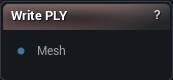
The Write PLY node
When to use it
Binary little-endian PLY, the scan pipeline's interchange format. Positions, per-vertex normals, and per-vertex colours when the mesh has them.
Colour is the reason to pick PLY over OBJ or STL. It is the simplest format that round-trips vertex colour, which is how photogrammetry albedo travels before it becomes a texture.
No UVs, no materials, no skeleton.
Pins
| Pin | Type | Description |
|---|---|---|
Mesh |
Mesh | The mesh to save. Positions, normals and vertex colours go out; UVs and materials do not. |
Settings
| Setting | Type | Description |
|---|---|---|
Vertex Colors |
Choice | What goes into the per-vertex colour block: the mesh's own colours, one flat colour per material section (the same colours the sculpt viewport shows in Section Colors), or nothing. |
Available in Mesh Morpher Graph and Mesh Morpher Studio.