Studio and Graph › Exporters
Write FBX
For a handoff to a DCC package where the rig has to survive, FBX is the format and this is the node. It goes out through the bundled FBX SDK.
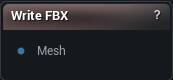
The Write FBX node
When to use it
For a handoff to a DCC package where the rig has to survive, FBX is the format and this is the node. It goes out through the bundled FBX SDK.
How to use it
- 1
Connect a mesh to the Mesh input pin
- 2
Tweak axis / scale / ASCII settings on the details panel
- 3
Click Write FBX — choose a destination, file is written
Pins
| Pin | Type | Description |
|---|---|---|
Mesh |
Mesh | The mesh to save. Bones, skin weights, UVs and materials all come through. |
Settings
| Setting | Type | Description |
|---|---|---|
Coordinate System |
Choice | Handedness written into the file's header, so the app opening it knows which way round the mesh is meant to be. |
Front Axis |
Choice | Which axis the file should call forward. |
Up Axis |
Choice | Which axis the file should call up. Set it to Y for Maya, leave it on Z for anything coming back into Unreal. |
Scale |
Number | Multiplies every vertex position on the way out. Leave it at 1 to keep the mesh at the size it is here. |
Export As ASCII |
True/False | Writes readable text instead of binary. Handy when you need to look inside the file, but it runs about five times bigger. |
Vertex Colors |
Choice | What goes into the vertex-colour layer: the mesh's own colours, one flat colour per material section (the same colours the sculpt viewport shows in Section Colors), or nothing. |
Available in Mesh Morpher Graph and Mesh Morpher Studio.