Studio and Graph › Weight Map
Create Weight Map
Where a weight map comes from when you are not painting it by hand. One value between 0 and 1 per vertex, derived from something the mesh already knows about itself, and from there it goes to Apply...
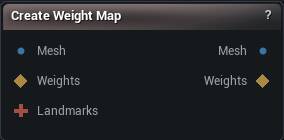
The Create Weight Map node
When to use it
Where a weight map comes from when you are not painting it by hand. One value between 0 and 1 per vertex, derived from something the mesh already knows about itself, and from there it goes to Apply Weight Map or into any node that takes a Weights pin.
How to use it
- 1
Connect the mesh the map is for
- 2
Connect a selection or landmarks if the mode you want needs one
- 3
Pick the mode and set its parameters
- 4
The map updates as soon as any input changes
Pins
| Pin | Type | Description |
|---|---|---|
Mesh |
Mesh | The mesh the weight map is built for. One value per vertex. |
Weights |
Weight Map | An existing mask, read only in From Selection mode. It comes through as it is, and Falloff Rings grow a soft fringe out from its edge. |
Landmarks |
Landmarks | Points and splines to measure distance from. Only read in From Landmarks mode. |
| Pin | Type | Description |
|---|---|---|
Mesh |
Mesh | The input mesh, unchanged. |
WeightMap |
Weight Map | The finished weight map, one 0-1 value per vertex. |
Settings
| Setting | Type | Description |
|---|---|---|
Mode |
Choice | Where the weights come from. |
Default Value |
Number | The value every vertex gets in Uniform mode. |
Falloff Rings |
Whole number | How many rings of vertices to fade over, growing outward from the edge of the mask. At 0 the edge is hard and you see it as a stair-step across the surface wherever the mask is used to blend. |
Proximity Radius |
Number | Distance at which the weight has faded to nothing. Only a vertex sitting right on a landmark gets a full 1, and it drops off evenly from there. Set it too small and you get a few bright specks instead of a usable mask. |
Bone Name |
Text | Which bone's skin weights to copy, spelled exactly. A * matches anything, so thigh_* picks up both thigh_l and thigh_r. Leave it empty and the map comes out all zeros, with a warning saying so. |
Normalize To Max |
True/False | Divides everything by the highest weight on the mesh, so the strongest vertex reads 1. Off by default, which gives you the bone's raw influence: already 0-1, but a bone that never fully owns any vertex then never reaches 1. |
Invert |
True/False | Flips the finished map, so 1 becomes 0 and 0 becomes 1. |
Available in Mesh Morpher Graph and Mesh Morpher Studio.