Studio and Graph › Voxel
Variables
Named values you set once and reuse across the voxel graph.
Mesh Morpher documentation
Studio and Graph › Voxel
Named values you set once and reuse across the voxel graph.
Studio and Graph › Voxel › Variables
Saves an intermediate value under a name so you can read it back elsewhere without dragging a wire across the graph.
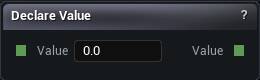
The Declare Value node
Saves an intermediate value under a name so you can read it back elsewhere without dragging a wire across the graph.
Wire it in line the way you normally would; the input passes straight through. Then read it anywhere with a Use Value node carrying the same name.
Worth it for a value that genuinely feeds several branches. For anything local, a wire is easier to follow. Leave the Name empty and it warns you, because nothing can read it.
| Pin | Type | Description |
|---|---|---|
Value |
Number | The value to put the name on. |
| Pin | Type | Description |
|---|---|---|
Value |
Number | The same value, untouched. Keep wiring from here as normal. |
| Setting | Type | Description |
|---|---|---|
Name |
Text | What to call it. A Use Value node with the same name reads it back. Leave it blank and nothing can find it. |
Available in Mesh Morpher Graph and Mesh Morpher Studio.
Studio and Graph › Voxel › Variables
This node cannot work. Graph variables have no authoring surface yet, so there is no value anywhere for it to read, and placing one fails the compile with a message saying so.
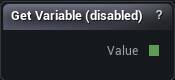
The Get Variable (disabled) node
This node cannot work. Graph variables have no authoring surface yet, so there is no value anywhere for it to read, and placing one fails the compile with a message saying so.
The hard failure is deliberate. Quietly returning 0 would leave you a graph that looks fine and generates the wrong shape.
Declare Value paired with Use Value covers what this node was meant for: name an intermediate value, read it back somewhere else.
| Pin | Type | Description |
|---|---|---|
Value |
Number | Nothing comes out of here. There is still no way to create a graph variable, so use Declare Value and Use Value instead. |
| Setting | Type | Description |
|---|---|---|
Variable Name |
Text | Which variable to read. It does nothing while there is still no way to create one. |
Available in Mesh Morpher Graph and Mesh Morpher Studio.
Studio and Graph › Voxel › Variables
Reads a value that a Declare Value node saved earlier.
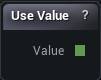
The Use Value node
Reads a value that a Declare Value node saved earlier.
The catch is reachability. The Declare node has to be part of the graph that actually gets compiled, which means it sits somewhere on the path back from Density to Mesh. Declare it on a branch that goes nowhere and the name is never defined, so this node falls back to 0 and posts a warning.
When a Use Value reads zero and you cannot see why, that is the first thing to check.
| Pin | Type | Description |
|---|---|---|
Value |
Number | Whatever the matching Declare Value node was holding. |
| Setting | Type | Description |
|---|---|---|
Name |
Text | Which name to read. It has to match a Declare Value node upstream, spelling and all. |
Available in Mesh Morpher Graph and Mesh Morpher Studio.
Studio and Graph › Voxel › Variables
A probe. Drop it in line on any wire and it reads the value passing through at one world position, then prints the number in the node title and the details panel.
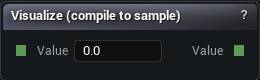
The Visualize (compile to sample) node
A probe. Drop it in line on any wire and it reads the value passing through at one world position, then prints the number in the node title and the details panel.
| Pin | Type | Description |
|---|---|---|
Value |
Number | The wire you want to read. |
| Pin | Type | Description |
|---|---|---|
Value |
Number | The same value, untouched. |
| Setting | Type | Description |
|---|---|---|
Sample Point |
Vector | Which spot in the world to read the value at. Starts at the origin. |
Available in Mesh Morpher Graph and Mesh Morpher Studio.