Studio and Graph › Voxel
Pattern
Regular, repeating fields - tilings and structured patterns rather than noise.
Mesh Morpher documentation
Studio and Graph › Voxel
Regular, repeating fields - tilings and structured patterns rather than noise.
Studio and Graph › Voxel › Pattern
A 3D checkerboard alternating between +1 and -1 per cell. Scale controls how fine the cells are.
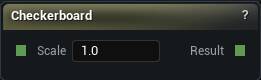
The Checkerboard node
A 3D checkerboard alternating between +1 and -1 per cell. Scale controls how fine the cells are.
It is a pattern, not a distance field. Wire it into Density and you get a lattice of solid cubes with no smooth crossing anywhere for the mesher to find.
As a mask it earns its keep: pick out alternating cells for colour, or for a brick-and-mortar classification. Combine it with maths nodes rather than with booleans.
| Pin | Type | Description |
|---|---|---|
Scale |
Number | How tight the squares are. Higher numbers make them smaller. |
| Pin | Type | Description |
|---|---|---|
Result |
Number | +1 on the light squares, -1 on the dark ones. |
Available in Mesh Morpher Graph and Mesh Morpher Studio.
Studio and Graph › Voxel › Pattern
A fixed float, in a small node that fits inside a dense pattern subgraph without taking over the canvas. The title shows the value.

The Constant node
A fixed float, in a small node that fits inside a dense pattern subgraph without taking over the canvas. The title shows the value.
Float Input does exactly the same thing in a bigger node with a named field. There is no behavioural difference. Pick whichever keeps the graph readable.
| Pin | Type | Description |
|---|---|---|
Value |
Number | The number you typed. |
| Setting | Type | Description |
|---|---|---|
Value |
Number | The number. |
Available in Mesh Morpher Graph and Mesh Morpher Studio.
Studio and Graph › Voxel › Pattern
A value that increases along a chosen direction. Layered strata, and any masking that depends on which way something faces in world space.
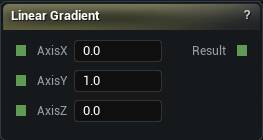
The Linear Gradient node
A value that increases along a chosen direction. Layered strata, and any masking that depends on which way something faces in world space.
The default axis is Y, not Z, so a fresh node varies north-south rather than by height. Set Axis Z to 1 if height is what you meant.
It is unbounded and in world units. Run it through Remap or Inverse Lerp before anything treats it as a 0 to 1 mask, or the mask saturates the moment you leave the origin.
| Pin | Type | Description |
|---|---|---|
AxisX |
Number | How much the ramp climbs along X. |
AxisY |
Number | How much the ramp climbs along Y. |
AxisZ |
Number | How much the ramp climbs along Z. |
| Pin | Type | Description |
|---|---|---|
Result |
Number | The ramp value at this point. |
Available in Mesh Morpher Graph and Mesh Morpher Studio.
Studio and Graph › Voxel › Pattern
Straight-line distance from a centre point. Circular masks and falloffs.
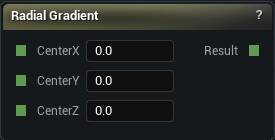
The Radial Gradient node
Straight-line distance from a centre point. Circular masks and falloffs.
It is not a sphere. A sphere is this minus a radius, and that subtraction is the whole difference between something you can mesh and something you can only mask with.
Spherical Gradient is the version that arrives already normalised, 1 at the centre falling to 0.
| Pin | Type | Description |
|---|---|---|
CenterX |
Number | Where the middle sits along X. |
CenterY |
Number | Where the middle sits along Y. |
CenterZ |
Number | Where the middle sits along Z. |
| Pin | Type | Description |
|---|---|---|
Result |
Number | How far this point is from the middle. |
Available in Mesh Morpher Graph and Mesh Morpher Studio.
Studio and Graph › Voxel › Pattern
A sinusoidal ripple repeating along a chosen direction. Ribbed surfaces, corrugated walls, wavy water.
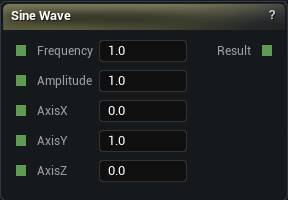
The Sine Wave node
A sinusoidal ripple repeating along a chosen direction. Ribbed surfaces, corrugated walls, wavy water.
Frequency, amplitude and direction are all pins here, which is why this beats building the same thing out of a raw Sin and a pile of position nodes.
Added to a distance field it displaces the surface, which is usually what you want. Multiplied into one it does something much harder to predict.
| Pin | Type | Description |
|---|---|---|
Frequency |
Number | How many ripples fit in one world unit. Higher is tighter. |
Amplitude |
Number | How far the ripples swing above and below zero. |
AxisX |
Number | Which way the ripples travel, along X. |
AxisY |
Number | Which way the ripples travel, along Y. |
AxisZ |
Number | Which way the ripples travel, along Z. |
| Pin | Type | Description |
|---|---|---|
Result |
Number | The wave at this point, swinging between plus and minus the amplitude. |
Available in Mesh Morpher Graph and Mesh Morpher Studio.
Studio and Graph › Voxel › Pattern
A soft blob mask that needs no remapping: 1 at the centre, falling to 0 at a distance of 1.
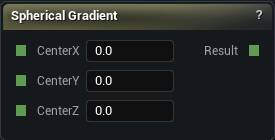
The Spherical Gradient node
A soft blob mask that needs no remapping: 1 at the centre, falling to 0 at a distance of 1.
That 1 is one world unit, which is tiny. Straight out of the box this node reads 0 almost everywhere and looks broken. Scale the domain to size it, because the falloff distance is fixed and there is no radius pin to change.
Good for localising an effect: noise only near a point, colour only around a landmark.
| Pin | Type | Description |
|---|---|---|
CenterX |
Number | Where the middle sits along X. |
CenterY |
Number | Where the middle sits along Y. |
CenterZ |
Number | Where the middle sits along Z. |
| Pin | Type | Description |
|---|---|---|
Result |
Number | 1 at the middle, fading to 0 one unit out. |
Available in Mesh Morpher Graph and Mesh Morpher Studio.