Studio and Graph › Voxel
Noise
Procedural noise fields for roughening surfaces, driving displacement and breaking up regularity.
Mesh Morpher documentation
Studio and Graph › Voxel
Procedural noise fields for roughening surfaces, driving displacement and breaking up regularity.
Studio and Graph › Voxel › Noise
Cellular, or Worley, noise. Voronoi-like cells for rocks, cracked ground, scales and biome boundaries.
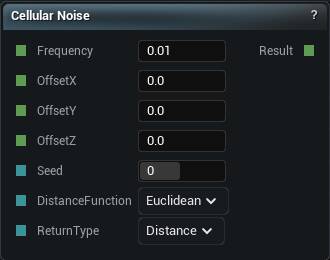
The Cellular Noise node
Cellular, or Worley, noise. Voronoi-like cells for rocks, cracked ground, scales and biome boundaries.
| Pin | Type | Description |
|---|---|---|
Frequency |
Number | How tight the pattern is. Higher numbers give you finer, busier detail. |
OffsetX |
Number | Slide the pattern along X. |
OffsetY |
Number | Slide the pattern along Y. |
OffsetZ |
Number | Slide the pattern along Z. |
Seed |
Whole Number | Change this for a different pattern at the same settings. The same seed always gives you the same noise. |
DistanceFunction |
Choice | How cell edges are measured. Changes whether the cells look rounded or angular. |
ReturnType |
Choice | What the node hands back: distance to the nearest cell centre, the gap between the two nearest, and so on. |
| Pin | Type | Description |
|---|---|---|
Result |
Number | The noise here. Roughly -1 to 1. |
Available in Mesh Morpher Graph and Mesh Morpher Studio.
Studio and Graph › Voxel › Noise
2D cellular noise. Voronoi cells in the XY plane, the standard way to lay out biome regions or a cracked-ground pattern on terrain.
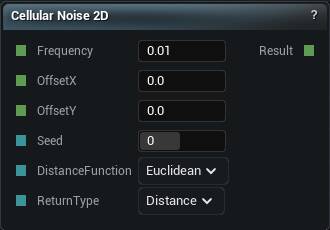
The Cellular Noise 2D node
2D cellular noise. Voronoi cells in the XY plane, the standard way to lay out biome regions or a cracked-ground pattern on terrain.
As with the 3D one, Return Type changes what the output means. Distance gives you something smooth to shape with. Cell Value gives you a flat label per cell. Pick it on purpose.
| Pin | Type | Description |
|---|---|---|
Frequency |
Number | How tight the pattern is. Higher numbers give you finer, busier detail. |
OffsetX |
Number | Slide the pattern along X. |
OffsetY |
Number | Slide the pattern along Y. |
Seed |
Whole Number | Change this for a different pattern at the same settings. The same seed always gives you the same noise. |
DistanceFunction |
Choice | How cell edges are measured. Changes whether the cells look rounded or angular. |
ReturnType |
Choice | What the node hands back: distance to the nearest cell centre, the gap between the two nearest, and so on. |
| Pin | Type | Description |
|---|---|---|
Result |
Number | The noise here. Roughly -1 to 1, and the same at every height. |
Available in Mesh Morpher Graph and Mesh Morpher Studio.
Studio and Graph › Voxel › Noise
2D noise with the basis picked at runtime through the Noise Type pin.
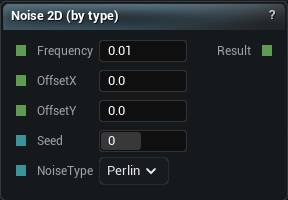
The Noise 2D node
2D noise with the basis picked at runtime through the Noise Type pin.
Worth it when a selector is driving the choice. The fixed-variant nodes are clearer on the canvas when it is not.
| Pin | Type | Description |
|---|---|---|
Frequency |
Number | How tight the pattern is. Higher numbers give you finer, busier detail. |
OffsetX |
Number | Slide the pattern along X. |
OffsetY |
Number | Slide the pattern along Y. |
Seed |
Whole Number | Change this for a different pattern at the same settings. The same seed always gives you the same noise. |
NoiseType |
Choice | Which flavour of noise to use. |
| Pin | Type | Description |
|---|---|---|
Result |
Number | The noise here. Roughly -1 to 1, and the same at every height. |
Available in Mesh Morpher Graph and Mesh Morpher Studio.
Studio and Graph › Voxel › Noise
3D noise whose basis is picked at runtime through the Noise Type pin. Wire a Noise Type selector, or any int source, and swap between Perlin, Simplex and Value without rewiring anything.
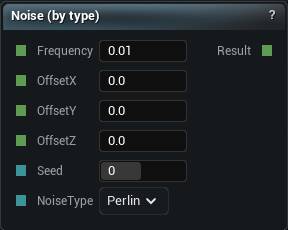
The Noise 3D node
3D noise whose basis is picked at runtime through the Noise Type pin. Wire a Noise Type selector, or any int source, and swap between Perlin, Simplex and Value without rewiring anything.
Those three are the whole list. White Noise and Cellular Noise are separate nodes and this pin cannot reach them.
Worth it when the basis is genuinely data-driven or you are comparing two of them side by side. When it is not, the fixed nodes say on the canvas which noise you are getting, and six months later that matters.
| Pin | Type | Description |
|---|---|---|
Frequency |
Number | How tight the pattern is. Higher numbers give you finer, busier detail. |
OffsetX |
Number | Slide the pattern along X. |
OffsetY |
Number | Slide the pattern along Y. |
OffsetZ |
Number | Slide the pattern along Z. |
Seed |
Whole Number | Change this for a different pattern at the same settings. The same seed always gives you the same noise. |
NoiseType |
Choice | Which flavour of noise to use. Wire a Noise Type node in to swap it from the graph. |
| Pin | Type | Description |
|---|---|---|
Result |
Number | The noise here. Roughly -1 to 1. |
Available in Mesh Morpher Graph and Mesh Morpher Studio.
Studio and Graph › Voxel › Noise
Classic Perlin. Smoothly varying pseudo-random values, good for soft bumps and gentle organic detail. Output sits roughly between -1 and 1, so remap before treating it as a mask.
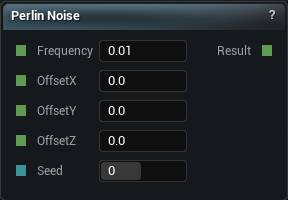
The Perlin Noise node
Classic Perlin. Smoothly varying pseudo-random values, good for soft bumps and gentle organic detail. Output sits roughly between -1 and 1, so remap before treating it as a mask.
One octave only. For the layered detail that actually reads as terrain, Perlin FBM.
Perlin has mild axis-aligned artefacts, faint grid lines you notice once you know they are there. Simplex is the better default for that reason.
| Pin | Type | Description |
|---|---|---|
Frequency |
Number | How tight the pattern is. Higher numbers give you finer, busier detail. |
OffsetX |
Number | Slide the pattern along X. |
OffsetY |
Number | Slide the pattern along Y. |
OffsetZ |
Number | Slide the pattern along Z. |
Seed |
Whole Number | Change this for a different pattern at the same settings. The same seed always gives you the same noise. |
| Pin | Type | Description |
|---|---|---|
Result |
Number | The noise here. Roughly -1 to 1. |
Available in Mesh Morpher Graph and Mesh Morpher Studio.
Studio and Graph › Voxel › Noise
Perlin sampled in the XY plane only, so the same value comes back at every height.
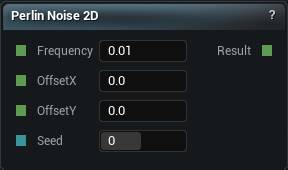
The Perlin Noise 2D node
Perlin sampled in the XY plane only, so the same value comes back at every height.
That is exactly what a heightmap wants and exactly wrong for caves or overhangs, which need the value to change as you go up.
Build terrain as height minus Z with the 2D family. Switch to the 3D family the moment you need real volume. The 2D version is cheaper too, which is another reason to choose deliberately.
| Pin | Type | Description |
|---|---|---|
Frequency |
Number | How tight the pattern is. Higher numbers give you finer, busier detail. |
OffsetX |
Number | Slide the pattern along X. |
OffsetY |
Number | Slide the pattern along Y. |
Seed |
Whole Number | Change this for a different pattern at the same settings. The same seed always gives you the same noise. |
| Pin | Type | Description |
|---|---|---|
Result |
Number | The noise here. Roughly -1 to 1, and the same at every height. |
Available in Mesh Morpher Graph and Mesh Morpher Studio.
Studio and Graph › Voxel › Noise
Simplex noise. Like Perlin but smoother in the detail and without the directional artefacts, and the sensible pick for a single octave.
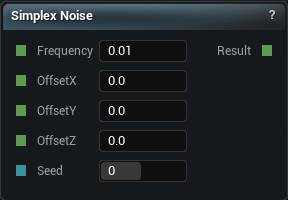
The Simplex Noise node
Simplex noise. Like Perlin but smoother in the detail and without the directional artefacts, and the sensible pick for a single octave.
Simplex FBM for multi-octave terrain. Value noise only when you specifically want the blockier, cheaper look.
| Pin | Type | Description |
|---|---|---|
Frequency |
Number | How tight the pattern is. Higher numbers give you finer, busier detail. |
OffsetX |
Number | Slide the pattern along X. |
OffsetY |
Number | Slide the pattern along Y. |
OffsetZ |
Number | Slide the pattern along Z. |
Seed |
Whole Number | Change this for a different pattern at the same settings. The same seed always gives you the same noise. |
| Pin | Type | Description |
|---|---|---|
Result |
Number | The noise here. Roughly -1 to 1. |
Available in Mesh Morpher Graph and Mesh Morpher Studio.
Studio and Graph › Voxel › Noise
2D Simplex. Usually the best default for a terrain heightmap: smooth, cheap, no directional artefacts.
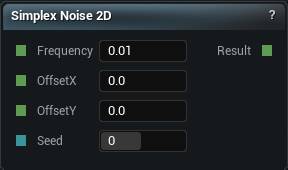
The Simplex Noise 2D node
2D Simplex. Usually the best default for a terrain heightmap: smooth, cheap, no directional artefacts.
Constant with height, so it cannot produce an overhang no matter what you do to it. The 3D family is where those come from.
| Pin | Type | Description |
|---|---|---|
Frequency |
Number | How tight the pattern is. Higher numbers give you finer, busier detail. |
OffsetX |
Number | Slide the pattern along X. |
OffsetY |
Number | Slide the pattern along Y. |
Seed |
Whole Number | Change this for a different pattern at the same settings. The same seed always gives you the same noise. |
| Pin | Type | Description |
|---|---|---|
Result |
Number | The noise here. Roughly -1 to 1, and the same at every height. |
Available in Mesh Morpher Graph and Mesh Morpher Studio.
Studio and Graph › Voxel › Noise
Value noise. Blockier than Perlin or Simplex, cheaper to evaluate, with visible cell structure.
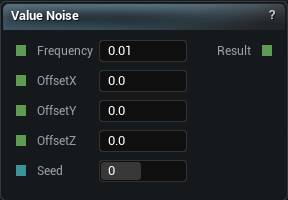
The Value Noise node
Value noise. Blockier than Perlin or Simplex, cheaper to evaluate, with visible cell structure.
Choose it on purpose, for a chunky stylised look or somewhere the cost genuinely matters. For anything meant to read as natural, Simplex is the better basis.
| Pin | Type | Description |
|---|---|---|
Frequency |
Number | How tight the pattern is. Higher numbers give you finer, busier detail. |
OffsetX |
Number | Slide the pattern along X. |
OffsetY |
Number | Slide the pattern along Y. |
OffsetZ |
Number | Slide the pattern along Z. |
Seed |
Whole Number | Change this for a different pattern at the same settings. The same seed always gives you the same noise. |
| Pin | Type | Description |
|---|---|---|
Result |
Number | The noise here. Roughly -1 to 1. |
Available in Mesh Morpher Graph and Mesh Morpher Studio.
Studio and Graph › Voxel › Noise
2D Value noise. The chunky, cheap alternative to Perlin in the XY plane.
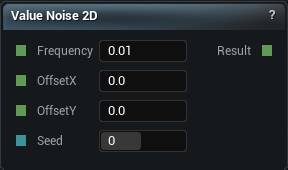
The Value Noise 2D node
2D Value noise. The chunky, cheap alternative to Perlin in the XY plane.
Pick it for a stylised look. Its cell structure is plainly visible at low octave counts.
| Pin | Type | Description |
|---|---|---|
Frequency |
Number | How tight the pattern is. Higher numbers give you finer, busier detail. |
OffsetX |
Number | Slide the pattern along X. |
OffsetY |
Number | Slide the pattern along Y. |
Seed |
Whole Number | Change this for a different pattern at the same settings. The same seed always gives you the same noise. |
| Pin | Type | Description |
|---|---|---|
Result |
Number | The noise here. Roughly -1 to 1, and the same at every height. |
Available in Mesh Morpher Graph and Mesh Morpher Studio.
Studio and Graph › Voxel › Noise
Pure random per sample. No smoothing at all.
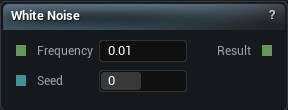
The White Noise node
Pure random per sample. No smoothing at all.
Never wire it into density. Neighbouring voxels are completely uncorrelated, so there is no surface anywhere for the mesher to find and what you get back is static.
Good for stippling and scatter masks. When the same position has to give the same answer twice, Hash and the Stable random nodes are the ones.
| Pin | Type | Description |
|---|---|---|
Frequency |
Number | How tight the pattern is. Higher numbers give you finer, busier detail. |
OffsetX |
Number | Slide the pattern along X. |
OffsetY |
Number | Slide the pattern along Y. |
OffsetZ |
Number | Slide the pattern along Z. |
Seed |
Whole Number | Change this for a different pattern at the same settings. The same seed always gives you the same noise. |
| Pin | Type | Description |
|---|---|---|
Result |
Number | The noise here. Roughly -1 to 1. |
Available in Mesh Morpher Graph and Mesh Morpher Studio.
Studio and Graph › Voxel › Noise
2D white noise. Per-sample random with no smoothing.
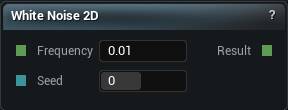
The White Noise 2D node
2D white noise. Per-sample random with no smoothing.
Same rule as the 3D version: never into a density. Scatter masks and stippling only. When the value has to be stable for a given position, Hash or a Stable random node.
| Pin | Type | Description |
|---|---|---|
Frequency |
Number | How tight the pattern is. Higher numbers give you finer, busier detail. |
OffsetX |
Number | Slide the pattern along X. |
OffsetY |
Number | Slide the pattern along Y. |
Seed |
Whole Number | Change this for a different pattern at the same settings. The same seed always gives you the same noise. |
| Pin | Type | Description |
|---|---|---|
Result |
Number | The noise here. Roughly -1 to 1, and the same at every height. |
Available in Mesh Morpher Graph and Mesh Morpher Studio.