Studio and Graph › Voxel
Math
Arithmetic, trigonometry, vector operations and comparisons evaluated per sample across the field.
Mesh Morpher documentation
Studio and Graph › Voxel
Arithmetic, trigonometry, vector operations and comparisons evaluated per sample across the field.
Studio and Graph › Voxel › Math
Strips the sign, and it does two quite different jobs depending on what you feed it.
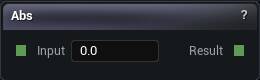
The Abs node
Strips the sign, and it does two quite different jobs depending on what you feed it.
On a coordinate you get free mirror symmetry. Abs of X makes everything symmetric about the YZ plane.
On a distance field you get a shell. The surface now sits wherever the field was plus or minus zero, so a solid ball turns into a hollow skin. Neither of those is obvious from the name.
| Pin | Type | Description |
|---|---|---|
Input |
Number | The number to work on. |
| Pin | Type | Description |
|---|---|---|
Result |
Number | The answer. |
Available in Mesh Morpher Graph and Mesh Morpher Studio.
Studio and Graph › Voxel › Math
On a density field, adding a constant moves the whole surface in or out. That is how a noise field becomes solid ground: add enough and the surface swallows everything below it.
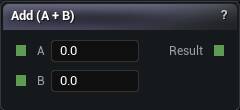
The Add node
A plus B.
On a density field, adding a constant moves the whole surface in or out. That is how a noise field becomes solid ground: add enough and the surface swallows everything below it.
It is not a way to combine two shapes. Add two fields together and the result is neither of them. Union, Intersection and Subtraction are the nodes for that.
| Pin | Type | Description |
|---|---|---|
A |
Number | The first number. |
B |
Number | The second number. |
| Pin | Type | Description |
|---|---|---|
Result |
Number | The answer. |
Available in Mesh Morpher Graph and Mesh Morpher Studio.
Studio and Graph › Voxel › Math
The angle of a 2D vector in radians, over the whole circle rather than half of it.
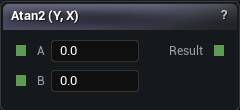
The Atan2 node
The angle of a 2D vector in radians, over the whole circle rather than half of it.
| Pin | Type | Description |
|---|---|---|
A |
Number | The Y part of the direction. |
B |
Number | The X part of the direction. |
| Pin | Type | Description |
|---|---|---|
Result |
Number | The angle in radians, somewhere between -pi and pi. |
Available in Mesh Morpher Graph and Mesh Morpher Studio.
Studio and Graph › Voxel › Math
Compares A and B with the operator you pick and forwards True or False accordingly. The comparison and the choice in one node.
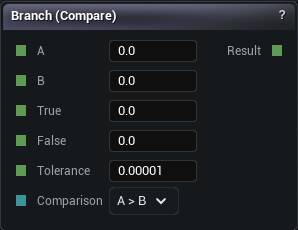
The Branch node
Compares A and B with the operator you pick and forwards True or False accordingly. The comparison and the choice in one node.
Equal and NotEqual read the Tolerance pin, which defaults to 0.00001. That default is doing real work. Two values that came out of any arithmetic almost never land on the same float, so an Equal branch with Tolerance set to 0 takes the false arm over and over and reads as a broken wire.
When the result is a weight rather than a choice, Compare plus a multiply is cleaner. When the boundary should be soft, Select.
| Pin | Type | Description |
|---|---|---|
A |
Number | The left side of the comparison. |
B |
Number | The right side of the comparison. |
True |
Number | Passed through when the comparison holds. |
False |
Number | Passed through when the comparison does not hold. |
Tolerance |
Number | Only matters for Equal and Not Equal. Two values closer together than this count as the same. |
Comparison |
Choice | Which test to run. Wire a Compare Op node in here to switch it from the graph. |
| Pin | Type | Description |
|---|---|---|
Result |
Number | Whichever of True and False the comparison picked. |
Available in Mesh Morpher Graph and Mesh Morpher Studio.
Studio and Graph › Voxel › Math
Rounds up to the nearest whole number. Floor's counterpart.
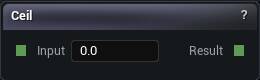
The Ceil node
Rounds up to the nearest whole number. Floor's counterpart.
The pair gives you the two ends of the cell a value falls in, which is the basis of hand-built interpolation and most cell-index tricks.
| Pin | Type | Description |
|---|---|---|
Input |
Number | The number to work on. |
| Pin | Type | Description |
|---|---|---|
Result |
Number | The answer. |
Available in Mesh Morpher Graph and Mesh Morpher Studio.
Studio and Graph › Voxel › Math
Compares A against B and hands back 1 or 0. A mask you multiply with, not a branch.
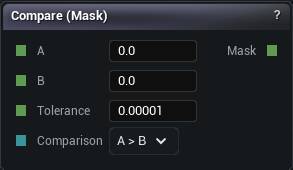
The Compare node
Compares A against B and hands back 1 or 0. A mask you multiply with, not a branch.
When the answer is going to be multiplied anyway, this beats Branch and If. The graph stays flat and you avoid the hard edge a branch puts into the field.
The 0/1 edge is still an edge. Anywhere the transition will be visible as geometry, SmoothStep or a Select with a falloff looks better.
| Pin | Type | Description |
|---|---|---|
A |
Number | The left side of the comparison. |
B |
Number | The right side of the comparison. |
Tolerance |
Number | Only matters for Equal and Not Equal. Two values closer together than this count as the same. |
Comparison |
Choice | Which test to run. Wire a Compare Op node in here to switch it from the graph. |
| Pin | Type | Description |
|---|---|---|
Mask |
Number | 1 when the comparison holds, 0 when it does not. |
Available in Mesh Morpher Graph and Mesh Morpher Studio.
Studio and Graph › Voxel › Math
Cosine of the input, in radians.
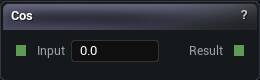
The Cos node
Cosine of the input, in radians.
Pair it with Sin on the same angle for circles and spirals. On its own it is Sin shifted a quarter cycle, so picking the one whose value at zero you want, 1 for cos and 0 for sin, saves you an offset node.
| Pin | Type | Description |
|---|---|---|
Input |
Number | The number to work on. |
| Pin | Type | Description |
|---|---|---|
Result |
Number | The answer. |
Available in Mesh Morpher Graph and Mesh Morpher Studio.
Studio and Graph › Voxel › Math
Looks the input up on a Curve asset. The escape hatch for a response that would take five maths nodes to approximate and still not look right.
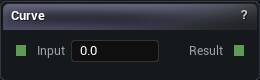
The Curve node
Looks the input up on a Curve asset. The escape hatch for a response that would take five maths nodes to approximate and still not look right.
| Pin | Type | Description |
|---|---|---|
Input |
Number | The number to work on. |
| Pin | Type | Description |
|---|---|---|
Result |
Number | The answer. |
| Setting | Type | Description |
|---|---|---|
Curve Asset |
Asset | The curve to read. The incoming value picks the spot along the bottom of the curve; what comes out is the height there. |
Available in Mesh Morpher Graph and Mesh Morpher Studio.
Studio and Graph › Voxel › Math
Perpendicular distance to an infinite line.
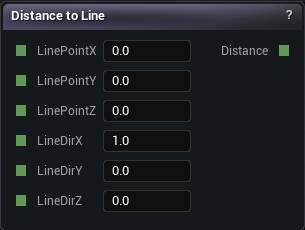
The Distance To Line node
Perpendicular distance to an infinite line.
Subtract a radius and you have an infinite cylinder along any axis, which is the cheapest way to get a tilted cylinder without rotating the domain.
Infinite is the catch. To cap it, intersect with two Planes, or use the Cylinder and Capsule primitives, which are finite to begin with.
| Pin | Type | Description |
|---|---|---|
LinePointX |
Number | X of a point the line passes through. |
LinePointY |
Number | Y of a point the line passes through. |
LinePointZ |
Number | Z of a point the line passes through. |
LineDirX |
Number | X of the direction the line runs. All three together must come to length 1. |
LineDirY |
Number | Y of the direction the line runs. |
LineDirZ |
Number | Z of the direction the line runs. |
| Pin | Type | Description |
|---|---|---|
Distance |
Number | How far the voxel being sampled sits from the line, measured square to it. Never negative. |
Available in Mesh Morpher Graph and Mesh Morpher Studio.
Studio and Graph › Voxel › Math
Signed distance to an infinite plane. Positive on the side the normal points, negative on the other.
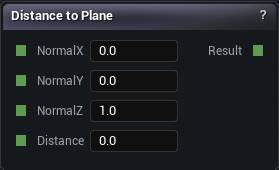
The Distance To Plane node
Signed distance to an infinite plane. Positive on the side the normal points, negative on the other.
The sign is the whole point. It makes an above-or-below test and a half-space cutter the same node.
The Plane primitive is this packaged as a solid. This one hands you the number.
| Pin | Type | Description |
|---|---|---|
NormalX |
Number | X of the direction the plane faces. Keep all three together at length 1. |
NormalY |
Number | Y of the direction the plane faces. |
NormalZ |
Number | Z of the direction the plane faces. Straight up by default. |
Distance |
Number | How far the plane sits along its own normal. |
| Pin | Type | Description |
|---|---|---|
Result |
Number | How far the voxel being sampled is from the plane. Positive on the side the normal points to, negative behind it. |
Available in Mesh Morpher Graph and Mesh Morpher Studio.
Studio and Graph › Voxel › Math
Straight-line distance from the sample point to a target point.
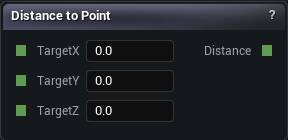
The Distance To Point node
Straight-line distance from the sample point to a target point.
Subtract a radius and you have a sphere. Leave it raw and you have a radial falloff to drive something with.
When you want the shape, the Sphere primitive is fewer nodes. This is for when you want the number.
| Pin | Type | Description |
|---|---|---|
TargetX |
Number | X of the point you are measuring to. |
TargetY |
Number | Y of the point you are measuring to. |
TargetZ |
Number | Z of the point you are measuring to. |
| Pin | Type | Description |
|---|---|---|
Distance |
Number | How far the voxel being sampled is from Target. |
Available in Mesh Morpher Graph and Mesh Morpher Studio.
Studio and Graph › Voxel › Math
A over B. Dividing by zero, or near enough to zero, gives you 0 rather than an infinity, because an infinity reaching the mesher takes the whole chunk with it.
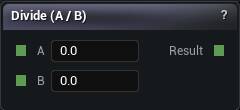
The Divide node
A over B. Dividing by zero, or near enough to zero, gives you 0 rather than an infinity, because an infinity reaching the mesher takes the whole chunk with it.
That guard has a side effect worth knowing. A suspiciously flat patch of zero in your result might be a division that tripped the guard rather than a shape. Drop a Visualize node on the wire and read the number.
When the divisor never changes, multiplying by the reciprocal is cheaper and reads better.
| Pin | Type | Description |
|---|---|---|
A |
Number | The first number. |
B |
Number | The second number. |
| Pin | Type | Description |
|---|---|---|
Result |
Number | The answer. |
Available in Mesh Morpher Graph and Mesh Morpher Studio.
Studio and Graph › Voxel › Math
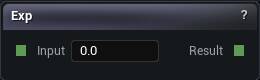
e raised to the input, with the exponent clamped to plus or minus 80 so it cannot run away to infinity.
The Exp node
e raised to the input, with the exponent clamped to plus or minus 80 so it cannot run away to infinity.
It still grows absurdly fast. exp(20) is half a billion. This is a falloff tool, not a scaling tool: exp of a negative squared distance is the Gaussian bump you usually wanted.
A field that has gone flat and enormous is nearly always an exp with a positive argument nobody meant to feed it.
| Pin | Type | Description |
|---|---|---|
Input |
Number | The number to work on. |
| Pin | Type | Description |
|---|---|---|
Result |
Number | The answer. |
Available in Mesh Morpher Graph and Mesh Morpher Studio.
Studio and Graph › Voxel › Math
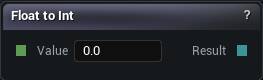
Converts a float to an integer by flooring it, which means it truncates toward negative infinity rather than toward zero. 1.7 becomes 1. -0.3 becomes -1, not 0.
The Float To Int node
Converts a float to an integer by flooring it, which means it truncates toward negative infinity rather than toward zero. 1.7 becomes 1. -0.3 becomes -1, not 0.
That asymmetry only bites when the value can go negative, and then it bites hard: everything below zero shifts a whole step. Add 0.5 first if you wanted nearest.
The usual reason to place one is feeding float maths into an int-typed pin such as a Seed.
| Pin | Type | Description |
|---|---|---|
Value |
Number | The number to round down. |
| Pin | Type | Description |
|---|---|---|
Result |
Whole Number | The whole number below it. |
Available in Mesh Morpher Graph and Mesh Morpher Studio.
Studio and Graph › Voxel › Math
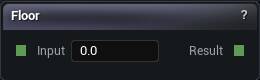
Rounds down to the nearest whole number.
The Floor node
Rounds down to the nearest whole number.
Combined with a multiply and a divide it quantises a smooth value into steps, but Terrace already does that with the step size as one readable number. Come here when you actually want the integer: a cell index, a band number, the input to a hash.
| Pin | Type | Description |
|---|---|---|
Input |
Number | The number to work on. |
| Pin | Type | Description |
|---|---|---|
Result |
Number | The answer. |
Available in Mesh Morpher Graph and Mesh Morpher Studio.
Studio and Graph › Voxel › Math
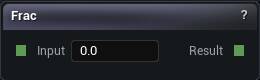
The fractional part, meaning the input minus its floor. Always lands between 0 and 1.
The Frac node
The fractional part, meaning the input minus its floor. Always lands between 0 and 1.
Compact way to build repeating ramps and tiling patterns out of a coordinate.
Like Modulo it puts a discontinuity at every whole number. Build a field directly on Frac and the mesher faithfully reproduces that step as a wall.
| Pin | Type | Description |
|---|---|---|
Input |
Number | The number to work on. |
| Pin | Type | Description |
|---|---|---|
Result |
Number | The answer. |
Available in Mesh Morpher Graph and Mesh Morpher Studio.
Studio and Graph › Voxel › Math
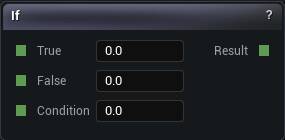
Picks one of two inputs from a Condition, treating anything at or above 0.5 as true.
The If node
Picks one of two inputs from a Condition, treating anything at or above 0.5 as true.
It fits when the condition is already a mask, from a Compare or a thresholded noise. Branch does the comparison and the choice in one node. Select does the same thing with a soft blend.
A hard switch between two fields leaves a discontinuity at the boundary, and the mesher renders that as a step you never modelled.
| Pin | Type | Description |
|---|---|---|
True |
Number | Passed through when Condition is 0.5 or more. |
False |
Number | Passed through when Condition is under 0.5. |
Condition |
Number | The 0-or-1 value that picks a side. |
| Pin | Type | Description |
|---|---|---|
Result |
Number | Whichever of True and False got picked. |
Available in Mesh Morpher Graph and Mesh Morpher Studio.
Studio and Graph › Voxel › Math
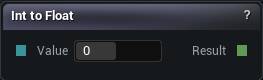
Converts an integer to a float.
The Int To Float node
Converts an integer to a float.
It is a straight pass-through, since everything is stored as a float underneath. It exists so the conversion is visible on the canvas and the pins downstream stay float-typed. Adding one costs nothing at all.
| Pin | Type | Description |
|---|---|---|
Value |
Whole Number | The whole number coming in. |
| Pin | Type | Description |
|---|---|---|
Result |
Number | The same number, now on a float wire. |
Available in Mesh Morpher Graph and Mesh Morpher Studio.
Studio and Graph › Voxel › Math
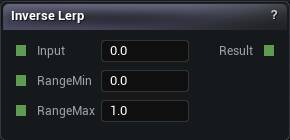
0 at Range Min, 1 at Range Max, linear between, and clamped to 0 to 1 at both ends.
The Inverse Lerp node
0 at Range Min, 1 at Range Max, linear between, and clamped to 0 to 1 at both ends.
The clamp is the whole difference between this and Remap. It is what stops a value from outside the range driving a blend past its endpoints and pushing a colour or a displacement somewhere you never asked for.
| Pin | Type | Description |
|---|---|---|
RangeMin |
Number | The input that comes out as 0. |
RangeMax |
Number | The input that comes out as 1. |
Input |
Number | The number to work on. |
| Pin | Type | Description |
|---|---|---|
Result |
Number | The answer. |
Available in Mesh Morpher Graph and Mesh Morpher Studio.
Studio and Graph › Voxel › Math
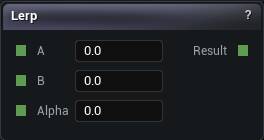
Blends A and B by Alpha. 0 gives A, 1 gives B, and Alpha is clamped so you cannot extrapolate past either end.
The Lerp node
Blends A and B by Alpha. 0 gives A, 1 gives B, and Alpha is clamped so you cannot extrapolate past either end.
Fine for mixing two parameters or two masks. Select is the one you want when a threshold on a third value drives the blend.
For combining two shapes, Smooth Union. A lerp between two distance fields is not the distance field of anything, and it meshes as a mushy compromise between the two.
| Pin | Type | Description |
|---|---|---|
A |
Number | What you get at Alpha 0. |
B |
Number | What you get at Alpha 1. |
Alpha |
Number | How far between A and B you want to land. Held inside 0 to 1. |
| Pin | Type | Description |
|---|---|---|
Result |
Number | A blended towards B. |
Available in Mesh Morpher Graph and Mesh Morpher Studio.
Studio and Graph › Voxel › Math
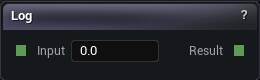
Natural logarithm. Zero or negative input returns 0 rather than an infinity.
The Log node
Natural logarithm. Zero or negative input returns 0 rather than an infinity.
Good for squashing a range that spans orders of magnitude down to something you can look at.
The guard means the negative half of a signed field collapses to flat zero, and that half is the entire inside of your shape. Log a magnitude, not a density.
| Pin | Type | Description |
|---|---|---|
Input |
Number | The number to work on. |
| Pin | Type | Description |
|---|---|---|
Result |
Number | The answer. |
Available in Mesh Morpher Graph and Mesh Morpher Studio.
Studio and Graph › Voxel › Math
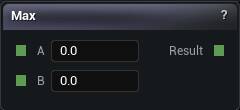
The larger of A and B, which is the same operation Intersection performs, since positive means outside.
The Max node
The larger of A and B, which is the same operation Intersection performs, since positive means outside.
Max is for numeric work: max(x, 0) to strip negatives, clamping a value by hand. Intersection is for shapes. Same maths, and a reader can tell them apart at a glance.
| Pin | Type | Description |
|---|---|---|
A |
Number | The first number. |
B |
Number | The second number. |
| Pin | Type | Description |
|---|---|---|
Result |
Number | The answer. |
Available in Mesh Morpher Graph and Mesh Morpher Studio.
Studio and Graph › Voxel › Math
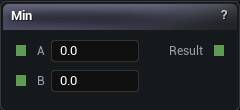
The smaller of A and B.
The Min node
The smaller of A and B.
With negative meaning inside, that is exactly what Union does, and both nodes emit the same operation. Union in a boolean chain so the graph says what you meant, Min when you genuinely want the lower of two numbers.
| Pin | Type | Description |
|---|---|---|
A |
Number | The first number. |
B |
Number | The second number. |
| Pin | Type | Description |
|---|---|---|
Result |
Number | The answer. |
Available in Mesh Morpher Graph and Mesh Morpher Studio.
Studio and Graph › Voxel › Math
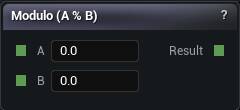
The remainder of A divided by B. Stripes, rings and repeating bands built out of a coordinate. A divisor at or near zero returns 0 rather than an error.
The Modulo node
The remainder of A divided by B. Stripes, rings and repeating bands built out of a coordinate. A divisor at or near zero returns 0 rather than an error.
When what you want to tile is a whole shape rather than a number, Domain Repeat is the right node. Modulo on a distance field snaps the value at every cell edge, and the mesher renders that snap as a wall.
| Pin | Type | Description |
|---|---|---|
A |
Number | The first number. |
B |
Number | The second number. |
| Pin | Type | Description |
|---|---|---|
Result |
Number | The answer. |
Available in Mesh Morpher Graph and Mesh Morpher Studio.
Studio and Graph › Voxel › Math
A times B. The workhorse.
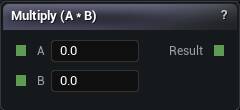
The Multiply node
A times B. The workhorse.
| Pin | Type | Description |
|---|---|---|
A |
Number | The first number. |
B |
Number | The second number. |
| Pin | Type | Description |
|---|---|---|
Result |
Number | The answer. |
Available in Mesh Morpher Graph and Mesh Morpher Studio.
Studio and Graph › Voxel › Math
Flips the sign. On a density field that swaps solid and empty, so the inside becomes the outside. Quickest way to turn a shape into the hole it would leave.
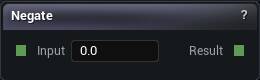
The Negate node
Flips the sign. On a density field that swaps solid and empty, so the inside becomes the outside. Quickest way to turn a shape into the hole it would leave.
For carving one shape out of another, Subtraction does the negate and the combine together and keeps the result valid. This node on its own leaves you to get the max() right yourself.
| Pin | Type | Description |
|---|---|---|
Input |
Number | The number to work on. |
| Pin | Type | Description |
|---|---|---|
Result |
Number | The answer. |
Available in Mesh Morpher Graph and Mesh Morpher Studio.
Studio and Graph › Voxel › Math
1 minus the input. The standard way to flip a 0 to 1 mask, and easier to read on the canvas than a Subtract wired to a constant.
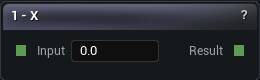
The One Minus node
1 minus the input. The standard way to flip a 0 to 1 mask, and easier to read on the canvas than a Subtract wired to a constant.
It is not how you invert a density field; Negate is. A distance field is not confined to 0 to 1, so 1 - d shifts the surface as well as flipping it and the shape comes out the wrong size.
| Pin | Type | Description |
|---|---|---|
Input |
Number | The number to work on. |
| Pin | Type | Description |
|---|---|---|
Result |
Number | The answer. |
Available in Mesh Morpher Graph and Mesh Morpher Studio.
Studio and Graph › Voxel › Math
A raised to the power B, using the absolute value of A so a negative base cannot produce something undefined.
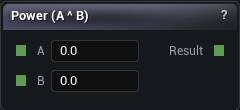
The Power node
A raised to the power B, using the absolute value of A so a negative base cannot produce something undefined.
That guard matters more than it sounds, because a density field is negative half the time. Raise a signed field to a power and the sign quietly disappears, taking the inside of your shape with it. Shape masks with this. Leave signed fields alone.
On a 0 to 1 mask, exponents above 1 push it toward 0 and sharpen the edge. Below 1 pushes toward 1 and softens it.
| Pin | Type | Description |
|---|---|---|
A |
Number | The first number. |
B |
Number | The second number. |
| Pin | Type | Description |
|---|---|---|
Result |
Number | The answer. |
Available in Mesh Morpher Graph and Mesh Morpher Studio.
Studio and Graph › Voxel › Math
Rescales a value from one range to another, linearly.
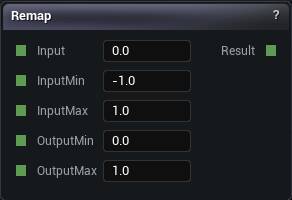
The Remap node
Rescales a value from one range to another, linearly.
Most noise comes out around -1 to 1 and most things that consume it expect 0 to 1. Forgetting that is the single most common reason a pattern looks half missing: the negative half is being read as zero.
It does not clamp. Feed it something outside Input Min to Input Max and the output runs straight past Output Min and Output Max. Inverse Lerp is the clamped version, or put a Clamp after this one.
| Pin | Type | Description |
|---|---|---|
InputMin |
Number | The input value that should come out as Output Min. |
InputMax |
Number | The input value that should come out as Output Max. |
OutputMin |
Number | What you get when the input sits at Input Min. |
OutputMax |
Number | What you get when the input sits at Input Max. |
Input |
Number | The number to work on. |
| Pin | Type | Description |
|---|---|---|
Result |
Number | The answer. |
Available in Mesh Morpher Graph and Mesh Morpher Studio.
Studio and Graph › Voxel › Math
Rounds to the nearest whole number.
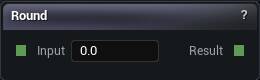
The Round node
Rounds to the nearest whole number.
Pick it over Floor when the quantised value has to stay centred on the original. Flooring biases everything down by half a step, and once that result drives a position you see it as a systematic shift of the whole pattern.
| Pin | Type | Description |
|---|---|---|
Input |
Number | The number to work on. |
| Pin | Type | Description |
|---|---|---|
Result |
Number | The answer. |
Available in Mesh Morpher Graph and Mesh Morpher Studio.
Studio and Graph › Voxel › Math
+1 for positive, -1 for negative, 0 for exactly zero.
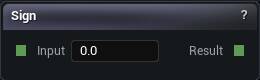
The Sign node
+1 for positive, -1 for negative, 0 for exactly zero.
On a density field that turns a smooth distance into a hard inside-or-outside flag. Occasionally that is what a mask wants. It is always bad input for the mesher, which needs a slope to find the crossing point in. Give it a sign and the surface snaps to voxel corners.
SmoothStep is the soft version.
| Pin | Type | Description |
|---|---|---|
Input |
Number | The number to work on. |
| Pin | Type | Description |
|---|---|---|
Result |
Number | The answer. |
Available in Mesh Morpher Graph and Mesh Morpher Studio.
Studio and Graph › Voxel › Math
Sine of the input, in radians. One full cycle is 2 pi, so a value in degrees oscillates about 57 times faster than you expected and reads as noise.
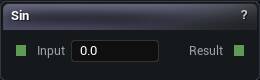
The Sin node
Sine of the input, in radians. One full cycle is 2 * pi, so a value in degrees oscillates about 57 times faster than you expected and reads as noise.
When what you want is a ripple running along a direction, Sine Wave already handles the direction, the frequency and the amplitude.
| Pin | Type | Description |
|---|---|---|
Input |
Number | The number to work on. |
| Pin | Type | Description |
|---|---|---|
Result |
Number | The answer. |
Available in Mesh Morpher Graph and Mesh Morpher Studio.
Studio and Graph › Voxel › Math
An S-curve ramp. 0 below Edge0, 1 above Edge1, smooth in between.
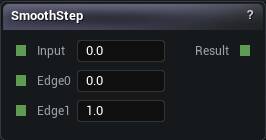
The Smooth Step node
An S-curve ramp. 0 below Edge0, 1 above Edge1, smooth in between.
The standard way to turn any value into a soft mask, and better than Compare for anything that ends up visible, because the slope is continuous at both ends instead of jumping.
Putting Edge0 above Edge1 works and inverts the ramp, which saves a node when you want the mask the other way round.
| Pin | Type | Description |
|---|---|---|
Edge0 |
Number | Below this the answer is 0. |
Edge1 |
Number | Above this the answer is 1. |
Input |
Number | The number to work on. |
| Pin | Type | Description |
|---|---|---|
Result |
Number | The answer. |
Available in Mesh Morpher Graph and Mesh Morpher Studio.
Studio and Graph › Voxel › Math
Square root, taking the absolute value first so a negative input cannot produce nonsense.
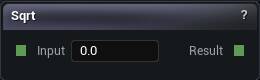
The Sqrt node
Square root, taking the absolute value first so a negative input cannot produce nonsense.
Which also means feeding it a signed density silently throws the sign away. Square-root a squared length, not a field.
Most of the time the Vec2 Length and Vec3 Length nodes are what you were reaching for.
| Pin | Type | Description |
|---|---|---|
Input |
Number | The number to work on. |
| Pin | Type | Description |
|---|---|---|
Result |
Number | The answer. |
Available in Mesh Morpher Graph and Mesh Morpher Studio.
Studio and Graph › Voxel › Math
A minus B. Arithmetic, not a boolean cut.
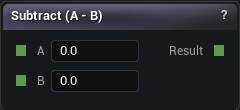
The Subtract node
A minus B. Arithmetic, not a boolean cut.
To carve one shape out of another, use the Subtraction node. It computes max(A, -B) and leaves you something that is still a distance field. Plain subtraction does not.
Where this one earns its place is building expressions. noise * amplitude - z is the standard height-based terrain field, and it is exactly what both erosion nodes expect to be handed.
| Pin | Type | Description |
|---|---|---|
A |
Number | The first number. |
B |
Number | The second number. |
| Pin | Type | Description |
|---|---|---|
Result |
Number | The answer. |
Available in Mesh Morpher Graph and Mesh Morpher Studio.
Studio and Graph › Voxel › Math
Quantises a smooth value into flat plateaus. Rice-paddy terracing on a height field. Step Size is the height of one plateau, in whatever units the input is in.
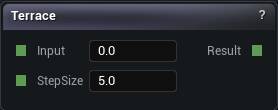
The Terrace node
Quantises a smooth value into flat plateaus. Rice-paddy terracing on a height field. Step Size is the height of one plateau, in whatever units the input is in.
| Pin | Type | Description |
|---|---|---|
StepSize |
Number | How tall each flat step is, in the same units the input is in. |
Input |
Number | The number to work on. |
| Pin | Type | Description |
|---|---|---|
Result |
Number | The answer. |
Available in Mesh Morpher Graph and Mesh Morpher Studio.
Studio and Graph › Voxel › Math
Component-wise A plus B on two 2D vectors.
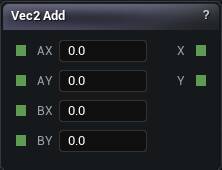
The Vec2 Add node
Component-wise A plus B on two 2D vectors.
The Vec2 family exists for the XY-plane work heightmap terrain needs. Mixing it with the Vec3 family silently drops Z, so a pattern that should climb ends up flat.
| Pin | Type | Description |
|---|---|---|
AX |
Number | A X component. |
AY |
Number | A Y component. |
BX |
Number | B X component. |
BY |
Number | B Y component. |
| Pin | Type | Description |
|---|---|---|
X |
Number | The result's X component. |
Y |
Number | The result's Y component. |
Available in Mesh Morpher Graph and Mesh Morpher Studio.
Studio and Graph › Voxel › Math
The 2D perp-dot product, A.X B.Y - A.Y B.X. It comes out as a single number, not a vector.
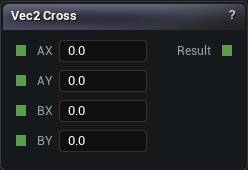
The Vec2 Cross node
The 2D perp-dot product, A.X * B.Y - A.Y * B.X. It comes out as a single number, not a vector.
Positive if B is counter-clockwise from A, negative if clockwise. That makes it the 2D handedness test and the sign of the angle between two directions.
Vec3 Cross is the one that gives you a vector back. Do not expect these two to behave alike.
| Pin | Type | Description |
|---|---|---|
AX |
Number | A X component. |
AY |
Number | A Y component. |
BX |
Number | B X component. |
BY |
Number | B Y component. |
| Pin | Type | Description |
|---|---|---|
Result |
Number | Which side of A the vector B falls on. Positive counter-clockwise, negative clockwise. |
Available in Mesh Morpher Graph and Mesh Morpher Studio.
Studio and Graph › Voxel › Math
Dot product of two 2D vectors. Positive when they point the same way, zero when perpendicular, negative when opposed.
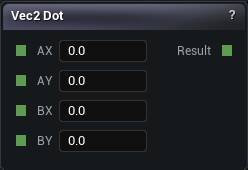
The Vec2 Dot node
Dot product of two 2D vectors. Positive when they point the same way, zero when perpendicular, negative when opposed.
Normalise both inputs first if you want to read the result as a cosine. Unnormalised inputs scale it by their lengths, and the comparison you thought you were making stops meaning what you thought.
| Pin | Type | Description |
|---|---|---|
AX |
Number | A X component. |
AY |
Number | A Y component. |
BX |
Number | B X component. |
BY |
Number | B Y component. |
| Pin | Type | Description |
|---|---|---|
Result |
Number | How much A and B point the same way. |
Available in Mesh Morpher Graph and Mesh Morpher Studio.
Studio and Graph › Voxel › Math
Magnitude of a 2D vector.
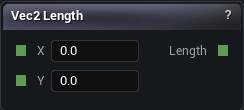
The Vec2 Length node
Magnitude of a 2D vector.
Planar distances: how far from an axis, ignoring height. That is exactly what turns a position into a cylinder, and it is cheaper than taking a 3D length and then having to ignore a component of it.
| Pin | Type | Description |
|---|---|---|
X |
Number | X component of the input vector. |
Y |
Number | Y component of the input vector. |
| Pin | Type | Description |
|---|---|---|
Length |
Number | How long the vector is. |
Available in Mesh Morpher Graph and Mesh Morpher Studio.
Studio and Graph › Voxel › Math
Unit-length version of a 2D vector. A zero-length input safely returns (0, 0) rather than an error.
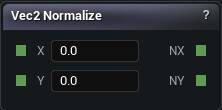
The Vec2 Normalize node
Unit-length version of a 2D vector. A zero-length input safely returns (0, 0) rather than an error.
That guard is why a direction built from a difference can come out as zero instead of blowing up. When a direction-driven pattern goes blank at one spot, this is usually where it happened.
| Pin | Type | Description |
|---|---|---|
X |
Number | X component of the input vector. |
Y |
Number | Y component of the input vector. |
| Pin | Type | Description |
|---|---|---|
NX |
Number | Normalised X component. |
NY |
Number | Normalised Y component. |
Available in Mesh Morpher Graph and Mesh Morpher Studio.
Studio and Graph › Voxel › Math
Multiplies a 2D vector by a scalar. Uniform scale only.
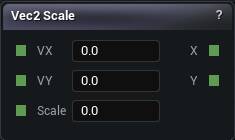
The Vec2 Scale node
Multiplies a 2D vector by a scalar. Uniform scale only.
For a per-axis scale, build it from the components. This node cannot express one.
| Pin | Type | Description |
|---|---|---|
VX |
Number | V X component. |
VY |
Number | V Y component. |
Scale |
Number | One number that multiplies every part of the vector. |
| Pin | Type | Description |
|---|---|---|
X |
Number | The result's X component. |
Y |
Number | The result's Y component. |
Available in Mesh Morpher Graph and Mesh Morpher Studio.
Studio and Graph › Voxel › Math
Component-wise A minus B on two 2D vectors.
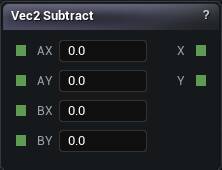
The Vec2 Subtract node
Component-wise A minus B on two 2D vectors.
Usually the offset from one point to another, which then goes into Vec2 Length for a planar distance or Vec2 Normalize for a direction.
| Pin | Type | Description |
|---|---|---|
AX |
Number | A X component. |
AY |
Number | A Y component. |
BX |
Number | B X component. |
BY |
Number | B Y component. |
| Pin | Type | Description |
|---|---|---|
X |
Number | The result's X component. |
Y |
Number | The result's Y component. |
Available in Mesh Morpher Graph and Mesh Morpher Studio.
Studio and Graph › Voxel › Math
Component-wise A plus B on two 3D vectors. The usual way to offset a position before feeding it to a pattern.
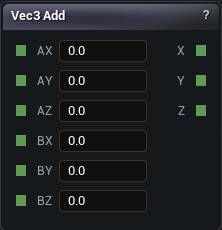
The Vec3 Add node
Component-wise A plus B on two 3D vectors. The usual way to offset a position before feeding it to a pattern.
To move an entire subgraph's sample point, Domain Translate does it in one place instead of one node per pattern.
| Pin | Type | Description |
|---|---|---|
AX |
Number | A X component. |
AY |
Number | A Y component. |
AZ |
Number | A Z component. |
BX |
Number | B X component. |
BY |
Number | B Y component. |
BZ |
Number | B Z component. |
| Pin | Type | Description |
|---|---|---|
X |
Number | The result's X component. |
Y |
Number | The result's Y component. |
Z |
Number | The result's Z component. |
Available in Mesh Morpher Graph and Mesh Morpher Studio.
Studio and Graph › Voxel › Math
Cross product. The vector perpendicular to both inputs.
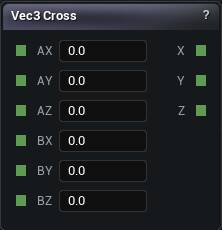
The Vec3 Cross node
Cross product. The vector perpendicular to both inputs.
Use it to build a frame, like a tangent from a normal and an up vector.
The result is zero when the inputs are parallel, which is exactly what happens at the poles of any up-based frame. Whatever you built on that frame goes undefined there.
| Pin | Type | Description |
|---|---|---|
AX |
Number | A X component. |
AY |
Number | A Y component. |
AZ |
Number | A Z component. |
BX |
Number | B X component. |
BY |
Number | B Y component. |
BZ |
Number | B Z component. |
| Pin | Type | Description |
|---|---|---|
X |
Number | The result's X component. |
Y |
Number | The result's Y component. |
Z |
Number | The result's Z component. |
Available in Mesh Morpher Graph and Mesh Morpher Studio.
Studio and Graph › Voxel › Math
Dot product of two 3D vectors. +1 parallel, 0 perpendicular, -1 opposite, but only when both inputs are unit length.
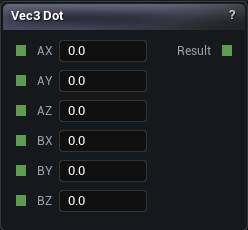
The Vec3 Dot node
Dot product of two 3D vectors. +1 parallel, 0 perpendicular, -1 opposite, but only when both inputs are unit length.
That condition is the trap. Dot a raw position against World Up and what comes back is a height, not a slope, and it keeps growing the higher you go. Normalise first whenever you want an angle.
| Pin | Type | Description |
|---|---|---|
AX |
Number | A X component. |
AY |
Number | A Y component. |
AZ |
Number | A Z component. |
BX |
Number | B X component. |
BY |
Number | B Y component. |
BZ |
Number | B Z component. |
| Pin | Type | Description |
|---|---|---|
Result |
Number | How much A and B point the same way. |
Available in Mesh Morpher Graph and Mesh Morpher Studio.
Studio and Graph › Voxel › Math
Magnitude of a 3D vector.
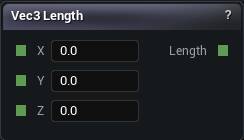
The Vec3 Length node
Magnitude of a 3D vector.
Length of position minus centre, minus a radius, is a sphere, and the Sphere primitive already computes that for you. Come here when you want the distance itself as a control value.
| Pin | Type | Description |
|---|---|---|
X |
Number | X component of the input vector. |
Y |
Number | Y component of the input vector. |
Z |
Number | Z component of the input vector. |
| Pin | Type | Description |
|---|---|---|
Length |
Number | How long the vector is. |
Available in Mesh Morpher Graph and Mesh Morpher Studio.
Studio and Graph › Voxel › Math
Unit-length version of a 3D vector. Zero length safely returns (0, 0, 0).
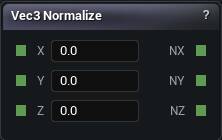
The Vec3 Normalize node
Unit-length version of a 3D vector. Zero length safely returns (0, 0, 0).
Do this before any dot product you intend to read as an angle.
The zero guard means a degenerate direction goes quietly to nothing rather than poisoning the whole field with a value the mesher cannot use.
| Pin | Type | Description |
|---|---|---|
X |
Number | X component of the input vector. |
Y |
Number | Y component of the input vector. |
Z |
Number | Z component of the input vector. |
| Pin | Type | Description |
|---|---|---|
NX |
Number | Normalised X component. |
NY |
Number | Normalised Y component. |
NZ |
Number | Normalised Z component. |
Available in Mesh Morpher Graph and Mesh Morpher Studio.
Studio and Graph › Voxel › Math
Multiplies a 3D vector by a scalar. Uniform scale.
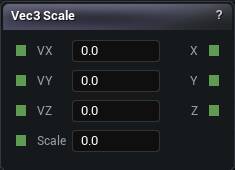
The Vec3 Scale node
Multiplies a 3D vector by a scalar. Uniform scale.
Non-uniform scaling has to be built from the components, or done with Domain Scale when it is the sample point you want scaled.
| Pin | Type | Description |
|---|---|---|
VX |
Number | V X component. |
VY |
Number | V Y component. |
VZ |
Number | V Z component. |
Scale |
Number | One number that multiplies every part of the vector. |
| Pin | Type | Description |
|---|---|---|
X |
Number | The result's X component. |
Y |
Number | The result's Y component. |
Z |
Number | The result's Z component. |
Available in Mesh Morpher Graph and Mesh Morpher Studio.
Studio and Graph › Voxel › Math
Component-wise A minus B on two 3D vectors, usually to get the offset from a centre to the sample point.
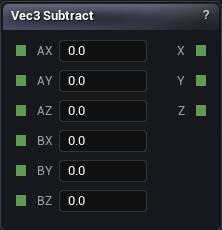
The Vec3 Subtract node
Component-wise A minus B on two 3D vectors, usually to get the offset from a centre to the sample point.
Follow it with Vec3 Length for a distance, or Vec3 Normalize for a direction.
| Pin | Type | Description |
|---|---|---|
AX |
Number | A X component. |
AY |
Number | A Y component. |
AZ |
Number | A Z component. |
BX |
Number | B X component. |
BY |
Number | B Y component. |
BZ |
Number | B Z component. |
| Pin | Type | Description |
|---|---|---|
X |
Number | The result's X component. |
Y |
Number | The result's Y component. |
Z |
Number | The result's Z component. |
Available in Mesh Morpher Graph and Mesh Morpher Studio.
Studio and Graph › Voxel › Math
Component-wise A plus B on two 4D vectors.
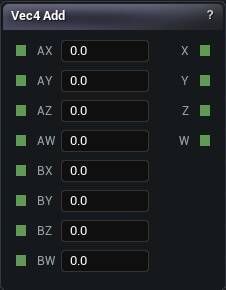
The Vec4 Add node
Component-wise A plus B on two 4D vectors.
The Vec4 family is here for colour with alpha more than for geometry. For positions, Vec3 is what the rest of the graph speaks.
| Pin | Type | Description |
|---|---|---|
AX |
Number | A X component. |
AY |
Number | A Y component. |
AZ |
Number | A Z component. |
AW |
Number | A W component. |
BX |
Number | B X component. |
BY |
Number | B Y component. |
BZ |
Number | B Z component. |
BW |
Number | B W component. |
| Pin | Type | Description |
|---|---|---|
X |
Number | The result's X component. |
Y |
Number | The result's Y component. |
Z |
Number | The result's Z component. |
W |
Number | The result's W component. |
Available in Mesh Morpher Graph and Mesh Morpher Studio.
Studio and Graph › Voxel › Math
Dot product of two 4D vectors.
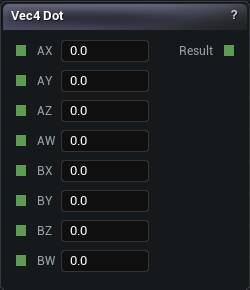
The Vec4 Dot node
Dot product of two 4D vectors.
Rarely a geometric question at four components. Most often it is a weighted sum, with one input acting as the weights.
| Pin | Type | Description |
|---|---|---|
AX |
Number | A X component. |
AY |
Number | A Y component. |
AZ |
Number | A Z component. |
AW |
Number | A W component. |
BX |
Number | B X component. |
BY |
Number | B Y component. |
BZ |
Number | B Z component. |
BW |
Number | B W component. |
| Pin | Type | Description |
|---|---|---|
Result |
Number | Every pair of components multiplied, then all four added up. |
Available in Mesh Morpher Graph and Mesh Morpher Studio.
Studio and Graph › Voxel › Math
Magnitude of a 4D vector.
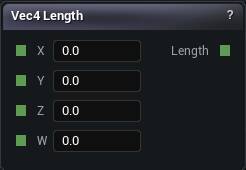
The Vec4 Length node
Magnitude of a 4D vector.
On an RGBA colour this pulls alpha into the magnitude, so what comes back is not a brightness. Take the RGB as a Vec3 if brightness is what you wanted.
| Pin | Type | Description |
|---|---|---|
X |
Number | X component of the input vector. |
Y |
Number | Y component of the input vector. |
Z |
Number | Z component of the input vector. |
W |
Number | W component of the input vector. |
| Pin | Type | Description |
|---|---|---|
Length |
Number | How long the vector is. |
Available in Mesh Morpher Graph and Mesh Morpher Studio.
Studio and Graph › Voxel › Math
Unit-length version of a 4D vector. Zero length safely returns zero.
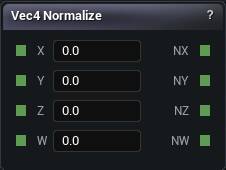
The Vec4 Normalize node
Unit-length version of a 4D vector. Zero length safely returns zero.
As with Vec4 Scale, normalising an RGBA colour drags alpha into the calculation. Normalise the RGB separately when that matters.
| Pin | Type | Description |
|---|---|---|
X |
Number | X component of the input vector. |
Y |
Number | Y component of the input vector. |
Z |
Number | Z component of the input vector. |
W |
Number | W component of the input vector. |
| Pin | Type | Description |
|---|---|---|
NX |
Number | Normalised X component. |
NY |
Number | Normalised Y component. |
NZ |
Number | Normalised Z component. |
NW |
Number | Normalised W component. |
Available in Mesh Morpher Graph and Mesh Morpher Studio.
Studio and Graph › Voxel › Math
Multiplies a 4D vector by a scalar.
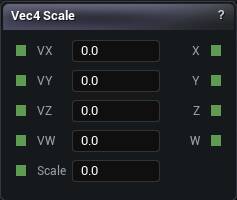
The Vec4 Scale node
Multiplies a 4D vector by a scalar.
On an RGBA colour that scales the alpha too, which is almost never what anyone meant. Halve a colour and it comes back half transparent as well as half as bright. Scale the RGB as a Vec3 and carry alpha separately.
| Pin | Type | Description |
|---|---|---|
VX |
Number | V X component. |
VY |
Number | V Y component. |
VZ |
Number | V Z component. |
VW |
Number | V W component. |
Scale |
Number | One number that multiplies every part of the vector. |
| Pin | Type | Description |
|---|---|---|
X |
Number | The result's X component. |
Y |
Number | The result's Y component. |
Z |
Number | The result's Z component. |
W |
Number | The result's W component. |
Available in Mesh Morpher Graph and Mesh Morpher Studio.
Studio and Graph › Voxel › Math
Component-wise A minus B on two 4D vectors.
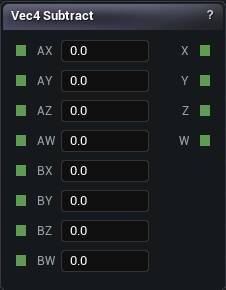
The Vec4 Subtract node
Component-wise A minus B on two 4D vectors.
Most useful on colours. Subtracting positions in 4D means carrying a W you probably do not want.
| Pin | Type | Description |
|---|---|---|
AX |
Number | A X component. |
AY |
Number | A Y component. |
AZ |
Number | A Z component. |
AW |
Number | A W component. |
BX |
Number | B X component. |
BY |
Number | B Y component. |
BZ |
Number | B Z component. |
BW |
Number | B W component. |
| Pin | Type | Description |
|---|---|---|
X |
Number | The result's X component. |
Y |
Number | The result's Y component. |
Z |
Number | The result's Z component. |
W |
Number | The result's W component. |
Available in Mesh Morpher Graph and Mesh Morpher Studio.
Studio and Graph › Voxel › Math
Holds the value between Min and Max. Anything outside gets pulled back to the nearest end.

The Clamp node
Holds a value inside a range.
Useful for keeping a computed parameter within what the thing downstream tolerates, and for flattening the extremes of a noise. Clamping the top of a height field is how you get mesas.
Clamping a distance field puts flat plateaus in the field itself, and the mesher reads those as abrupt surfaces in places you never put any. Clamp the amplitude before it becomes a field, not after.
| Pin | Type | Description |
|---|---|---|
Min |
Number | The lowest the answer is allowed to be. |
Max |
Number | The highest the answer is allowed to be. |
Input |
Number | The number to work on. |
| Pin | Type | Description |
|---|---|---|
Result |
Number | The answer. |
Available in Mesh Morpher Graph and Mesh Morpher Studio.
Studio and Graph › Voxel › Math
Picks A or B depending on whether Control sits above or below Threshold. Leave Falloff at 0 for a hard switch; raise it to fade across the boundary instead.

The Select node
Chooses between A and B depending on whether Control sits above or below Threshold, with Falloff blending the changeover instead of switching hard.
This is the node for blending biomes or materials by height, slope or noise, because the falloff removes the seam that If and Branch leave behind.
Falloff is measured in whatever units Control is in, and the blend band runs from Threshold minus Falloff to Threshold plus Falloff. A falloff of 1 on a control that only ranges 0 to 1 blends across the entire range, and the threshold stops meaning anything at all.
| Pin | Type | Description |
|---|---|---|
A |
Number | What you get when Control is above the Threshold. |
B |
Number | What you get when Control is below the Threshold. |
Control |
Number | The value being tested. |
Threshold |
Number | The line Control gets measured against. |
Falloff |
Number | How wide the fade around the threshold runs. 0 gives a hard switch. |
| Pin | Type | Description |
|---|---|---|
Result |
Number | A or B, with a fade between them when Falloff is above 0. |
Available in Mesh Morpher Graph and Mesh Morpher Studio.