Studio and Graph › Voxel › Math
Sign
+1 for positive, -1 for negative, 0 for exactly zero.
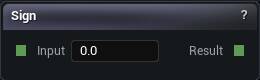
The Sign node
When to use it
+1 for positive, -1 for negative, 0 for exactly zero.
On a density field that turns a smooth distance into a hard inside-or-outside flag. Occasionally that is what a mask wants. It is always bad input for the mesher, which needs a slope to find the crossing point in. Give it a sign and the surface snaps to voxel corners.
SmoothStep is the soft version.
Pins
| Pin | Type | Description |
|---|---|---|
Input |
Number | The number to work on. |
| Pin | Type | Description |
|---|---|---|
Result |
Number | The answer. |
Available in Mesh Morpher Graph and Mesh Morpher Studio.