Studio and Graph › Voxel › Math
Inverse Lerp
0 at Range Min, 1 at Range Max, linear between, and clamped to 0 to 1 at both ends.
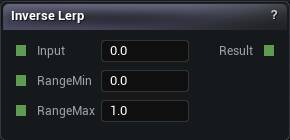
The Inverse Lerp node
When to use it
0 at Range Min, 1 at Range Max, linear between, and clamped to 0 to 1 at both ends.
The clamp is the whole difference between this and Remap. It is what stops a value from outside the range driving a blend past its endpoints and pushing a colour or a displacement somewhere you never asked for.
Pins
| Pin | Type | Description |
|---|---|---|
RangeMin |
Number | The input that comes out as 0. |
RangeMax |
Number | The input that comes out as 1. |
Input |
Number | The number to work on. |
| Pin | Type | Description |
|---|---|---|
Result |
Number | The answer. |
Available in Mesh Morpher Graph and Mesh Morpher Studio.