Studio and Graph › Voxel
Input
Sources that feed a voxel graph: coordinates, constants, meshes brought into the field, and the values other voxel nodes read from.
Mesh Morpher documentation
Studio and Graph › Voxel
Sources that feed a voxel graph: coordinates, constants, meshes brought into the field, and the values other voxel nodes read from.
Studio and Graph › Voxel › Input
Emits a cellular distance metric for Cellular Noise: Euclidean, Manhattan or Chebyshev.
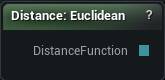
The Cellular Distance node
Emits a cellular distance metric for Cellular Noise: Euclidean, Manhattan or Chebyshev.
The metric changes the shape of the cells, not just the numbers in them. Manhattan gives you diamonds and Chebyshev gives you squares, which is how a Voronoi pattern is made to look man-made instead of organic.
| Pin | Type | Description |
|---|---|---|
DistanceFunction |
Choice | The way of measuring you picked. Wire it into a Cellular node. |
| Setting | Type | Description |
|---|---|---|
Value |
Choice | Which way of measuring this node asks for. |
Available in Mesh Morpher Graph and Mesh Morpher Studio.
Studio and Graph › Voxel › Input
Emits a cellular return type. This is the setting that decides what Cellular Noise's output actually means, so it deserves more attention than most dropdowns.
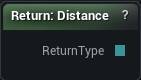
The Cellular Return node
Emits a cellular return type. This is the setting that decides what Cellular Noise's output actually means, so it deserves more attention than most dropdowns.
| Pin | Type | Description |
|---|---|---|
ReturnType |
Choice | Which of the two answers you picked. Wire it into a Cellular node. |
| Setting | Type | Description |
|---|---|---|
Value |
Choice | Which of the two answers this node asks for. |
Available in Mesh Morpher Graph and Mesh Morpher Studio.
Studio and Graph › Voxel › Input
The X index of the chunk being generated. Constant for every sample inside that chunk.
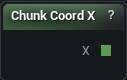
The Chunk Coord X node
The X index of the chunk being generated. Constant for every sample inside that chunk.
That constancy is what makes it useful: a per-chunk seed, a per-chunk pattern choice.
It is also what makes it dangerous. A value that jumps at chunk boundaries puts a visible seam exactly there, running the full height of the volume, and nothing downstream will hide it.
| Pin | Type | Description |
|---|---|---|
X |
Number | Which chunk you are in, counting along X. |
Available in Mesh Morpher Graph and Mesh Morpher Studio.
Studio and Graph › Voxel › Input
The Y index of the chunk being generated.
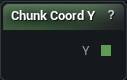
The Chunk Coord Y node
The Y index of the chunk being generated.
Same use and same warning as Chunk Coord X. Fine for seeding per-chunk variation. Seam-producing the moment it reaches the density.
| Pin | Type | Description |
|---|---|---|
Y |
Number | Which chunk you are in, counting along Y. |
Available in Mesh Morpher Graph and Mesh Morpher Studio.
Studio and Graph › Voxel › Input
The Z index of the chunk being generated, which is an altitude band rather than an altitude.
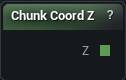
The Chunk Coord Z node
The Z index of the chunk being generated, which is an altitude band rather than an altitude.
Useful for varying behaviour by band. For anything continuous, use Position Z, which does not step at chunk boundaries.
| Pin | Type | Description |
|---|---|---|
Z |
Number | Which chunk you are in, counting upwards. |
Available in Mesh Morpher Graph and Mesh Morpher Studio.
Studio and Graph › Voxel › Input
Emits a comparison operator for the Comparison pin on Compare and Branch.
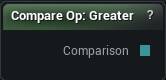
The Compare Op node
Emits a comparison operator for the Comparison pin on Compare and Branch.
Placing one instead of an integer literal makes the graph say which test is being made. Greater and GreaterOrEqual look identical as numbers and behave differently right at the boundary.
| Pin | Type | Description |
|---|---|---|
Comparison |
Choice | The test you picked. Wire it into a Compare or Branch node. |
| Setting | Type | Description |
|---|---|---|
Value |
Choice | Which test this node asks for. |
Available in Mesh Morpher Graph and Mesh Morpher Studio.
Studio and Graph › Voxel › Input
A fixed float fed into other nodes. Radii, thresholds, strengths.
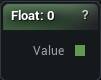
The Float Input node
A fixed float fed into other nodes. Radii, thresholds, strengths.
Worth placing instead of typing the same number into three pins. One editable field then drives them all, and the shared value sits on the canvas rather than hidden in three places.
| Pin | Type | Description |
|---|---|---|
Value |
Number | The number you typed in the panel. |
| Setting | Type | Description |
|---|---|---|
Value |
Number | The number this node hands out. It shows on the card, so you can read it without opening the panel. |
Available in Mesh Morpher Graph and Mesh Morpher Studio.
Studio and Graph › Voxel › Input
Emits a fractal shape for the generic Fractal Noise nodes: FBM, Ridged, Billow or Turbulence.
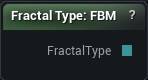
The Fractal Type node
Emits a fractal shape for the generic Fractal Noise nodes: FBM, Ridged, Billow or Turbulence.
There is a None at the top of the list too. It drops you back to a single octave with no layering at all, and it is where an integer 0 lands, so a hand-typed number is an easy way to lose all your detail without touching the octave count. Pick the shape here instead.
| Pin | Type | Description |
|---|---|---|
FractalType |
Choice | The stacking style you picked. Wire it into a by-type fractal node. |
| Setting | Type | Description |
|---|---|---|
Value |
Choice | Which stacking style this node asks for. |
Available in Mesh Morpher Graph and Mesh Morpher Studio.
Studio and Graph › Voxel › Input
A cheap deterministic random built from the sample position and a seed. Same position and seed, same value, every run and every machine.
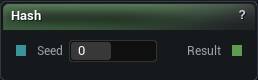
The Hash node
A cheap deterministic random built from the sample position and a seed. Same position and seed, same value, every run and every machine.
Neighbouring voxels are completely uncorrelated, which is why this is no substitute for noise. There is no smoothness in it, so it can never make a surface.
Quantise the position first and it becomes per-cell variation. Feed it raw positions and every voxel inside a cell gets its own answer. The Random Float (Stable) family is the same idea with a named range.
| Pin | Type | Description |
|---|---|---|
Seed |
Whole Number | Changes the pattern. The same seed at the same spot always gives the same answer. |
| Pin | Type | Description |
|---|---|---|
Result |
Number | A number between -1 and 1. It never changes for a given spot and seed. |
Available in Mesh Morpher Graph and Mesh Morpher Studio.
Studio and Graph › Voxel › Input
A deterministic random float between 0 and 1, hashed from the sample position and a seed. Same position and seed, same value, every run and every machine.
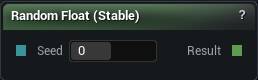
The Hash Random Float01 node
A deterministic random float between 0 and 1, hashed from the sample position and a seed. Same position and seed, same value, every run and every machine.
This is the randomness that is safe to drive density, colour or anything else the mesher sees. The non-stable Random Float exists only for one-shot uses.
Change the seed to get a different pattern. Changing the position changes what you are asking about, not how random the answer is.
| Pin | Type | Description |
|---|---|---|
Seed |
Whole Number | Changes the pattern. The same seed at the same spot always gives the same answer. |
| Pin | Type | Description |
|---|---|---|
Result |
Number | A number between 0 and 1 that never changes for a given spot and seed. |
Available in Mesh Morpher Graph and Mesh Morpher Studio.
Studio and Graph › Voxel › Input
A deterministic random integer up to 16777215, hashed from position and seed.

The Hash Random Int node
A deterministic random integer up to 16777215, hashed from position and seed.
Good for picking per-cell variants. Quantise the position first, or every voxel inside a cell gets a different answer and the variation turns into static.
Hashed values have no correlation between neighbours, so this is not a smooth signal and never will be.
| Pin | Type | Description |
|---|---|---|
Seed |
Whole Number | Changes the pattern. The same seed at the same spot always gives the same answer. |
| Pin | Type | Description |
|---|---|---|
Result |
Whole Number | A whole number up to about 16.7 million that never changes for a given spot and seed. |
Available in Mesh Morpher Graph and Mesh Morpher Studio.
Studio and Graph › Voxel › Input
A deterministic random integer between Min and Max, both inclusive, hashed from position and seed. The stable way to choose one of several variants per cell.
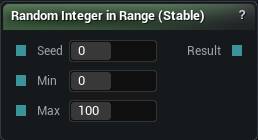
The Hash Random Int In Range node
A deterministic random integer between Min and Max, both inclusive, hashed from position and seed. The stable way to choose one of several variants per cell.
Quantise the position before hashing. Feed it raw and the choice changes within a single cell, which is not a choice at all.
| Pin | Type | Description |
|---|---|---|
Seed |
Whole Number | Changes the pattern. The same seed at the same spot always gives the same answer. |
Min |
Whole Number | The smallest number you might get. |
Max |
Whole Number | The largest number you might get. |
| Pin | Type | Description |
|---|---|---|
Result |
Whole Number | A whole number between Min and Max that never changes for a given spot and seed. |
Available in Mesh Morpher Graph and Mesh Morpher Studio.
Studio and Graph › Voxel › Input
A fixed integer. Seeds, octave counts, any whole-number parameter you want driven from one place.
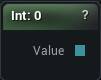
The Int Input node
A fixed integer. Seeds, octave counts, any whole-number parameter you want driven from one place.
When the value is conceptually an integer, this beats a float plus a Float to Int, because nothing then depends on which way the conversion rounds.
| Pin | Type | Description |
|---|---|---|
Value |
Whole Number | The whole number you typed in the panel. |
| Setting | Type | Description |
|---|---|---|
Value |
Whole number | The whole number this node hands out. |
Available in Mesh Morpher Graph and Mesh Morpher Studio.
Studio and Graph › Voxel › Input
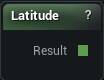
Latitude relative to the world XY plane, in radians. 0 at the equator, plus or minus pi/2 at the poles. North-south biome shifts on a spherical world.
The Latitude node
Latitude relative to the world XY plane, in radians. 0 at the equator, plus or minus pi/2 at the poles. North-south biome shifts on a spherical world.
Latitude alone says nothing about whether you are inside the planet or out in space above it. Pair it with Radius From Origin, which is the part that decides solid from empty.
| Pin | Type | Description |
|---|---|---|
Result |
Number | How far north or south you are, in radians. 0 at the equator, plus or minus pi/2 at the poles. |
Available in Mesh Morpher Graph and Mesh Morpher Studio.
Studio and Graph › Voxel › Input
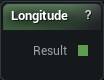
The angle around the world Z axis at the sample point, in radians. East-west variation for planet-scale generation.
The Longitude node
The angle around the world Z axis at the sample point, in radians. East-west variation for planet-scale generation.
It wraps, so a pattern built straight on it has a seam along one meridian. Fold it through a cosine to close the loop.
| Pin | Type | Description |
|---|---|---|
Result |
Number | How far round the vertical axis you are, in radians, between -pi and pi. |
Available in Mesh Morpher Graph and Mesh Morpher Studio.
Studio and Graph › Voxel › Input
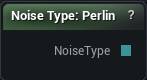
Emits a noise basis for the Noise Type pin on the generic noise nodes. Three choices: Perlin, Simplex, Value.
The Noise Type node
Emits a noise basis for the Noise Type pin on the generic noise nodes. Three choices: Perlin, Simplex, Value.
White and Cellular are not on the list. Those two have their own nodes and cannot be reached through this pin at all.
The numbering behind it is internal and not a promise, so drive that pin from here rather than typing a number into an Int Input. A readable dropdown also tells the next person which basis they are looking at.
| Pin | Type | Description |
|---|---|---|
NoiseType |
Choice | The noise you picked. Wire it into a by-type noise or fractal node. |
| Setting | Type | Description |
|---|---|---|
Value |
Choice | Which noise this node asks for. |
Available in Mesh Morpher Graph and Mesh Morpher Studio.
Studio and Graph › Voxel › Input
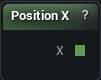
World-space X of the point being evaluated. Every position-dependent pattern starts here or at one of its siblings.
The Position X node
World-space X of the point being evaluated. Every position-dependent pattern starts here or at one of its siblings.
To move a whole subgraph, Domain Translate, Rotate and Scale keep the transform in one readable place. Doing the arithmetic on these coordinates by hand works, and then six nodes later nobody can find where the offset came from.
| Pin | Type | Description |
|---|---|---|
X |
Number | Where along X the voxel being sampled sits. |
Available in Mesh Morpher Graph and Mesh Morpher Studio.
Studio and Graph › Voxel › Input
World-space Y of the point being evaluated.
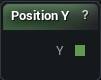
The Position Y node
World-space Y of the point being evaluated.
Paired with Position X it drives every planar pattern. Paired with Atan2 it gives you a bearing, which is where polar work starts.
| Pin | Type | Description |
|---|---|---|
Y |
Number | Where along Y the voxel being sampled sits. |
Available in Mesh Morpher Graph and Mesh Morpher Studio.
Studio and Graph › Voxel › Input
World-space Z, the height, of the point being evaluated. The most used input in terrain work, because heightmap minus Z is what turns a 2D noise into a 3D field.
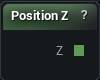
The Position Z node
World-space Z, the height, of the point being evaluated. The most used input in terrain work, because heightmap minus Z is what turns a 2D noise into a 3D field.
It is also the natural control for Select and for a Height Gradient when you are layering biomes by altitude.
On a spherical world it stops being up. Radius From Origin takes over there.
| Pin | Type | Description |
|---|---|---|
Z |
Number | How high up the voxel being sampled sits. |
Available in Mesh Morpher Graph and Mesh Morpher Studio.
Studio and Graph › Voxel › Input
Distance from the world origin to the sample point. The basis of a spherical planet, where solid-below-radius-R replaces the usual height test.
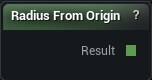
The Radius From Origin node
Distance from the world origin to the sample point. The basis of a spherical planet, where solid-below-radius-R replaces the usual height test.
Combine it with Latitude and Longitude for banded biomes.
On a planet, Position Z is no longer up. Reaching for it out of habit gives you a field that is correct at the north pole and wrong everywhere else.
| Pin | Type | Description |
|---|---|---|
Result |
Number | How far the voxel being sampled is from the world origin. |
Available in Mesh Morpher Graph and Mesh Morpher Studio.
Studio and Graph › Voxel › Input
A fresh random float between 0 and 1 on every single evaluation. Non-deterministic by design.
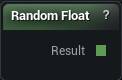
The Random Float01 node
A fresh random float between 0 and 1 on every single evaluation. Non-deterministic by design.
Keep it out of density. The same point evaluates differently every time it is sampled, so there is no stable surface: the mesh flickers, re-chunks, and never settles.
Random Float (Stable) is the one to reach for whenever the value has to come back the same, which for anything shaping geometry is always.
| Pin | Type | Description |
|---|---|---|
Result |
Number | A number between 0 and 1, different every pass. Wire it into density and the surface will crawl. |
Available in Mesh Morpher Graph and Mesh Morpher Studio.
Studio and Graph › Voxel › Input
A fresh random integer up to 16777215 on every evaluation. Non-deterministic.
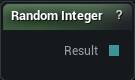
The Random Int node
A fresh random integer up to 16777215 on every evaluation. Non-deterministic.
Same warning as the float version. Never into density.
Random Integer (Stable) for anything the mesher will see.
| Pin | Type | Description |
|---|---|---|
Result |
Whole Number | A whole number up to about 16.7 million, different every pass. Wire it into density and the surface will crawl. |
Available in Mesh Morpher Graph and Mesh Morpher Studio.
Studio and Graph › Voxel › Input
A fresh random integer between Min and Max, both inclusive, on every evaluation. Non-deterministic.
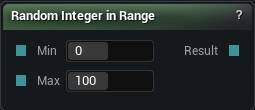
The Random Int In Range node
A fresh random integer between Min and Max, both inclusive, on every evaluation. Non-deterministic.
The range is all this adds over Random Integer. The stability problem is unchanged, so the Stable variant is the default choice unless the value really is one-shot.
| Pin | Type | Description |
|---|---|---|
Min |
Whole Number | The smallest number you might get. |
Max |
Whole Number | The largest number you might get. |
| Pin | Type | Description |
|---|---|---|
Result |
Whole Number | A whole number between Min and Max, different every pass. Wire it into density and the surface will crawl. |
Available in Mesh Morpher Graph and Mesh Morpher Studio.
Studio and Graph › Voxel › Input
These outputs read zero. All six of them, everywhere in the app.
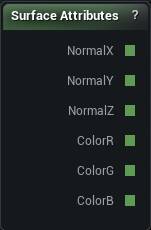
The Surface Attributes node
These outputs read zero. All six of them, everywhere in the app.
The node was built for a mesh spawner that could ask "does this surface face up" before scattering grass. That spawner was removed, and nothing fills in surface normals or painted colour any more. Drop one into a density graph and the compiler posts a warning saying exactly that.
If you came here to vary something by height, Position Z into a Select does the job, and Height Gradient does it for colour.
| Pin | Type | Description |
|---|---|---|
NormalX |
Number | How far the surface leans along X. |
NormalY |
Number | How far the surface leans along Y. |
NormalZ |
Number | How much the surface faces up. Near 1 is flat ground, near 0 is a cliff face. This is the one you want for slope tests. |
ColorR |
Number | Red in the paint at this spot, 0 to 1. |
ColorG |
Number | Green in the paint at this spot, 0 to 1. |
ColorB |
Number | Blue in the paint at this spot, 0 to 1. |
Available in Mesh Morpher Graph and Mesh Morpher Studio.
Studio and Graph › Voxel › Input
A fixed 3D vector broken out into separate X, Y and Z output pins. Offsets, centres, axis directions.
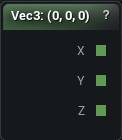
The Vector3 Input node
A fixed 3D vector broken out into separate X, Y and Z output pins. Offsets, centres, axis directions.
The three pins are the point. Take just the component you need without another node in between.
| Pin | Type | Description |
|---|---|---|
X |
Number | The X you typed in the panel. |
Y |
Number | The Y you typed in the panel. |
Z |
Number | The Z you typed in the panel. |
| Setting | Type | Description |
|---|---|---|
Value |
Vector | The position or direction. It comes out on three pins, one per axis. |
Available in Mesh Morpher Graph and Mesh Morpher Studio.
Studio and Graph › Voxel › Input
The world-up direction (0, 0, 1) broken out into components. Saves hard-coding a vector for slope masks and alignment maths.
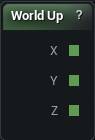
The World Up node
The world-up direction (0, 0, 1) broken out into components. Saves hard-coding a vector for slope masks and alignment maths.
Dot a normalised direction against it and you get the slope term every grass-on-the-flat, rock-on-the-cliffs rule is built from. Skip the normalise and you get a height instead.
| Pin | Type | Description |
|---|---|---|
X |
Number | Always 0. |
Y |
Number | Always 0. |
Z |
Number | Always 1. Up is up. |
Available in Mesh Morpher Graph and Mesh Morpher Studio.