Studio and Graph › Voxel
Fractal Noise
Layered noise: octaves of a base noise summed into fractal detail, with the usual lacunarity and gain controls.
Mesh Morpher documentation
Studio and Graph › Voxel
Layered noise: octaves of a base noise summed into fractal detail, with the usual lacunarity and gain controls.
Studio and Graph › Voxel › Fractal Noise
Fractal noise with both the basis and the fractal shape chosen at runtime through pins. The most flexible noise node here and the least self-documenting.
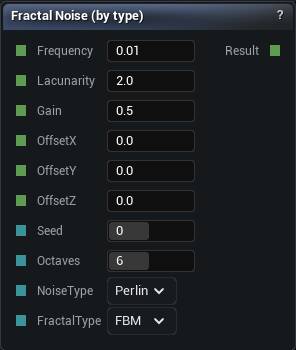
The Fractal Noise node
Fractal noise with both the basis and the fractal shape chosen at runtime through pins. The most flexible noise node here and the least self-documenting.
Reach for it when a selector is genuinely driving the choice. Otherwise Simplex FBM, Perlin Ridged and the rest of the named nodes leave a graph someone can read.
| Pin | Type | Description |
|---|---|---|
Frequency |
Number | How tight the biggest layer is. Everything else is built on top of it. |
Lacunarity |
Number | How much smaller each layer gets. At 2 every layer is half the size of the one before. |
Gain |
Number | How much quieter each layer gets. Low is crisp, high is rough and grubby. |
OffsetX |
Number | Slide the pattern along X. |
OffsetY |
Number | Slide the pattern along Y. |
OffsetZ |
Number | Slide the pattern along Z. |
Seed |
Whole Number | Change this for a different pattern at the same settings. The same seed always gives you the same noise. |
Octaves |
Whole Number | How many layers to stack. Past about 8 you are paying for detail finer than your voxels can show. |
NoiseType |
Choice | Which flavour of noise to use. |
FractalType |
Choice | How the layers get folded together: plain, ridged, puffy or churning. |
| Pin | Type | Description |
|---|---|---|
Result |
Number | The noise here. Roughly -1 to 1. |
Available in Mesh Morpher Graph and Mesh Morpher Studio.
Studio and Graph › Voxel › Fractal Noise
2D fractal noise with both the basis and the fractal shape chosen at runtime. The most flexible and least readable of the 2D noise nodes.
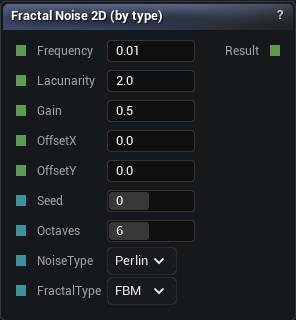
The Fractal Noise 2D node
2D fractal noise with both the basis and the fractal shape chosen at runtime. The most flexible and least readable of the 2D noise nodes.
A named variant is the better default unless the choice really is data-driven.
| Pin | Type | Description |
|---|---|---|
Frequency |
Number | How tight the biggest layer is. Everything else is built on top of it. |
Lacunarity |
Number | How much smaller each layer gets. At 2 every layer is half the size of the one before. |
Gain |
Number | How much quieter each layer gets. Low is crisp, high is rough and grubby. |
OffsetX |
Number | Slide the pattern along X. |
OffsetY |
Number | Slide the pattern along Y. |
Seed |
Whole Number | Change this for a different pattern at the same settings. |
Octaves |
Whole Number | How many layers to stack. Past about 8 you are paying for detail finer than your voxels can show. |
NoiseType |
Choice | Which flavour of noise to use. |
FractalType |
Choice | How the layers get folded together: plain, ridged, puffy or churning. |
| Pin | Type | Description |
|---|---|---|
Result |
Number | The stacked noise here, the same at every height. |
Available in Mesh Morpher Graph and Mesh Morpher Studio.
Studio and Graph › Voxel › Fractal Noise
Multi-octave Perlin with puffy rounded features. Clouds, foam, lumpy surfaces.
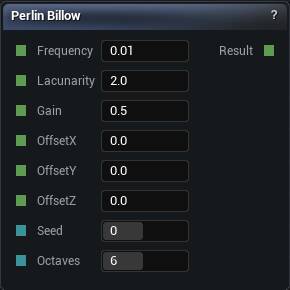
The Perlin Billow node
Multi-octave Perlin with puffy rounded features. Clouds, foam, lumpy surfaces.
It is Ridged folded the other way, so it biases the field downward by about as much as Ridged biases it up. Expect to re-tune your offset when swapping between them.
| Pin | Type | Description |
|---|---|---|
Frequency |
Number | How tight the biggest layer is. Everything else is built on top of it. |
Lacunarity |
Number | How much smaller each layer gets. At 2 every layer is half the size of the one before. |
Gain |
Number | How much quieter each layer gets. Low is crisp, high is rough and grubby. |
OffsetX |
Number | Slide the pattern along X. |
OffsetY |
Number | Slide the pattern along Y. |
OffsetZ |
Number | Slide the pattern along Z. |
Seed |
Whole Number | Change this for a different pattern at the same settings. The same seed always gives you the same noise. |
Octaves |
Whole Number | How many layers to stack. Past about 8 you are paying for detail finer than your voxels can show. |
| Pin | Type | Description |
|---|---|---|
Result |
Number | The noise here. Roughly -1 to 1. |
Available in Mesh Morpher Graph and Mesh Morpher Studio.
Studio and Graph › Voxel › Fractal Noise
2D Perlin Billow. Rounded, lumpy heightmap noise.
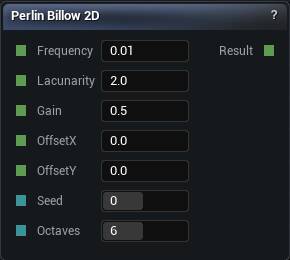
The Perlin Billow 2D node
2D Perlin Billow. Rounded, lumpy heightmap noise.
Ridged's counterpart, for rolling hills and dunes rather than peaks.
| Pin | Type | Description |
|---|---|---|
Frequency |
Number | How tight the biggest layer is. Everything else is built on top of it. |
Lacunarity |
Number | How much smaller each layer gets. At 2 every layer is half the size of the one before. |
Gain |
Number | How much quieter each layer gets. Low is crisp, high is rough and grubby. |
OffsetX |
Number | Slide the pattern along X. |
OffsetY |
Number | Slide the pattern along Y. |
Seed |
Whole Number | Change this for a different pattern at the same settings. |
Octaves |
Whole Number | How many layers to stack. Past about 8 you are paying for detail finer than your voxels can show. |
| Pin | Type | Description |
|---|---|---|
Result |
Number | The stacked noise here, the same at every height. |
Available in Mesh Morpher Graph and Mesh Morpher Studio.
Studio and Graph › Voxel › Fractal Noise
Multi-octave Perlin. The default for natural-looking terrain, because real landscapes have detail at every scale and one octave does not.
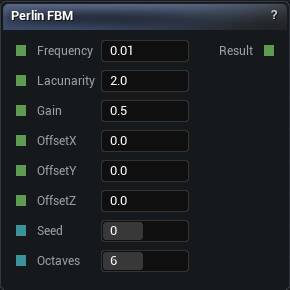
The Perlin FBM node
Multi-octave Perlin. The default for natural-looking terrain, because real landscapes have detail at every scale and one octave does not.
Octaves cost linearly. Any octave finer than your voxel size is invisible work that also makes the mesher noisier, so match the highest frequency to the resolution you will actually bake at.
| Pin | Type | Description |
|---|---|---|
Frequency |
Number | How tight the biggest layer is. Everything else is built on top of it. |
Lacunarity |
Number | How much smaller each layer gets. At 2 every layer is half the size of the one before. |
Gain |
Number | How much quieter each layer gets. Low is crisp, high is rough and grubby. |
OffsetX |
Number | Slide the pattern along X. |
OffsetY |
Number | Slide the pattern along Y. |
OffsetZ |
Number | Slide the pattern along Z. |
Seed |
Whole Number | Change this for a different pattern at the same settings. The same seed always gives you the same noise. |
Octaves |
Whole Number | How many layers to stack. Past about 8 you are paying for detail finer than your voxels can show. |
| Pin | Type | Description |
|---|---|---|
Result |
Number | The noise here. Roughly -1 to 1. |
Available in Mesh Morpher Graph and Mesh Morpher Studio.
Studio and Graph › Voxel › Fractal Noise
2D multi-octave Perlin. The default terrain noise for heightmap-style generation.
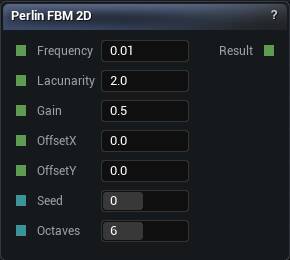
The Perlin FBM 2D node
2D multi-octave Perlin. The default terrain noise for heightmap-style generation.
Pair it with Position Z to make a field: amplitude * noise - z. That is the shape both erosion nodes expect to be handed.
| Pin | Type | Description |
|---|---|---|
Frequency |
Number | How tight the biggest layer is. Everything else is built on top of it. |
Lacunarity |
Number | How much smaller each layer gets. At 2 every layer is half the size of the one before. |
Gain |
Number | How much quieter each layer gets. Low is crisp, high is rough and grubby. |
OffsetX |
Number | Slide the pattern along X. |
OffsetY |
Number | Slide the pattern along Y. |
Seed |
Whole Number | Change this for a different pattern at the same settings. |
Octaves |
Whole Number | How many layers to stack. Past about 8 you are paying for detail finer than your voxels can show. |
| Pin | Type | Description |
|---|---|---|
Result |
Number | The stacked noise here, the same at every height. |
Available in Mesh Morpher Graph and Mesh Morpher Studio.
Studio and Graph › Voxel › Fractal Noise
Multi-octave Perlin folded to emphasise sharp ridges. Mountain ranges, cracked earth, anything where FBM looks too rounded.
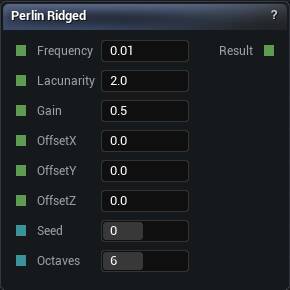
The Perlin Ridged node
Multi-octave Perlin folded to emphasise sharp ridges. Mountain ranges, cracked earth, anything where FBM looks too rounded.
Ridged noise is biased toward its maximum. Swap it in for an FBM at the same amplitude and the whole field sits higher than it did, so the offset that used to put the surface at ground level now buries it.
| Pin | Type | Description |
|---|---|---|
Frequency |
Number | How tight the biggest layer is. Everything else is built on top of it. |
Lacunarity |
Number | How much smaller each layer gets. At 2 every layer is half the size of the one before. |
Gain |
Number | How much quieter each layer gets. Low is crisp, high is rough and grubby. |
OffsetX |
Number | Slide the pattern along X. |
OffsetY |
Number | Slide the pattern along Y. |
OffsetZ |
Number | Slide the pattern along Z. |
Seed |
Whole Number | Change this for a different pattern at the same settings. The same seed always gives you the same noise. |
Octaves |
Whole Number | How many layers to stack. Past about 8 you are paying for detail finer than your voxels can show. |
| Pin | Type | Description |
|---|---|---|
Result |
Number | The noise here. Roughly -1 to 1. |
Available in Mesh Morpher Graph and Mesh Morpher Studio.
Studio and Graph › Voxel › Fractal Noise
2D Perlin Ridged. Sharp ridges for mountain ranges in heightmap terrain.
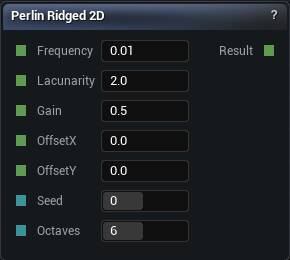
The Perlin Ridged 2D node
2D Perlin Ridged. Sharp ridges for mountain ranges in heightmap terrain.
Biased toward its maximum like every ridged fractal, so the terrain sits higher than the equivalent FBM at the same amplitude.
| Pin | Type | Description |
|---|---|---|
Frequency |
Number | How tight the biggest layer is. Everything else is built on top of it. |
Lacunarity |
Number | How much smaller each layer gets. At 2 every layer is half the size of the one before. |
Gain |
Number | How much quieter each layer gets. Low is crisp, high is rough and grubby. |
OffsetX |
Number | Slide the pattern along X. |
OffsetY |
Number | Slide the pattern along Y. |
Seed |
Whole Number | Change this for a different pattern at the same settings. |
Octaves |
Whole Number | How many layers to stack. Past about 8 you are paying for detail finer than your voxels can show. |
| Pin | Type | Description |
|---|---|---|
Result |
Number | The stacked noise here, the same at every height. |
Available in Mesh Morpher Graph and Mesh Morpher Studio.
Studio and Graph › Voxel › Fractal Noise
Multi-octave Perlin with a chaotic, swirling character.
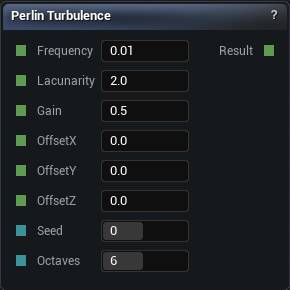
The Perlin Turbulence node
Multi-octave Perlin with a chaotic, swirling character.
Its best job is as the Warp signal for a Domain Warp, or as abstract texture. As a terrain height it reads as noise rather than landscape, because the slope jumps instead of curving.
| Pin | Type | Description |
|---|---|---|
Frequency |
Number | How tight the biggest layer is. Everything else is built on top of it. |
Lacunarity |
Number | How much smaller each layer gets. At 2 every layer is half the size of the one before. |
Gain |
Number | How much quieter each layer gets. Low is crisp, high is rough and grubby. |
OffsetX |
Number | Slide the pattern along X. |
OffsetY |
Number | Slide the pattern along Y. |
OffsetZ |
Number | Slide the pattern along Z. |
Seed |
Whole Number | Change this for a different pattern at the same settings. The same seed always gives you the same noise. |
Octaves |
Whole Number | How many layers to stack. Past about 8 you are paying for detail finer than your voxels can show. |
| Pin | Type | Description |
|---|---|---|
Result |
Number | The noise here. Roughly -1 to 1. |
Available in Mesh Morpher Graph and Mesh Morpher Studio.
Studio and Graph › Voxel › Fractal Noise
2D Perlin Turbulence. Swirling chaos in the XY plane.
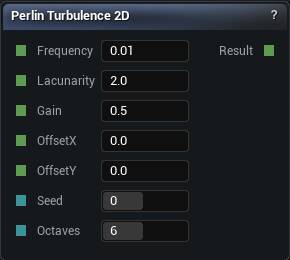
The Perlin Turbulence 2D node
2D Perlin Turbulence. Swirling chaos in the XY plane.
Better as a warp source for another 2D pattern than as a height in its own right.
| Pin | Type | Description |
|---|---|---|
Frequency |
Number | How tight the biggest layer is. Everything else is built on top of it. |
Lacunarity |
Number | How much smaller each layer gets. At 2 every layer is half the size of the one before. |
Gain |
Number | How much quieter each layer gets. Low is crisp, high is rough and grubby. |
OffsetX |
Number | Slide the pattern along X. |
OffsetY |
Number | Slide the pattern along Y. |
Seed |
Whole Number | Change this for a different pattern at the same settings. |
Octaves |
Whole Number | How many layers to stack. Past about 8 you are paying for detail finer than your voxels can show. |
| Pin | Type | Description |
|---|---|---|
Result |
Number | The stacked noise here, the same at every height. |
Available in Mesh Morpher Graph and Mesh Morpher Studio.
Studio and Graph › Voxel › Fractal Noise
Smooth, rounded, lumpy. The organic counterpart to Simplex Ridged.
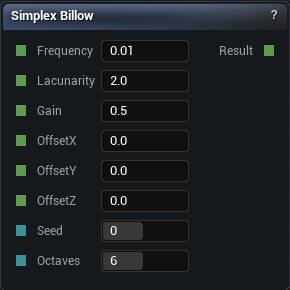
The Simplex Billow node
Smooth, rounded, lumpy. The organic counterpart to Simplex Ridged.
Cloud banks and eroded boulders rather than the ridgelines themselves.
| Pin | Type | Description |
|---|---|---|
Frequency |
Number | How tight the biggest layer is. Everything else is built on top of it. |
Lacunarity |
Number | How much smaller each layer gets. At 2 every layer is half the size of the one before. |
Gain |
Number | How much quieter each layer gets. Low is crisp, high is rough and grubby. |
OffsetX |
Number | Slide the pattern along X. |
OffsetY |
Number | Slide the pattern along Y. |
OffsetZ |
Number | Slide the pattern along Z. |
Seed |
Whole Number | Change this for a different pattern at the same settings. The same seed always gives you the same noise. |
Octaves |
Whole Number | How many layers to stack. Past about 8 you are paying for detail finer than your voxels can show. |
| Pin | Type | Description |
|---|---|---|
Result |
Number | The noise here. Roughly -1 to 1. |
Available in Mesh Morpher Graph and Mesh Morpher Studio.
Studio and Graph › Voxel › Fractal Noise
2D Simplex Billow. Rounded lumpy heightmap noise on a Simplex basis.
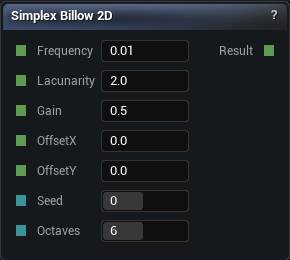
The Simplex Billow 2D node
2D Simplex Billow. Rounded lumpy heightmap noise on a Simplex basis.
For terrain where Ridged looks too aggressive.
| Pin | Type | Description |
|---|---|---|
Frequency |
Number | How tight the biggest layer is. Everything else is built on top of it. |
Lacunarity |
Number | How much smaller each layer gets. At 2 every layer is half the size of the one before. |
Gain |
Number | How much quieter each layer gets. Low is crisp, high is rough and grubby. |
OffsetX |
Number | Slide the pattern along X. |
OffsetY |
Number | Slide the pattern along Y. |
Seed |
Whole Number | Change this for a different pattern at the same settings. |
Octaves |
Whole Number | How many layers to stack. Past about 8 you are paying for detail finer than your voxels can show. |
| Pin | Type | Description |
|---|---|---|
Result |
Number | The stacked noise here, the same at every height. |
Available in Mesh Morpher Graph and Mesh Morpher Studio.
Studio and Graph › Voxel › Fractal Noise
Multi-octave Simplex. Perlin FBM's job, smoother, with no directional artefacts.
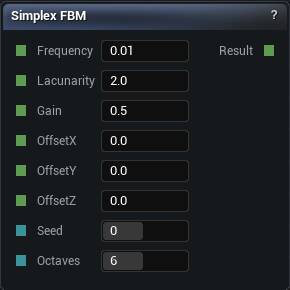
The Simplex FBM node
Multi-octave Simplex. Perlin FBM's job, smoother, with no directional artefacts.
With no reason to prefer another basis, this is the terrain noise to start with.
| Pin | Type | Description |
|---|---|---|
Frequency |
Number | How tight the biggest layer is. Everything else is built on top of it. |
Lacunarity |
Number | How much smaller each layer gets. At 2 every layer is half the size of the one before. |
Gain |
Number | How much quieter each layer gets. Low is crisp, high is rough and grubby. |
OffsetX |
Number | Slide the pattern along X. |
OffsetY |
Number | Slide the pattern along Y. |
OffsetZ |
Number | Slide the pattern along Z. |
Seed |
Whole Number | Change this for a different pattern at the same settings. The same seed always gives you the same noise. |
Octaves |
Whole Number | How many layers to stack. Past about 8 you are paying for detail finer than your voxels can show. |
| Pin | Type | Description |
|---|---|---|
Result |
Number | The noise here. Roughly -1 to 1. |
Available in Mesh Morpher Graph and Mesh Morpher Studio.
Studio and Graph › Voxel › Fractal Noise
2D Simplex FBM. Smoother than the Perlin version and without its directional artefacts. The safest default in the 2D fractal family.
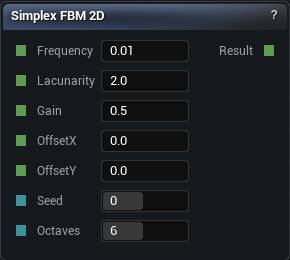
The Simplex FBM 2D node
2D Simplex FBM. Smoother than the Perlin version and without its directional artefacts. The safest default in the 2D fractal family.
| Pin | Type | Description |
|---|---|---|
Frequency |
Number | How tight the biggest layer is. Everything else is built on top of it. |
Lacunarity |
Number | How much smaller each layer gets. At 2 every layer is half the size of the one before. |
Gain |
Number | How much quieter each layer gets. Low is crisp, high is rough and grubby. |
OffsetX |
Number | Slide the pattern along X. |
OffsetY |
Number | Slide the pattern along Y. |
Seed |
Whole Number | Change this for a different pattern at the same settings. |
Octaves |
Whole Number | How many layers to stack. Past about 8 you are paying for detail finer than your voxels can show. |
| Pin | Type | Description |
|---|---|---|
Result |
Number | The stacked noise here, the same at every height. |
Available in Mesh Morpher Graph and Mesh Morpher Studio.
Studio and Graph › Voxel › Fractal Noise
Sharper, more mountainous ridged noise without Perlin's axis alignment.
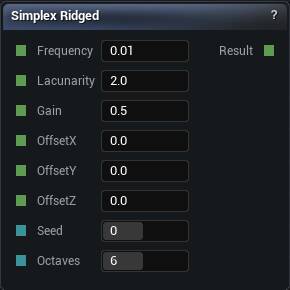
The Simplex Ridged node
Sharper, more mountainous ridged noise without Perlin's axis alignment.
Same upward bias as any ridged fractal, so re-tune the offset when you swap it in for an FBM or the ground level moves under you.
| Pin | Type | Description |
|---|---|---|
Frequency |
Number | How tight the biggest layer is. Everything else is built on top of it. |
Lacunarity |
Number | How much smaller each layer gets. At 2 every layer is half the size of the one before. |
Gain |
Number | How much quieter each layer gets. Low is crisp, high is rough and grubby. |
OffsetX |
Number | Slide the pattern along X. |
OffsetY |
Number | Slide the pattern along Y. |
OffsetZ |
Number | Slide the pattern along Z. |
Seed |
Whole Number | Change this for a different pattern at the same settings. The same seed always gives you the same noise. |
Octaves |
Whole Number | How many layers to stack. Past about 8 you are paying for detail finer than your voxels can show. |
| Pin | Type | Description |
|---|---|---|
Result |
Number | The noise here. Roughly -1 to 1. |
Available in Mesh Morpher Graph and Mesh Morpher Studio.
Studio and Graph › Voxel › Fractal Noise
2D Simplex Ridged. Mountain ridgelines without Perlin's axis alignment.
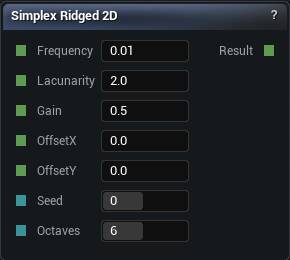
The Simplex Ridged 2D node
2D Simplex Ridged. Mountain ridgelines without Perlin's axis alignment.
Same upward bias as any ridged fractal, so the offset needs re-tuning when you swap it in.
| Pin | Type | Description |
|---|---|---|
Frequency |
Number | How tight the biggest layer is. Everything else is built on top of it. |
Lacunarity |
Number | How much smaller each layer gets. At 2 every layer is half the size of the one before. |
Gain |
Number | How much quieter each layer gets. Low is crisp, high is rough and grubby. |
OffsetX |
Number | Slide the pattern along X. |
OffsetY |
Number | Slide the pattern along Y. |
Seed |
Whole Number | Change this for a different pattern at the same settings. |
Octaves |
Whole Number | How many layers to stack. Past about 8 you are paying for detail finer than your voxels can show. |
| Pin | Type | Description |
|---|---|---|
Result |
Number | The stacked noise here, the same at every height. |
Available in Mesh Morpher Graph and Mesh Morpher Studio.
Studio and Graph › Voxel › Fractal Noise
Swirling chaotic noise on a Simplex basis. Best as a Domain Warp source rather than directly as a height, for the same reason as its Perlin counterpart: the slope jumps.
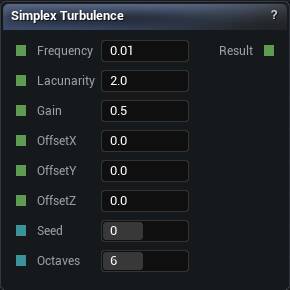
The Simplex Turbulence node
Swirling chaotic noise on a Simplex basis. Best as a Domain Warp source rather than directly as a height, for the same reason as its Perlin counterpart: the slope jumps.
| Pin | Type | Description |
|---|---|---|
Frequency |
Number | How tight the biggest layer is. Everything else is built on top of it. |
Lacunarity |
Number | How much smaller each layer gets. At 2 every layer is half the size of the one before. |
Gain |
Number | How much quieter each layer gets. Low is crisp, high is rough and grubby. |
OffsetX |
Number | Slide the pattern along X. |
OffsetY |
Number | Slide the pattern along Y. |
OffsetZ |
Number | Slide the pattern along Z. |
Seed |
Whole Number | Change this for a different pattern at the same settings. The same seed always gives you the same noise. |
Octaves |
Whole Number | How many layers to stack. Past about 8 you are paying for detail finer than your voxels can show. |
| Pin | Type | Description |
|---|---|---|
Result |
Number | The noise here. Roughly -1 to 1. |
Available in Mesh Morpher Graph and Mesh Morpher Studio.
Studio and Graph › Voxel › Fractal Noise
2D Simplex Turbulence. Chaotic swirls in XY, most useful as a domain-warp source for another 2D pattern.
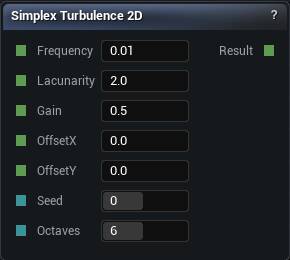
The Simplex Turbulence 2D node
2D Simplex Turbulence. Chaotic swirls in XY, most useful as a domain-warp source for another 2D pattern.
| Pin | Type | Description |
|---|---|---|
Frequency |
Number | How tight the biggest layer is. Everything else is built on top of it. |
Lacunarity |
Number | How much smaller each layer gets. At 2 every layer is half the size of the one before. |
Gain |
Number | How much quieter each layer gets. Low is crisp, high is rough and grubby. |
OffsetX |
Number | Slide the pattern along X. |
OffsetY |
Number | Slide the pattern along Y. |
Seed |
Whole Number | Change this for a different pattern at the same settings. |
Octaves |
Whole Number | How many layers to stack. Past about 8 you are paying for detail finer than your voxels can show. |
| Pin | Type | Description |
|---|---|---|
Result |
Number | The stacked noise here, the same at every height. |
Available in Mesh Morpher Graph and Mesh Morpher Studio.
Studio and Graph › Voxel › Fractal Noise
Blocky lumpy noise, cheapest of the billow family. Expect visible cells at low octave counts.
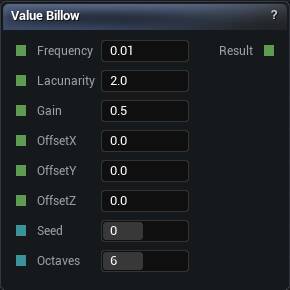
The Value Billow node
Blocky lumpy noise, cheapest of the billow family. Expect visible cells at low octave counts.
| Pin | Type | Description |
|---|---|---|
Frequency |
Number | How tight the biggest layer is. Everything else is built on top of it. |
Lacunarity |
Number | How much smaller each layer gets. At 2 every layer is half the size of the one before. |
Gain |
Number | How much quieter each layer gets. Low is crisp, high is rough and grubby. |
OffsetX |
Number | Slide the pattern along X. |
OffsetY |
Number | Slide the pattern along Y. |
OffsetZ |
Number | Slide the pattern along Z. |
Seed |
Whole Number | Change this for a different pattern at the same settings. The same seed always gives you the same noise. |
Octaves |
Whole Number | How many layers to stack. Past about 8 you are paying for detail finer than your voxels can show. |
| Pin | Type | Description |
|---|---|---|
Result |
Number | The noise here. Roughly -1 to 1. |
Available in Mesh Morpher Graph and Mesh Morpher Studio.
Studio and Graph › Voxel › Fractal Noise
2D Value Billow. Blocky rolling noise, cheapest of the 2D billow variants.
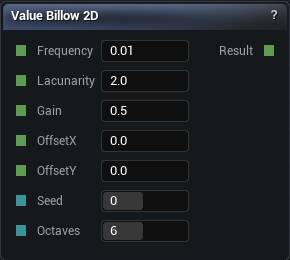
The Value Billow 2D node
2D Value Billow. Blocky rolling noise, cheapest of the 2D billow variants.
| Pin | Type | Description |
|---|---|---|
Frequency |
Number | How tight the biggest layer is. Everything else is built on top of it. |
Lacunarity |
Number | How much smaller each layer gets. At 2 every layer is half the size of the one before. |
Gain |
Number | How much quieter each layer gets. Low is crisp, high is rough and grubby. |
OffsetX |
Number | Slide the pattern along X. |
OffsetY |
Number | Slide the pattern along Y. |
Seed |
Whole Number | Change this for a different pattern at the same settings. |
Octaves |
Whole Number | How many layers to stack. Past about 8 you are paying for detail finer than your voxels can show. |
| Pin | Type | Description |
|---|---|---|
Result |
Number | The stacked noise here, the same at every height. |
Available in Mesh Morpher Graph and Mesh Morpher Studio.
Studio and Graph › Voxel › Fractal Noise
Multi-octave Value noise. The cheap, blockier alternative to Perlin FBM.
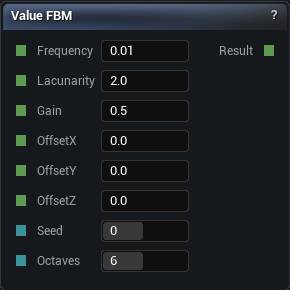
The Value FBM node
Multi-octave Value noise. The cheap, blockier alternative to Perlin FBM.
Worth choosing when the look is deliberately stylised or the evaluation budget is genuinely tight. Otherwise the cell structure shows through, worst of all at low octave counts.
| Pin | Type | Description |
|---|---|---|
Frequency |
Number | How tight the biggest layer is. Everything else is built on top of it. |
Lacunarity |
Number | How much smaller each layer gets. At 2 every layer is half the size of the one before. |
Gain |
Number | How much quieter each layer gets. Low is crisp, high is rough and grubby. |
OffsetX |
Number | Slide the pattern along X. |
OffsetY |
Number | Slide the pattern along Y. |
OffsetZ |
Number | Slide the pattern along Z. |
Seed |
Whole Number | Change this for a different pattern at the same settings. The same seed always gives you the same noise. |
Octaves |
Whole Number | How many layers to stack. Past about 8 you are paying for detail finer than your voxels can show. |
| Pin | Type | Description |
|---|---|---|
Result |
Number | The noise here. Roughly -1 to 1. |
Available in Mesh Morpher Graph and Mesh Morpher Studio.
Studio and Graph › Voxel › Fractal Noise
2D Value FBM. The cheap, blocky terrain fractal.
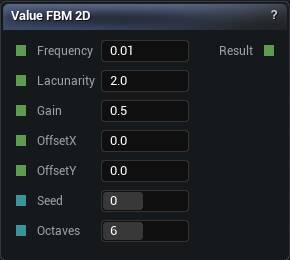
The Value FBM 2D node
2D Value FBM. The cheap, blocky terrain fractal.
Worth it only when the stylised look is what you want or the budget is genuinely tight.
| Pin | Type | Description |
|---|---|---|
Frequency |
Number | How tight the biggest layer is. Everything else is built on top of it. |
Lacunarity |
Number | How much smaller each layer gets. At 2 every layer is half the size of the one before. |
Gain |
Number | How much quieter each layer gets. Low is crisp, high is rough and grubby. |
OffsetX |
Number | Slide the pattern along X. |
OffsetY |
Number | Slide the pattern along Y. |
Seed |
Whole Number | Change this for a different pattern at the same settings. |
Octaves |
Whole Number | How many layers to stack. Past about 8 you are paying for detail finer than your voxels can show. |
| Pin | Type | Description |
|---|---|---|
Result |
Number | The stacked noise here, the same at every height. |
Available in Mesh Morpher Graph and Mesh Morpher Studio.
Studio and Graph › Voxel › Fractal Noise
Blocky ridged noise. The cell structure of the value basis is far more visible here than in the Perlin and Simplex versions.
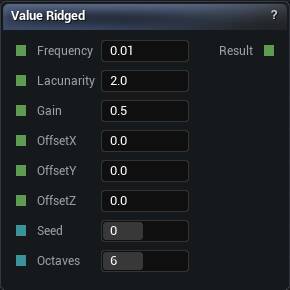
The Value Ridged node
Blocky ridged noise. The cell structure of the value basis is far more visible here than in the Perlin and Simplex versions.
That is either the stylised look you were after or the reason to change basis.
| Pin | Type | Description |
|---|---|---|
Frequency |
Number | How tight the biggest layer is. Everything else is built on top of it. |
Lacunarity |
Number | How much smaller each layer gets. At 2 every layer is half the size of the one before. |
Gain |
Number | How much quieter each layer gets. Low is crisp, high is rough and grubby. |
OffsetX |
Number | Slide the pattern along X. |
OffsetY |
Number | Slide the pattern along Y. |
OffsetZ |
Number | Slide the pattern along Z. |
Seed |
Whole Number | Change this for a different pattern at the same settings. The same seed always gives you the same noise. |
Octaves |
Whole Number | How many layers to stack. Past about 8 you are paying for detail finer than your voxels can show. |
| Pin | Type | Description |
|---|---|---|
Result |
Number | The noise here. Roughly -1 to 1. |
Available in Mesh Morpher Graph and Mesh Morpher Studio.
Studio and Graph › Voxel › Fractal Noise
2D Value Ridged. Blocky ridgelines.
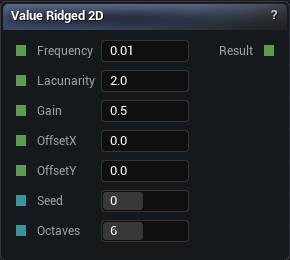
The Value Ridged 2D node
2D Value Ridged. Blocky ridgelines.
The cell structure of the value basis is very visible in ridged form. Change basis if that is not the intent.
| Pin | Type | Description |
|---|---|---|
Frequency |
Number | How tight the biggest layer is. Everything else is built on top of it. |
Lacunarity |
Number | How much smaller each layer gets. At 2 every layer is half the size of the one before. |
Gain |
Number | How much quieter each layer gets. Low is crisp, high is rough and grubby. |
OffsetX |
Number | Slide the pattern along X. |
OffsetY |
Number | Slide the pattern along Y. |
Seed |
Whole Number | Change this for a different pattern at the same settings. |
Octaves |
Whole Number | How many layers to stack. Past about 8 you are paying for detail finer than your voxels can show. |
| Pin | Type | Description |
|---|---|---|
Result |
Number | The stacked noise here, the same at every height. |
Available in Mesh Morpher Graph and Mesh Morpher Studio.
Studio and Graph › Voxel › Fractal Noise
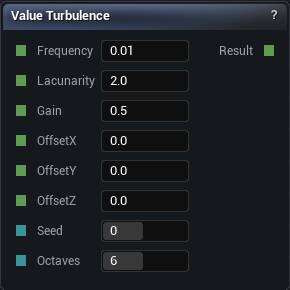
Blocky chaotic noise, and the cheapest warp source available.
The Value Turbulence node
Blocky chaotic noise, and the cheapest warp source available.
Its blockiness transfers straight into whatever it warps, which makes it a poor choice when the warp is meant to look organic.
| Pin | Type | Description |
|---|---|---|
Frequency |
Number | How tight the biggest layer is. Everything else is built on top of it. |
Lacunarity |
Number | How much smaller each layer gets. At 2 every layer is half the size of the one before. |
Gain |
Number | How much quieter each layer gets. Low is crisp, high is rough and grubby. |
OffsetX |
Number | Slide the pattern along X. |
OffsetY |
Number | Slide the pattern along Y. |
OffsetZ |
Number | Slide the pattern along Z. |
Seed |
Whole Number | Change this for a different pattern at the same settings. The same seed always gives you the same noise. |
Octaves |
Whole Number | How many layers to stack. Past about 8 you are paying for detail finer than your voxels can show. |
| Pin | Type | Description |
|---|---|---|
Result |
Number | The noise here. Roughly -1 to 1. |
Available in Mesh Morpher Graph and Mesh Morpher Studio.
Studio and Graph › Voxel › Fractal Noise
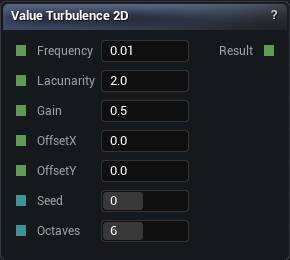
2D Value Turbulence. Blocky chaotic noise in XY.
The Value Turbulence 2D node
2D Value Turbulence. Blocky chaotic noise in XY.
Its blockiness transfers into anything it warps, and it shows up fast.
| Pin | Type | Description |
|---|---|---|
Frequency |
Number | How tight the biggest layer is. Everything else is built on top of it. |
Lacunarity |
Number | How much smaller each layer gets. At 2 every layer is half the size of the one before. |
Gain |
Number | How much quieter each layer gets. Low is crisp, high is rough and grubby. |
OffsetX |
Number | Slide the pattern along X. |
OffsetY |
Number | Slide the pattern along Y. |
Seed |
Whole Number | Change this for a different pattern at the same settings. |
Octaves |
Whole Number | How many layers to stack. Past about 8 you are paying for detail finer than your voxels can show. |
| Pin | Type | Description |
|---|---|---|
Result |
Number | The stacked noise here, the same at every height. |
Available in Mesh Morpher Graph and Mesh Morpher Studio.