Studio and Graph › Voxel
Domain
Domain operations bend the space a field is sampled in: repeat it, mirror it, twist it or transform it, without touching the field itself.
Mesh Morpher documentation
Studio and Graph › Voxel
Domain operations bend the space a field is sampled in: repeat it, mirror it, twist it or transform it, without touching the field itself.
Studio and Graph › Voxel › Domain
Bends Source around Y, with the bend growing along X. A straight column becomes an arch.
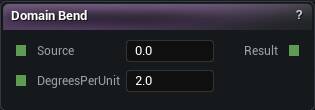
The Domain Bend node
Bends Source around Y, with the bend growing along X. A straight column becomes an arch.
Same warning as Domain Twist. Bending distorts the distances, and Smooth Union and the mesher both rely on those being roughly honest. A heavy bend shows up as uneven fillets and rough patches.
Bend for the big gesture, then model the detail after the bend rather than before it.
| Pin | Type | Description |
|---|---|---|
Source |
Number | The thing to bend. |
DegreesPerUnit |
Number | Degrees of bend for every world unit along X. |
| Pin | Type | Description |
|---|---|---|
Result |
Number | Source, bent. |
Available in Mesh Morpher Graph and Mesh Morpher Studio.
Studio and Graph › Voxel › Domain
Reflects Source across the chosen planes. Build half a shape, get the other half free.
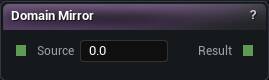
The Domain Mirror node
Reflects Source across the chosen planes. Build half a shape, get the other half free.
| Pin | Type | Description |
|---|---|---|
Source |
Number | The thing to mirror. |
| Pin | Type | Description |
|---|---|---|
Result |
Number | Source, mirrored. |
| Setting | Type | Description |
|---|---|---|
Mirror X |
True/False | Mirror left to right. Whatever you build on the positive X side is copied to the other side. |
Mirror Y |
True/False | Mirror front to back. |
Mirror Z |
True/False | Mirror top to bottom. |
Available in Mesh Morpher Graph and Mesh Morpher Studio.
Studio and Graph › Voxel › Domain
Tiles the Source subgraph forever by folding the sample position into one cell. A single Sphere plus a small Domain Repeat is a whole field of spheres for the memory of one.
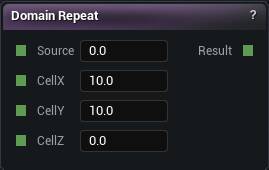
The Domain Repeat node
Tiles the Source subgraph forever by folding the sample position into one cell. A single Sphere plus a small Domain Repeat is a whole field of spheres for the memory of one.
Cell Z defaults to 0, and an axis with a cell of 0 does not tile at all. That is usually what you want for pillars standing on ground, and a surprise if you expected a 3D lattice.
The cell has to be bigger than the shape inside it. A shape wider than its cell gets sliced by the fold and the copies fuse into one slab. Pair it with Domain Warp so the grid does not read as a grid.
| Pin | Type | Description |
|---|---|---|
Source |
Number | The thing to repeat. |
CellX |
Number | How far apart the copies sit along X. 0 means no repeat on this axis. |
CellY |
Number | How far apart the copies sit along Y. 0 means no repeat on this axis. |
CellZ |
Number | How far apart the copies sit along Z. 0 means no repeat on this axis. |
| Pin | Type | Description |
|---|---|---|
Result |
Number | Source, repeated. |
Available in Mesh Morpher Graph and Mesh Morpher Studio.
Studio and Graph › Voxel › Domain
Rotates the coordinates before Source samples them, so any position-based pattern can be tilted or turned. Pitch turns around Y, Yaw around Z, Roll around X, all in degrees.
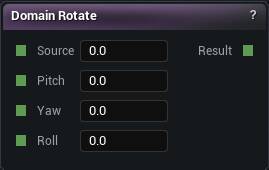
The Domain Rotate node
Rotates the coordinates before Source samples them, so any position-based pattern can be tilted or turned. Pitch turns around Y, Yaw around Z, Roll around X, all in degrees.
The patterns that need it are the ones with a direction baked in: Linear Gradient, Sine Wave, a 2D noise that only knows about XY. You cannot fix their orientation with vector maths further down the graph, because by then they have already been sampled.
| Pin | Type | Description |
|---|---|---|
Source |
Number | The thing to turn. |
Pitch |
Number | Nose up and down, in degrees. |
Yaw |
Number | Turn left and right, in degrees. |
Roll |
Number | Tip side to side, in degrees. |
| Pin | Type | Description |
|---|---|---|
Result |
Number | Source, turned. |
Available in Mesh Morpher Graph and Mesh Morpher Studio.
Studio and Graph › Voxel › Domain
Stretches or squashes the coordinates before Source sees them. That is how you grow or shrink noise features, or any position-driven pattern, without touching the pattern itself.
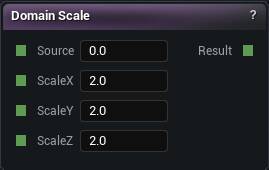
The Domain Scale node
Stretches or squashes the coordinates before Source sees them. That is how you grow or shrink noise features, or any position-driven pattern, without touching the pattern itself.
The multiply lands on the sample point, so a scale of 2 makes features half as big, not twice as big.
On a distance field it scales the distances too. A shape inside a scaled domain blends through Smooth Union with a different effective radius than the one you typed. When the exact distances matter, change the primitive's own Radius or Extent instead.
| Pin | Type | Description |
|---|---|---|
Source |
Number | The thing to stretch or squash. |
ScaleX |
Number | Squash along X. Higher numbers make the pattern tighter, not bigger. |
ScaleY |
Number | Squash along Y. Higher numbers make the pattern tighter, not bigger. |
ScaleZ |
Number | Squash along Z. Higher numbers make the pattern tighter, not bigger. |
| Pin | Type | Description |
|---|---|---|
Result |
Number | Source, stretched or squashed. |
Available in Mesh Morpher Graph and Mesh Morpher Studio.
Studio and Graph › Voxel › Domain
Shifts the coordinates before the Source subgraph reads them, which moves whatever Source produces without reshaping it.
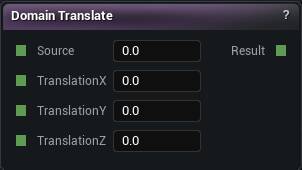
The Domain Translate node
Shifts the coordinates before the Source subgraph reads them, which moves whatever Source produces without reshaping it.
Here is the part that catches everyone. The offset is added to the sample point, so the shape appears to go the other way. Type 100 into Translation X and the sphere slides 100 units toward negative X. Nudge it, look, then commit to a sign.
Worth reaching for when one subgraph has to appear in several places. Building the offset into a primitive's own Center X only works once.
| Pin | Type | Description |
|---|---|---|
Source |
Number | The thing to move. |
TranslationX |
Number | Shift along X. The shape travels the opposite way from the number you type. |
TranslationY |
Number | Shift along Y. The shape travels the opposite way from the number you type. |
TranslationZ |
Number | Shift along Z. The shape travels the opposite way from the number you type. |
| Pin | Type | Description |
|---|---|---|
Result |
Number | Source, moved. |
Available in Mesh Morpher Graph and Mesh Morpher Studio.
Studio and Graph › Voxel › Domain
Twists Source around the vertical axis, with the rotation growing as you go up. A straight tower comes out a helix. Degrees Per Unit is how much turn each world unit of height adds.
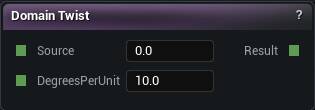
The Domain Twist node
Twists Source around the vertical axis, with the rotation growing as you go up. A straight tower comes out a helix. Degrees Per Unit is how much turn each world unit of height adds.
A hard twist shears the distance field. What was an exact distance becomes an overestimate, and the mesher answers with facets or holes through the twisted part. Keep the rate modest, or drop the voxel size to compensate.
| Pin | Type | Description |
|---|---|---|
Source |
Number | The thing to twist. |
DegreesPerUnit |
Number | Degrees of twist for every world unit you climb. |
| Pin | Type | Description |
|---|---|---|
Result |
Number | Source, twisted. |
Available in Mesh Morpher Graph and Mesh Morpher Studio.
Studio and Graph › Voxel › Domain
Pushes the sample position around by a Warp signal before Source reads it. Noise fed into noise. It breaks up repetition and gives a field that drifting, organic look.
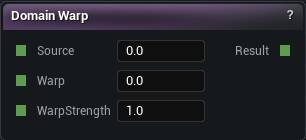
The Domain Warp node
Pushes the sample position around by a Warp signal before Source reads it. Noise fed into noise. It breaks up repetition and gives a field that drifting, organic look.
Feed Warp from a second noise at a lower frequency than the one inside Source. Using the same noise for both just smears the pattern along itself.
The displacement is in world units, and the same value shifts all three axes together, so it slides the sample point along a diagonal. A Warp Strength anywhere near your feature size dissolves the shape completely. Start at a tenth of it.
| Pin | Type | Description |
|---|---|---|
Source |
Number | The thing to push around. |
Warp |
Number | What does the pushing. Nearly always a noise node. |
WarpStrength |
Number | How hard the warp pushes. Too much and the shape tears itself apart. |
| Pin | Type | Description |
|---|---|---|
Result |
Number | Source, warped. |
Available in Mesh Morpher Graph and Mesh Morpher Studio.