Studio and Graph › Skeleton
Transfer Weights
Copies a rigged mesh's skeleton and its per-vertex skin weights onto a mesh that has neither, matching the two by position or through their UVs.
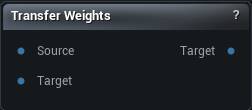
The Transfer Weights node
When to use it
Copies a rigged mesh's skeleton and its per-vertex skin weights onto a mesh that has neither, matching the two by position or through their UVs.
This is how anything new gets rigged without hand-painting: a garment modelled over a body, a retopologised head, a piece appended onto a character. The recipient comes out skinned to the same skeleton and poses with it.
Whatever skeleton the target already had is replaced by the source's, so run it before you start editing the recipient's rig rather than after.
How to use it
- 1
Connect the rigged mesh and the mesh that needs rigging
- 2
Pick UV matching if both share a layout, otherwise set the search radius
- 3
Press Transfer Weights
Pins
| Pin | Type | Description |
|---|---|---|
Mesh |
Mesh | The rigged mesh to take the skeleton and weights from. |
Target |
Mesh | The mesh that gets rigged. Whatever skeleton it had is replaced by the source's. |
| Pin | Type | Description |
|---|---|---|
Target |
Mesh | That mesh, now skinned to the source's skeleton. |
Settings
| Setting | Type | Description |
|---|---|---|
Transfer By UV Match |
True/False | Match by UV instead of by position. Turn it on when both meshes share a UV layout - it beats proximity around fingers, armpits and anywhere two surfaces nearly touch. |
Radius Percentage |
Number | How far to look for a source point, as a fraction of the target's bounding box diagonal. Too small and whole regions find nothing and drop back to plain nearest-point weights. Use a negative number to search the entire source mesh. |
Normal Threshold |
Number | How far a source normal may point away from the target's and still count as a match, in degrees. Use a negative number to ignore normals altogether. |
Layered Mesh Support |
True/False | When a match fails the normal test, try again with the normal flipped. Helps on layered meshes where an inner and an outer surface sit close together facing opposite ways, like a jacket lining over a shirt. |
Num Smoothing Iterations |
Whole number | How many smoothing passes to run over the weights the solver had to guess. Too many and a tight area like the jaw blurs into its neighbours. |
Smoothing Strength |
Number | How much each of those passes moves the weights. |
Max Num Influences |
Whole number | The most bones allowed to influence any one vertex. |
Learn more
| Morph full body MetaHumans and skeletons | Read the walkthrough on meshmorpher.com | https://meshmorpher.com/blog/morph-full-body-meta-humans-and-skeletons |
Available in Mesh Morpher Graph and Mesh Morpher Studio.