Studio and Graph › Repair
Fill Holes
Closes open boundaries. The method matters more than anything else here. A triangle fan is instant and fine on a small flat hole. Ear clipping copes with a concave outline. Minimal produces the few...
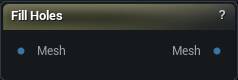
The Fill Holes node
When to use it
Closes open boundaries. The method matters more than anything else here. A triangle fan is instant and fine on a small flat hole. Ear clipping copes with a concave outline. Minimal produces the fewest triangles. Smooth fill reconstructs a curved surface that carries on from the shape around it, and on an organic form it is the only one that looks right.
Run it after a crop, a Remove Geometry or a scan cleanup, then check with Mesh Health that the boundary count actually reached zero.
A hole that refuses to fill is usually not one loop. Two boundaries that touch at a pinch vertex read as a figure eight, so weld first. Press Fill Holes.
How to use it
- 1
Wire the mesh into Mesh
- 2
Pick a fill method
Minimal handles most things; use Smooth on a large opening across a curved surface.
- 3
Press Fill Holes
Every patch gets flat face normals and a flat UV projection, so it will read as a facet against the surface around it until you recompute normals and lay its UVs out properly.
Pins
| Pin | Type | Description |
|---|---|---|
Mesh |
Mesh | The mesh with holes in it. |
| Pin | Type | Description |
|---|---|---|
Mesh |
Mesh | The mesh with its boundary loops closed. Each patch inherits the material of the triangles around it. |
Settings
| Setting | Type | Description |
|---|---|---|
Fill Method |
Choice | How the patch gets triangulated. |
Filter By Size |
True/False | Skip holes with more boundary edges than Max Hole Edges. Off, a scan's whole open back gets sealed over along with the pinholes you were after. |
Max Hole Edges |
Whole number | Holes with more boundary edges than this are left open. |
Constrain To Hole Interior |
True/False | Keep the fill from touching any triangle outside the hole. Protects the surrounding mesh, at the cost of a patch that meets it more abruptly. |
Interior Smoothness |
Number | Trades smoothness inside the patch against staying close to the shape the first fill produced. |
Remeshing Exterior Region Width |
Whole number | How many rings of surrounding triangles get remeshed along with the patch. Only does anything when the fill is not constrained to the hole interior. |
Smoothing Exterior Region Width |
Whole number | How many rings outside the patch get smoothed too. Raise it to soften the seam where the patch meets the mesh. |
Smoothing Interior Region Width |
Whole number | How far in from the patch border the smoothing constraint fades out. |
Fill Density Scalar |
Number | Sets the patch's triangle size: the average edge length around the hole, divided by this. Higher gives you a denser patch. |
Project During Remesh |
True/False | Pull vertices back onto the fill surface while the patch is remeshed. |
Available in Mesh Morpher Graph and Mesh Morpher Studio.