Studio and Graph › MetaHuman DNA
Edit DNA ML
Adds or removes ML controls, and removes neural networks, on a DNA, as an ordered list of operations applied atomically - the wave-3 authoring counterpart to whatever a Get/Create DNA node can only...
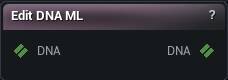
The Edit DNA ML node
When to use it
Adds or removes ML controls, and removes neural networks, on a DNA, as an ordered list of operations applied atomically - the wave-3 authoring counterpart to whatever a Get/Create DNA node can only read. ML controls and neural networks need DNA file format 2.3 or newer; the node re-stamps the file to the version it needs and says so in Summary. A network's own weights and layers are authored only by the Python verb add_neural_network (a real layer needs its full weight/bias matrices, not a handful of Slate fields), so this node never adds one - do not go looking for that option here.
Operations is a list edited in the Operations panel below the properties: Add Operation appends an entry, and each entry has an enabled tick, an Op (Add ML Control / Remove ML Control / Remove Neural Network), a New Name box (Add ML Control), an ML control target (Remove ML Control, picked from a plain-name list), a Network target (Remove Neural Network, picked from a list labelled "net <i>: <in> in → <out> out, <layers> layer(s), LODs <list>" - a read-only info line under the card repeats it) and a Force Cascade tick (Remove ML Control), Up/Down/Remove. An unticked entry is skipped entirely (never validated) and reported as "skipped".
Apply ML runs every enabled entry in order, each resolved against the result of every earlier one - an ML control is targeted by its name, which stays correct across the batch even after an earlier entry adds or removes other controls (unlike a PSD's positional index); a network is targeted by its plain index, renumbered down by an earlier Remove Neural Network in the same batch exactly like a PSD's own Remove. This is atomic: the first entry that refuses publishes nothing at all, not even the operations before it, and Summary names exactly which entry and why. A pin change only updates Summary (ML control/network counts and one preview block per operation, including a live reference-cascade preview for Remove ML Control) without touching the DNA, the same pattern as Edit DNA PSD.
An ML control no neural network writes stays 0 at evaluation time - harmless, exactly like an unused raw control. Removing a referenced ML control (a PSD factor, a neural network's own input or output) refuses without Force Cascade; Summary lists every kind found before you press anything. Removing a neural network renumbers every later network's own index, its per-LOD membership lists and every mesh-region row that named it; Summary surfaces that renumbering plus, when this DNA carries the plugin's own mlbe op-graph section, whatever the cascade dropped from it.
Mid-band insertion is unsupported: Add ML Control always appends at the end of the ML band.
How to use it
- 1
Wire a DNA in
- 2
Build an ordered list of operations in the Operations panel below the properties
Each entry picks Add ML Control / Remove ML Control / Remove Neural Network, a New Name box (Add ML Control), an ML control picker (Remove ML Control), a Network picker (Remove Neural Network) and a Force Cascade tick (Remove ML Control). Untick an entry to keep it staged without running it.
- 3
Press Apply ML
Every enabled entry runs in order against the result of every earlier one. The whole batch is atomic: the first refusal publishes nothing at all, not even the operations before it.
Pins
| Pin | Type | Description |
|---|---|---|
DNA |
DNA | The DNA to edit ML controls / neural networks on. |
| Pin | Type | Description |
|---|---|---|
DNA |
DNA | The DNA with every operation applied. Empty until Apply ML succeeds - never a partial file. |
Settings
| Setting | Type | Description |
|---|---|---|
Operations |
List of MMDNAML Node Operation | The ordered batch Apply ML runs, one entry at a time, top to bottom. Edited in its own panel on the node, not in the plain properties list. |
Learn more
| Modify MetaHuman RBF poses | Read the walkthrough on meshmorpher.com | https://meshmorpher.com/blog/modify-metahuman-rbf-poses |
| Modify DNA bone expressions | Read the walkthrough on meshmorpher.com | https://meshmorpher.com/blog/modify-meta-human-dna-bone-expressions-with-mesh-morpher |
| Custom DNA topology | Read the walkthrough on meshmorpher.com | https://meshmorpher.com/blog/custom-dna-topology-with-mesh-morpher-graph |
Available in Mesh Morpher Graph and Mesh Morpher Studio.