Studio and Graph › Materials
Set Material Blend
Forces a mesh's embedded materials to opaque or translucent per slot, over the top of whatever the importer guessed.
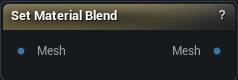
The Set Material Blend node
When to use it
Forces a mesh's embedded materials to opaque or translucent per slot, over the top of whatever the importer guessed.
Hair or eyelashes that came in opaque and look like cardboard, a body slot that came in translucent and shows through itself: that is what this fixes. Transparency only. Swapping the material itself is Set Materials.
Auto is not off. It means keep what the importer decided from the source file and the mostly-opaque heuristic, and the panel shows you what Auto currently resolves to. Leave slots you have no opinion about on Auto rather than pinning them to Opaque.
Pins
| Pin | Type | Description |
|---|---|---|
Mesh |
Mesh | The mesh whose material slots you want to fix. |
| Pin | Type | Description |
|---|---|---|
Mesh |
Mesh | The same mesh with your solid / see-through choices applied. |
Available in Mesh Morpher Graph and Mesh Morpher Studio.