Studio and Graph › Geometry
Recompute Normals
Recalculates the mesh's normals so lighting matches the geometry again. Drop it after anything that moved vertices without maintaining them: a deltas apply, a wrap, a stream, a hand-written Wrangle.
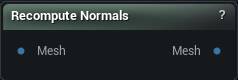
The Recompute Normals node
When to use it
Recalculates the mesh's normals so lighting matches the geometry again. Drop it after anything that moved vertices without maintaining them: a deltas apply, a wrap, a stream, a hand-written Wrangle.
The sculpt and deformer nodes already do this for you, so an extra one there costs time and fixes nothing.
If a mesh still renders with black or inside-out patches after this node, normals were not the problem. Look for inverted triangle winding from Fix Symmetry or an importer axis flip, or a material with an unset normal parameter.
Pins
| Pin | Type | Description |
|---|---|---|
Mesh |
Mesh | The mesh whose normals need rebuilding. Hard edges and smoothing splits are kept. |
| Pin | Type | Description |
|---|---|---|
Mesh |
Mesh | The same mesh with fresh normals. |
Available in Mesh Morpher Graph and Mesh Morpher Studio.