Studio and Graph › Exporters
Write IMG
Pops a save dialog and writes the connected texture to disk. The format follows the extension you type: PNG, JPEG, BMP, EXR.
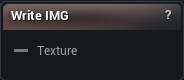
The Write IMG node
When to use it
Pops a save dialog and writes the connected texture to disk. The format follows the extension you type: PNG, JPEG, BMP, EXR.
Getting a generated map out of the app as a file is what it is for: a bake, a projection, a tension map, a UV layout. If the image should become persistent project content instead, use Export to Texture Asset.
Nothing is remembered between runs. Every press asks for the destination again, which is deliberate: it can never quietly overwrite the file you picked last week.
Pins
| Pin | Type | Description |
|---|---|---|
Texture |
Asset | The texture to write out. |
Available in Mesh Morpher Graph and Mesh Morpher Studio.