Studio and Graph
AI
AI-assisted nodes: generating and processing meshes with on-device and cloud models.
Mesh Morpher documentation
Studio and Graph
AI-assisted nodes: generating and processing meshes with on-device and cloud models.
Studio and Graph › AI
Applies data an agent computed outside the app: vertex positions, a skeleton, skin weights, each read from a file. It is the graph-side other half of the getmeshvertices, getskeleton and getskinwei...

The Apply AI Mesh Data node
Applies data an agent computed outside the app: vertex positions, a skeleton, skin weights, each read from a file. It is the graph-side other half of the get_mesh_vertices, get_skeleton and get_skin_weights export tools. The agent reads the mesh, computes in Python or whatever it likes, writes a file, and this node wires the result back in.
One node covers all three. Leave a file path empty to skip that part. They are applied in a fixed order: deformation, then skeleton, then skin weights.
Vertex data has to be the whole set, in ascending vertex-id order, positions component-local, exactly as get_mesh_vertices wrote it. Hand it the wrong number of rows and it refuses and tells you both counts. Hand it the right number in the wrong order and it accepts without a murmur, every vertex takes somebody else's position, and the mesh comes out as noise.
Editing a file path or rewriting the file re-applies on its own. There is no button.
| Pin | Type | Description |
|---|---|---|
Mesh |
Mesh | The mesh the data lands on. Normally the same one the agent read in the first place. |
| Pin | Type | Description |
|---|---|---|
Mesh |
Mesh | The mesh with whatever you pointed at applied to it. |
| Setting | Type | Description |
|---|---|---|
Deformation File |
Text | File holding one entry per vertex, in vertex order. Leave it blank to skip the deformation and pass the shape through untouched. |
Deformation Format |
Choice | How that file is written: readable JSON, or raw 32-bit floats. |
Deformation Mode |
Choice | Whether the numbers in the file are finished positions, or offsets to add to where each vertex already sits. Choose Absolute for a file of offsets and the mesh collapses towards the origin. |
Skeleton File |
Text | JSON file listing the bones: name, parent and transform. Leave it blank to skip the skeleton. |
Skeleton Space |
Choice | Whether each bone's transform in the file is measured against its parent or against the mesh itself. Pick the wrong one and the transforms stack down the chain, so the hand ends up somewhere out past the shoulder. |
Skin Weights File |
Text | JSON file saying which bones pull on each vertex and how hard. The mesh needs a skeleton first, either from the file above or from a rig upstream. Leave it blank to skip. |
Available in Mesh Morpher Graph and Mesh Morpher Studio.
Studio and Graph › AI
Predicts a skeleton for a character mesh that arrived without one, using the UniRig model, and writes the bones onto the output mesh: names, parents and bind poses.
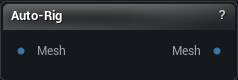
The Auto-Rig node
Predicts a skeleton for a character mesh that arrived without one, using the UniRig model, and writes the bones onto the output mesh: names, parents and bind poses.
It emits the skeleton and nothing else. The mesh still has no skin weights when it leaves this node, so it will not deform if you pose it. Auto-Skin is the second half of the pair.
The usual chain is Mesh, Auto-Rig, Auto-Skin: skeleton first, then the weights that bind to it.
| Pin | Type | Description |
|---|---|---|
Mesh |
Mesh | The character mesh you want a skeleton for. |
| Pin | Type | Description |
|---|---|---|
Mesh |
Mesh | The same mesh, now carrying the predicted bones. No skin weights yet. |
| Setting | Type | Description |
|---|---|---|
Backend |
Choice | Where the model runs. DirectML uses your GPU and is far quicker; it drops back to the CPU on its own when the GPU cannot take it. |
Seed |
Whole number | The number behind every random choice in the prediction. Same number, same skeleton. Change it and you get a different one to compare against. |
Sample |
True/False | Let the model wander instead of always taking its safest guess. Off gives you the same tidy, symmetric skeleton every time. On finds extra joints now and then, and also gives you a stray bone in one arm that has no twin in the other. Re-roll with Seed if that happens. |
Temperature |
Number | How far the model is allowed to wander when placing joints. Higher is more adventurous and less predictable. |
Top K |
Whole number | Only consider this many of the model's best guesses at each step. 0 lets it consider all of them. |
Top P |
Number | Cuts off the long tail of unlikely guesses. Lower keeps the choice tighter and the skeleton closer to the safe answer. |
Repetition Penalty |
Number | Discourages the model from reusing joint positions it has already placed. 1 leaves it alone. |
Candidates |
Whole number | Predict the skeleton this many times and keep the one with the most joints, which in practice is the one where eyes and finger tips survived. Each extra attempt costs another full run. 1 is the quick pass. |
Available in Mesh Morpher Graph and Mesh Morpher Studio.
Studio and Graph › AI
Works out a skin weight for every vertex against the skeleton the mesh is already carrying, and writes them back on, so the mesh deforms when you pose it.
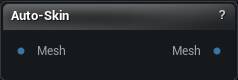
The Auto-Skin node
Works out a skin weight for every vertex against the skeleton the mesh is already carrying, and writes them back on, so the mesh deforms when you pose it.
It needs bones to bind to. Anything with a skeleton will do: the output of Auto-Rig, or an imported skeletal mesh whose weights you want redone.
The pair reads Mesh, Auto-Rig, Auto-Skin: the first predicts the skeleton, the second binds the mesh to it, and what comes out the far end is rigged and skinned.
| Pin | Type | Description |
|---|---|---|
Mesh |
Mesh | The mesh to skin. It needs a skeleton on it already, from Auto-Rig or an imported skeletal mesh. |
| Pin | Type | Description |
|---|---|---|
Mesh |
Mesh | The same mesh and skeleton, now with skin weights on every vertex. |
| Setting | Type | Description |
|---|---|---|
Backend |
Choice | Where the neural refinement runs. DirectML uses your GPU and is far quicker; it drops back to the CPU on its own when the GPU cannot take it. |
Max Influences |
Whole number | How many bones are allowed to pull on one vertex. Four is the usual budget for a game character. |
Neural Refine |
True/False | Clean up the plain distance-based binding with UniRig's skinning model. It sharpens the border between one bone's territory and the next, so an elbow creases instead of smearing. Needs the UniRig model pack. Asking for it is not the same as getting it. Without the pack the node still finishes, using the plain binding, and its completion line tells you which one you actually got. |
Available in Mesh Morpher Graph and Mesh Morpher Studio.
Studio and Graph › AI
Runs Meta's SAM 3D Body model over a photograph and hands back a complete character on one wire: vertices, triangles, UVs, a bone hierarchy, a bind pose and skin weights. It arrives posed the way t...
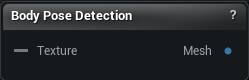
The Body Pose Detection node
Runs Meta's SAM 3D Body model over a photograph and hands back a complete character on one wire: vertices, triangles, UVs, a bone hierarchy, a bind pose and skin weights. It arrives posed the way the person in the photo is standing.
That makes one image enough to get a body you can actually retarget onto. Turn Shape Strength down to get the neutral template build instead of the person's own, which is the easier one to fit clothing to.
Bodies only. Turning a photograph of an object into a mesh is a different pipeline with its own node.
| Pin | Type | Description |
|---|---|---|
Texture |
Asset | The photo of the person to read. |
| Pin | Type | Description |
|---|---|---|
Mesh |
Mesh | The body it built: mesh, skeleton, skin weights and UVs, ready to pose. |
| Setting | Type | Description |
|---|---|---|
Backend |
Choice | Where the model runs. DirectML uses your GPU and needs DX12. On the CPU a single image takes 30 to 60 seconds. Falls back to the CPU on its own when DirectML is not available. |
Shape Strength |
Number | How much of the person's actual build to keep. 1 gives you their body shape as read from the photo. 0 gives you the neutral template body, which is the easier one to retarget onto. |
Hand Pose Strength |
Number | How much of the predicted finger pose to keep. 0 leaves the hands relaxed in the template's default pose. |
Apply Per Limb Scale |
True/False | Use the predicted limb proportions instead of the template's. Off by default, which is what the model's own reference pipeline does. |
Recompute Normals |
True/False | Rebuild smooth normals on the finished body so it shades cleanly. Turn it off when a remesh or normal-edit node further down the graph is going to redo them anyway. |
Attach UVs |
True/False | Give the body its stock UV layout. Turn it off if you intend to unwrap it yourself later. |
Ground To Floor |
True/False | Drop the body onto the ground so it does not float. One photo cannot tell how high off the floor someone is, so the predicted height is guesswork; this slides mesh and skeleton down together until the lowest vertex rests at zero. Turn it off to keep the raw placement the model produced. |
Available in Mesh Morpher Graph and Mesh Morpher Studio.