Classic › Editor › Basic Operations
Delete
Mesh Morpher allows users to delete Morph Targets in-engine without the need of any other DCC software.
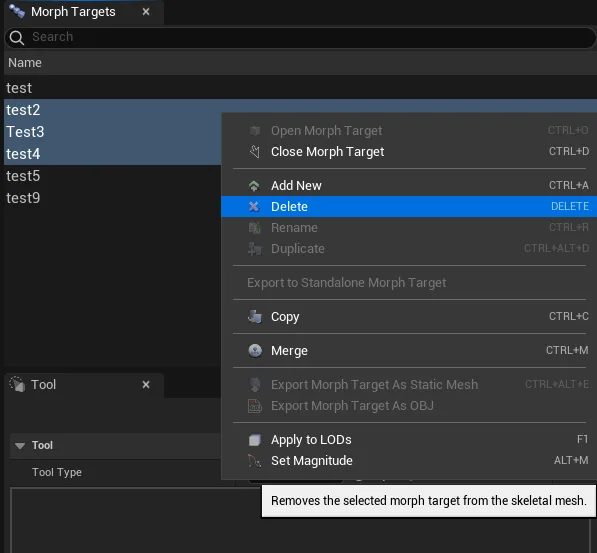
You can delete a single Morph Target or multiple Morph Targets by using Ctrl+Click or Shift+Click to select additional Morph Targets in the Morph Targets list.
There are three ways to delete Morph Targets:
- By clicking Delete in Mesh Morpher's toolbar

- By Right-clicking on the Morph Target you want to Delete in Morph Targets list and select Rename.
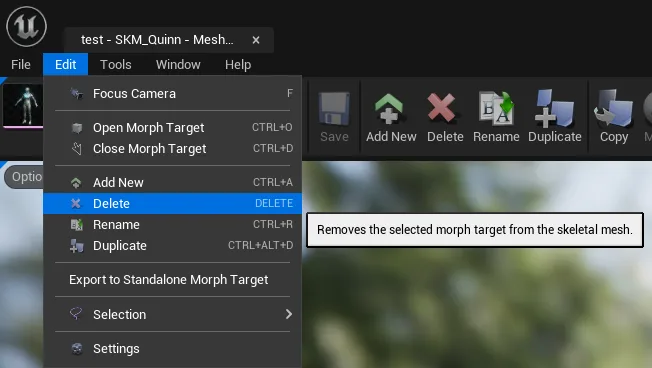
- Navigating to Edit top dropdown menu and clicking Delete
A new dialog will pop asking for confirmation. Clicking Yes will proceed with Morph Target removal.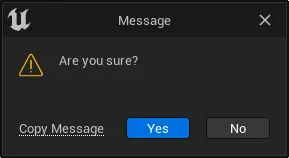
Keyboard shortcut: DELETE
The button is greyed out when there's no selection.
Morph Target removal is irreversible.
Delete allows multi-selection.